SAP Cloud ALM – What’s New in Week 24
SAP Cloud ALM continues to advance with every update, bringing more features and a smoother user experience. This update highlights the most recent enhancements from the past two weeks – focused on improving usability and expanding capabilities to help streamline daily operations and support more efficient landscape management. If you missed the previous post in our update series, you can find it here.
Services
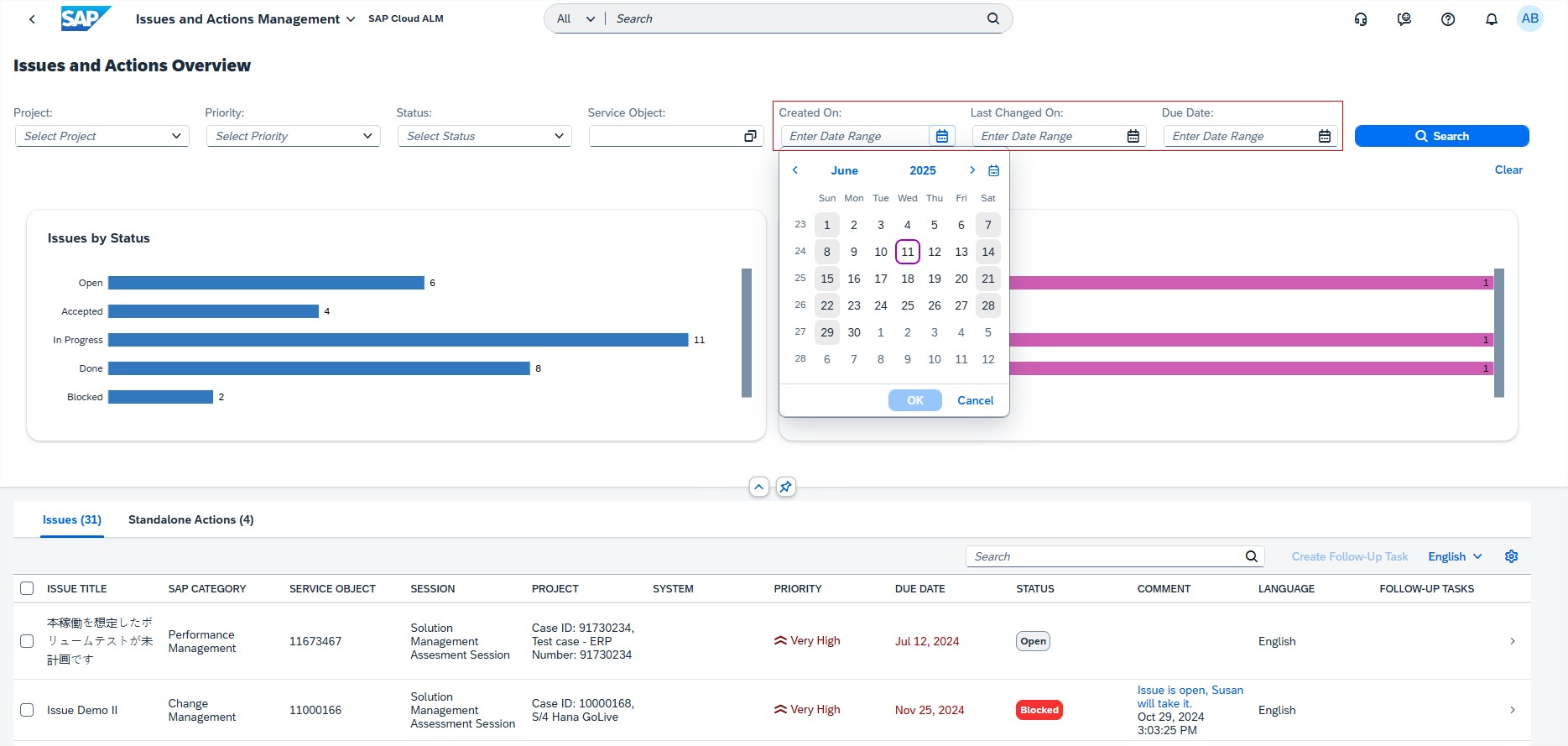
Issues and Actions Management has new date range filters such as Created On, Last Changed On, and Due Date for a refined search of issues and standalone actions on Overview page. These filters help users quickly narrow down results based on key timelines, making it easier to stay organized and focused on what matters most.
Implementation
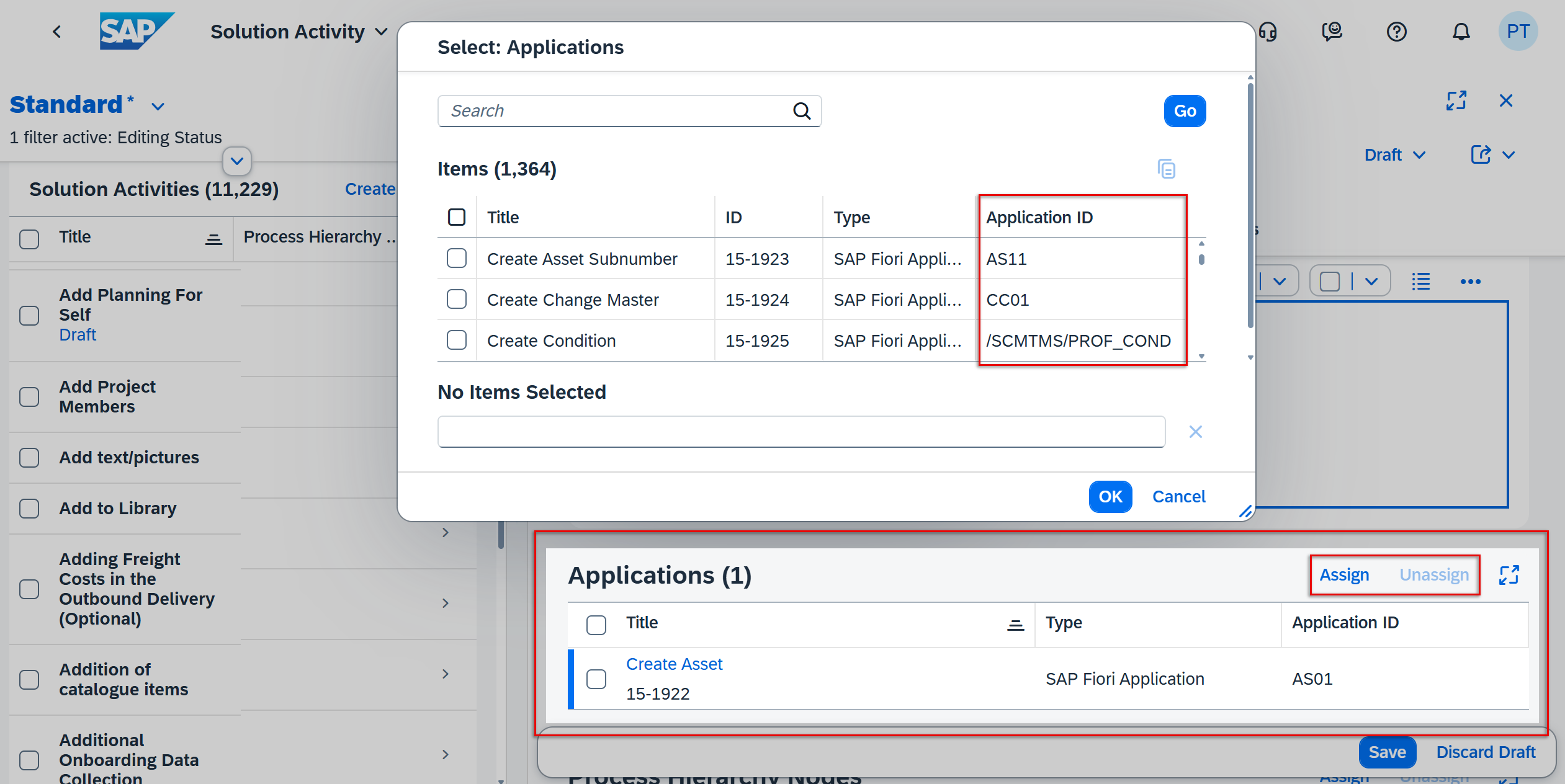
In Process Authoring, users can now see the Application ID of any applications linked to a solution activity in the Solution Activities list. In Edit mode, they can also easily assign or unassign applications directly from this list. As before, the application name remains a clickable link that opens its details in the Libraries app. These updates make managing applications within solution activities faster and more convenient.
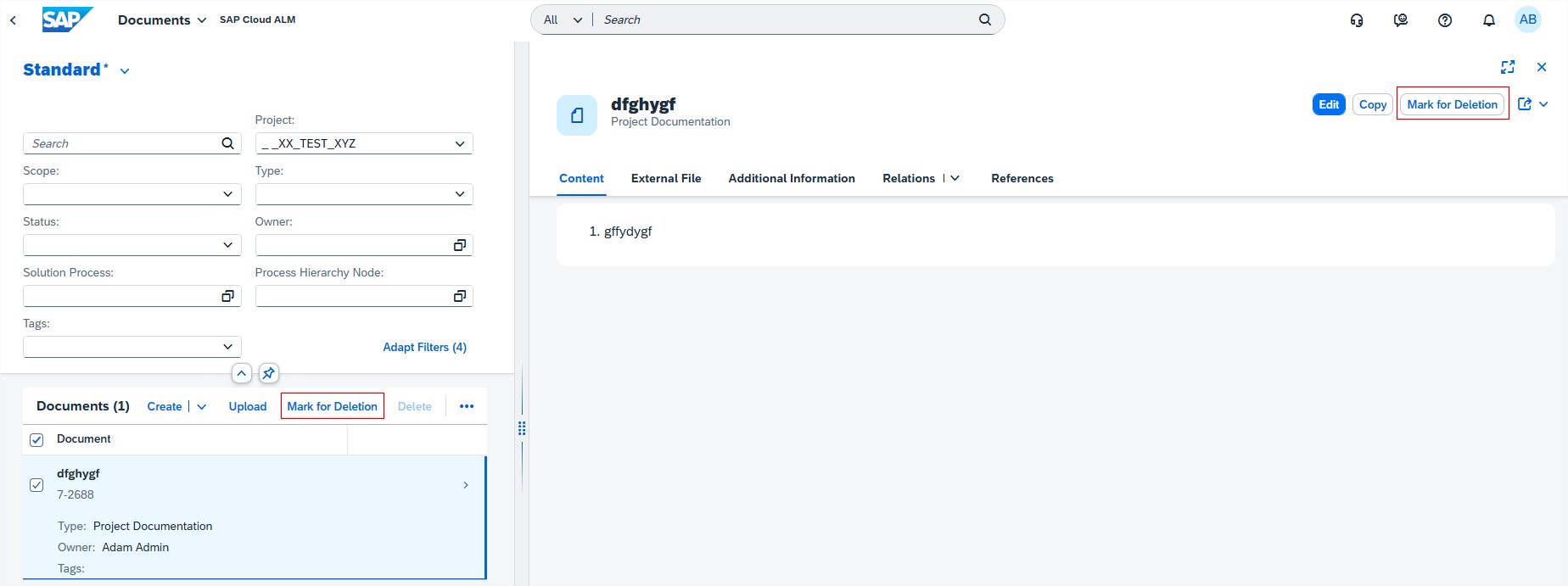
Documents introduced access restrictions for Deleting documents. As of now, only users with the role of Project Lead or Project Administrator can delete documents.
Users with the role Project Member can no longer permanently delete documents, but they can still mark them for deletion. Documents in status Marked for deletion can’t be changed, copied or unassigned (only from other apps can the document be unassigned). To restore a document that is marked for deletion open details view on object page and filter documents that are marked for deletion, open the on needing restoring and choose Restore.
This change helps protect important files and adds more control over document management.
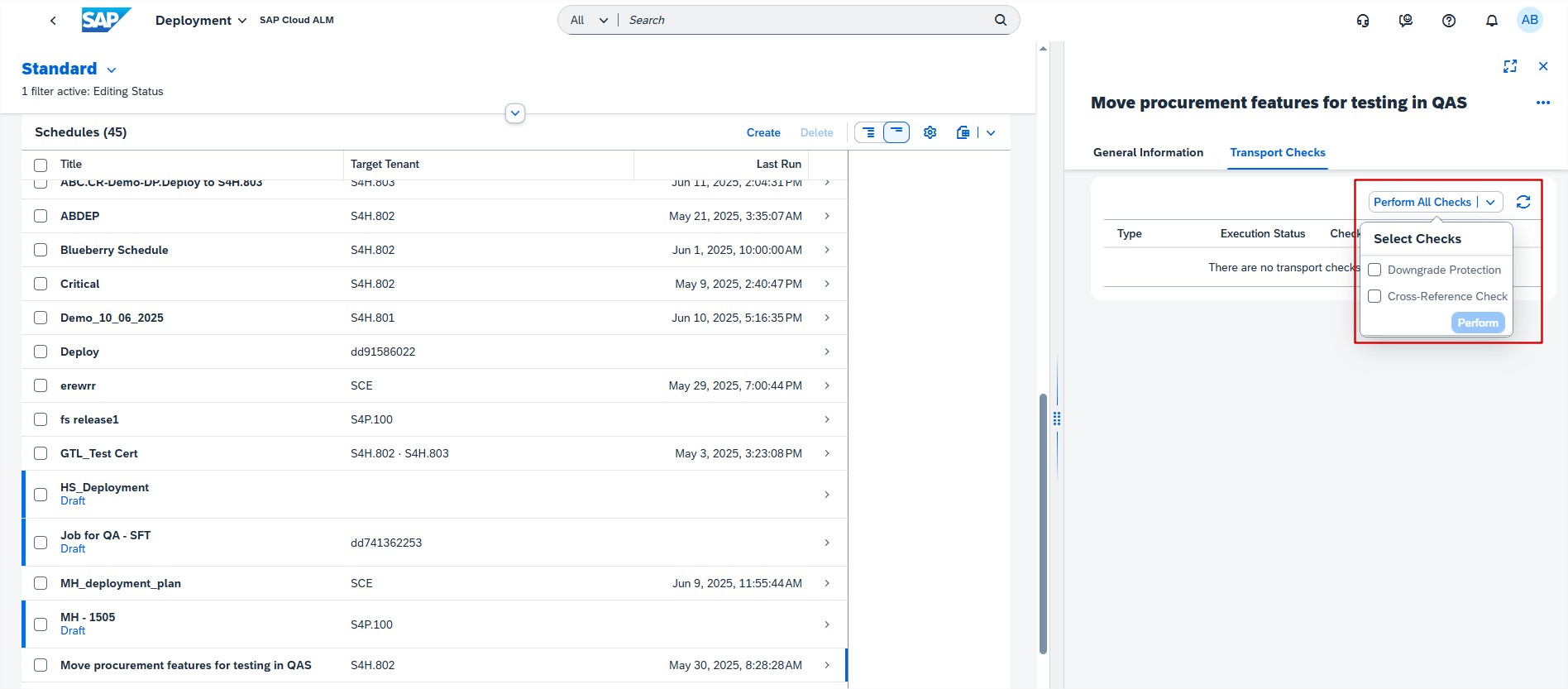
Deployment now allows users to perform Downgrade Protection and Cross-Reference Checks on deployment schedule for a feature bundle. When users perform transport checks, all transports that will be selected for upcoming deployment are checked. Keep in mind that the bundle of transports based on feature selection can change until the deployment is performed. In case the transport checks show a warning or error, make sure to fix the issues before the deployment is performed. These checks ensure smoother, more reliable deployments by catching potential issues early.
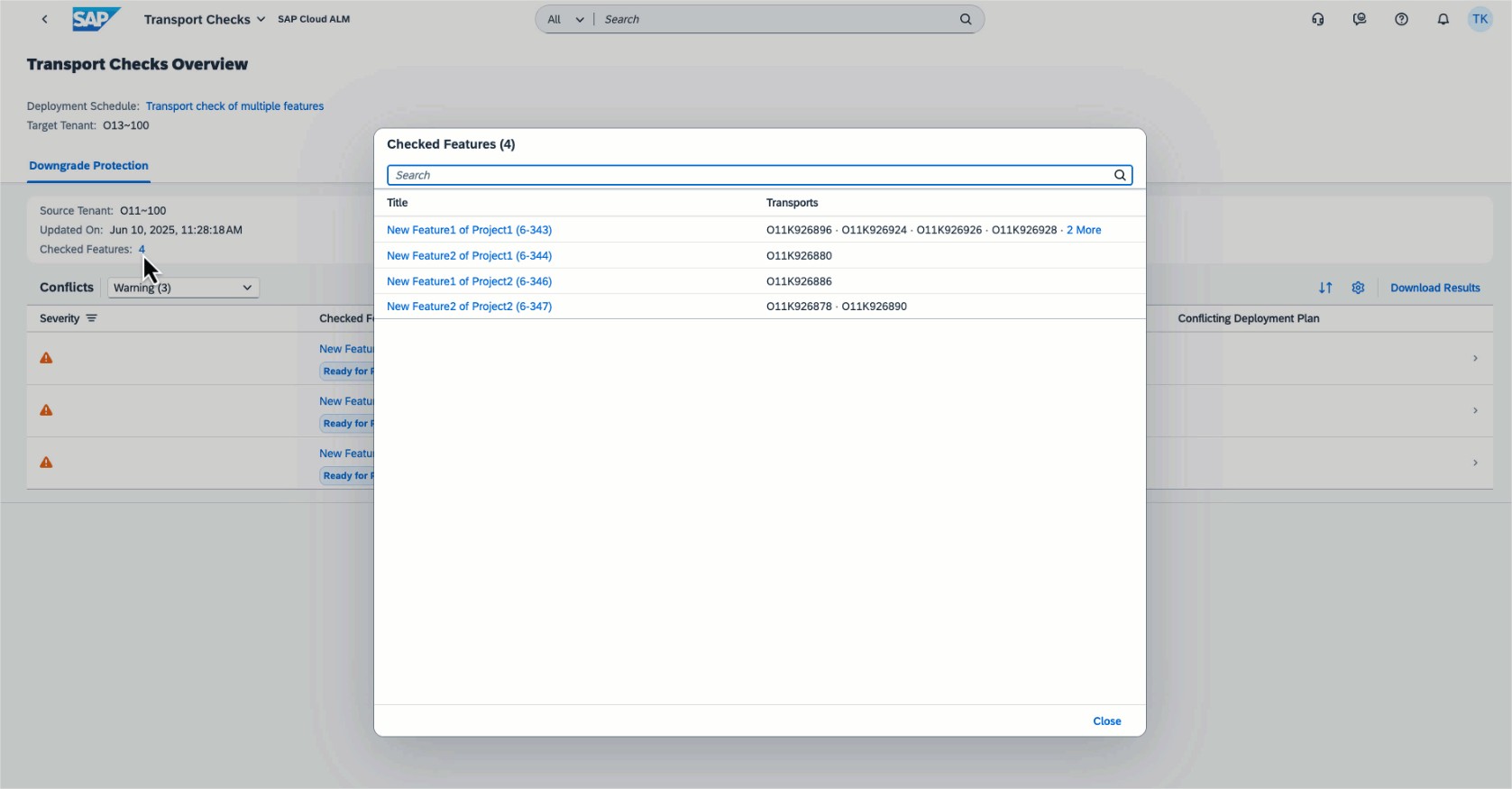
In the Transport Checks app, users can see which features and transports with the same target tenant and check type of deployment plan were checked.
Several apps
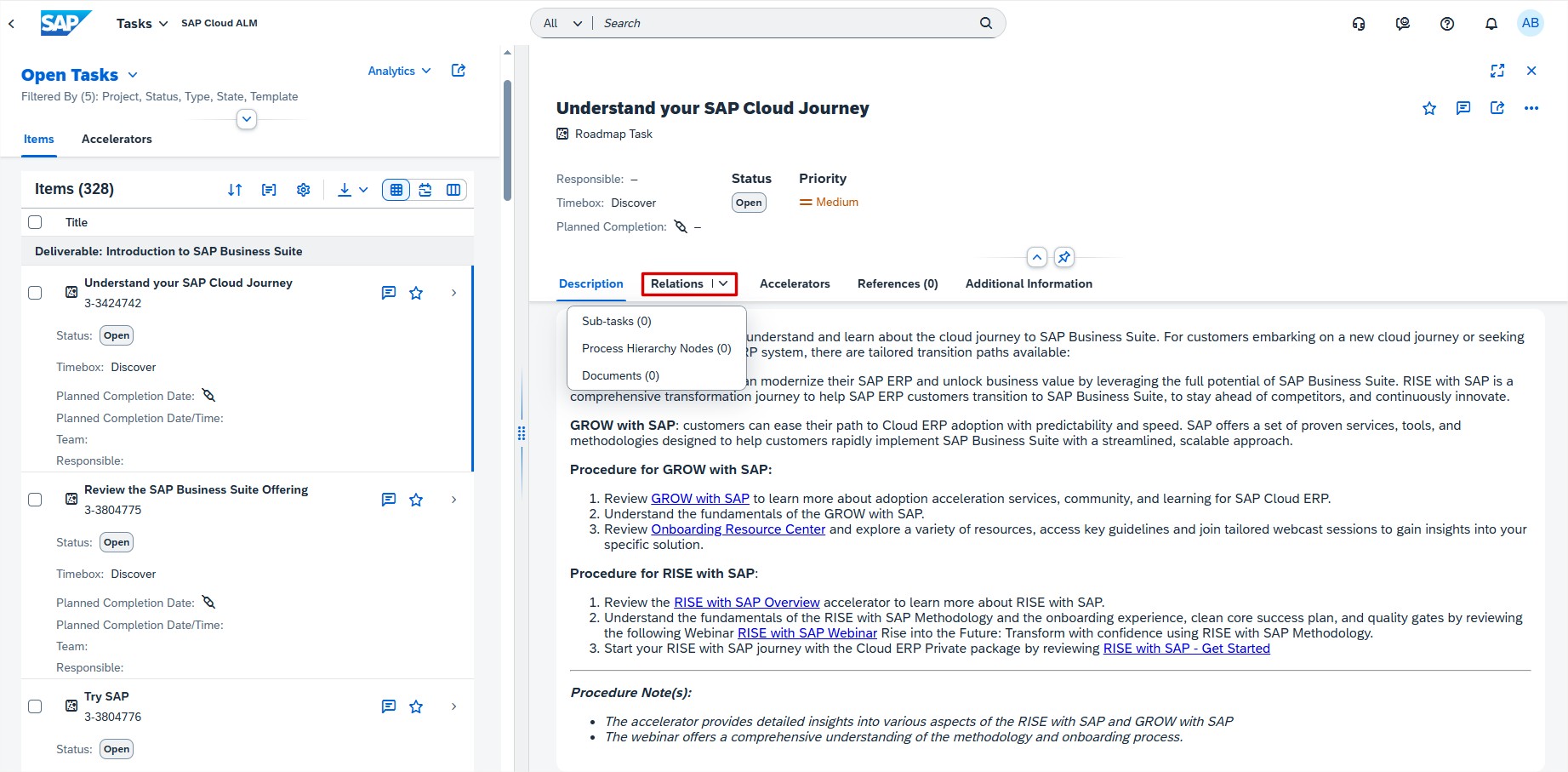
In the Tasks, the Requirements, the Defects, and the Quality Gates app, users can now use the drop-down menu of the new Relations tab to view all relations of an item.
Operations
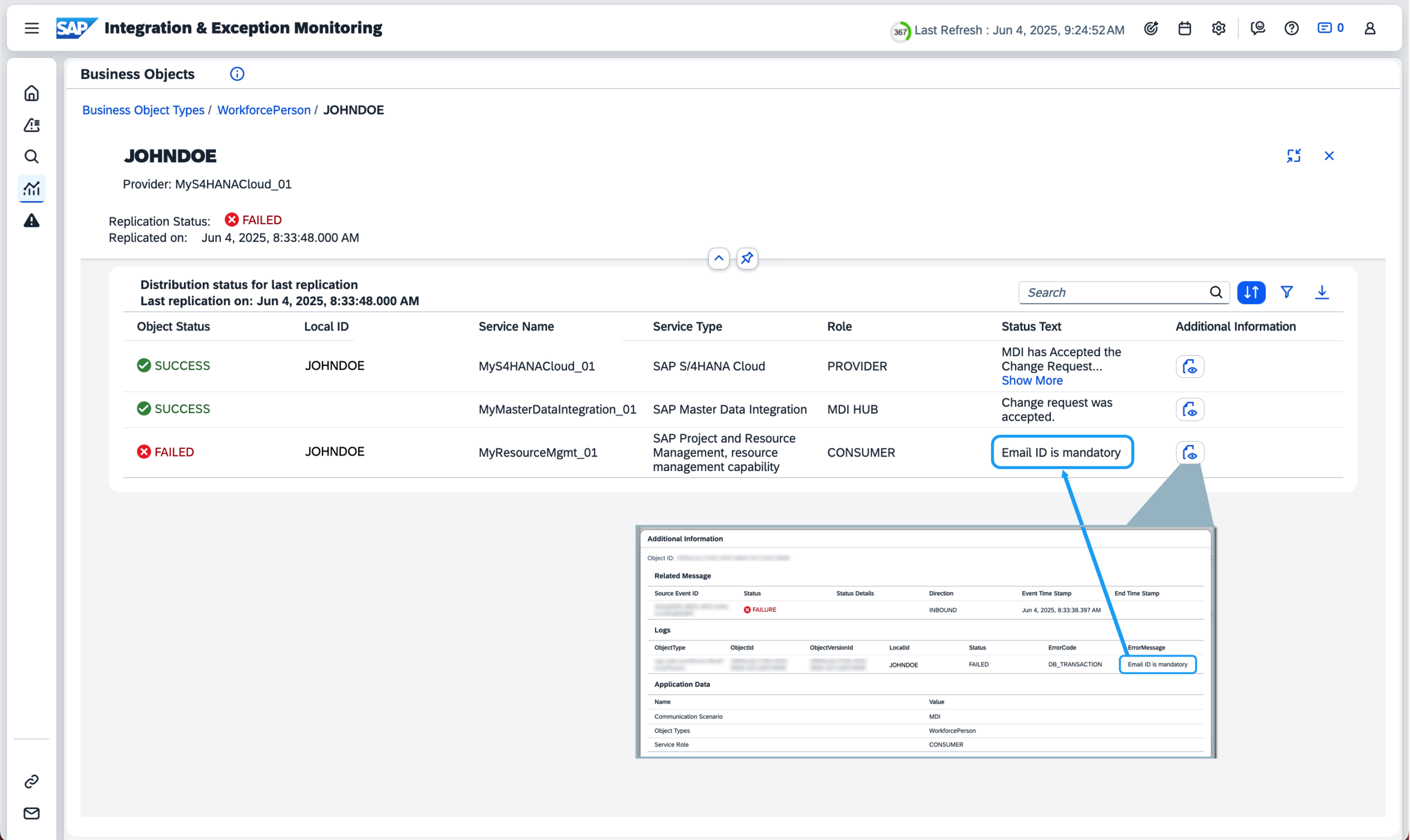
Integration & Exception Monitoring had enhancements made to the Business Objects page. The Status Text column in the Business Objects table now shows success or error messages directly from the application data sent by the managed component, offering more context about each replication instance.
In the Business Object Details pane, the status text from the managed component, whether success or error, is now visible. Meanwhile, in the Business Object view, the most recent or most critical status text related to the replication instance is shown. Previously, only the status from the MDI service within the integration was displayed.
In Job & Automation Monitoring has now a new Context column in Monitoring and Analysis pages displaying additional context information about a job. This information is retrieved from the sap.jam.job_context attribute in Raw Data Inbound Logs API as sent by the data provider.
For example: if an external scheduler sends the sap.jam.job_context attribute as the name of the managed component, this name is displayed in the Context column.
It’s possible to do the following for the Context value:
- Filter using the value in Monitoring Filters and Analysis Filters
- Use it as an Event Filter parameter.
Context value is displayed for managed components of Unspecific Cloud Service (HTTP) type only.
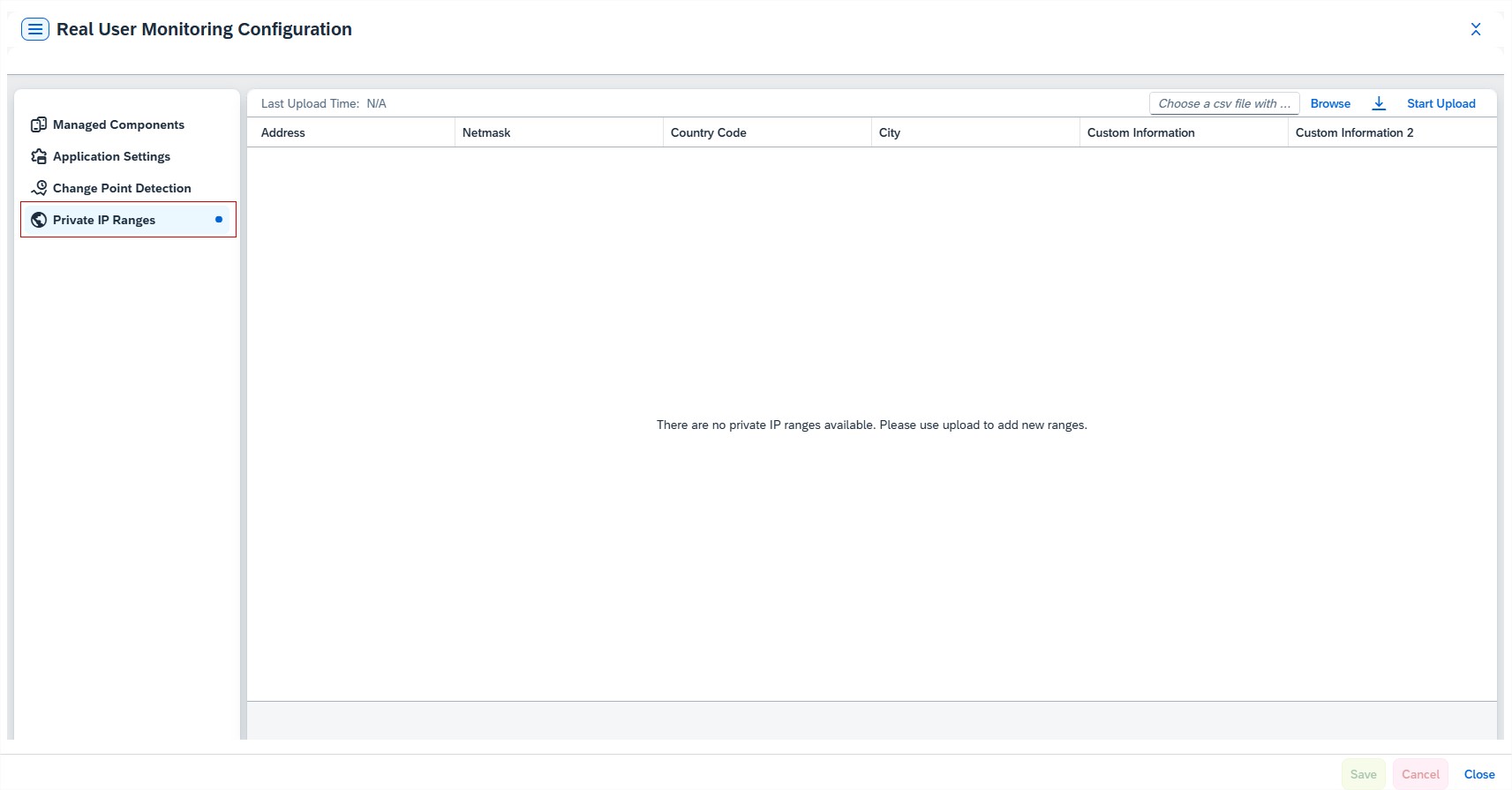
Real User Monitoring introduced a new feature allowing users to upload a CSV file containing their own IP address ranges and associated location details for enhanced configuration. This enables a drilldown capability for private IP addresses in the monitoring UI, providing more detailed insights and control over network monitoring.
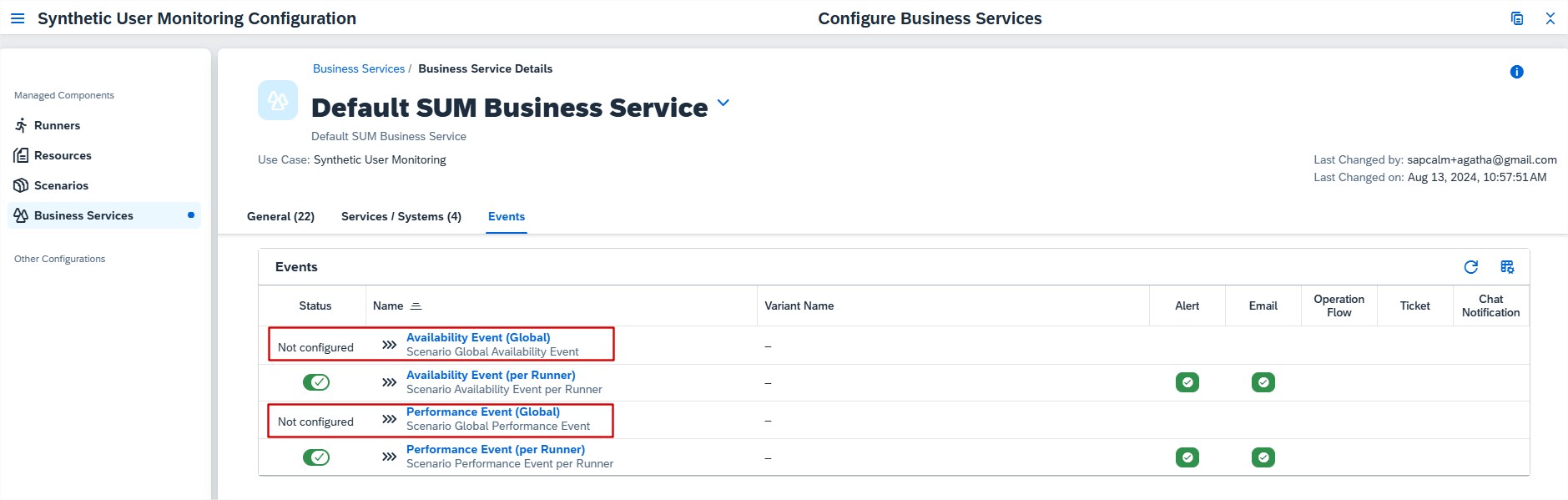
Synthetic User Monitoring now includes new events that can be enabled at the scenario level. These scenario-level alerts notify users when availability or performance issues occur across runners. This helps users quickly spot problems, act faster, and keep systems running smoothly with better visibility into scenario performance.