SAP Cloud ALM – What’s New in Week 16 and 18
The latest SAP Cloud ALM enhancements are here!
With the latest updates, SAP continues to fine-tune and expand its capabilities, streamlining operations, boosting productivity, and making your daily work easier. In this edition, we highlight the key enhancements from the past 4 weeks, giving you a quick and clear look at the newest features designed to simplify workflows and elevate the user’s experience.
SAP Business Transformation Center
Modeling has this time 2 new updates available.
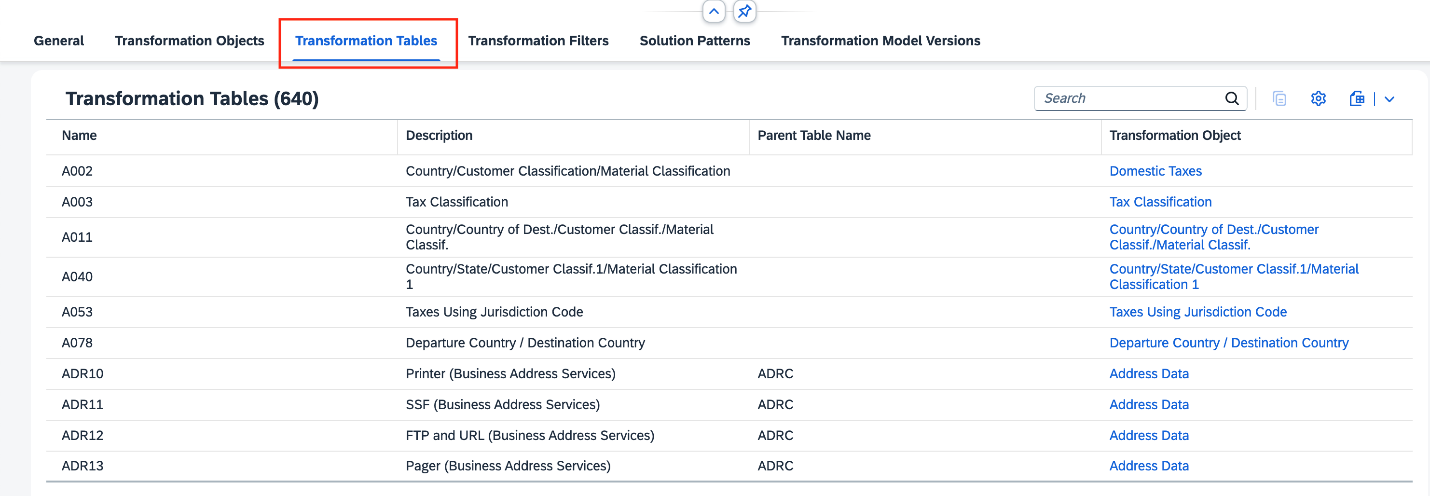
There is now a new tab called Transformation Tables, in the Manage Transformation Model app, where users can see a list of all tables from the corresponding transformation model taking part in the migration project. A Transformation Tables tab is also available in the Transformation Model Versions app, where users can see a list of all tables that are part of the corresponding transformation model version.
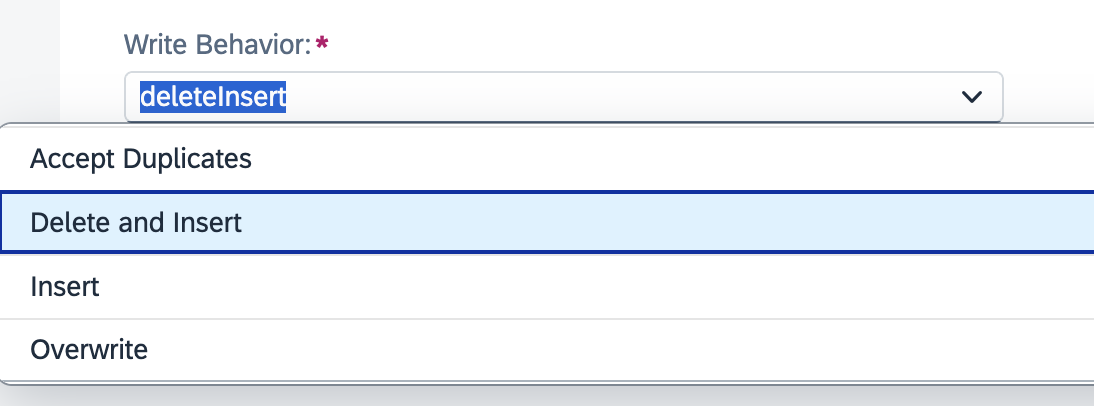
A new write behavior type Delete and Insert is also now available. It allows users to delete all records from a custom transformation object in an SAP S/4HANA target table and refill it with data from the source system, ensuring the table contains only the latest data.
In Cycle and Monitoring now the target system preparation phase automatically deletes HCM Configuration table data, if copied from source system during shell system creation.
Implementation
Processes has a new solution scenario, SAP Services Content for Airline Backoffice now available and has been added to the list of supported solutions for Process Management.
Test Preparation introduced 3 new enhancements.
Test Preparation allows now a mass-upload of manual test cases from scratch by using a spreadsheet. It’s also possible to use the template provided directly in the app, if needed.
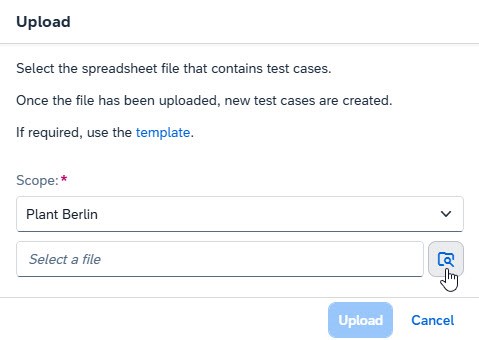
Users can now also upload test cases that are based on SAP Best Practices test scripts. These test scripts can be found in the relevant solution processes, under Accelerators.
The SAP Best Practices test scripts are based on entire solution processes, so it’s recommended to adjust them to users’ needs before uploading them. It’s also recommended limiting the number of activities to 20 and the number of actions to 100 per test case.
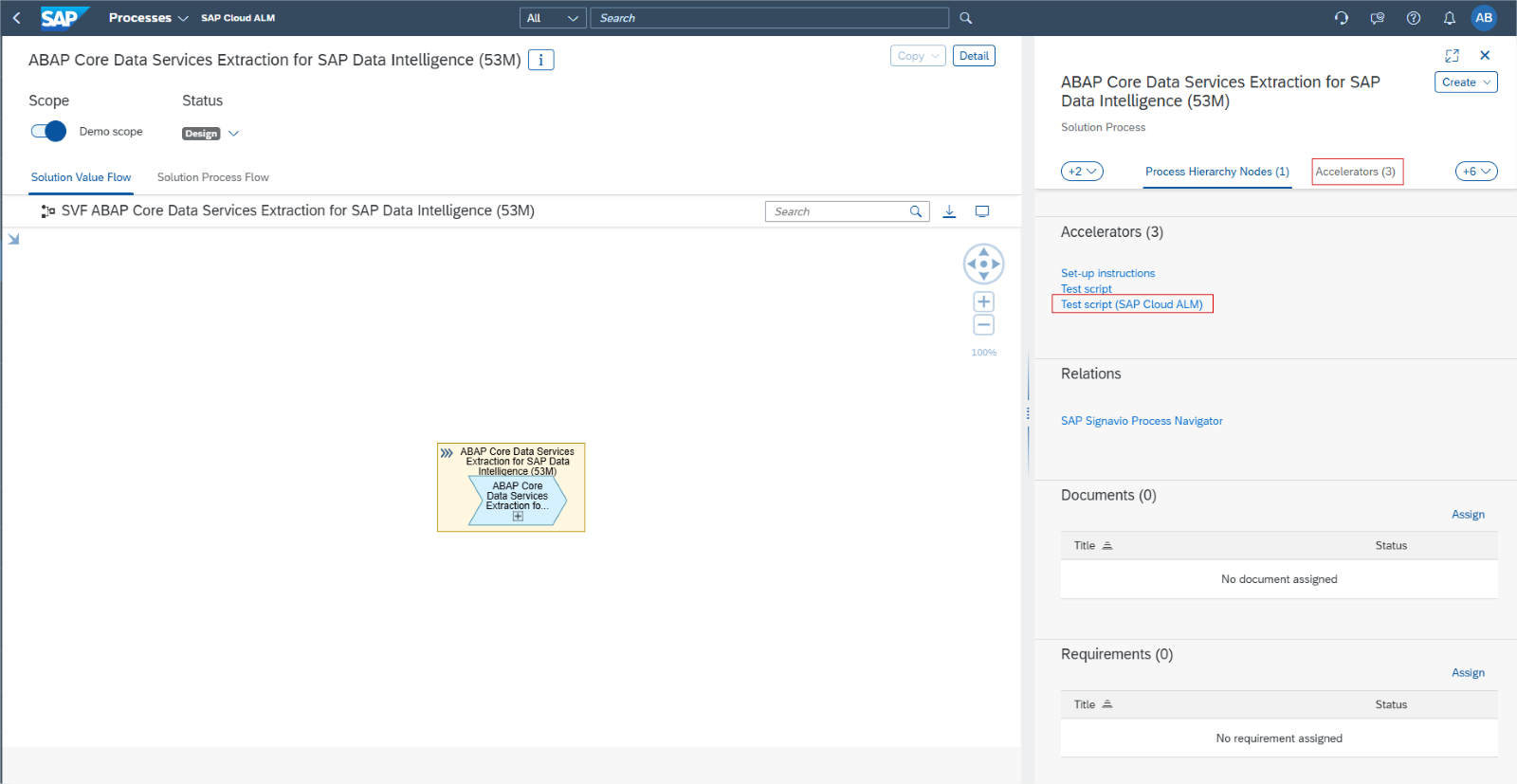
Under Relations, users can now assign interface library elements to test cases. This helps to ensure the interface’s test coverage and improve overall traceability throughout implementation project. It also lets users track the statuses of related test cases from the Libraries app.
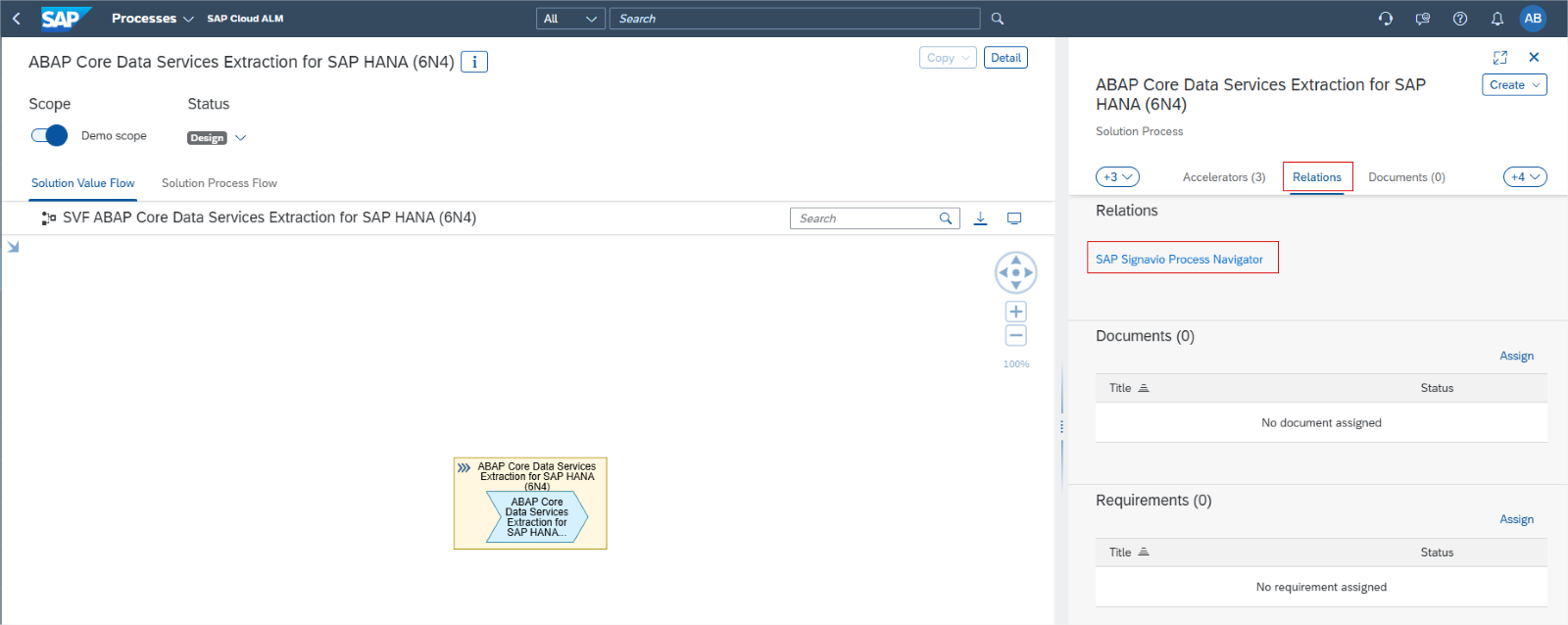
Tasks has 4 new updates this time.
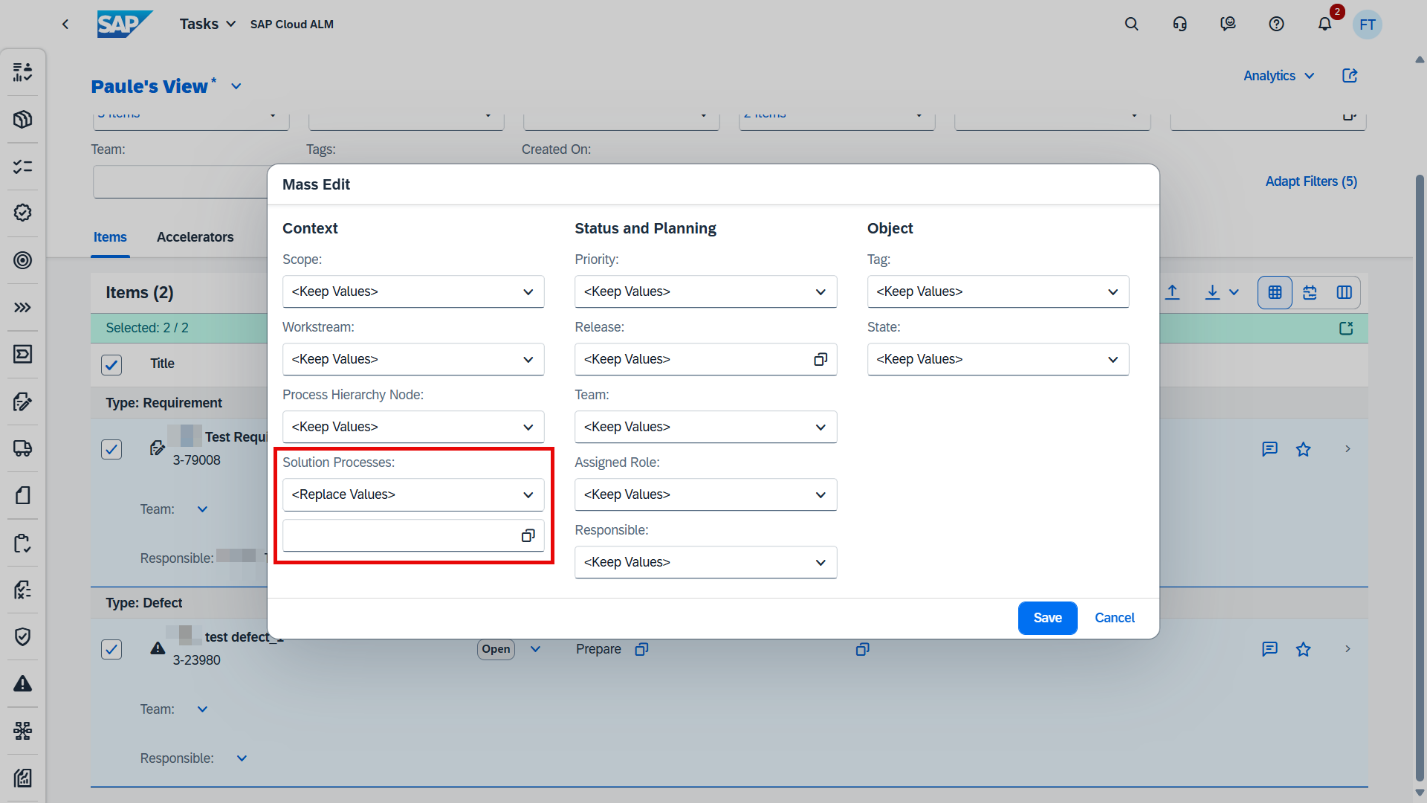
Tasks introduced the possibility to assign multiple processes to project tasks, requirements, user stories, and defects using Mass Edit functionality.
It’s also possible now to assign sprints and other timeboxes as start and end dates to items via the Task API.
Changes made to custom fields in Tasks API are now visible in the history.
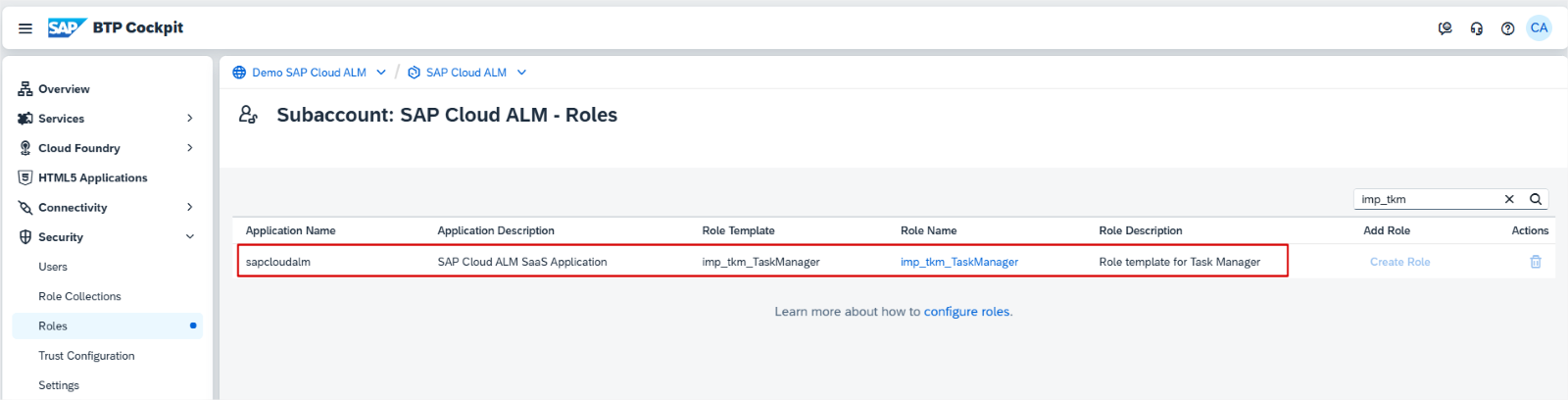
There’s new role template task manger imp_tkm_TaskManager is available. Assigning this role template to a role collection, user can manage user stories, project tasks, requirements, test cases, defects, and quality gates. It’s recommended to combining this role template with the Project Viewer role collection to enable navigating to all related entities.
In Projects and Setup, the SAP Activate Roadmap SAP S/4HANA Cloud Public Edition (3-system landscape) – Implementation, is now available in Japanese.
Features has now Transport of copies notification available. If the creation, release, or import of a transport of copies fails, the user who triggered the action receives a notification.
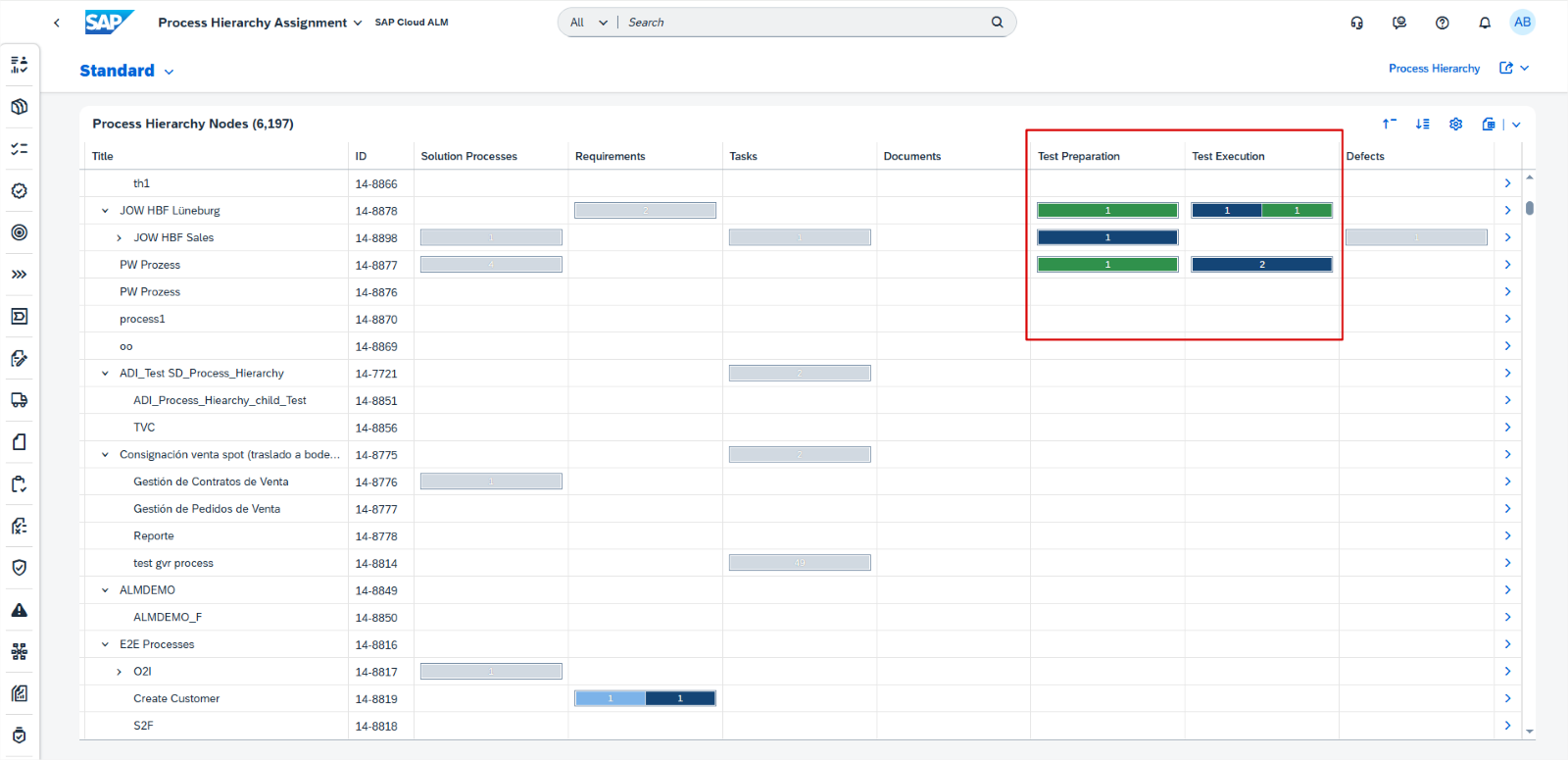
In Cross-Project Overview, the Process Hierarchy Assignments app now includes new columns and tabs for Test Preparation and Test Execution, enhancing user experience by providing structured access to test-related data.
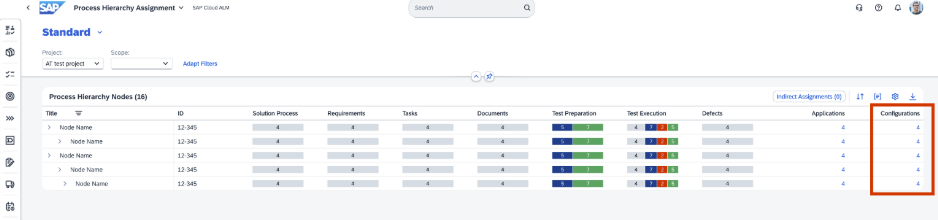
There’s also a new column configuration for library type, allowing users to view and manage library elements assigned to hierarchy nodes.
In Libraries it’s now possible to display test cases that were assigned to interfaces. Links can be used to navigate to the Test Preparation app.
Requirements has 2 new updates this time:
For requirement statuses and approval states, there is now a controlled and structured workflow to ensure that approvals follow a defined process.
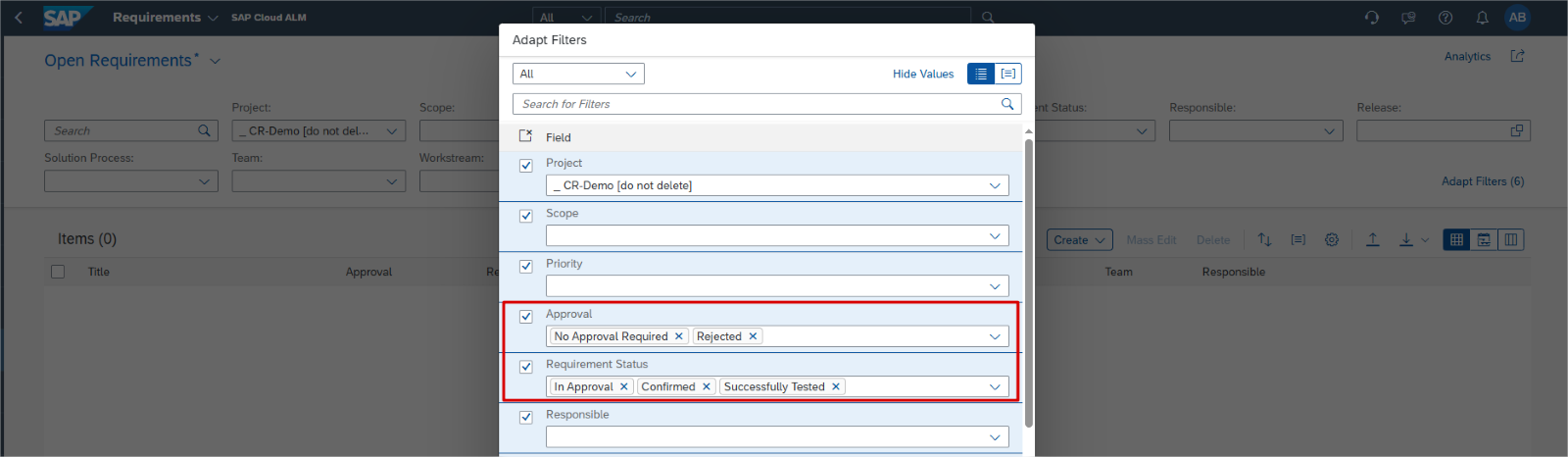
To ensure that the scope of a requirement is locked and no longer changeable, the descriptions of requirements that have been set to the following approval states or requirement statuses are now read-only:
Requirement statuses:
- Successfully Tested
- Confirmed
- In Approval
Approval states:
- No Approval Required
- Rejected
Operations
Configuration & Security Analysis now supports monitoring for:
- SAP security recommendation data for SAP Custom Domain service, Cloud Foundry environment
- SAP security recommendation data for SAP Cloud Logging service.
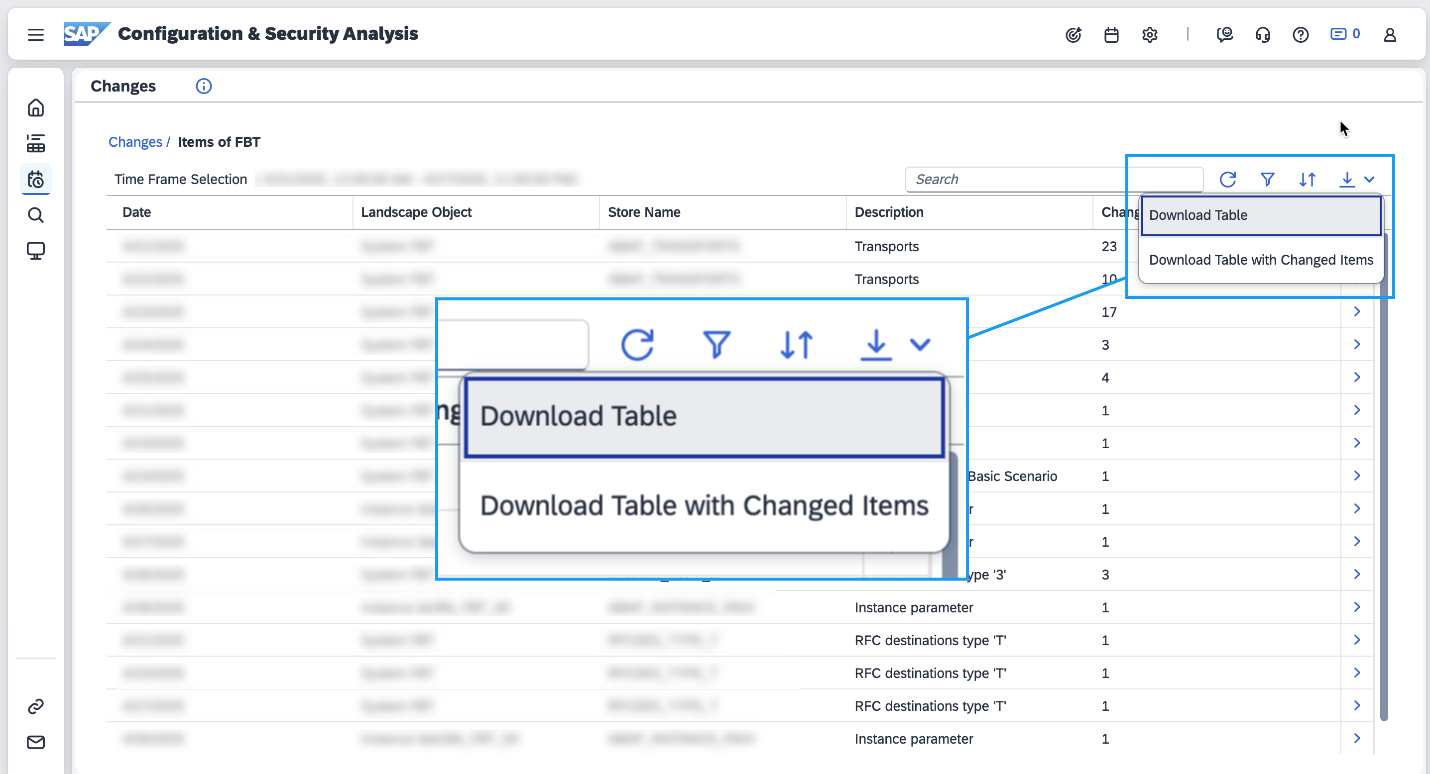
Configuration & Security Analysis has also enhancement to the download functionality in the Changes page. There are now additional options to download the entries in the Stores table in the Changes page.
The available options are:
- Download Table – Downloads the Stores table.
- Download Table with Changed Items – Downloads the Stores table and the details of changed items in the stores.
Real User Monitoring introduced new service type view. Now, the New Request Overview enhances the existing Request Overview page by allowing users to filter and view dimensions such as Service Name, Request Name, Request Type, and Action. This improvement provides a comprehensive overview of service metrics, aiding users in better analyzing and managing their requests efficiently.

Job & Automation Monitoring now supports resolution P, the metric value for the provided period, is now supported in Job & Automation Monitoring Analytics API.
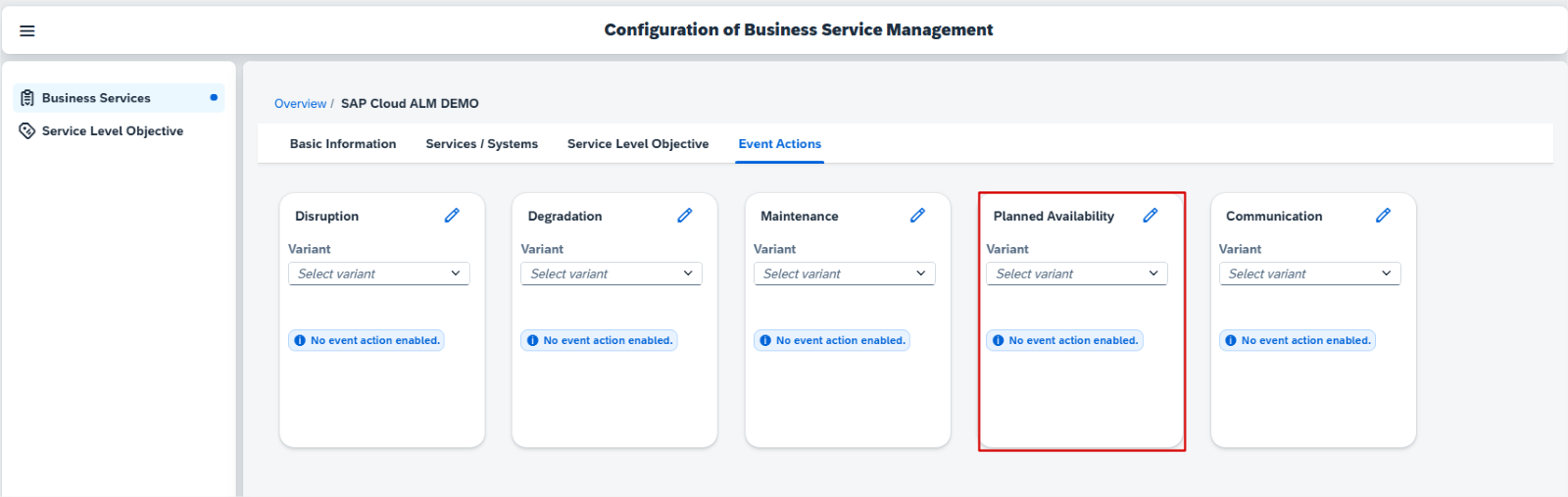
Business Service Management allows now to receive events of type Planned Availability. These events from SAP are for private cloud systems. These are usually up-time reservations that are required to perform a service request. These events are either created by SAP or in the Event Calendar. Users can also configure Event Actions for this event type.
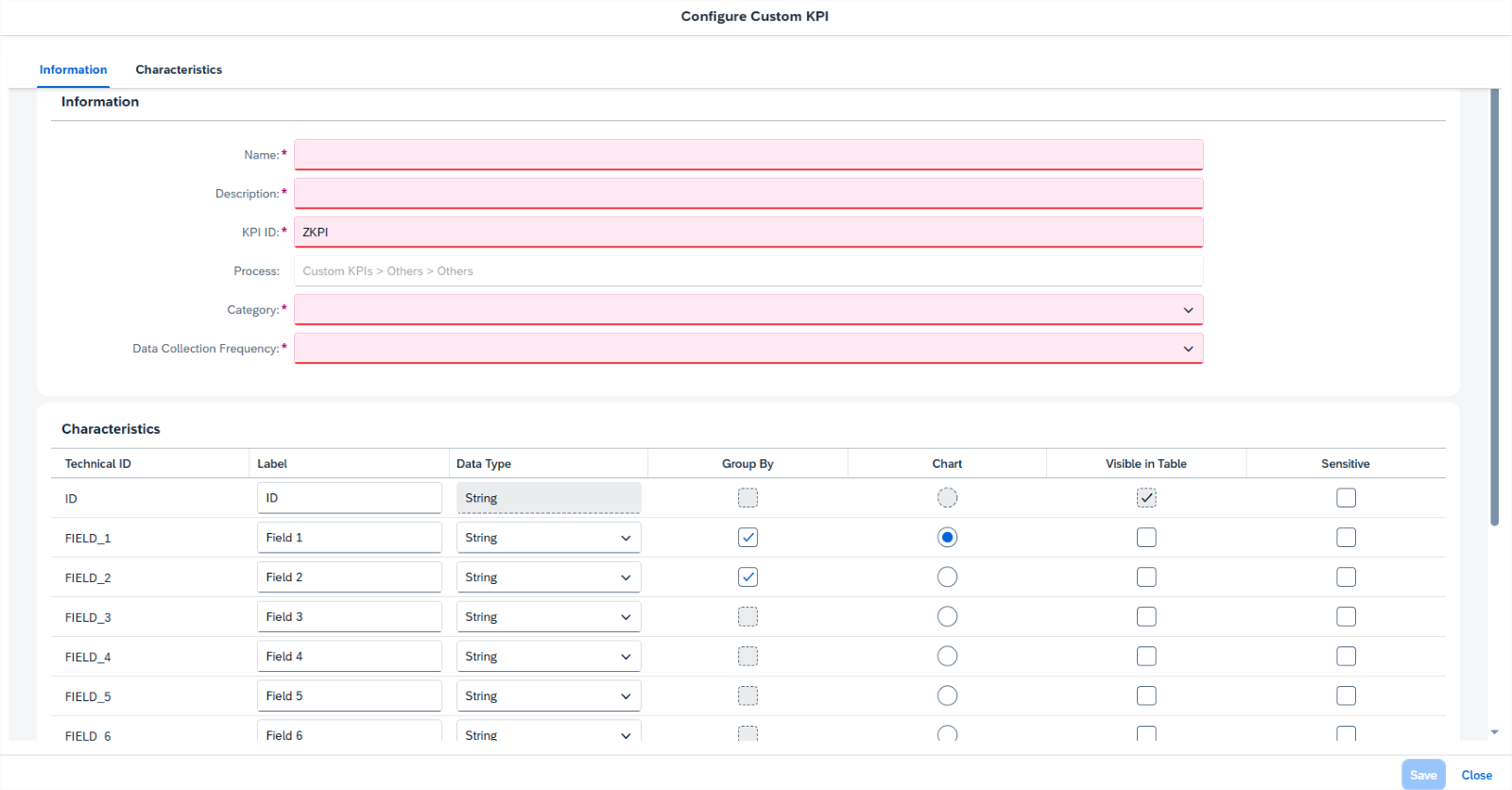
In Business Process Monitoring, it’s now possible to create up to 15 custom KPIs for components based on SAP BTP. Once the initial setup is completed, the custom KPIs can be used for monitoring purposes in the same way as standard KPIs, allowing users to get fully personalized insights tailored to specific business needs.
RISE with SAP
System View has now enhanced Software Stack Assessment, to align with the clean core principles, ensuring that system is always on the latest SAP S/4HANA release or at least the latest feature package stack. It’s equally important to install the latest feature package stack/support package stack to take advantage of SAP-delivered innovations and mitigate security risks.
Besides checking the status of the current SAP S/4HANA release installed on system, users can now assess if software stack has the status Innovation-Ready and Security-Compliant.
Services
Service Results has a new subsection, called Issue Overview, under the Management Summary at the template level. It shows the overview of issues embedded in the content of the service results.
Several Areas*
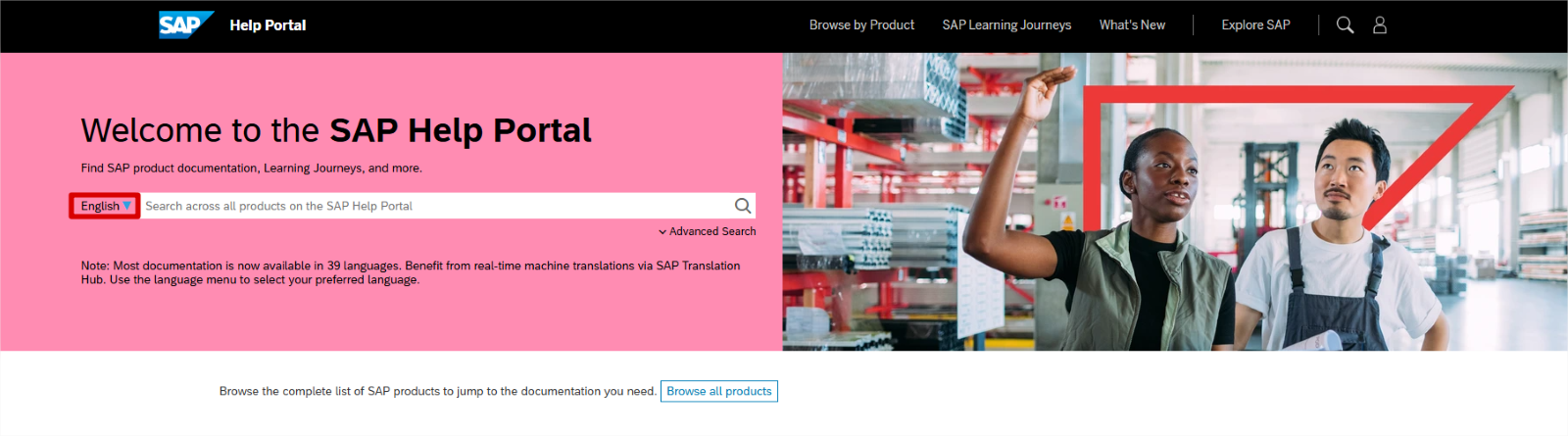
It’s now possible to instantly translate any SAP Help Portal page into 39 languages using AI-powered machine translation.
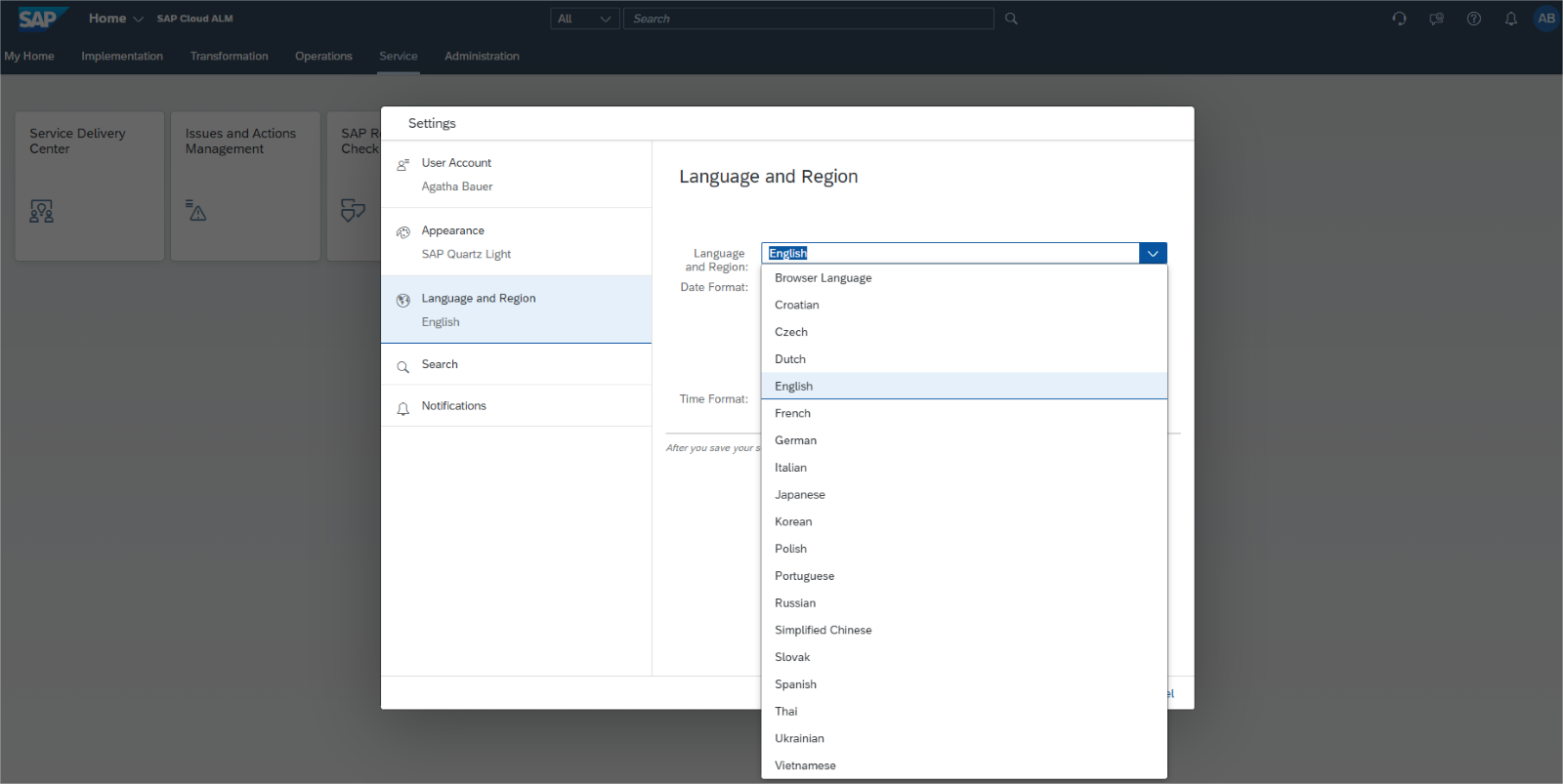
SAP Cloud ALM is now available in the following additional languages, which users can select in profile settings:
- Czech
- Croatian
- Dutch
- Polish
- Slovak
- Thai
- Ukrainian
- Vietnamese