

SAP Cloud ALM – What’s New in Week 22
SAP Cloud ALM keeps evolving, bringing sharper tools and improved workflows to help users better oversee their landscapes. This latest update highlights the impactful enhancements from the past two weeks. With a focus on usability and expanded capabilities, each change is designed to simplify daily tasks and boost overall efficiency. If you missed the previous post in our update series, you can find it here.
Administration
User Management has 2 new updates:
The Approval Requests card has been renamed to Role Assignment Requests.
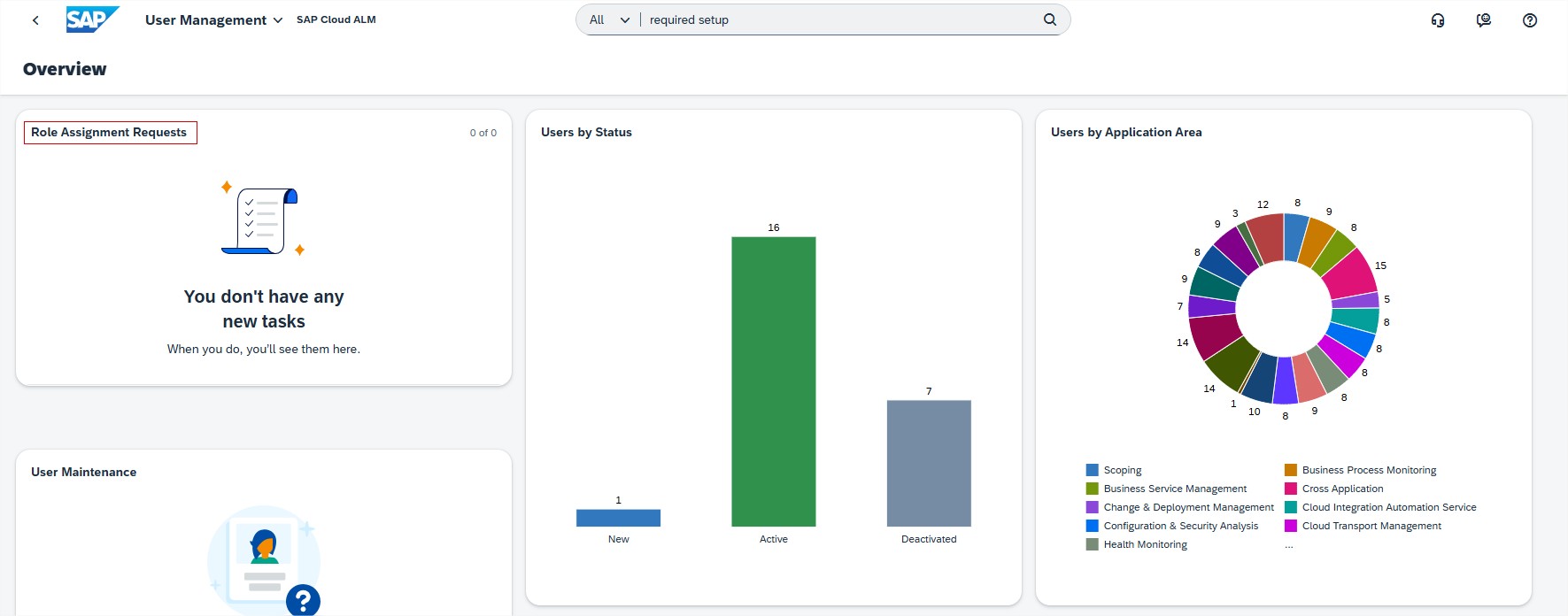
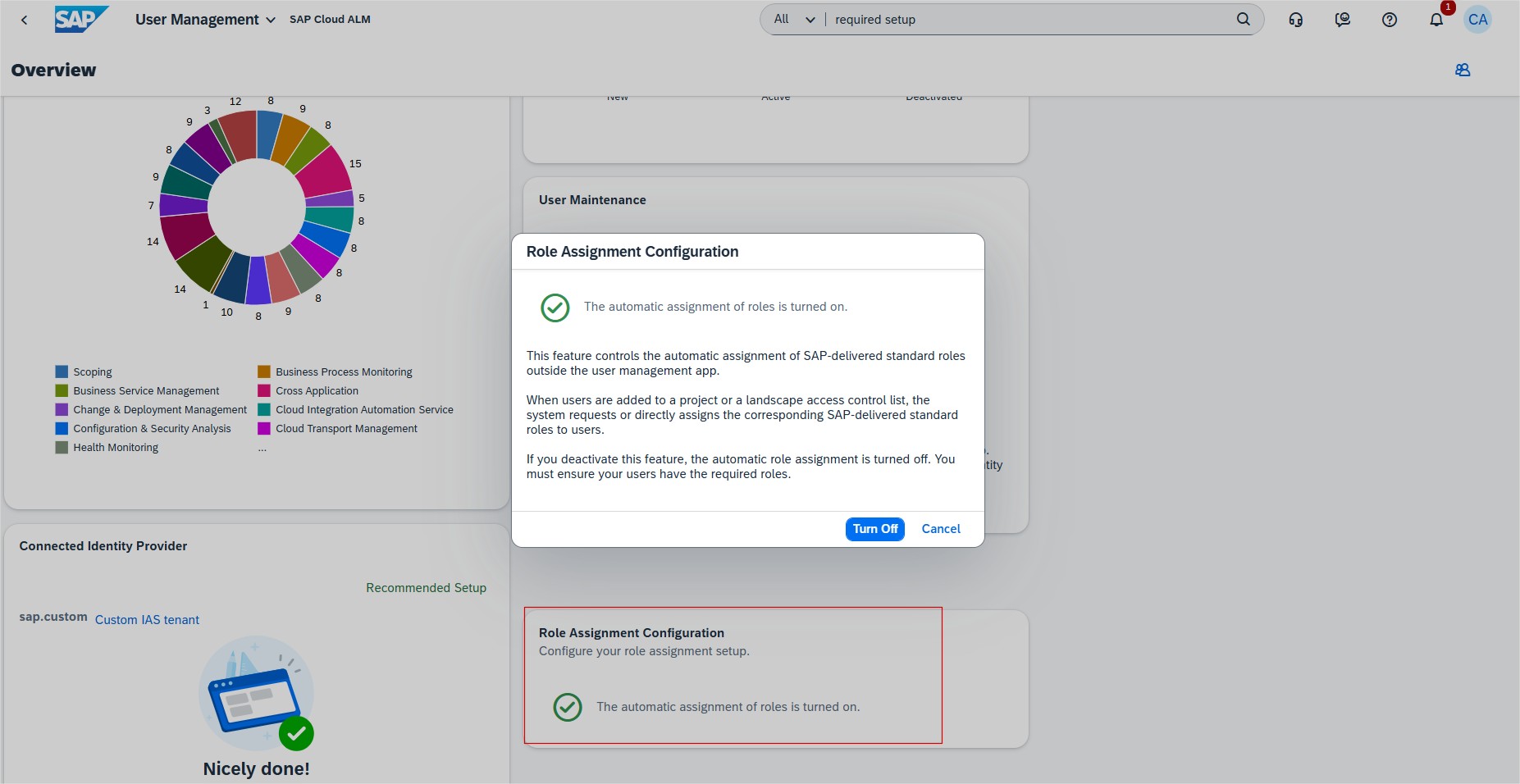
There is also a new card available called Role Assignment Configuration. New card allows user administrators to turn off the automatic assignment of roles in SAP Cloud ALM, providing flexibility to use custom roles instead of SAP-delivered standard roles. This is beneficial for organizations with internal role management systems, ensuring that user authorizations align with their specific requirements.
- Activate this feature to turn on the automatic assignment of roles.
- Deactivate this feature to turn off the automatic assignment of roles.
Keep in mind that turning off the automatic assignment of roles, all current role assignment requests will be deleted. Also note that user administrators need to take care of the role assignment.
Implementation
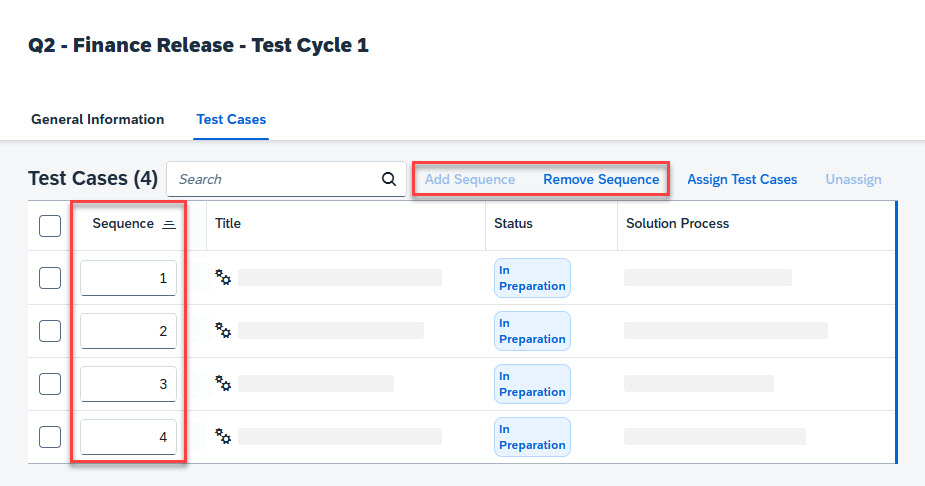
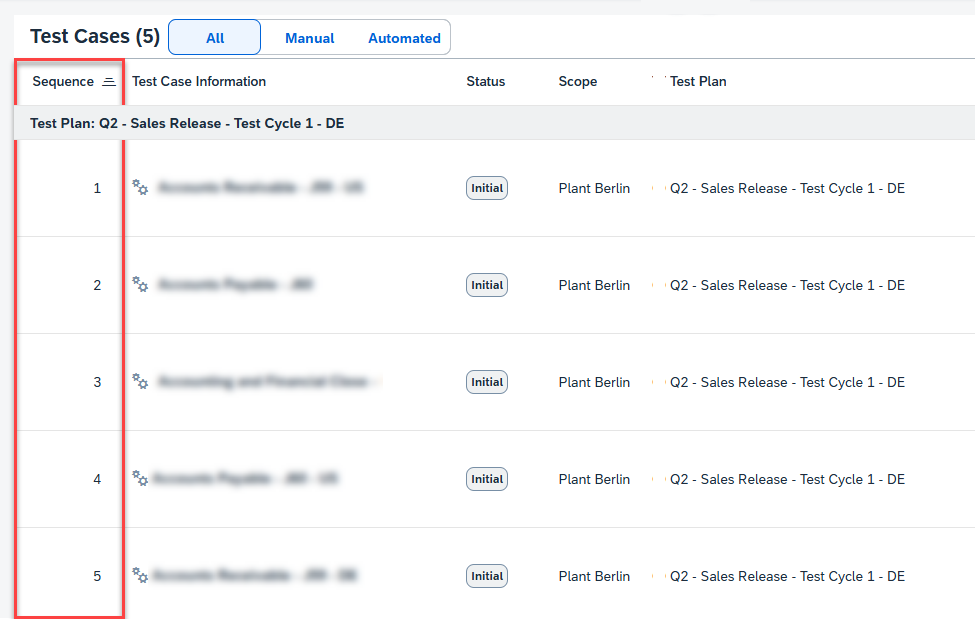
Test Plans introduced Testing Sequence feature which allows Users to define the sequence of test cases within a test plan. The defined sequence determines the order in which the test cases are displayed in the Test Execution app.
To add a sequence to the unordered test case list, choose Add Sequence. Then enter numbers (without decimals) to represent each test case’s position in the sequence.
Test Execution displays now Sequence column showing predefined logical sequence added in Test Plans application.
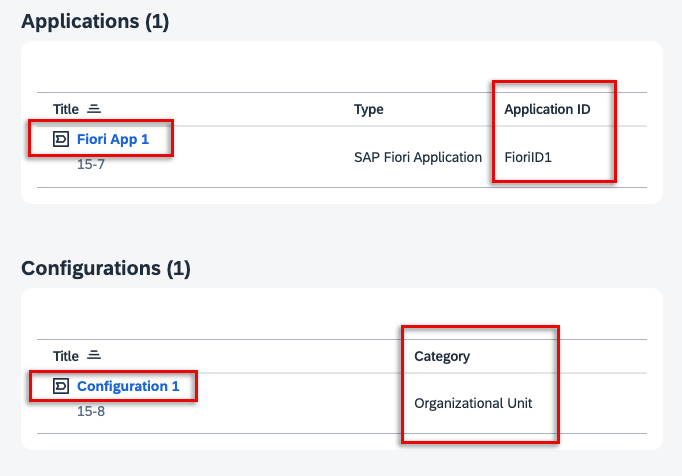
Processes allows now users to view additional attributes in the solution process viewer for assigned library elements.
- For Applications assigned to solution activities, users can now see the Application ID as well as the Type, Title, technical ID and icon if the assignment was created in the Process Authoring app.
- For any Interfaces assigned to solution processes and Configurations assigned to solution processes or activities, a new column shows you the Category of that library.
Clicking the title of the assigned library element allows users to navigate directly to its corresponding entity in the Libraries app. For application assignments that originate from standard content, it’s not possible to navigate directly to the Libraries app as the corresponding application does not exist there.
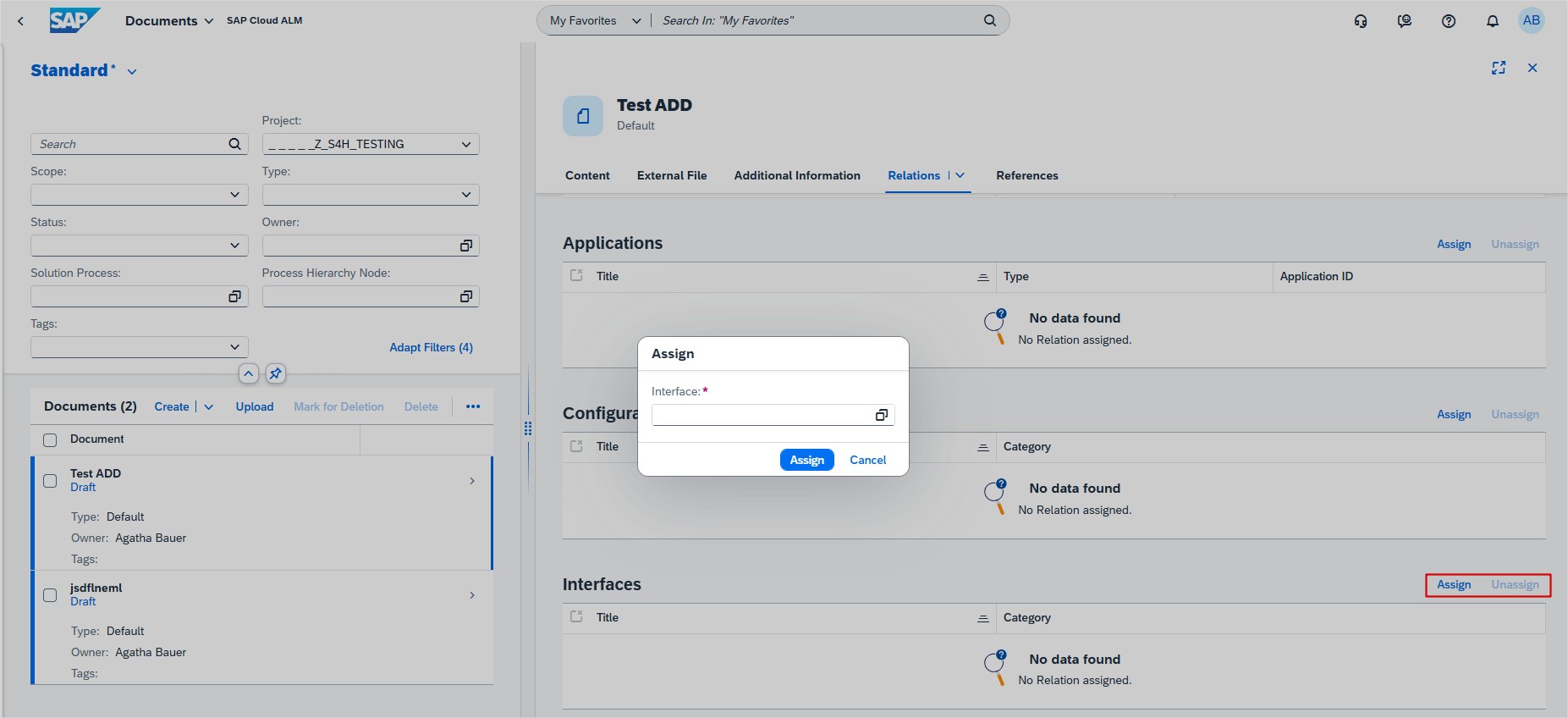
Documents has new interface library relation available. Users can now assign or unassign relations to the interfaces library elements from within the Documents app. Allowing to see the assigned relations listed in the table Interfaces on the object page of a document.
Several apps
SAP has released new how-to videos to help users get more from SAP Cloud ALM:
- How to Manage Your Documentation Using the Documents Application
- How to Configure SAP Document Management Service with SAP Cloud ALM
- How to Break Down a Requirement into a User Story and Feature
- Change Management Workflow in SAP Cloud ALM
- How to Use Transport Checks for Customizing Requests
These quick guides offer practical tips for improving efficiency and managing changes effectively.
Operations
Integration & Exception Monitoring supports now monitoring messages for SAP Sales Cloud and SAP Service Cloud Version 2. Users get a detailed status overview of the incoming and outgoing messages and it’s possible to drill down to single messages to check individual issues and message details.
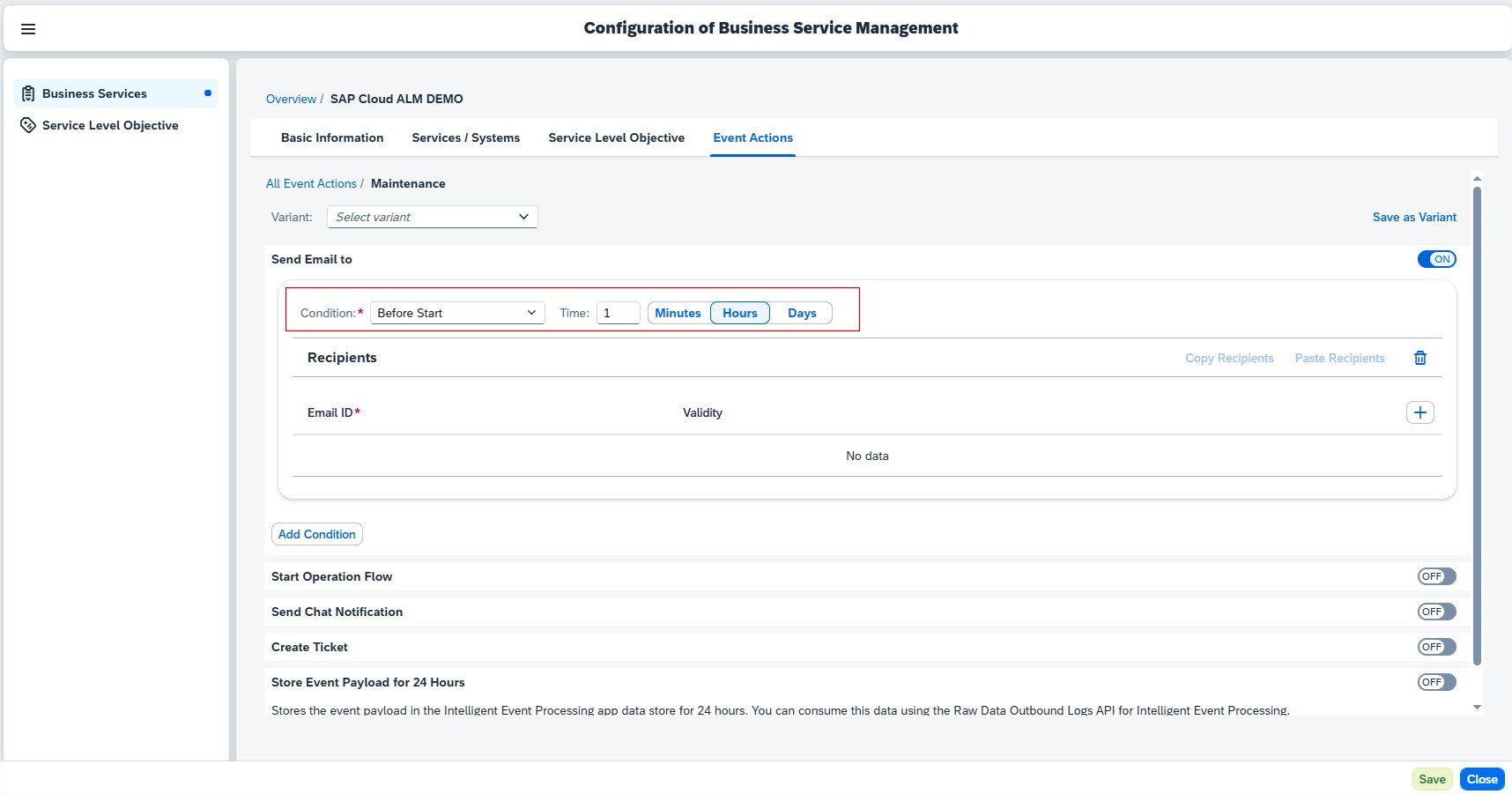
Business Service Management allows now to configure reminders in the form of Event Actions x minutes, hours, or days before the Maintenance event starts. For this, users need to have the Business Service Management Administrator role in application.
For event actions such as email, chat notification, and operation flow, it’s possible to set the Condition to Before Start and enter the Time in the following range:
- Minutes: 5 minutes – 44640 minutes
- Hours: 1 hour – 744 hours
- Days: 1 day – 31 days
Several areas
Get to know SAP Cloud ALM, Required Setup section now features helpful videos to guide global administrators through the steps that are necessary to set up SAP Cloud ALM for productive use.
Additionally, it’s possible to indicate which steps have been completed by choosing Mark as Done.
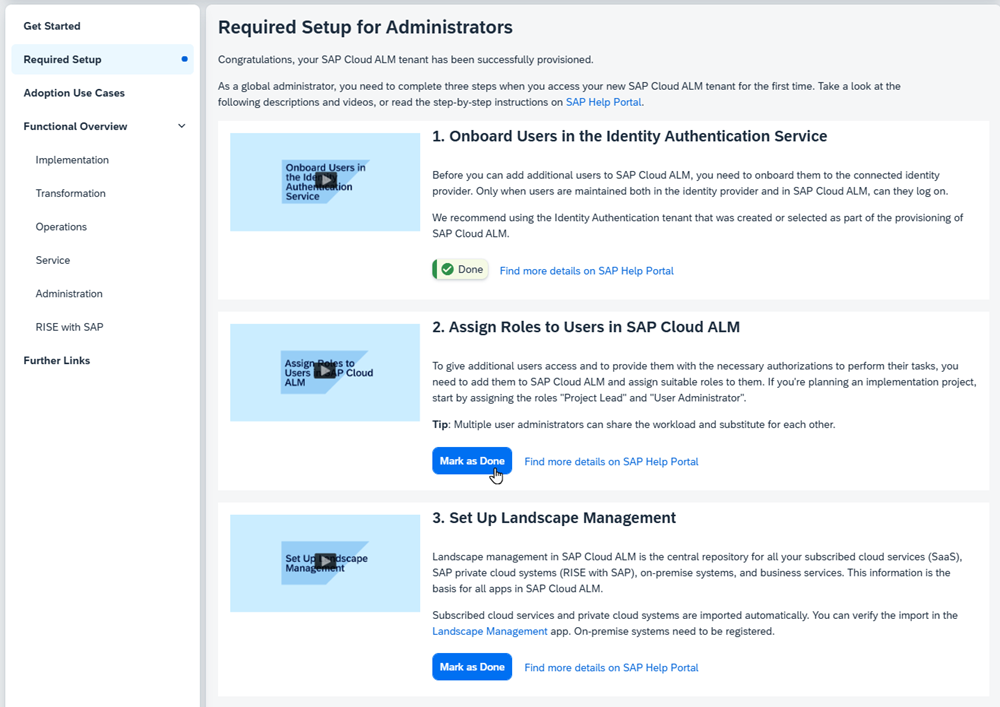
There’s quite a bit of information to explore – feel free to watch the videos, review the descriptions, or follow the step-by-step instructions at your own pace. If anything is unclear or you need assistance, don’t hesitate to reach out – we’re here to help.
