SAP Cloud ALM – What’s New in Week 20
SAP Cloud ALM continues to grow with every update, delivering smarter tools and smoother experiences for users managing their landscapes. This update brings users the key enhancements introduced over the past two weeks. From usability improvements to expanded functionality, these changes are all about making day-to-day operations more streamlined and effective.
Services
Issues and Actions Management has 2 new Features available.
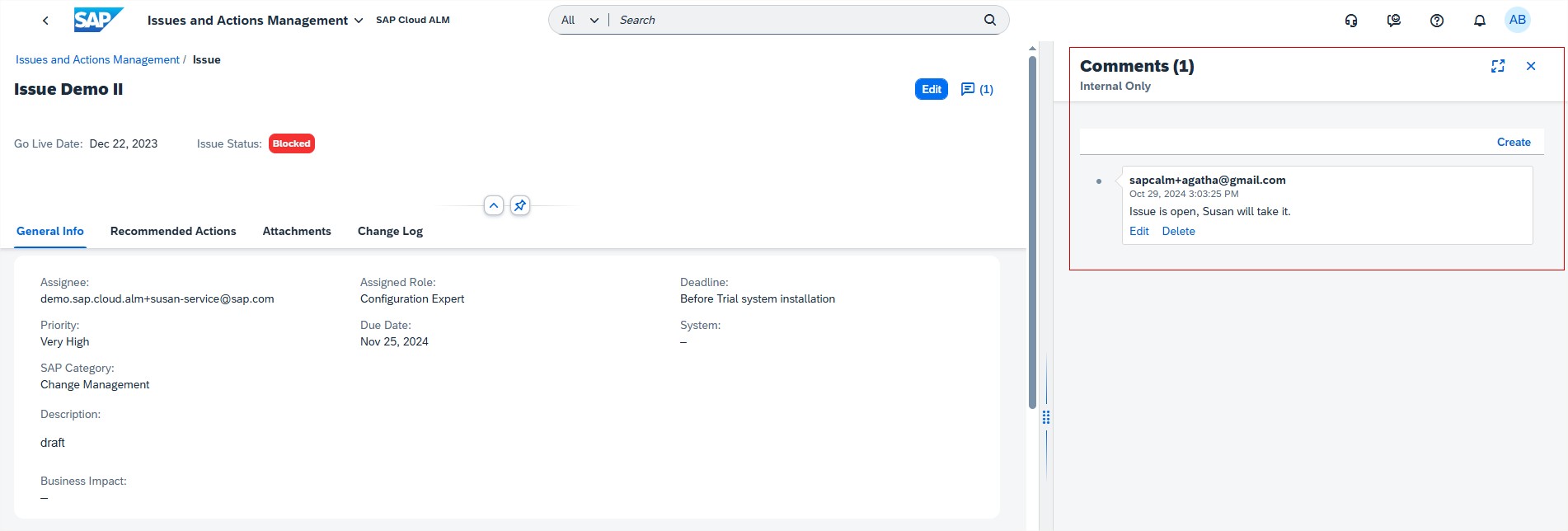
Users can now view the existing comments by default in the Issue/Actions Details page. Earlier, the comments had to be accessed manually using Show/Hide Comments.
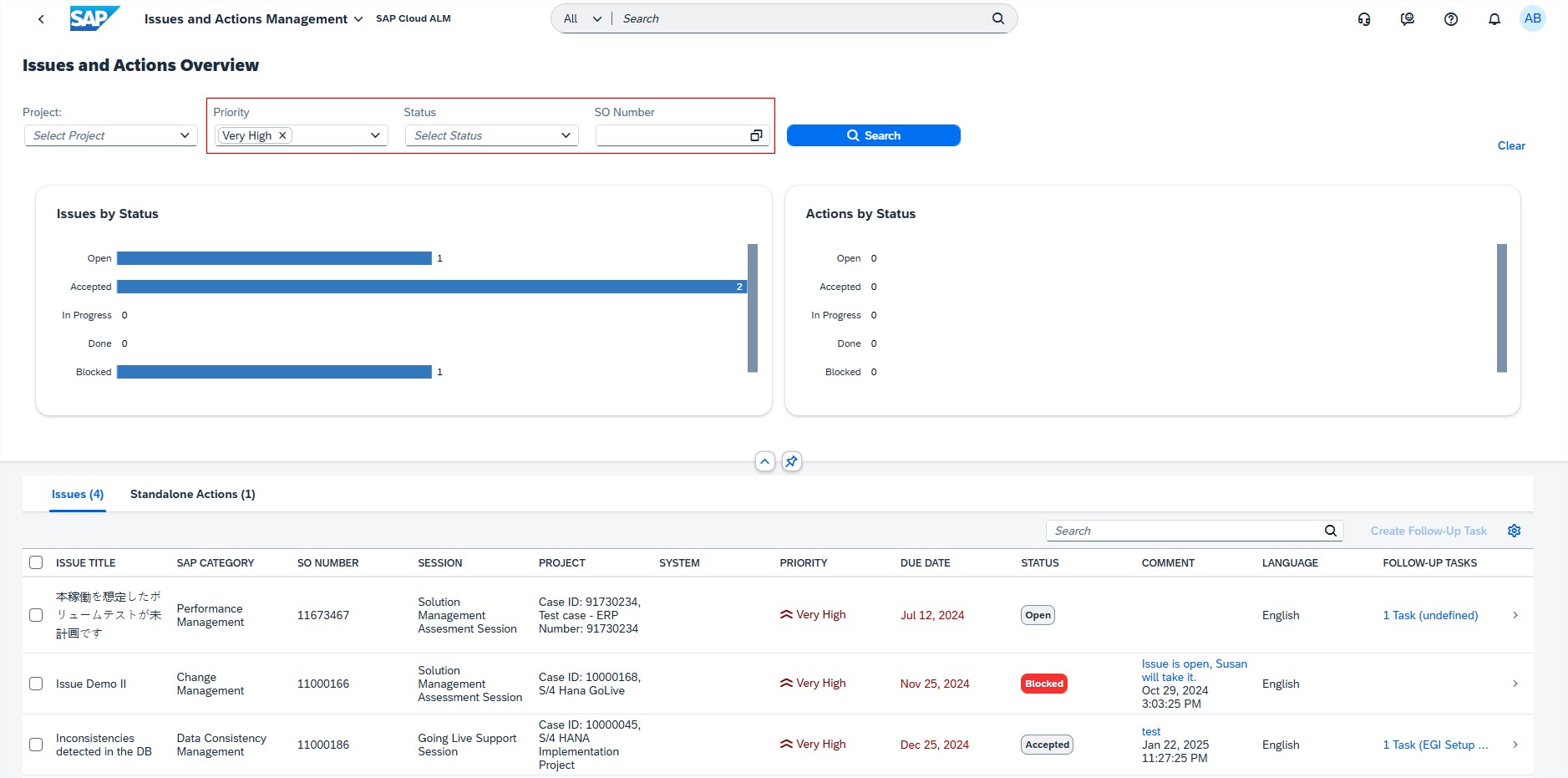
Overview page has new filters available for the issues and/or actions, allowing users to filter by Priority, Status, and SO Number.
SAP Business Transformation Center
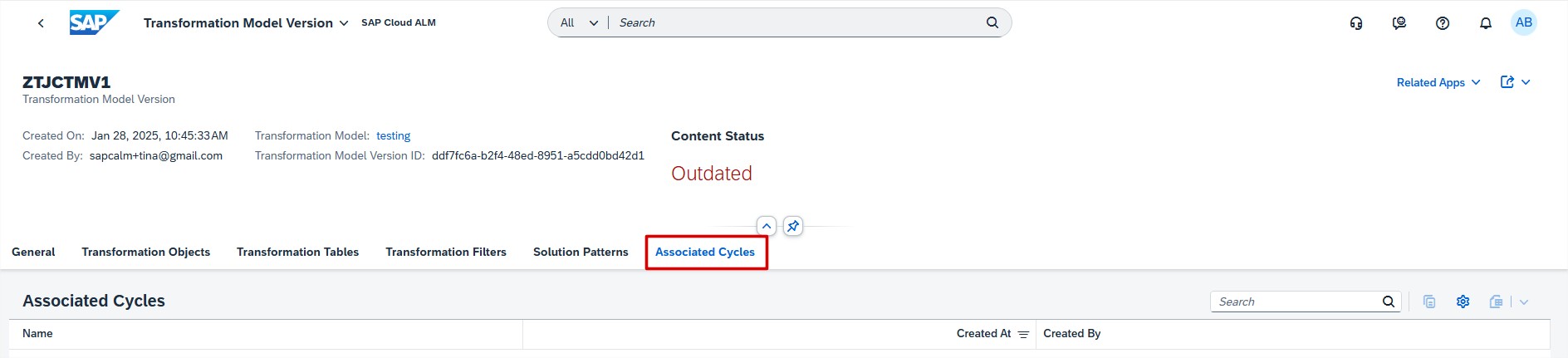
Modeling introduced new Associated Cycles tab in the Transformation Model Version app. This tab lists all cycles that have been derived from the selected transformation model version.
Cycle and Monitoring allows now to restart the cycle preparation and cycle transformation while still in progress, even with the status “In Progress with Error”.
Implementation
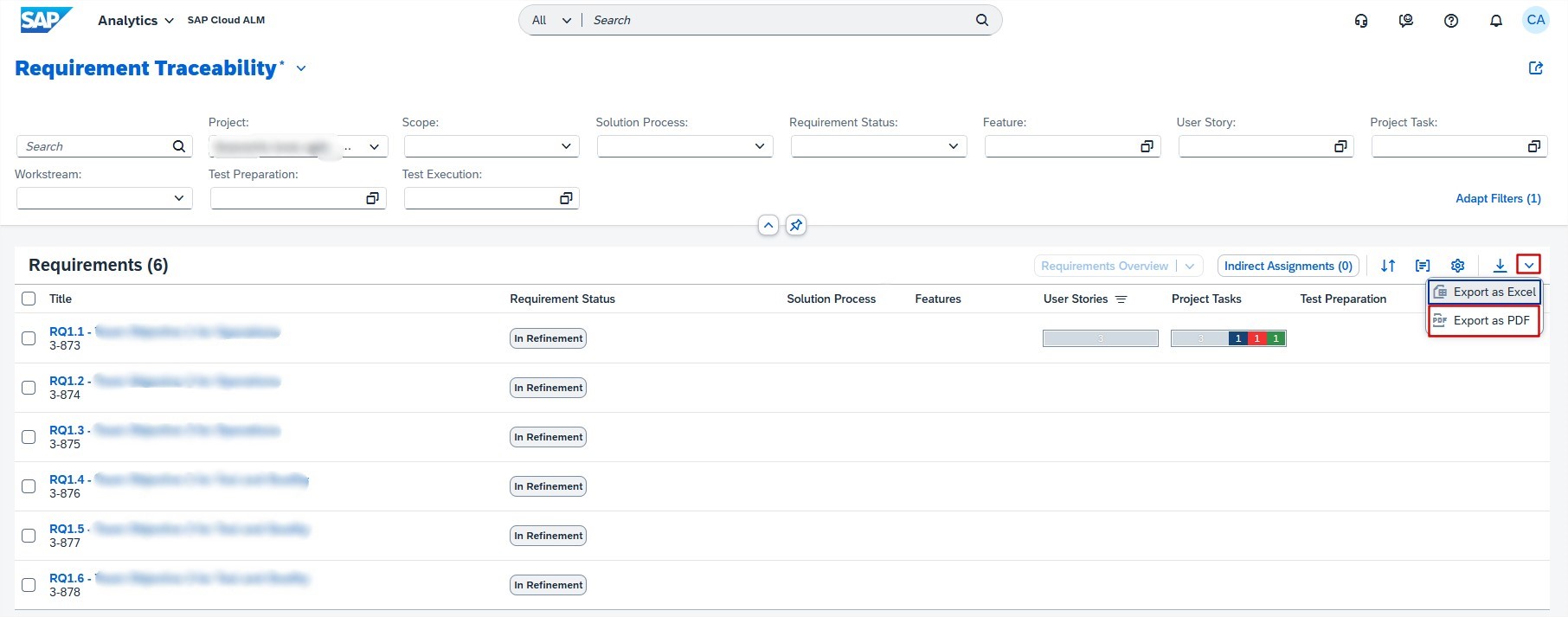
Analytics has new export to PDF feature in the Requirement Distribution app. This allows users to export requirement traceability data into a PDF format, including a cover page, table of contents, and detailed requirement information. This functionality is beneficial for users who need to share or archive traceability data in a standardized and easily accessible format.
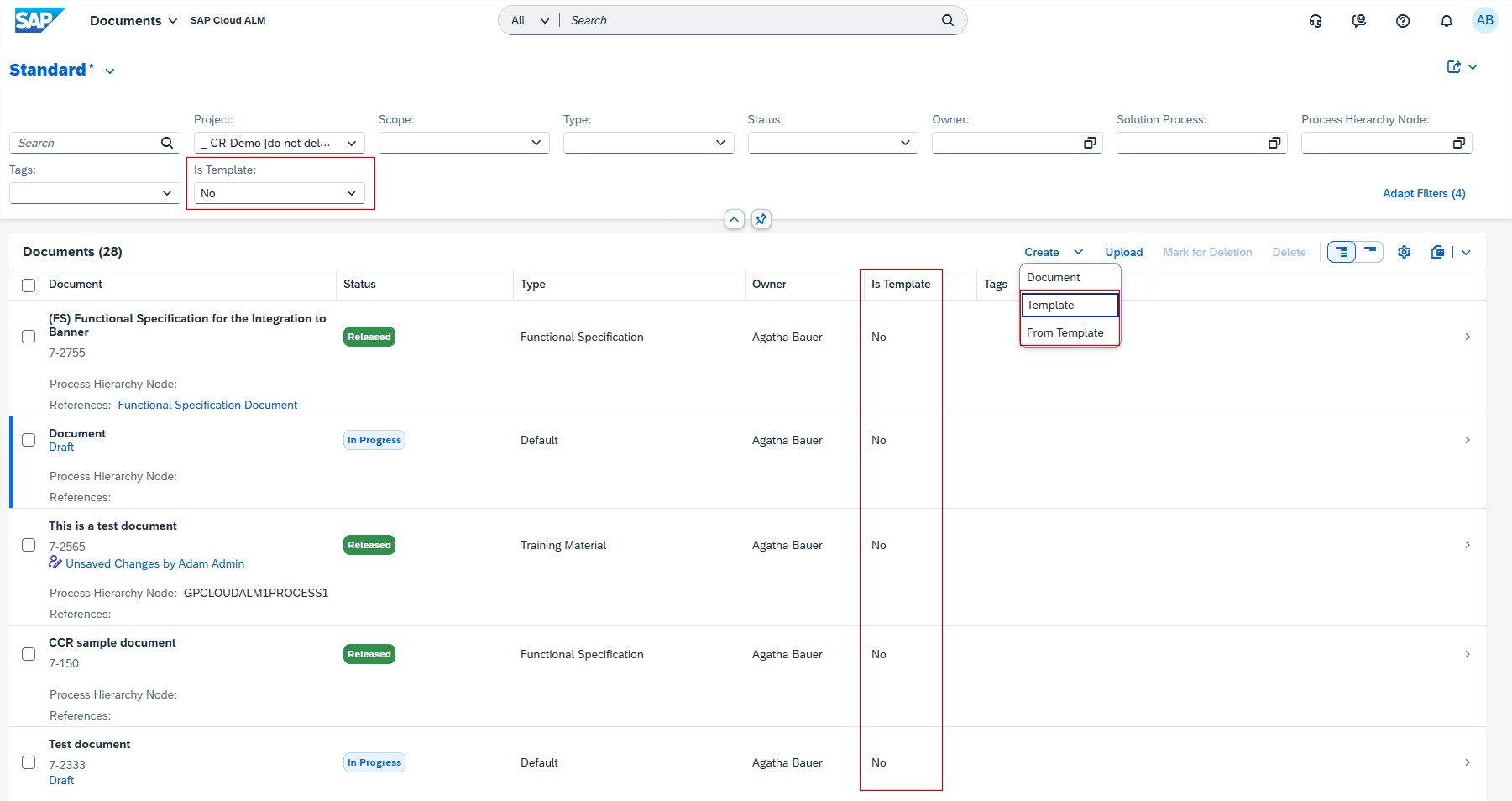
Documents allows now to create templates for the consistent structure of documents and use them for the document creation.
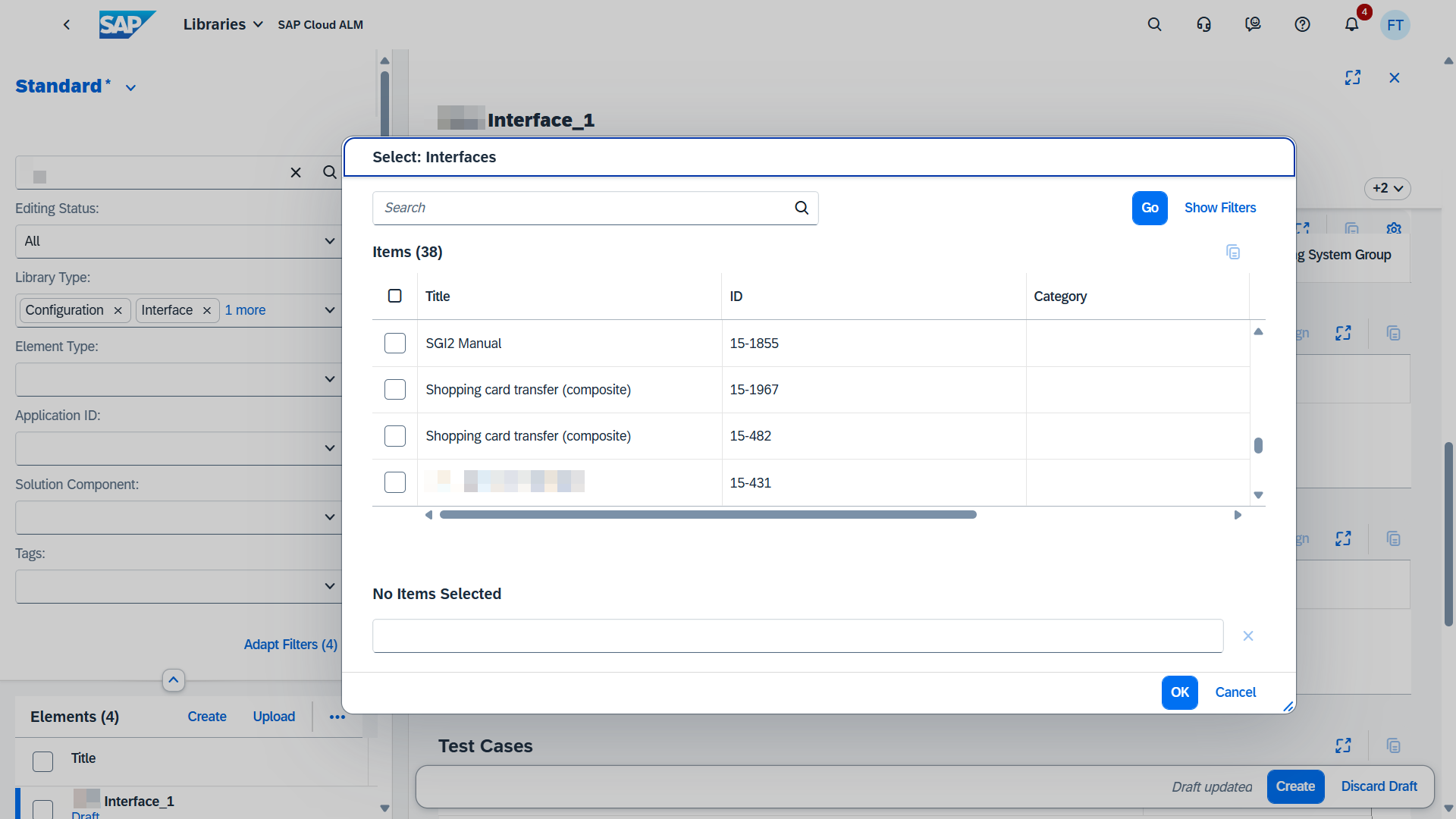
In Libraries it’s now possible to maintain relations between interfaces by assigning and unassigning interfaces in the app.
Processes has 2 new updates available.
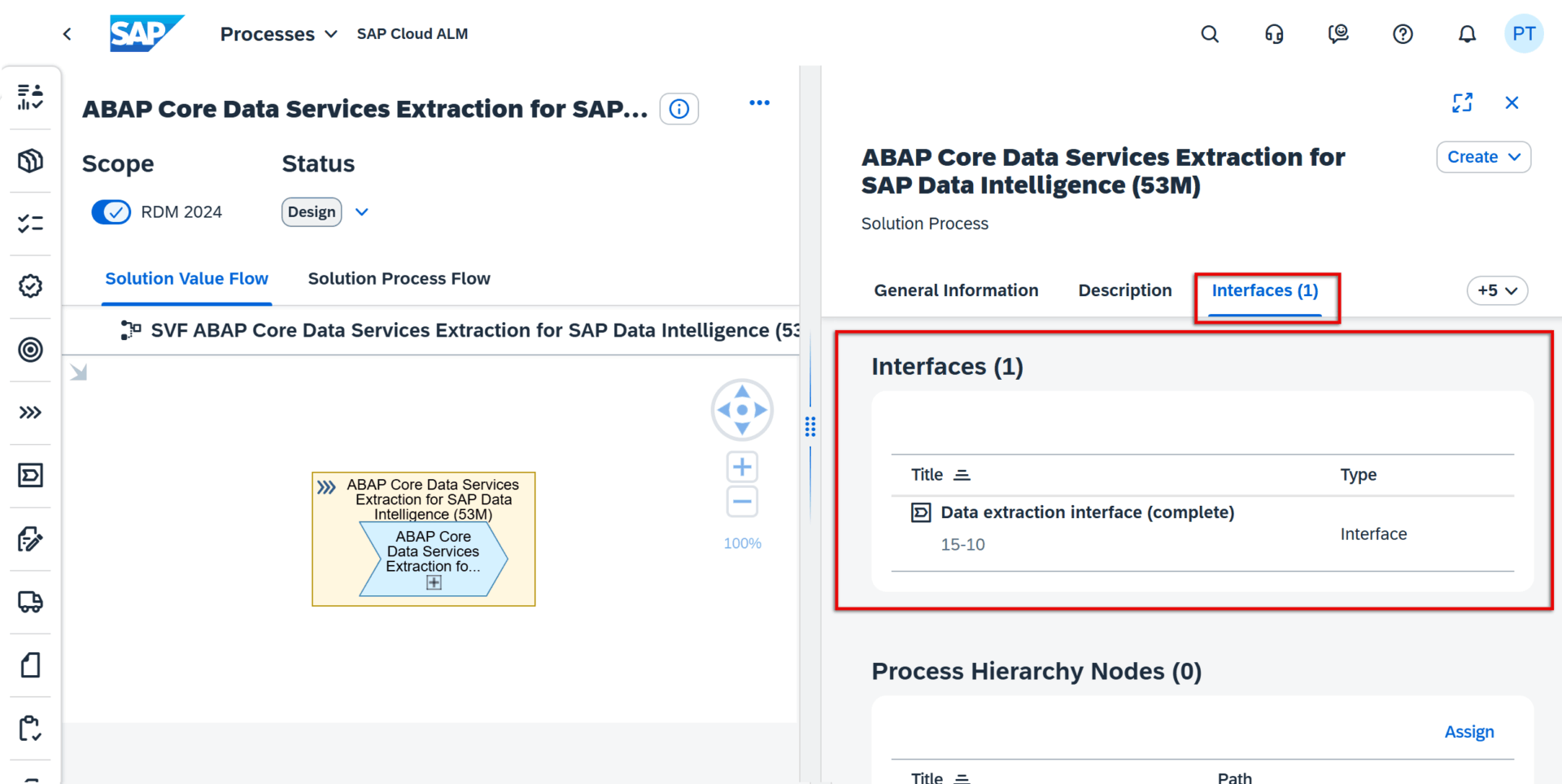
When calling up the details for a solution process in the Solution Process Viewer, users can now see information about any interfaces that are assigned to it. As well as the name of any assigned interfaces, users can also see their respective IDs and icon representing the Process Authoring app as the origin of where these interface library types were created.
The Interfaces section is currently only shown if corresponding assignments exist.
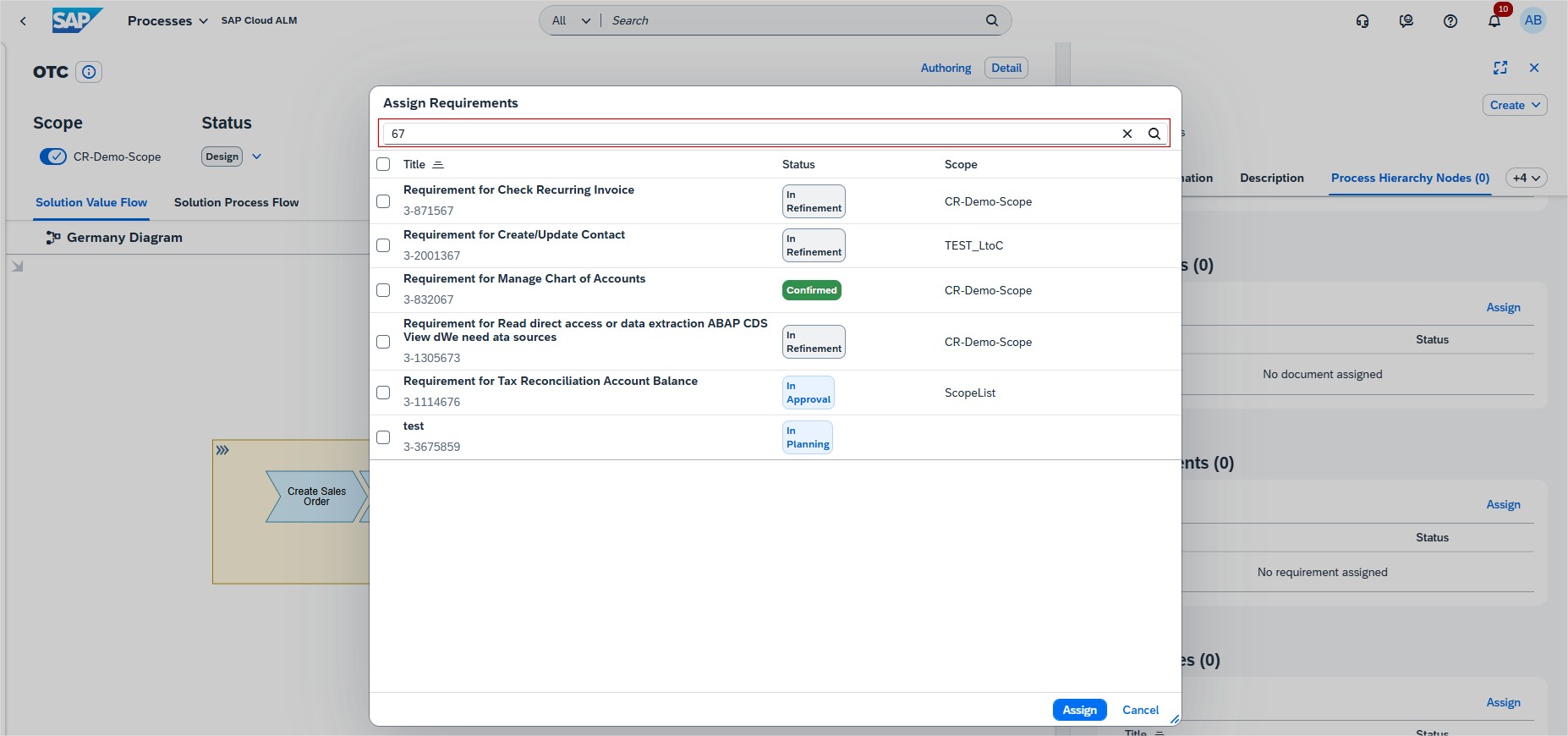
Users can now see the respective IDs for any requirements, user stories and tasks that are assigned to a solution process. Furthermore, to make it easier to find the right items when assigning requirements, user stories or tasks to a process, users can now search through the list of proposed values using either parts of their title, their ID, or the scope title.
Operations
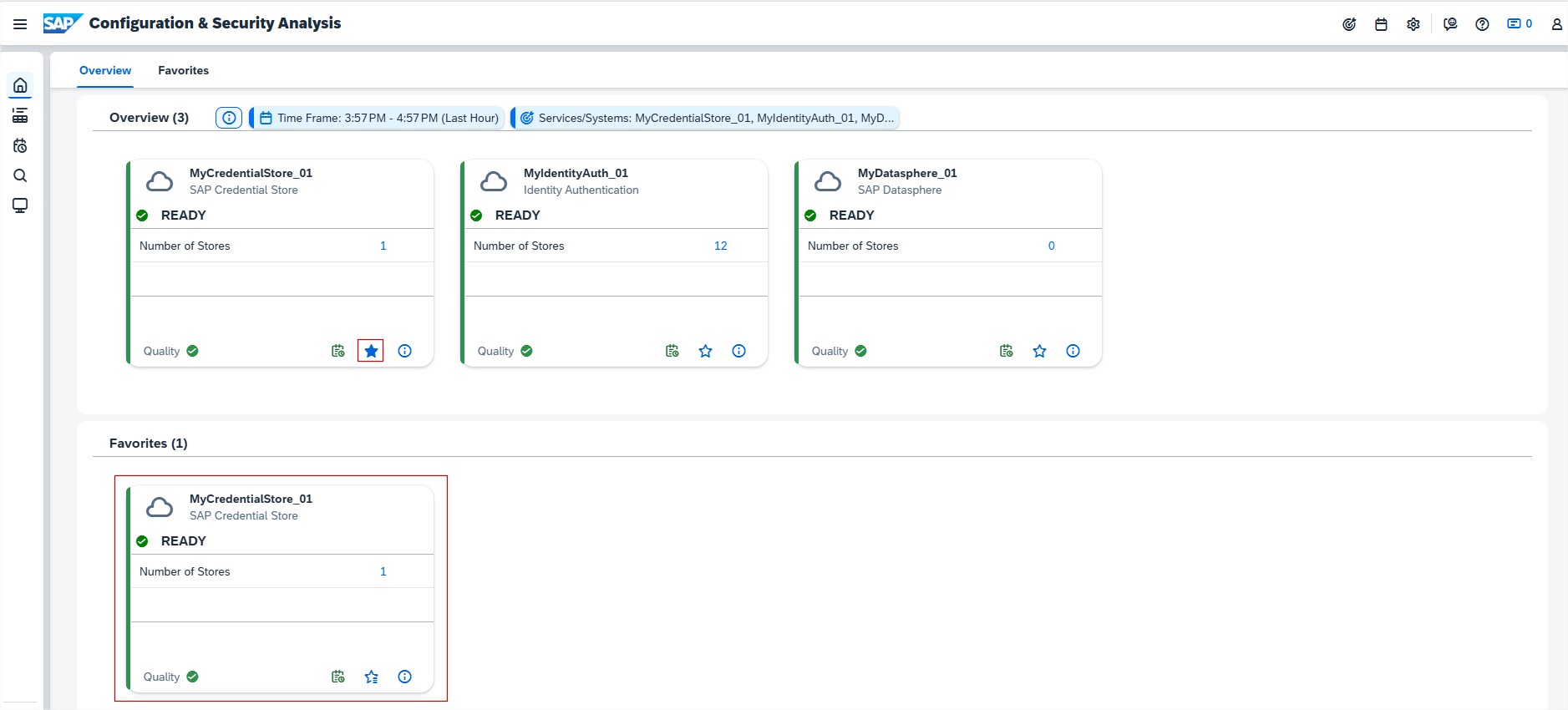
Configuration & Security Analysis allows now users to mark preferred managed components as Favorites. Managed components that are marked as Favorites show up in the Favorites section of the home page. And they are displayed even if they aren’t included in the selected scope. This allows users to quickly navigate frequently used or preferred managed components without having to define the scope every time.
RISE with SAP
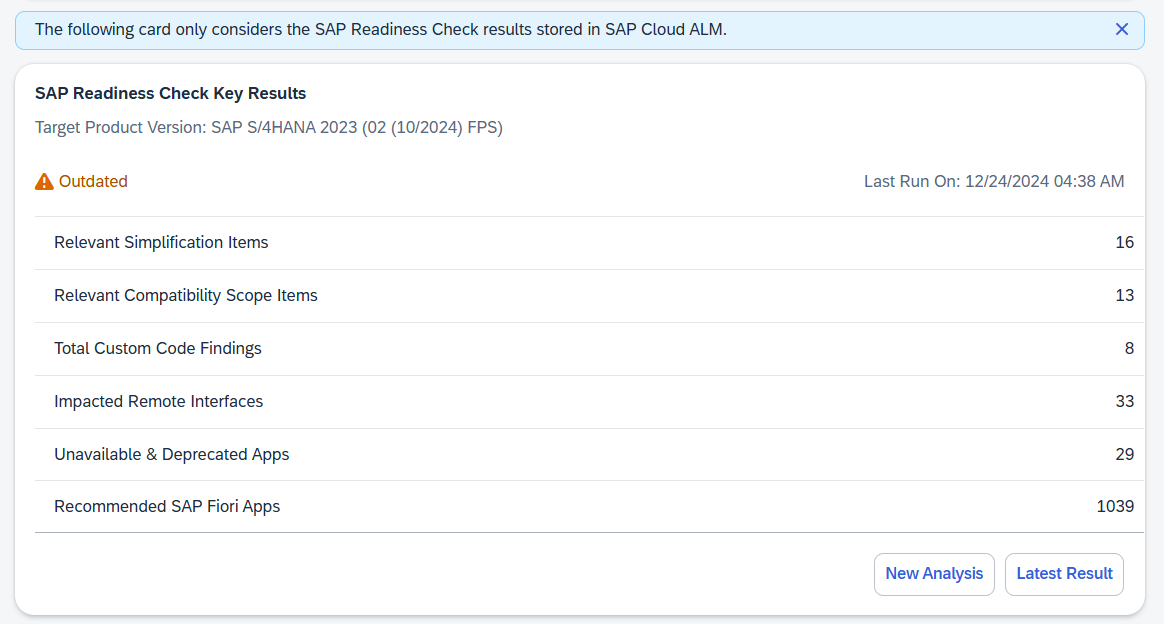
System View has enhanced the Upgrade Assessment card under Software Stack category and renamed it to SAP Readiness Check Key Results. The card now provides an overview of the most important findings of the latest SAP Readiness Check for SAP S/4HANA Upgrades run for system. Users can assess if they’re prepared to upgrade system or estimate the effort required for it.
The card displays the following key results:
- Number of Relevant Simplification Items
- Number of Relevant Compatibility Scope Items
- Number of Total Custom Code Findings
- Number of Impacted Remote Interfaces
- Number of Unavailable & Deprecated Apps in the target release
- Number of Recommended SAP Fiori Apps
To initiate a new SAP Readiness Check, choose New Analysis. To view all the details of the last SAP Readiness Check run, choose Latest Result.