

SAP Cloud ALM – What’s New in Week 46
SAP Cloud ALM keeps advancing – with this week’s updates centered on precision, structure, and control.
The week 46 release introduces automated checks and smarter data migration handling in SAP Business Transformation Center, expanded monitoring coverage in Operations, and improved organization and usability features in Implementation.
Together, these enhancements strengthen consistency across projects, streamline validation, and make managing transformations and operations more efficient than ever.
SAP Business Transformation Center – Modeling
The latest update in the SAP Business Transformation Center strengthens data migration reliability and transparency. With new automation in detecting and transferring customer-specific change documents, transformation projects can now ensure a more complete and accurate migration process – reducing manual effort and minimizing the risk of missing critical data.
Automatic Migration of Customer-Specific Change Documents
Data migration just became smarter and more complete in the SAP Business Transformation Center.
With the new automatic detection and migration of customer-specific change documents, teams can ensure that all relevant change records from the SAP ECC source system are transferred – no manual configuration required.
This enhancement is managed through the new Source System Scan tab in the Manage Transformation Models app, which includes an Unknown Change Documents Check to identify and migrate any custom change documents that might otherwise be missed. The scan also verifies system connectivity and logs detailed check results so teams can restart or refresh failed checks directly.
By automating this critical validation step, transformation projects gain a more reliable, transparent, and complete migration process – helping teams move data confidently and efficiently.
For more information, see Managing the Source System Scan and the Related Checks.
TL;DR:
Automatic detection and migration of customer-specific change documents ensure complete, consistent data transfer – all managed through the new Source System Scan in Manage Transformation Models.
Operations – Real User Monitoring
This week’s Operations update expands monitoring coverage to new SAP solutions, giving teams deeper visibility into system performance and user experience. With Real User Monitoring now supporting more specialized applications, organizations can ensure consistent performance insights across a broader part of their landscape.
Expanded Real User Monitoring Coverage
Real User Monitoring (RUM) now supports additional SAP solutions, broadening visibility into user experience and system performance across more business areas.
The newly supported solutions include:
- SAP Advanced Commodity Risk Analytics
- SAP Project and Resource Management (resource management capability)
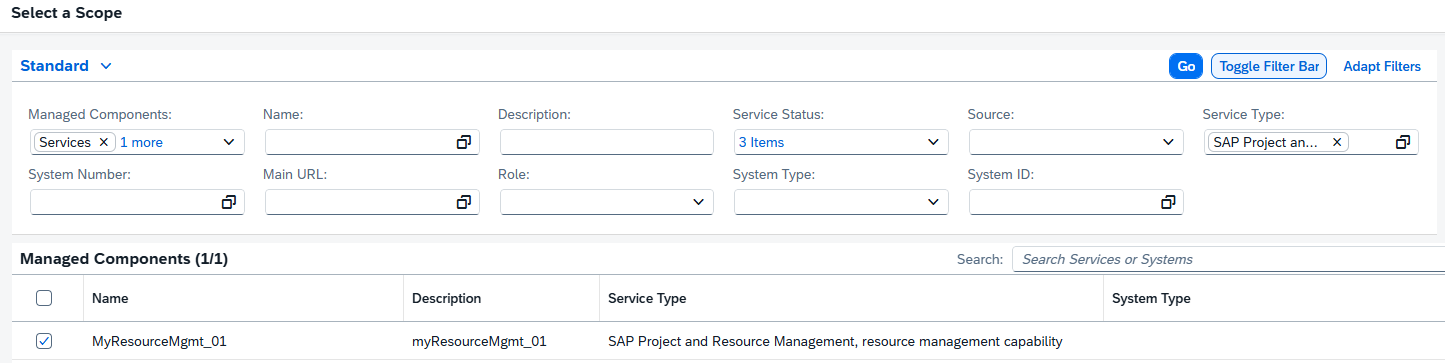
This enhancement helps operations teams gain consistent, end-to-end insights into performance and user behavior – even in specialized analytical and resource management scenarios.
TL;DR:
Real User Monitoring now covers SAP Advanced Commodity Risk Analytics and SAP Project and Resource Management, extending performance visibility across more SAP solutions.
Implementation – Libraries, Process Authoring, Test Plans
This week’s Implementation updates enhance flexibility and control across project design, development, and testing. From a cleaner library creation experience to direct management of developments and smarter test case filtering, teams gain more efficient ways to structure, connect, and validate their work in SAP Cloud ALM.
Redesigned Library Element Creation Menu
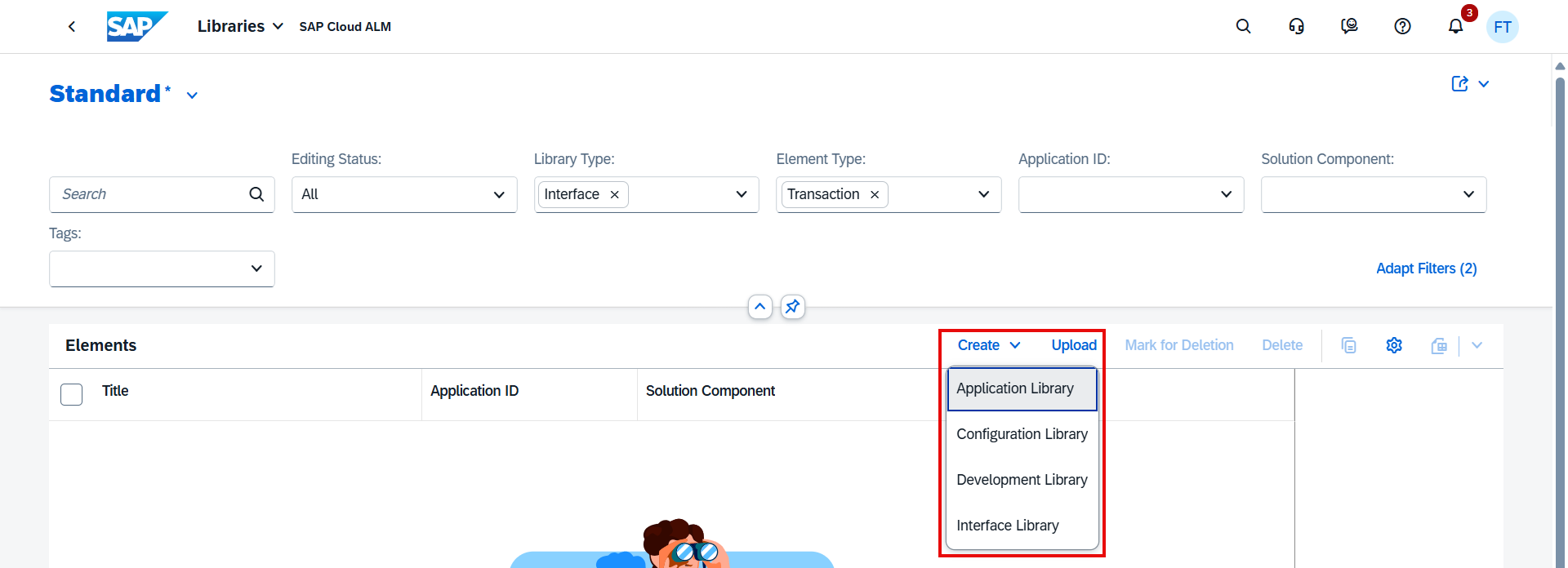
The Libraries app now features a remodeled menu for creating new library elements.
This improved layout simplifies navigation and makes it easier to select the right type of element, helping teams quickly build and organize reusable project assets.
TL;DR:
A redesigned library element creation menu improves clarity and ease of use in the Libraries app.
View and Maintain Developments in Process Authoring
In Process Authoring, users can now view developments assigned to a solution activity directly from the Solution Activities list. Details such as development type – for example, Transaction, Classes/Interface, or Custom Fiori Application – are now visible.
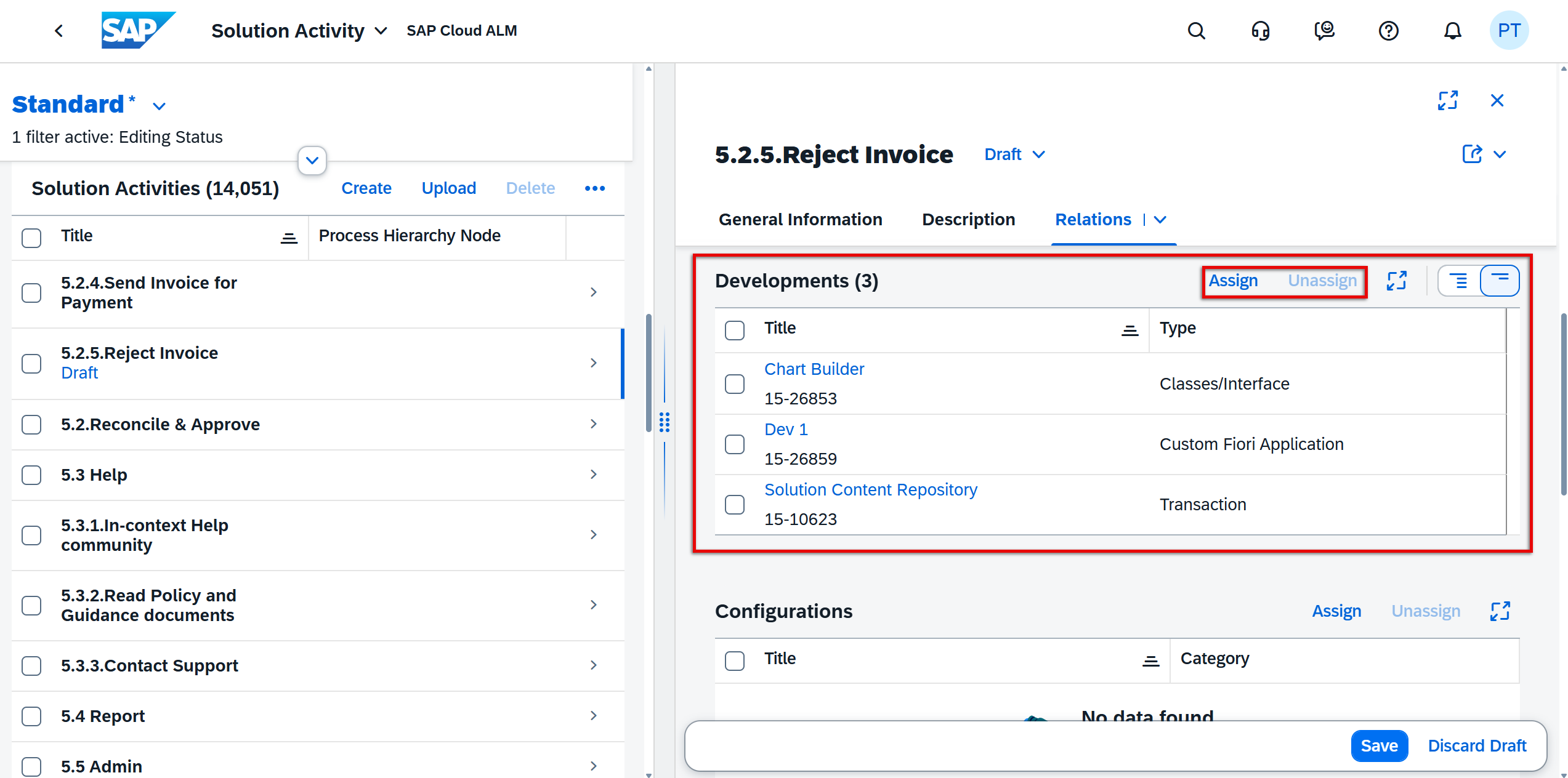
When in Edit mode, developments can also be assigned or unassigned directly within the list, improving visibility and control over the technical objects linked to each activity.
TL;DR:
Users can now view, assign, and unassign developments for solution activities in Process Authoring for better transparency and management.
Additional Filters in Test Case Assignment
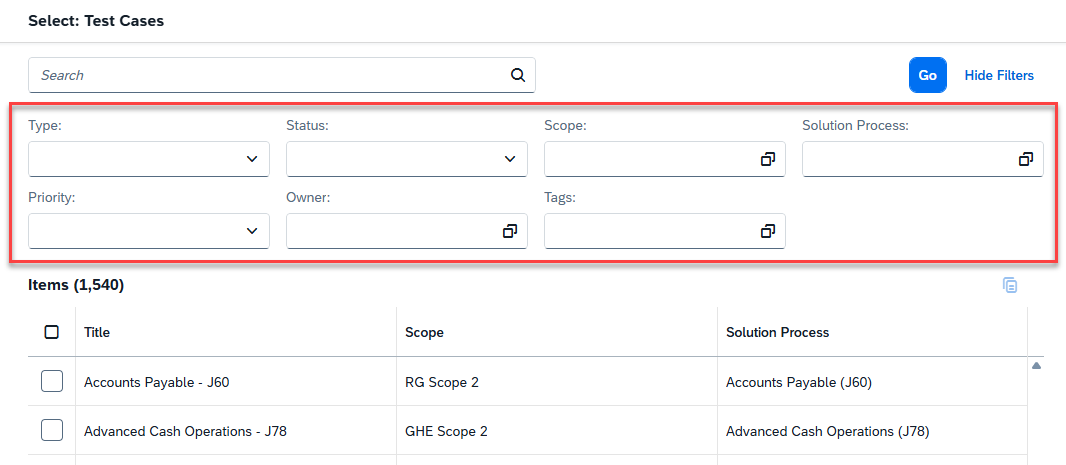
The Test Plans app now offers more filtering options when assigning test cases.
These additional filters make it easier to narrow down the list of available test cases, ensuring that only relevant ones are included in each plan.
TL;DR:
New filters in Test Plans make test case assignment faster and more targeted.
Cross-Area Update
Switch to New DigiCert Root Certificates for SAP Cloud ALM Connectivity
SAP is strengthening platform security by transitioning to higher encryption standards with the DigiCert TLS RSA4096 Root G5 and DigiCert Global Root G3 certificates.
Systems using custom trust store, STRUST, must include the new root certificates alongside the existing DigiCert Global Root G2, which remains valid during the transition period.
Keep in mind that this update is not optional. Once SAP begins issuing certificates signed with the new roots in Q1 2026, systems that haven’t added G5 and G3 will simply stop trusting SAP Cloud ALM endpoints. This can lead to broken connections, failed integrations, and missing monitoring data – issues that cannot be fixed without updating the trust store.
To stay operational, make sure the certificates are added well in advance. For more information, see SAP Note 3566727.
TL;DR:
Add DigiCert G5 and G3 root certificates to custom trust stores, keep G2 active during the transition, and ensure continued secure connectivity ahead of the 2026 rollout.
