

SAP Cloud ALM – What’s New in Week 48
SAP Cloud ALM continues to evolve with updates that sharpen accuracy, boost usability, and deepen cross-platform consistency. This week’s release brings smarter system scans in SAP Business Transformation Center, clearer navigation and structure in RISE with SAP Methodology, stronger identity and access management in Administration, and practical productivity boosts across Implementation and Operations.
Together, these enhancements streamline daily work, reduce manual effort, and give teams more reliable insight and control across their transformation and operations landscape.
SAP Business Transformation Center – Scoping
This week’s update improves migration reliability by extending system scans to include currency conversion tables, helping ensure financial data stays accurate and up to date during the move to SAP S/4HANA.
Currency Conversion Customizing Tables Now Included in System Scans
The system scan in SAP Business Transformation Center now detects the TCURR currency conversion customizing table, ensuring that the latest exchange rate data from the SAP ERP source system can be considered during migration. This enhancement helps maintain an accurate and up-to-date currency conversion process in the SAP S/4HANA target system while reducing manual post-migration maintenance.
By default, TCURR is set to Out of Scope, but users can review and adjust this in the Select Scanned Tables app to decide whether exchange rate data should be included as part of the migration scope.
TL;DR:
TCURR (currency conversion) is now detected in system scans, allowing teams to optionally include up-to-date exchange rate data in the migration scope.
RISE with SAP Methodology – System View Enhancements
This week’s updates sharpen the clarity and usability of the RISE with SAP Methodology area. With a redesigned System View experience and improved naming consistency on the launchpad, navigating clean core KPIs and methodology content becomes more structured and intuitive – helping teams focus on insight, not interface.
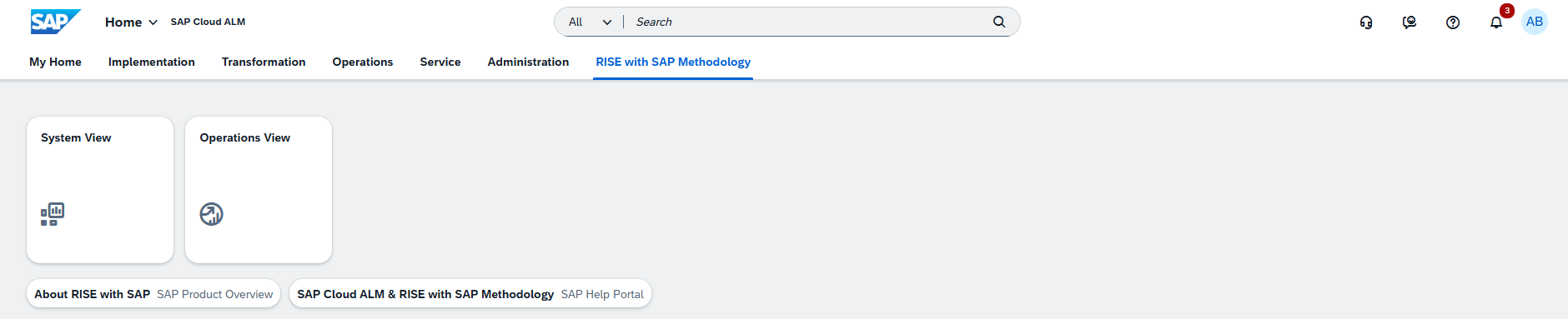
Launchpad Page Renamed
The RISE with SAP launchpad page has been renamed to RISE with SAP Methodology.
This rename better reflects the broader scope of guidance, structure, and lifecycle support delivered through the RISE methodology.
TL;DR:
The launchpad page is now called RISE with SAP Methodology, aligning with the overarching transformation framework.
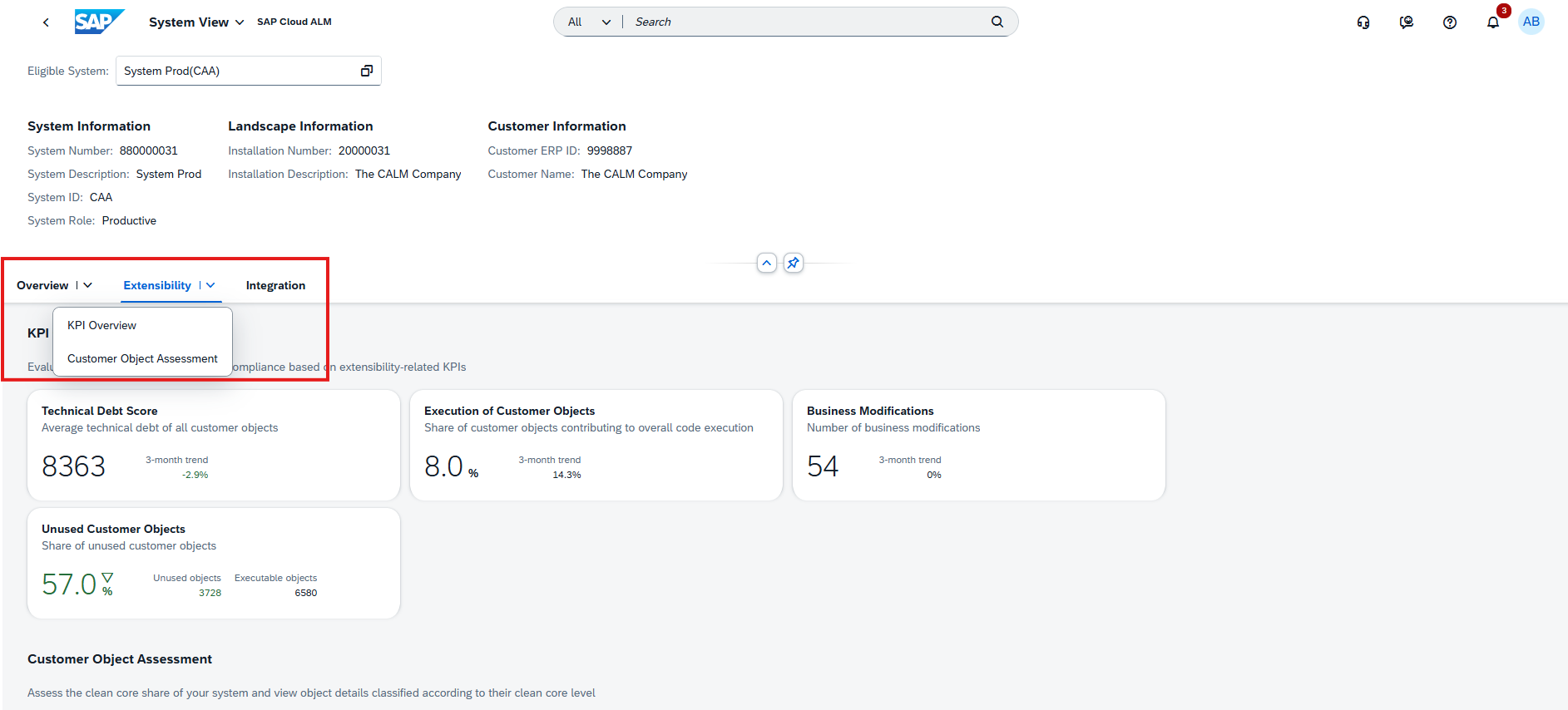
Tab View Introduced in the System View Dashboard
A new tab-based layout is now available in the System View dashboard, making clean core monitoring more intuitive and structured.
Instead of scrolling through multiple KPIs, users can switch directly between clean core dimensions using dedicated tabs – allowing faster navigation and clearer insights.
TL;DR:
A new tab view makes it easier to jump directly to the clean core KPI category you want to analyze.
Operations – Job & Automation Monitoring, Configuration & Security Analysis, Business Process Monitoring
The latest updates in the Operations area focus on improving visibility, consistency, and control across all monitoring disciplines. From clearer job notifications to stronger access restrictions and more reusable event configurations, these enhancements help operations teams respond faster, analyze more effectively, and manage complex landscapes with greater confidence. Whether it’s refining event handling, tightening security, or extending monitoring insights, updates continue to strengthen SAP Cloud ALM as a central hub for stable and proactive operations.
Execution Information in Notification Emails for Job & Automation Monitoring Alerts
Notification emails in Job & Automation Monitoring have been streamlined for easier readability.
All execution-related details – run information, executed steps, and exceptions – are now consolidated into a single Execution Information table.
Previously, this information was split across three separate sections, making emails longer and harder to scan. With the new unified format, operational teams can assess job outcomes more quickly and with less clutter.
TL;DR:
Execution details are now combined into one clean table in job/automation notification emails for faster insight.
Access Control Enabled for Configuration & Security Analysis
Access Control is now enforced for both Configuration & Security Analysis – Data Stores and Configuration & Security Analysis – Validation apps.
Users can only view configuration and compliance data for the systems and services explicitly assigned to them in the Landscape Management Access Control List.
This enhancement strengthens data protection, ensures principle-of-least-privilege access, and aligns Configuration & Security Analysis with access control standards already used in other Operations apps.
TL;DR:
Configuration & Security Analysis now respects Access Control Lists – users only see landscape objects they are authorized for.
Reuse Actions, Import Structures, and Improve Event Visibility in Business Process Monitoring
Business Process Monitoring receives several enhancements that streamline event handling, improve process reuse, and strengthen operational transparency.
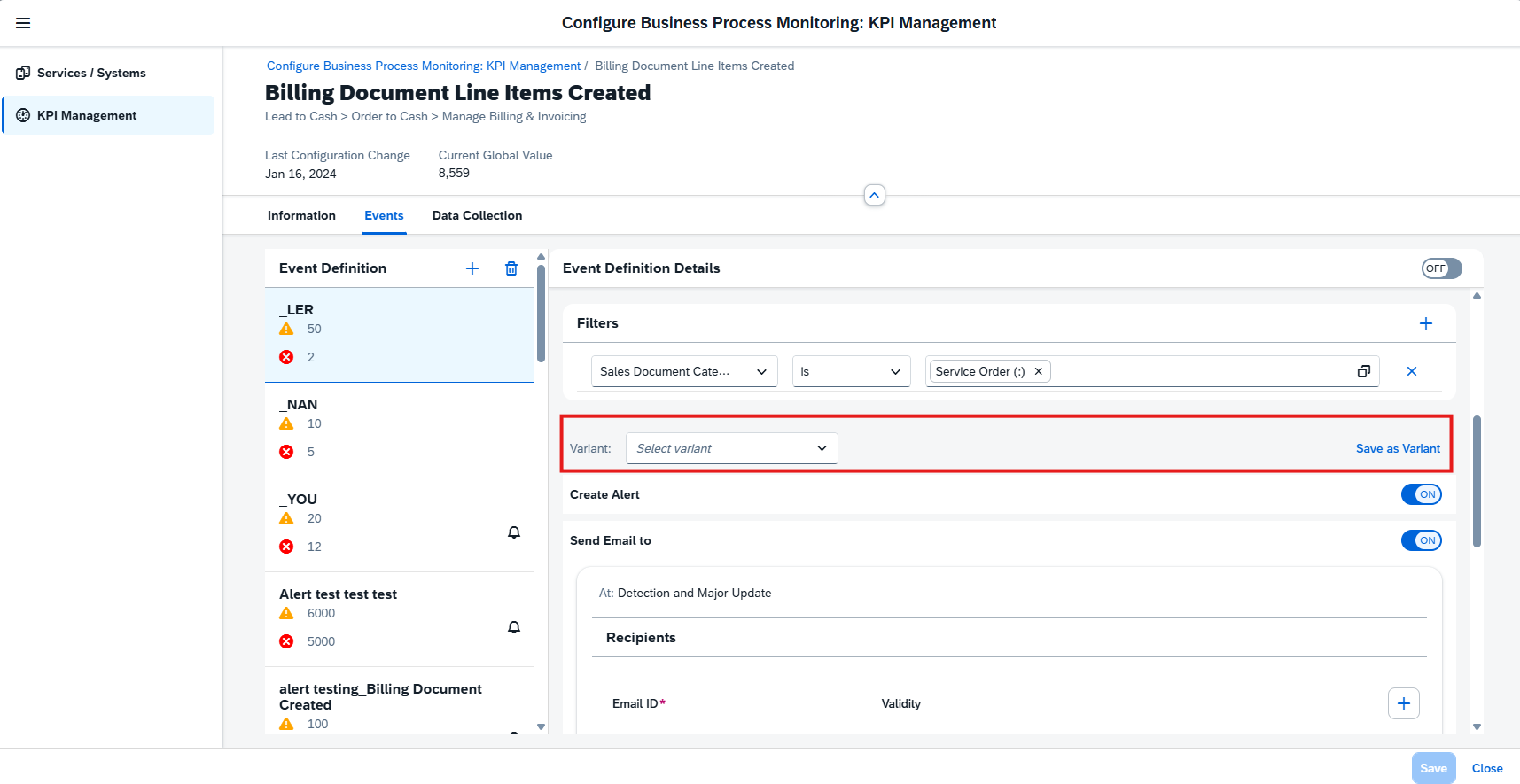
Event Action Variants
Event actions can now be saved as reusable event action variants, allowing teams to apply the same action setup across multiple KPIs or when configuring events in other apps. Variants can be created and centrally managed in the Intelligent Event Processing app, reducing repetitive configuration work and ensuring consistency.
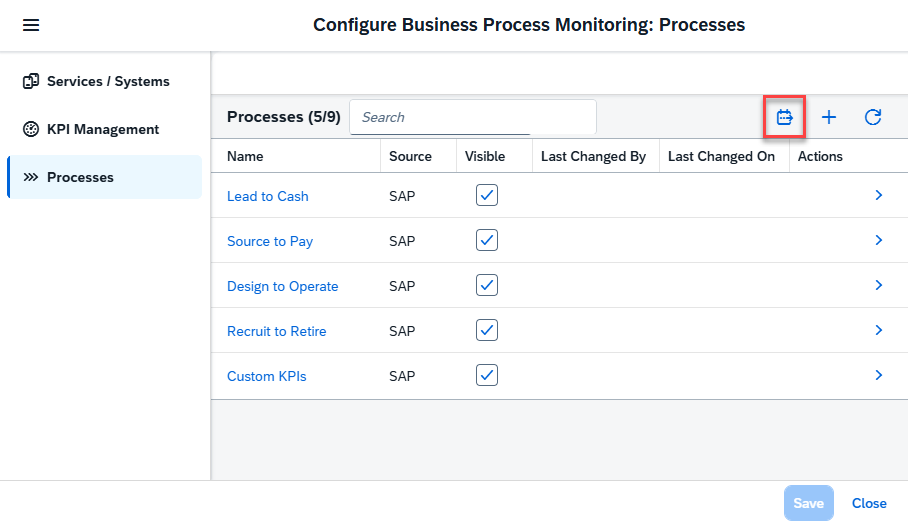
Import Process Hierarchy Nodes
Existing business process structures from the Process Hierarchy app can now be imported directly into Business Process Monitoring. Imported nodes behave like any custom process and can immediately be enriched with KPIs.
Note: Only up to three hierarchy levels are supported – deeper hierarchies are flattened upon import.
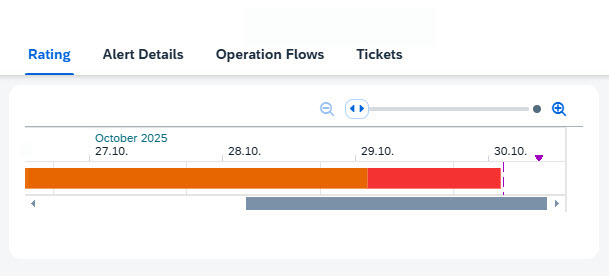
Notifications for Updated Event Ratings
Whenever an event’s rating changes, all recipients defined in the event definition now receive an automatic email notification. This ensures stakeholders stay informed when a situation escalates or improves.
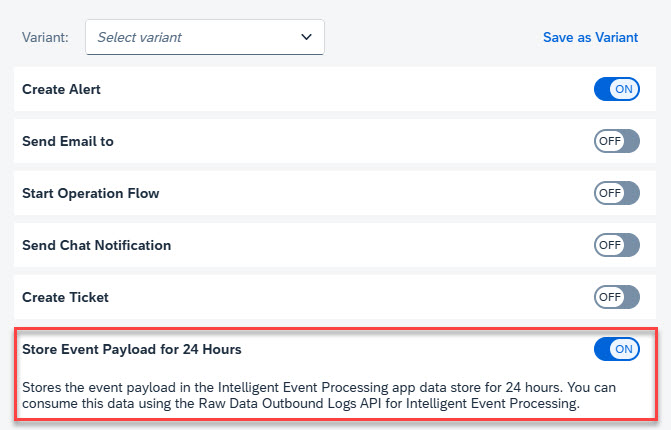
Store Event Payload for 24 Hours
A new event action allows the system to store event payloads for 24 hours in the Intelligent Event Processing data store. These payloads can then be accessed via the Raw Data Outbound Logs API, supporting downstream analytics or incident investigations.
TL;DR:
Event actions are now reusable, process structures can be imported, rating changes trigger notifications, and event payloads can be stored for 24 hours for deeper analysis.
Implementation – Documents, Overview, Test Preparation
This week’s updates in the Implementation area focus on usability, discoverability, and integration. From enhanced document search and customizable project overview layouts to API-driven test case management, these improvements help teams work more efficiently, stay better organized, and integrate SAP Cloud ALM more seamlessly into their existing workflows.
Document Search Enhancement
SAP Cloud ALM now makes it easier to find the documents needed for project work.
With the new Central Search capability, documents can be located across multiple attributes including title, type, status, priority, approval state, external file name, content, tags, and notes.
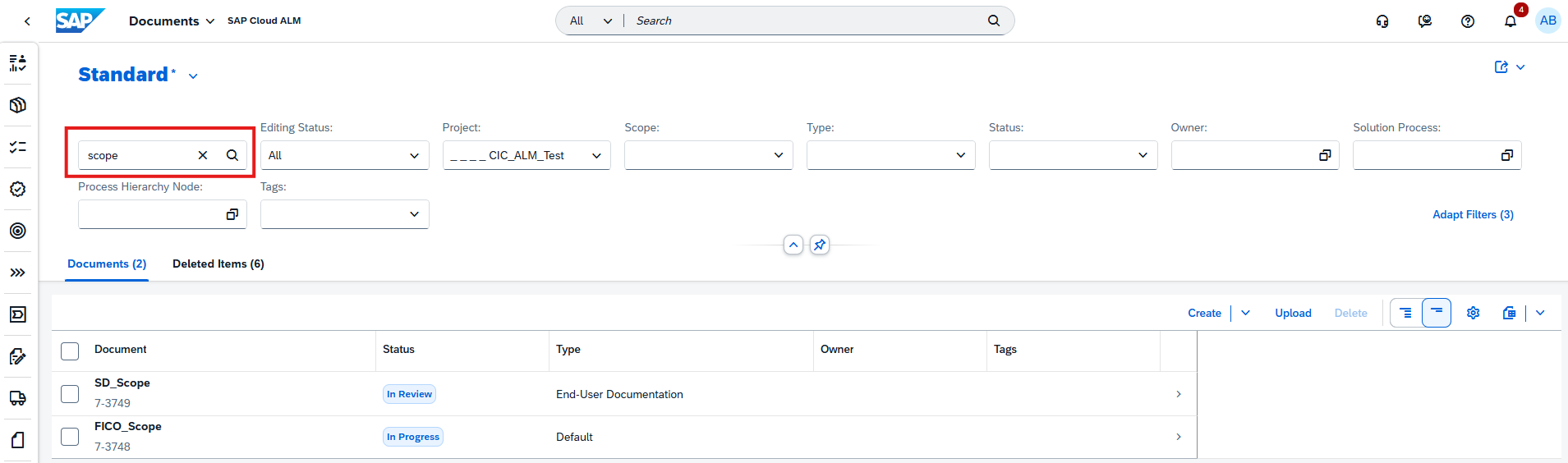
Only saved documents are included in search results – drafts remain excluded to ensure clarity and accuracy.
This update significantly improves discoverability, especially in large projects with extensive documentation.
TL;DR:
Documents can now be found via Central Search using multiple attributes, improving speed and accuracy when locating project artifacts.
Personalized Project Overview Layout
The Project Overview app now supports drag-and-drop card rearrangement, giving teams the freedom to personalize how project information is displayed.
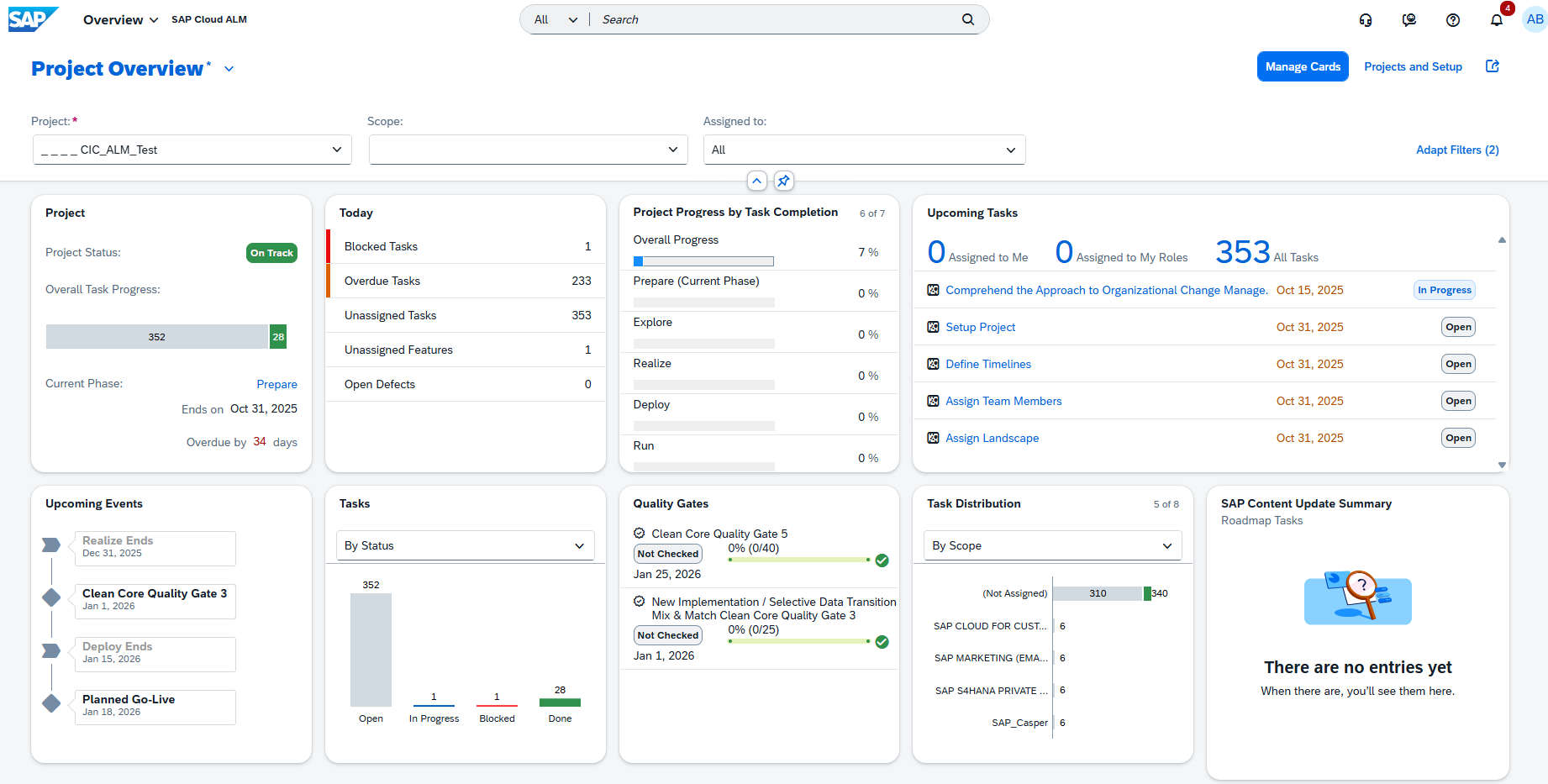
Users can move cards into the order that best fits their workflow and save the customized layout. In addition, the reorganized view can be shared with team members via email, making collaboration and stakeholder communication more efficient.
TL;DR:
Cards in Project Overview can now be rearranged via drag-and-drop, enabling personalized layouts and easy sharing of customized views.
API Support for Managing Manual Test Cases
SAP Cloud ALM expands its test management capabilities with a new Test Management API that enables external management of manual test cases.
With this API, teams can now create, update, or retrieve manual test cases programmatically – streamlining integration with external test tools, automation frameworks, and custom workflows. This enhancement reduces manual effort and supports more flexible, API-driven test lifecycle management.
Technical details can be found: SAP API Guide for SAP Cloud ALM.
TL;DR:
A new Test Management API allows external management of manual test cases, enabling automation and tool integration.
Administration – User Management
This week’s Administration update focuses on strengthening foundational identity management. With a new option to update identity provider configurations directly from the User Management Overview, SAP Cloud ALM makes it easier to stay aligned with upcoming security and integration standards.
Update Identity Provider Configuration
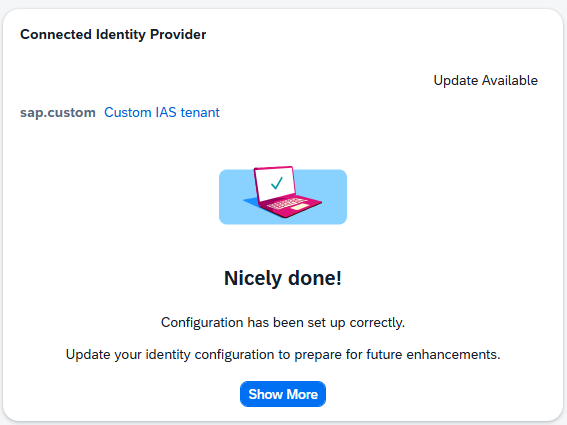
A new enhancement in the User Management Overview allows administrators to update their identity provider configuration to align with the latest SAP recommendations. This update enhances the integration between your Identity Authentication service tenant and SAP Cloud ALM, preparing the environment for upcoming improvements.
Open the Connected Identity Provider card and choose Show More to review the details. Select “Update Now” to apply the updated configuration.
TL;DR:
Administrators can now update the identity provider setup directly in SAP Cloud ALM to meet new integration standards and ensure future compatibility.
Cross-Area Update
Terminology Alignment for SAP Solution Manager Transitions
A new documentation resource is now available to support teams moving from SAP Solution Manager to SAP Cloud ALM. It provides a clear comparison of terminology used across both solutions, helping users understand conceptual equivalents and avoid confusion during transition or dual-operation phases.
The document will continue to grow over time as more terms and functional mappings are refined.
See the full comparison guide here: SAP Cloud ALM and SAP Solution Manager – Terminological Differences.
TL;DR:
A new terminology comparison guide helps align SAP Solution Manager and SAP Cloud ALM concepts, making transitions smoother and reducing ambiguity.
