SAP Cloud ALM – What’s New in Week 18
SAP Cloud ALM continues to evolve with enhancements that improve transparency, control, and usability across the platform.
The week 18 release brings updates for 2 areas. In SAP Business Transformation Center, improvements focus on clearer cycle execution, enhanced run transparency, and more intuitive scoping terminology. The Implementation area introduces enhancements in analytics, document handling, feature governance, retrofit transparency, and task management, strengthening overall project control and collaboration.
These updates help teams better structure their work, gain clearer insights into processes and data, and manage implementation and transformation activities with greater efficiency and confidence.
SAP Business Transformation Center – Cycle and Monitoring, Data Management, Scoping
Phase Grouping by System Uptime and Downtime in Cycle and Monitoring
Cycle execution is enhanced with clearer structure by grouping phases based on system availability.
Phases are now divided into system uptime and system downtime sections. During cutover:
- Prevalidation and Preparation phases can run during system uptime
- Transformation and Postprocessing phases require system downtime
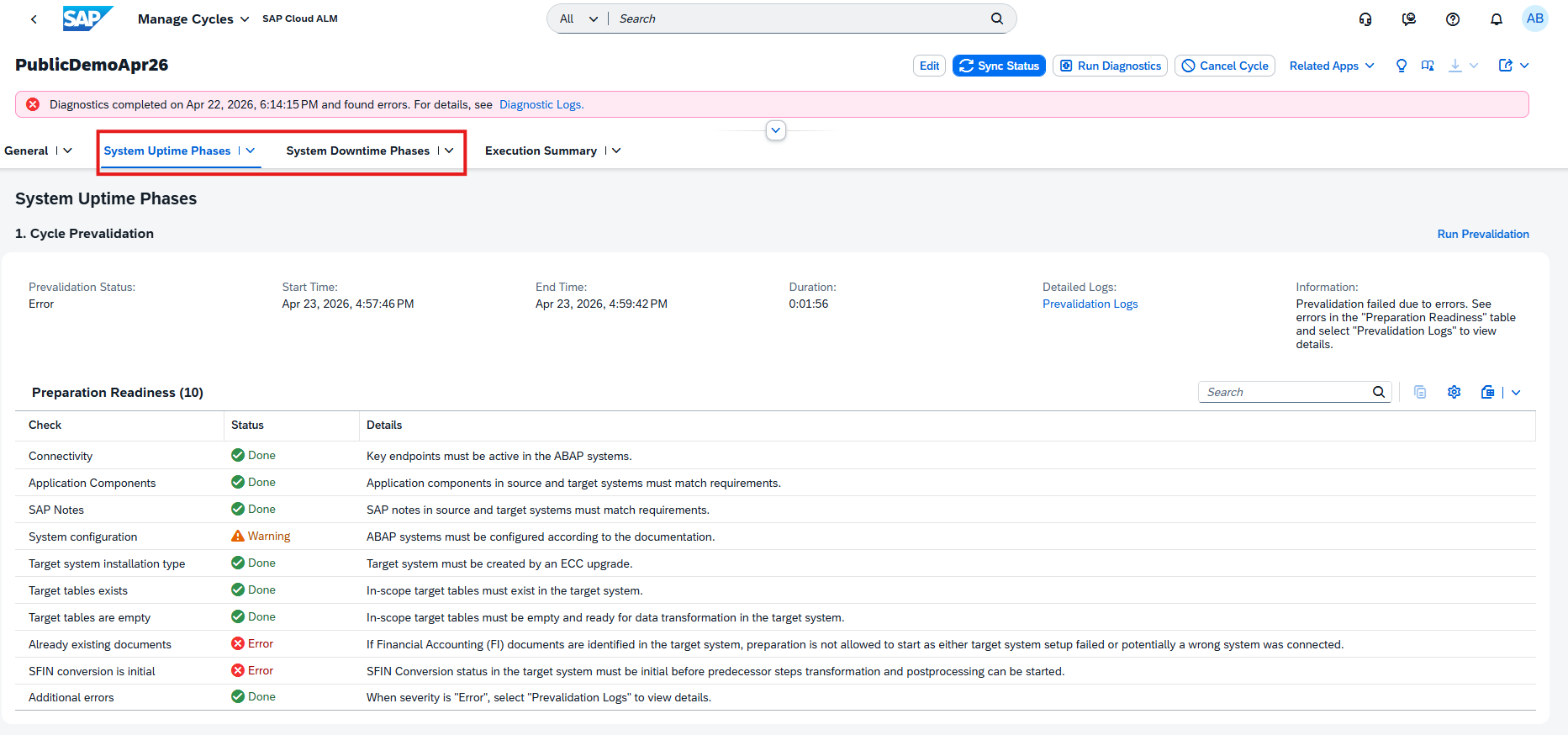
This grouping improves planning and clarity for execution timelines.
TL;DR:
Cycle phases are now grouped into uptime and downtime sections, improving cutover planning and execution clarity.
New Activity Log Table in Manage Runs
Data Management gains improved transparency with a new Activity Log table in the Manage Runs app.
The table provides a chronological overview of run-related events, including:
- Status changes
- System activities
This helps users better monitor execution progress and supports troubleshooting when issues occur.
TL;DR:
A new Activity Log table provides detailed, chronological insights into run execution and system events.
Renaming of Scopeable Tables in Scoping
Terminology in Scoping has been updated to improve clarity.
Tables previously labeled as Scoping-relevant are now called Scopeable, making it clearer that these tables can be included or excluded from the scope of the digital blueprint.
This change improves usability and better reflects the purpose of these tables in the scoping process.
TL;DR:
Scoping-relevant tables are now labeled Scopeable to clearly indicate they can be included or excluded from scope.
Implementation – Analytics, Documents, Features, Retrofit, Tasks
Tags Filter and Column in Risk Analysis
The Risk Analysis app is enhanced with new Tags filter and column functionality, improving how risks can be organized and analyzed.
Users can now use tags to categorize risks and filter them more effectively in the heatmap and list views. The feature supports multi-tag selection, allowing more flexible analysis across different risk dimensions.
In addition, personalization options ensure that selected tag filters and views remain consistent across sessions and can be shared via links.
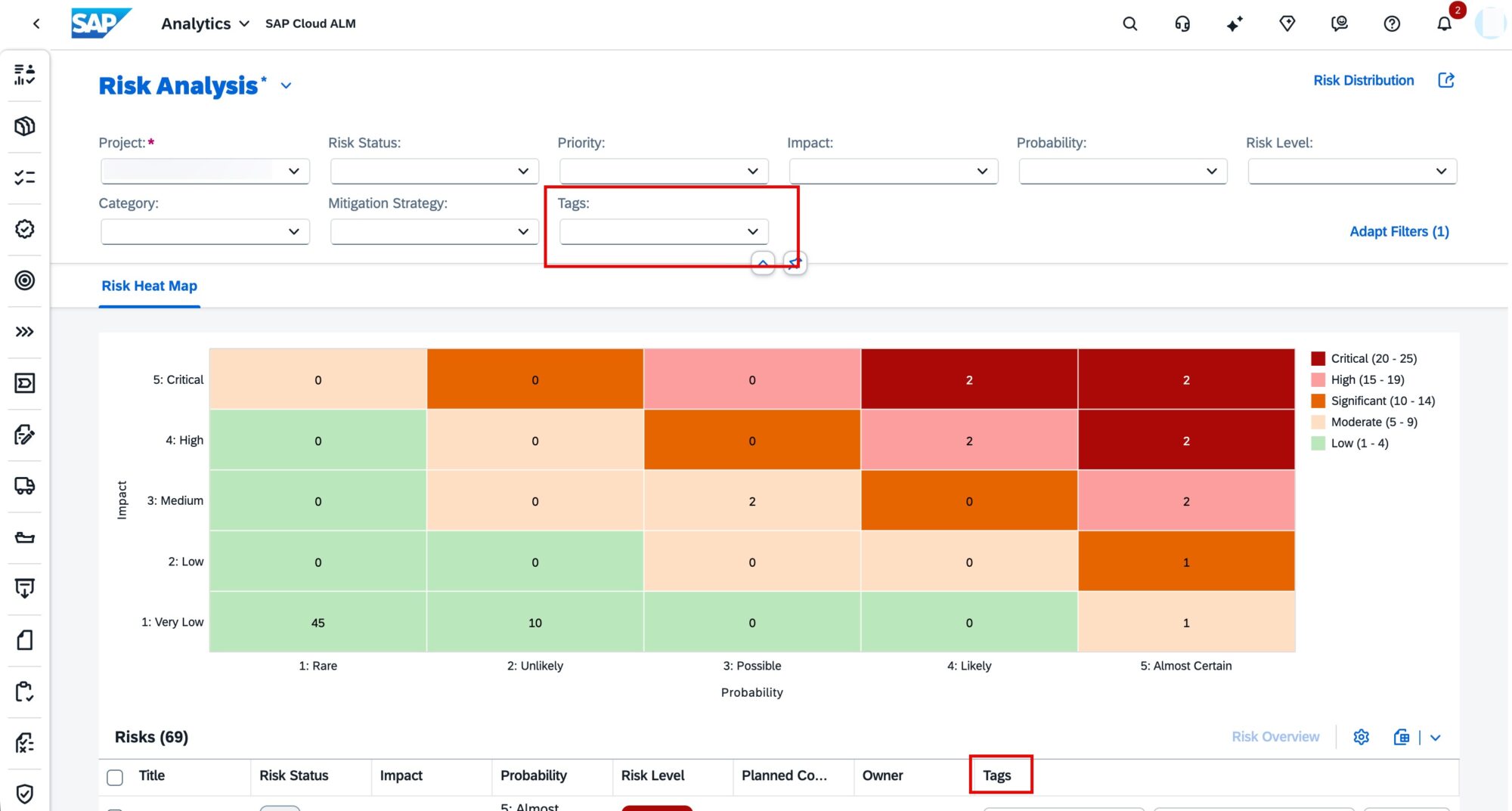
These enhancements make it easier to identify patterns, group related risks, and focus on relevant areas during risk analysis.
TL;DR:
The Risk Analysis app now supports Tags filtering and columns, enabling more flexible and personalized risk analysis.
AI Document Content Summaries
The Documents app is enhanced with AI-generated content summaries, helping users quickly understand document content and reduce review effort.
Summaries can be generated while a document is in Edit mode. Once created and saved, the summary is displayed on the Content tab, making it easily accessible for future reference.
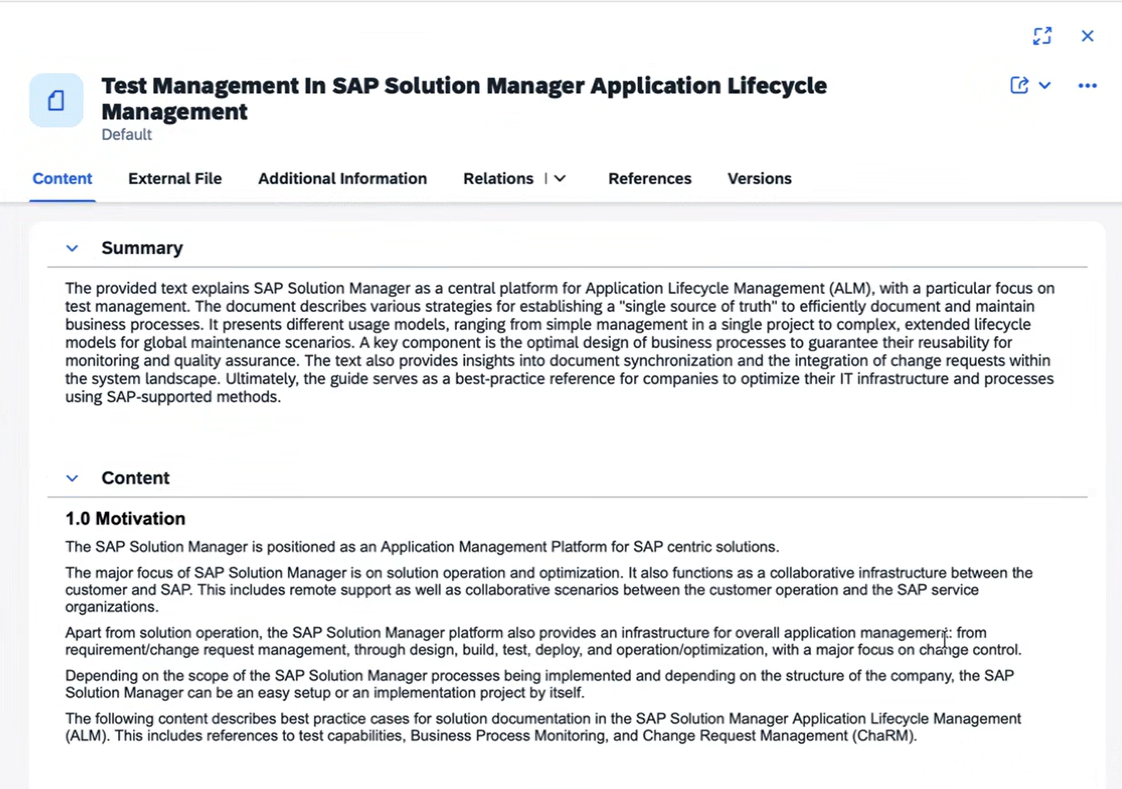
This feature is especially useful when working with large document repositories, as it highlights key information and supports faster decision-making.
TL;DR:
Documents now support AI-generated summaries, helping reduce review time and improve understanding of content.
Role Assignments and CTMS Transport Handling in Features
The Features area is enhanced with improved role management and clearer rules for transport assignment.
It’s now possible to assign specific roles directly to users in the Additional Information section:
- Developer and Tester roles support multiple users
- Change Manager and Deployment Manager roles are limited to one user each
Role assignments are now governed by feature status:
- Assignments become restricted in later stages (for example, In Testing, Successfully Tested, or Deployed)
- To make changes, the feature status must be moved back to In Implementation
Notifications can also be enabled for role assignments and status changes, improving collaboration and awareness.
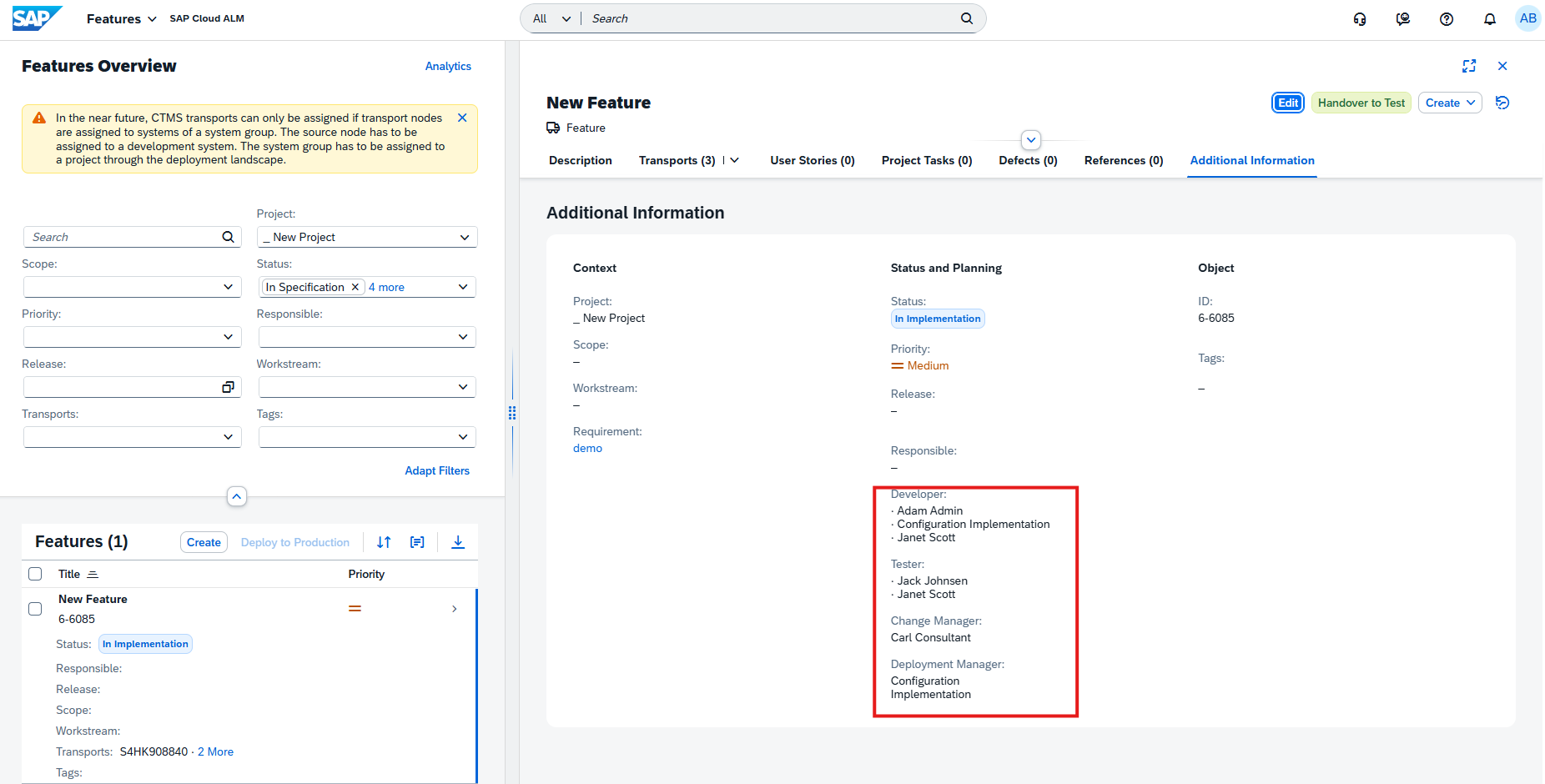
In addition, CTMS transport assignment has been refined:
- Transports can only be assigned if transport nodes are linked to systems within a system group
- A development system must be defined as the source node
- The system group must be assigned to a project via the deployment landscape
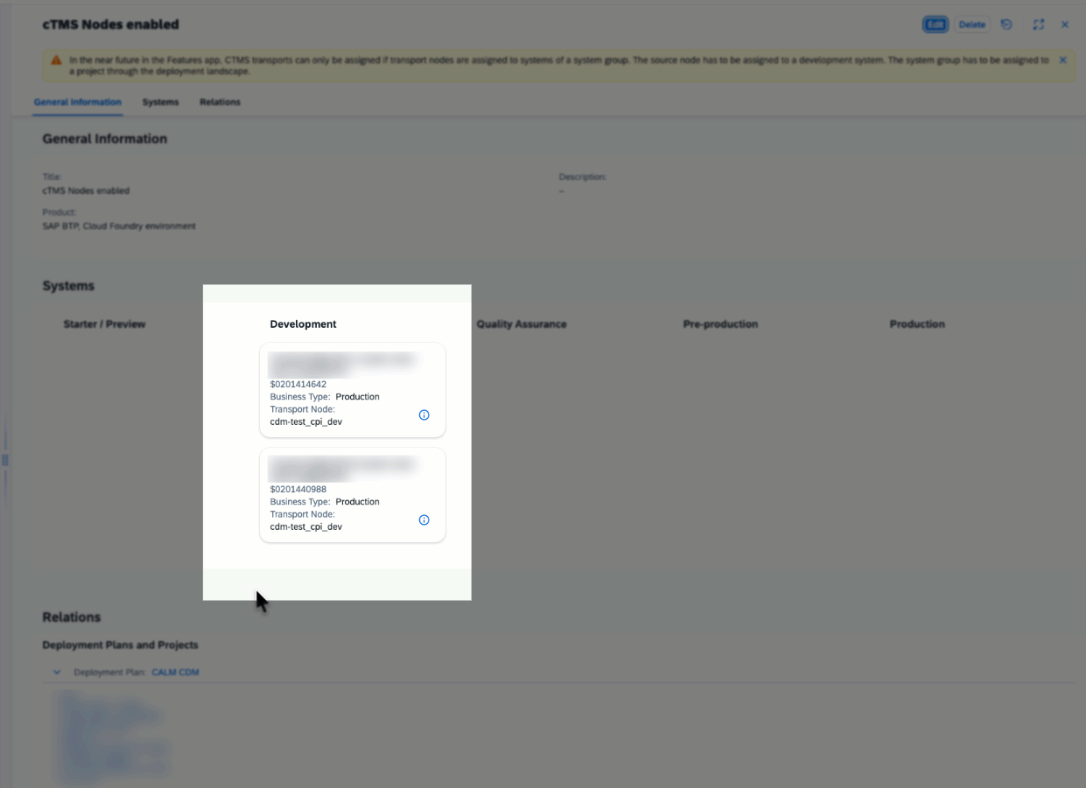
These updates ensure better governance, clearer responsibilities, and more controlled transport management.
TL;DR:
Features now support structured role assignments with status-based restrictions, and CTMS transport assignment follows stricter system group and development system requirements.
New Status: Blocked in Retrofit
A new Blocked status is now introduced in the Retrofit app to provide clearer visibility into issues during automatic retrofit processes.
This status indicates that the automatic retrofit was blocked due to an issue. When a retrofit item is in this state:
- You can still start or reject the retrofit
- Regenerate retrofit is not possible
- For items in category Mixed, the status remains Blocked until action is taken
Selecting a blocked item displays a message with the specific error, helping users understand the issue and take appropriate action.
Common errors and solutions include:
- Target transport request already released – Assign a new modifiable target transport request
- Invalid RFC destination maintained – Verify and correct RFC configuration for retrofit setup
- Transport of copies missing in import queue – Manually add it via STMS and retry retrofit
This enhancement improves transparency and supports more efficient troubleshooting during retrofit operations.
TL;DR:
A new Blocked status highlights failed automatic retrofits, provides error details, and allows users to take corrective action.
Classification and Review Enhancements in Tasks
Task management in the Implementation area is enhanced with new classification systems and an additional status to improve governance, tracking, and collaboration.
A new classification system is introduced to better structure and analyze work items:
Defects can now be categorized as:
- Functional
- Technical
- Usability & Infrastructure
- Documentation
- Scope Related
- Handling
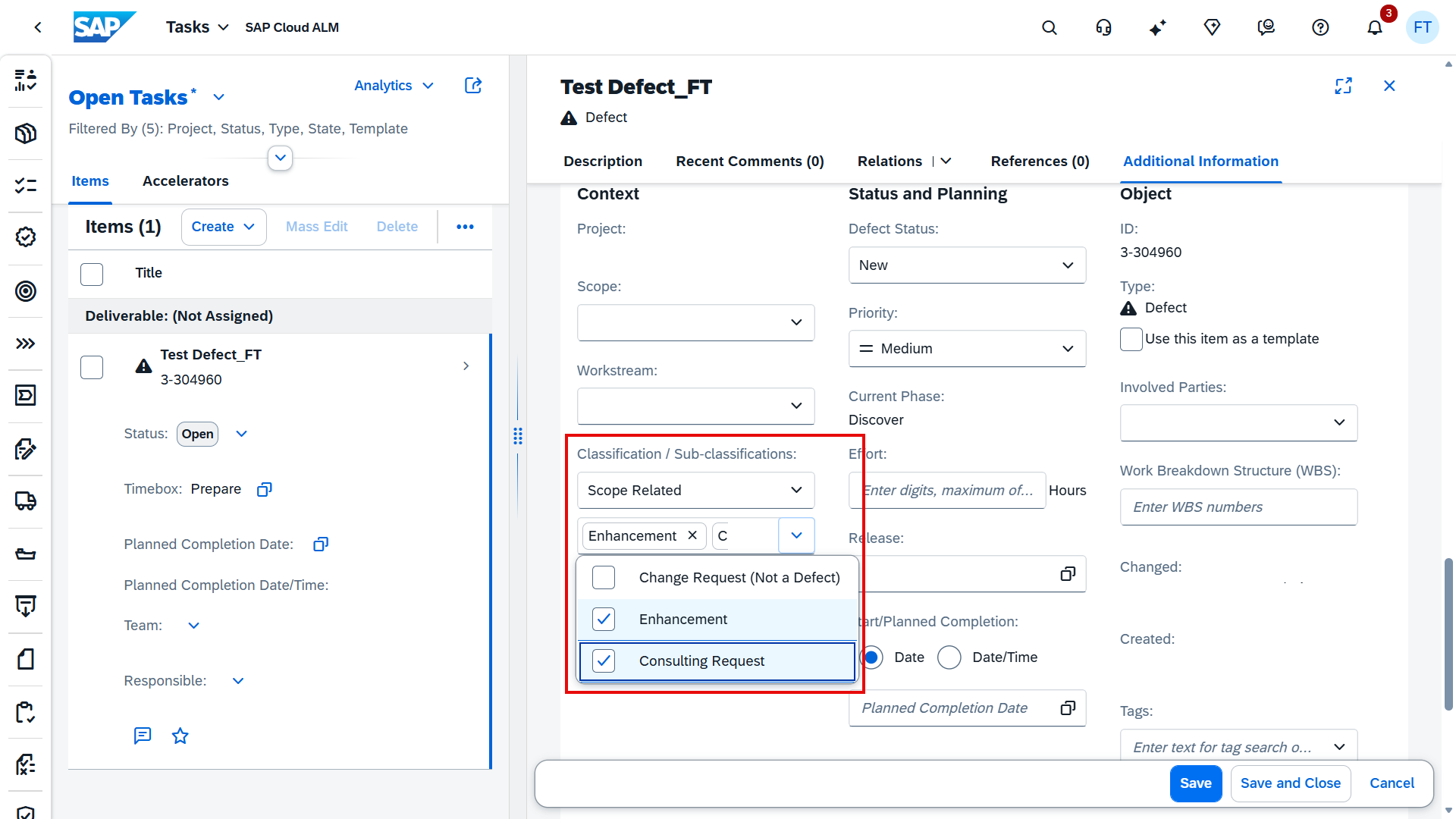
Requirements and User Stories can now be categorized as:
- Gap
- WRICEF
- Fit
- Non-Functional
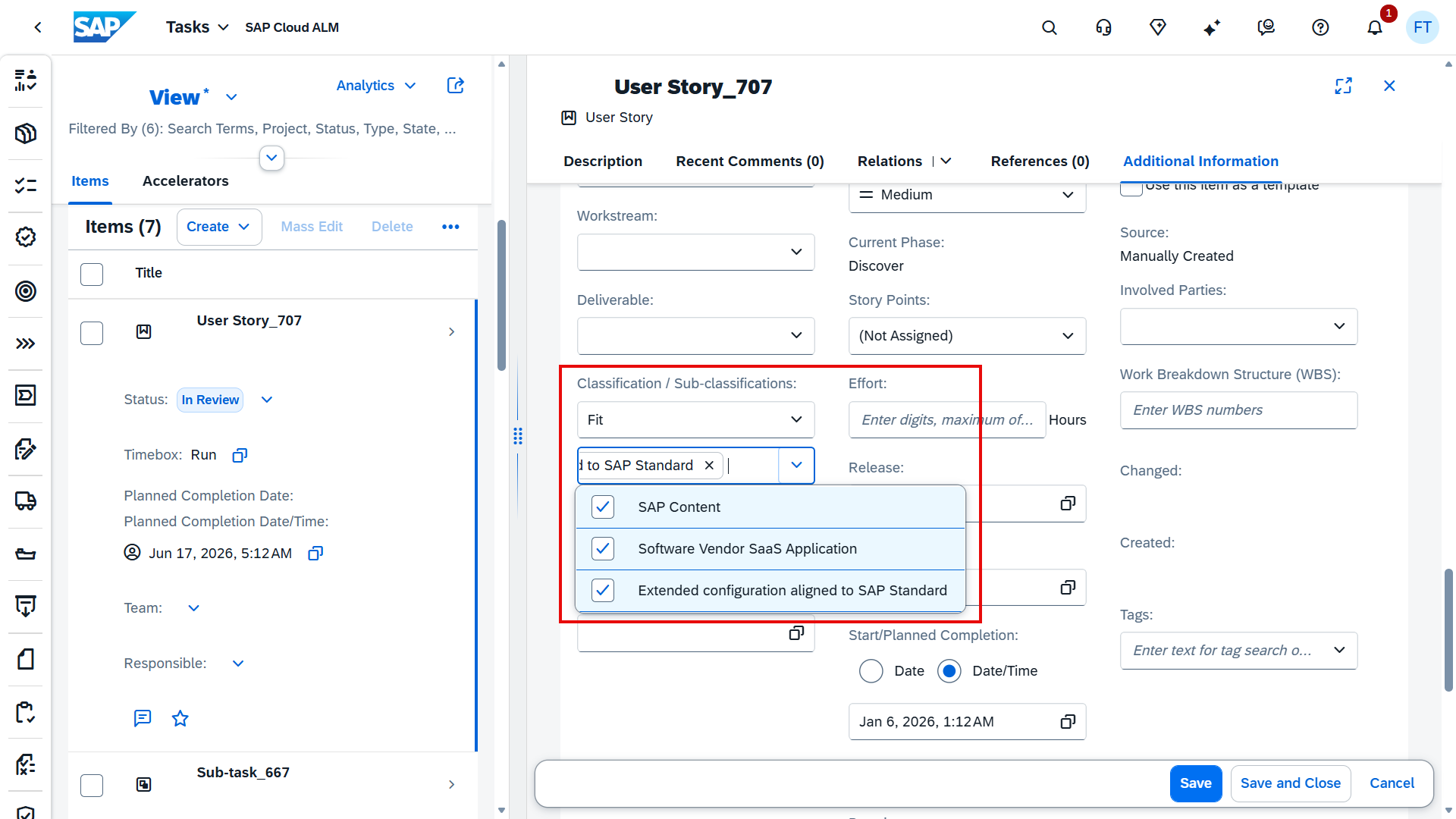
These classifications support more effective root-cause analysis, consistent categorization, and improved transparency across implementation phases. Filtering and grouping capabilities are also available in the task list.
In addition, a new In Review status is introduced for Roadmap Tasks, Project Tasks, User Stories, and Sub-tasks. This status indicates that work is completed but still requires validation. A new Reviewer attribute is also available to define the responsible reviewer.
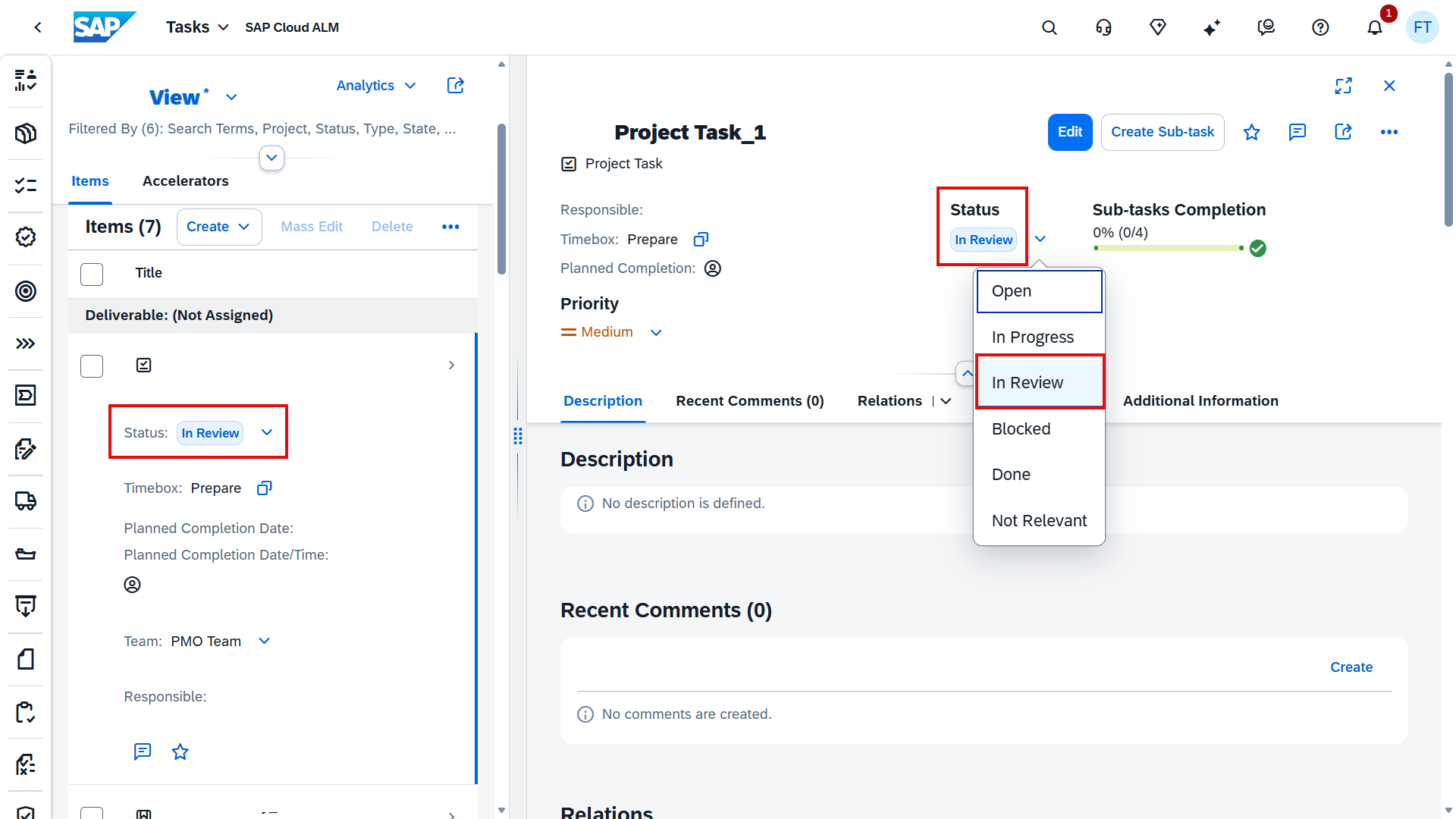
These enhancements improve task lifecycle management and strengthen collaboration between contributors and reviewers.
TL;DR:
Tasks now support classification for defects, requirements, and user stories, along with a new In Review status and Reviewer field for better tracking and governance.