SAP Cloud ALM – What’s New in Week 14
SAP Cloud ALM continues to evolve with enhancements that improve transparency, control, and usability across the platform.
The week 14 release introduces updates across several areas. In SAP Business Transformation Center, data management capabilities are enhanced with more flexible execution control. RISE with SAP Methodology improves ATC handling with better import management. In Operations, updates focus on refined monitoring, event-driven alerting, and improved KPI consistency.
The Implementation area continues to enhance analytics, process consistency, and governance in requirements and libraries, while the Service area expands usability with improved navigation and additional capabilities in innovation analysis. Administration gains a new Self-Monitoring app, providing better visibility into tenant usage and resource consumption.
Together, these updates help teams better understand their systems, manage resources more effectively, and execute transformations and operations with greater confidence and control.
SAP Business Transformation Center – Data Management
Run Cancellation Available
The Manage Runs app now allows users to cancel runs that are currently in progress.
If a run is in the In Progress state, it can now be stopped directly, giving users more control over execution. This is especially useful in cases where a run was triggered by mistake, needs to be adjusted, or is no longer required.
This enhancement helps avoid unnecessary system load and improves overall flexibility when managing data quality runs.
TL;DR:
Runs in In Progress state can now be cancelled in the Manage Runs app, giving users more control over execution.
RISE with SAP Methodology – System View
ATC Import Specification
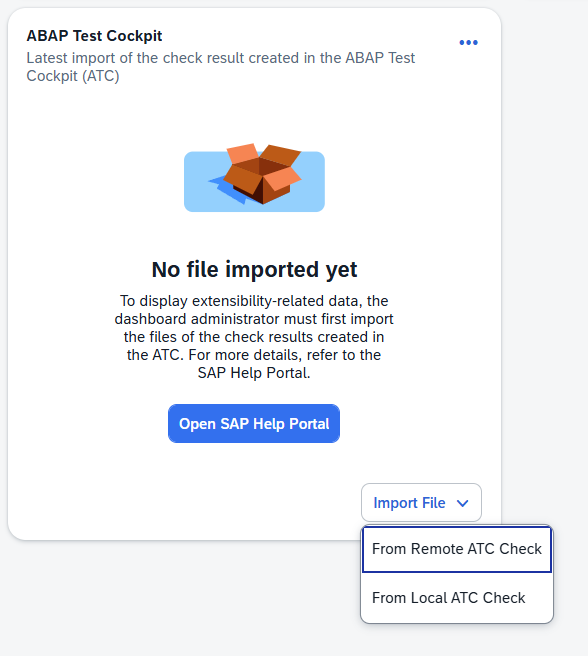
The ATC import process in the System View has been enhanced to improve validation and flexibility.
It’s now possible to specify whether an imported ATC check result originates from a remote or local ATC check. This distinction improves the accuracy of validation during the import process and ensures better alignment with the source of the data.
TL;DR:
ATC imports can now be classified as remote or local, improving validation and accuracy during import.
Deletion of ATC Imports
Users can now delete imported ATC check result files, helping maintain clean and up-to-date data in the System View dashboard.
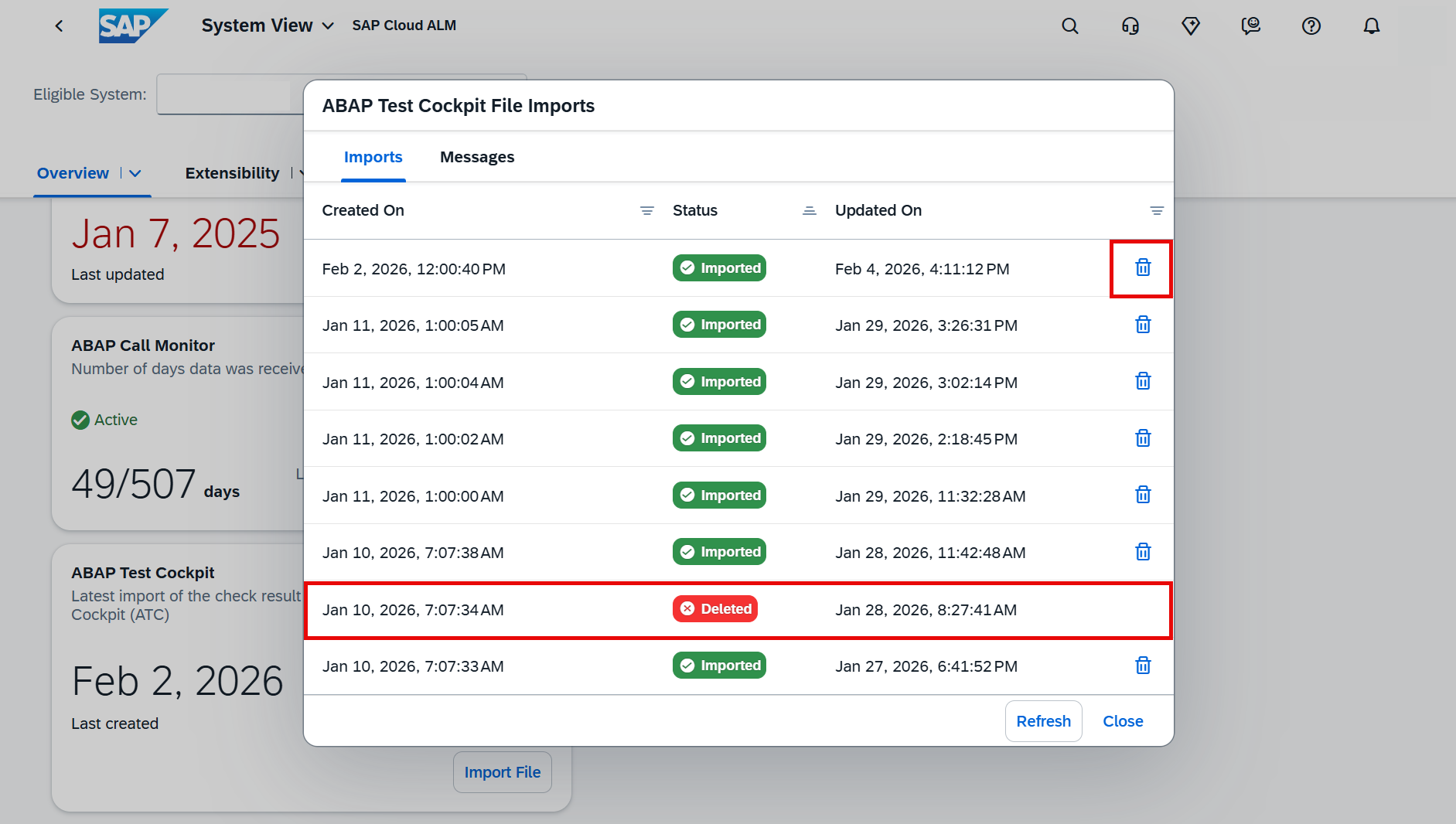
After deletion, the system automatically recalculates and updates related KPI cards, including:
- Technical Debt Score
- Clean Core Share
- Level B, C, and D Objects
This ensures that dashboard insights always reflect the current data set.
TL;DR:
Imported ATC results can now be deleted, with automatic recalculation of related KPIs for accurate dashboards.
Administration – Self-Monitoring
New App Self-Monitoring Introduced
A new Self-Monitoring app is now available, providing centralized visibility into the usage and consumption metrics of SAP Cloud ALM tenant. The app helps to understand how tenant resources are utilized, enabling better planning and optimization of SAP Cloud ALM environment.
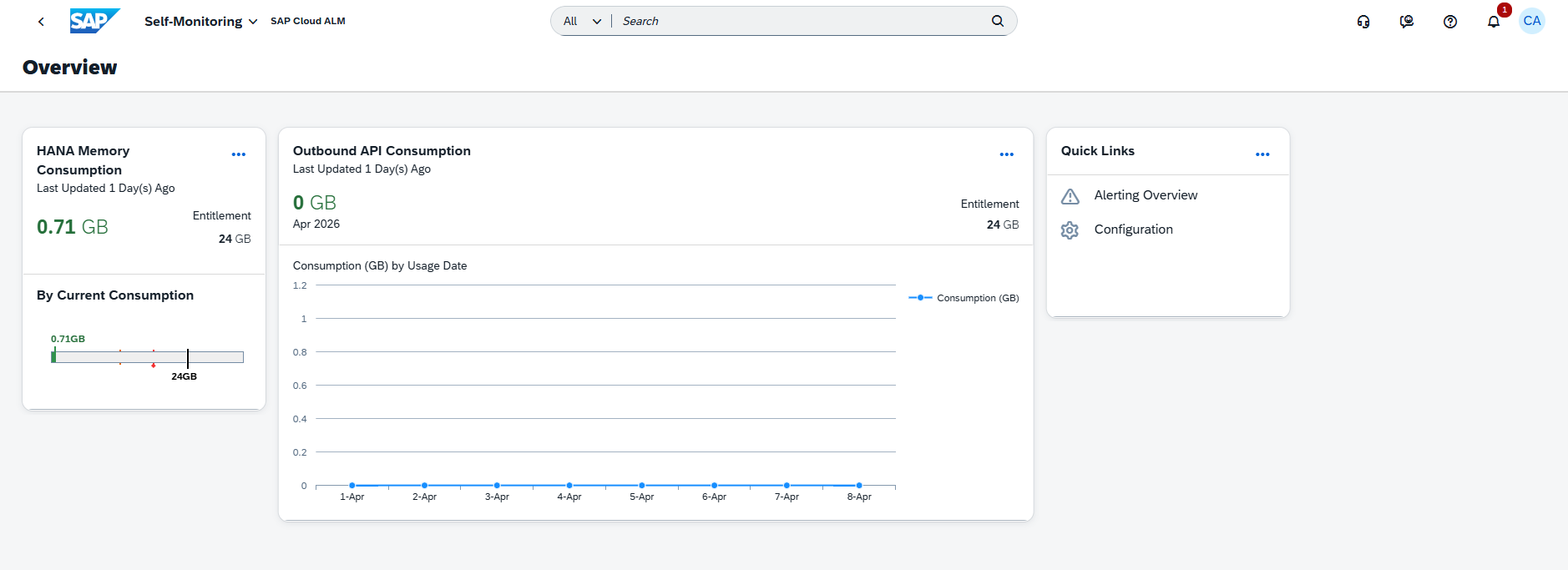
With the Self-Monitoring app, users can:
- View total HANA memory entitlement
- Monitor current HANA memory consumption across apps
- Track data consumption of outbound APIs
- Configure thresholds and monitor usage trends over time
The app provides detailed insights across all SAP Cloud ALM areas, including Implementation, Transformation, Operations, Service, and Administration, offering a complete overview of resource consumption.
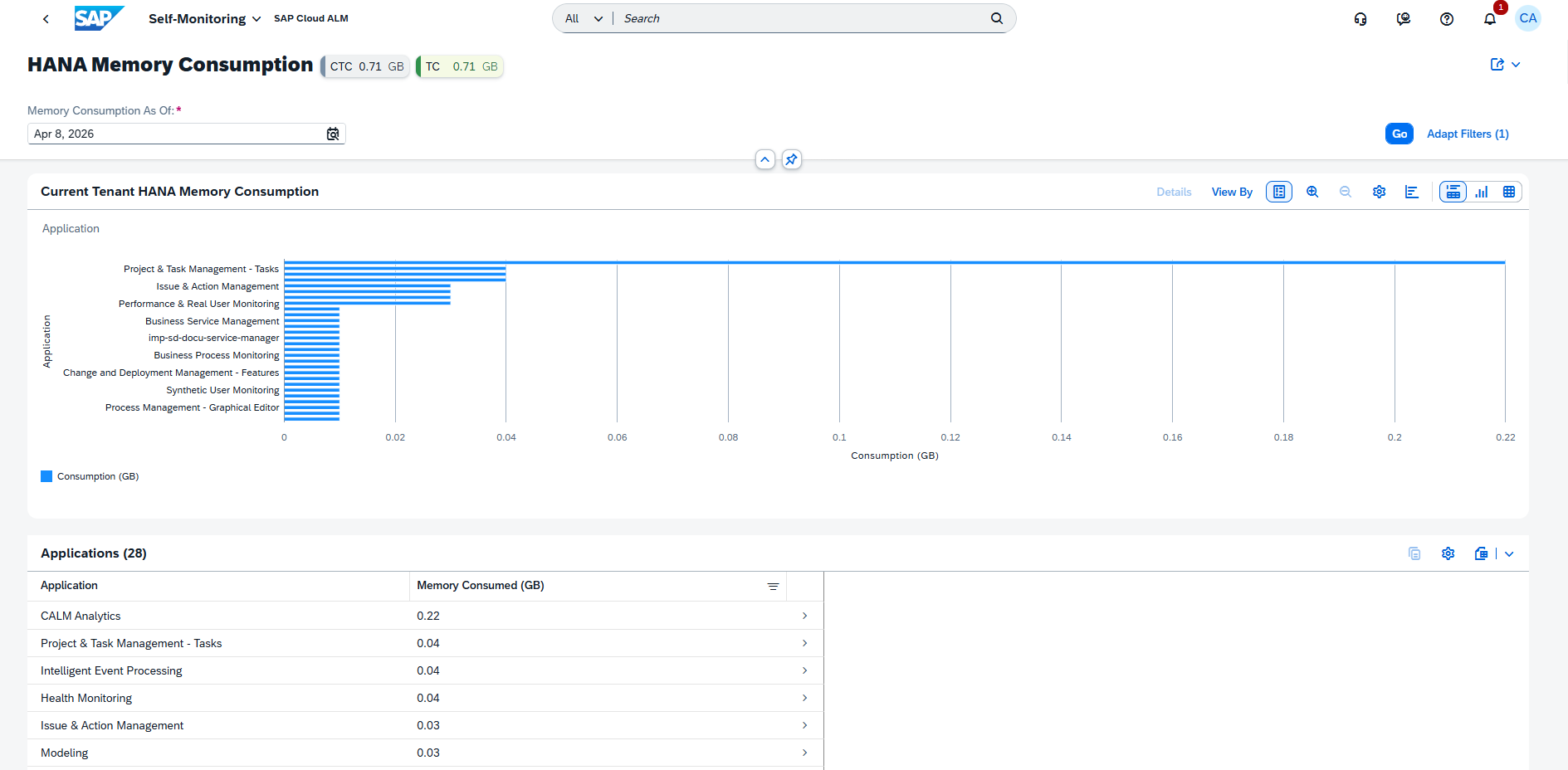
By combining entitlement and usage data, the app helps ensure better control over system resources and supports proactive management of tenant capacity.
TL;DR:
The new Self-Monitoring app provides visibility into memory usage, API consumption, and entitlements, helping optimize SAP Cloud ALM tenant resources.
Operations – Business Process Monitoring, Configuration & Security Analysis, Health Monitoring
Updates to KPI Definitions and Data Collection
Several KPIs in Business Process Monitoring have been updated to improve clarity and align data collection with daily monitoring needs.
The following KPIs have been renamed and enhanced:
Lead to Cash
- Payment Runs per Company Code (Daily Scan) Now measures payment runs created on the previous day
- Canceling Sales Invoices (Daily Scan) Now includes all canceling billing documents created on the previous day, including both the original and canceling documents, along with elapsed time between them
Source to Pay
- Purchase Order Items Created (Daily Scan) Now measures purchase order items created on the previous day, excluding items marked for deletion
- Supplier Invoices Created (Daily Scan) Now measures supplier invoices created on the previous day
In addition, data collection for these KPIs now runs daily, always capturing data from the previous day.
These KPIs are activated automatically once the required setup and data generation are in place.
TL;DR:
Four KPIs are updated to daily-based metrics, improving clarity and consistency with daily data collection.
Event-Based Alerting in Configuration & Security Analysis
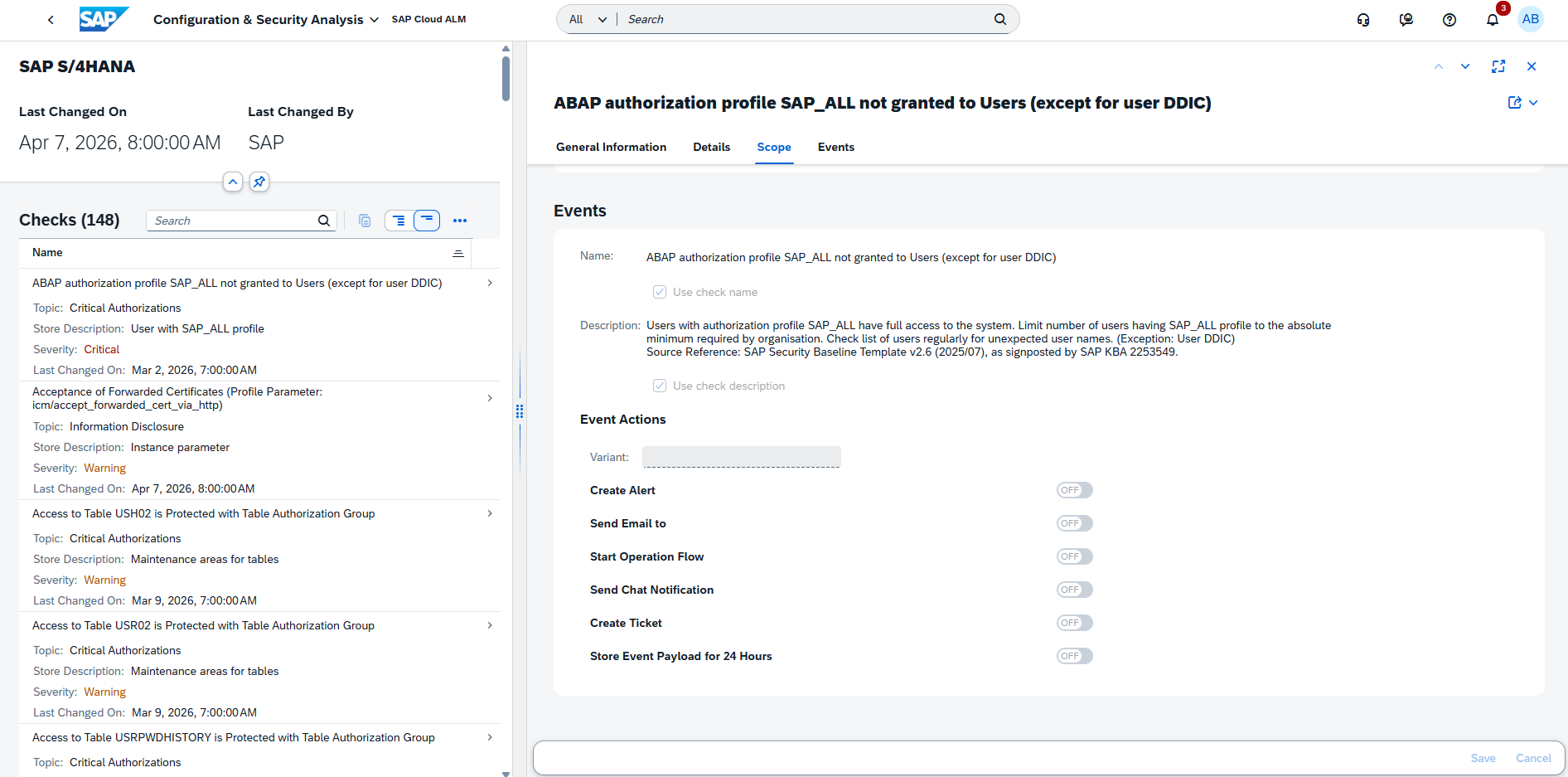
Configuration & Security Analysis is enhanced with event-driven alerting capabilities, enabling automated follow-up actions when compliance issues are detected.
Users can now configure event actions for checks that return a non-compliant rating directly in the metric configuration page of the Validation app. This allows issues to trigger alerts or actions automatically, improving responsiveness to configuration and security risks.
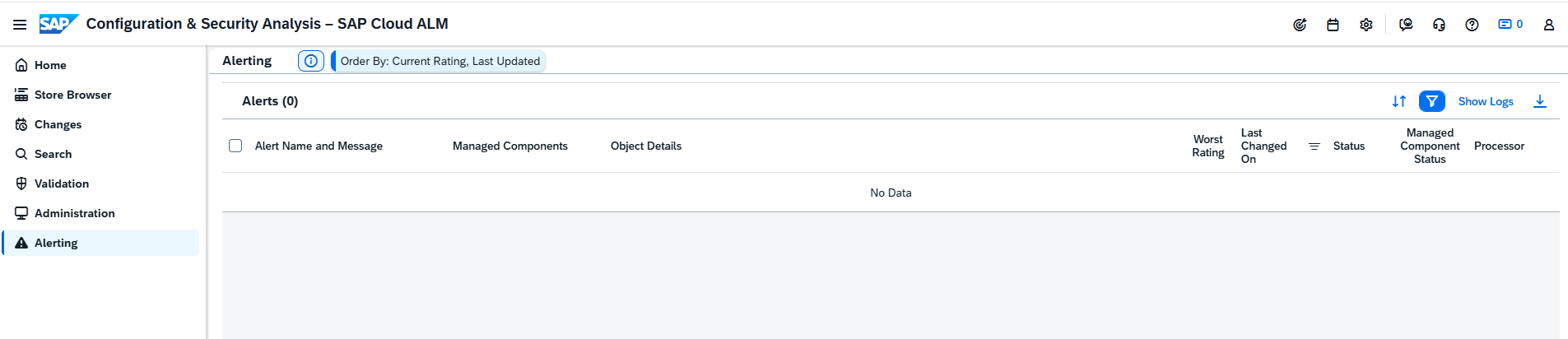
In addition, a new Alerting page is now available in the Data Stores app. This page provides a centralized view of all alerts generated from configured event actions, giving better visibility into compliance-related issues across services and systems.
These enhancements strengthen proactive monitoring and help teams respond more quickly to non-compliant configurations.
TL;DR:
Checks can now trigger event-based alerts, and a new Alerting page provides centralized visibility of compliance issues.
Custom Events and Reworked Event Configuration in Health Monitoring
Health Monitoring is enhanced with improved flexibility and control over event configuration and alerting.
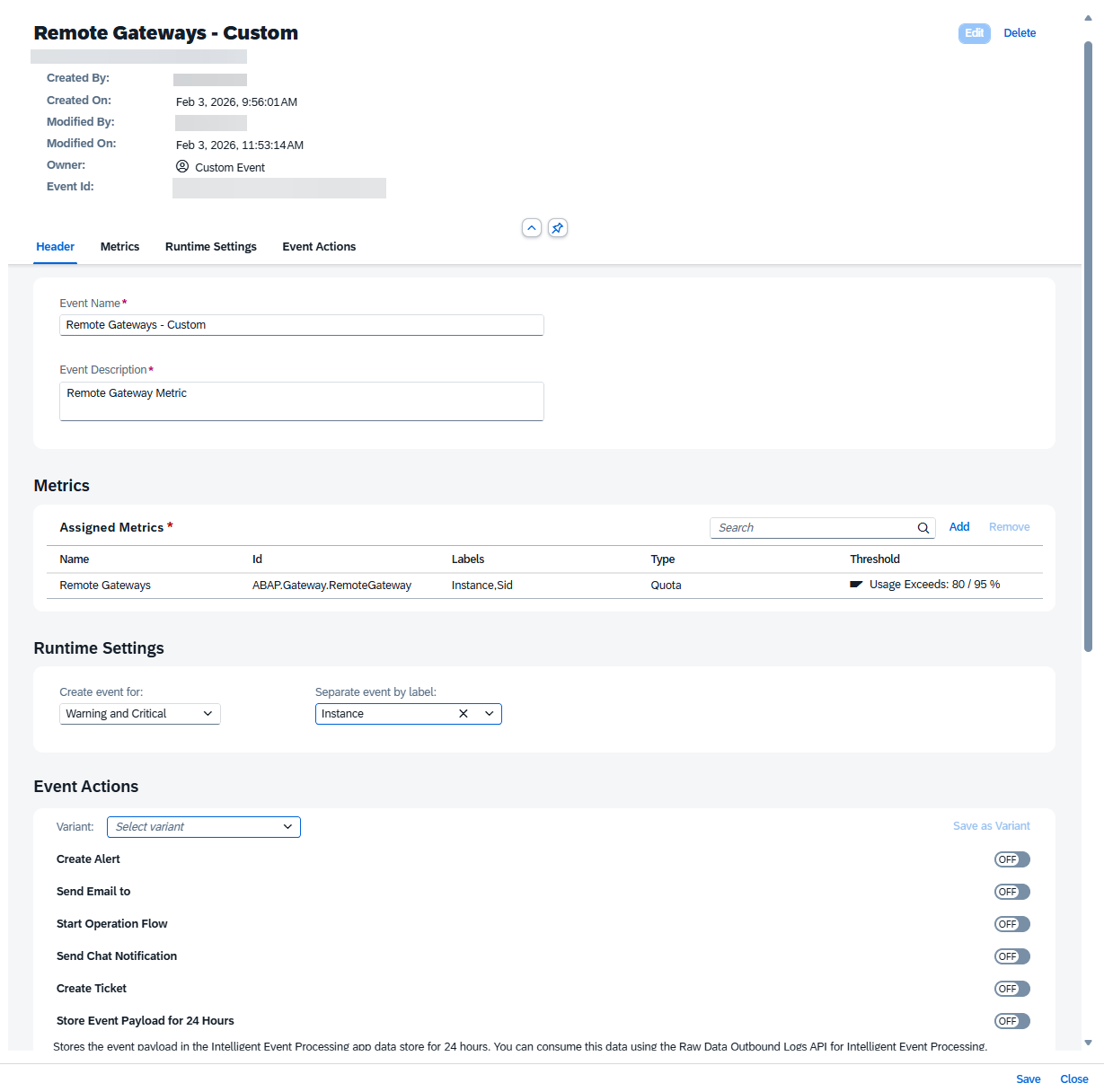
Users can now create custom events, allowing to define event names, assign metrics, add labels, and configure actions based on specific monitoring needs. This enables more tailored and precise monitoring scenarios.
In addition, the event configuration has been reworked. Alerts can now be more easily activated and customized for different metrics across managed components, improving usability and consistency.
These enhancements support more proactive system management by enabling faster detection and response to critical situations.
TL;DR:
Health Monitoring now supports custom events and improved event configuration, enabling more flexible and proactive alerting.
Implementation – Analytics, Processes, Requirements
Enhanced Grouping and Filtering Options in Analytics
Analytics capabilities in the Implementation area are enhanced with improved grouping and filtering options for better data analysis.
In the Solution Process Traceability app, users can now group the solution process list by Tag. If a process has multiple tags, they are treated as a single combined grouping, ensuring clarity without duplication.
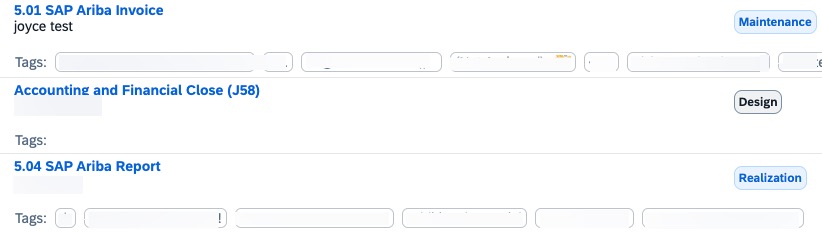
Additionally, the Document Distribution app now includes a new Source filter, allowing more precise filtering of documents based on their origin.
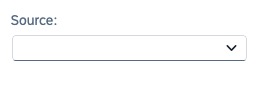
These enhancements improve data organization and make it easier to analyze and navigate project information.
TL;DR:
Analytics now supports grouping by tag in Solution Process Traceability and introduces a new Source filter in Document Distribution for improved analysis.
Harmonized Element Type Field for Library Elements in Processes
The handling of library elements has been harmonized to improve consistency across the Processes app.
The former Category values used in the Configuration and Interface libraries have been moved to the Element Type field. This ensures a unified structure and consistent classification of library elements across different areas.
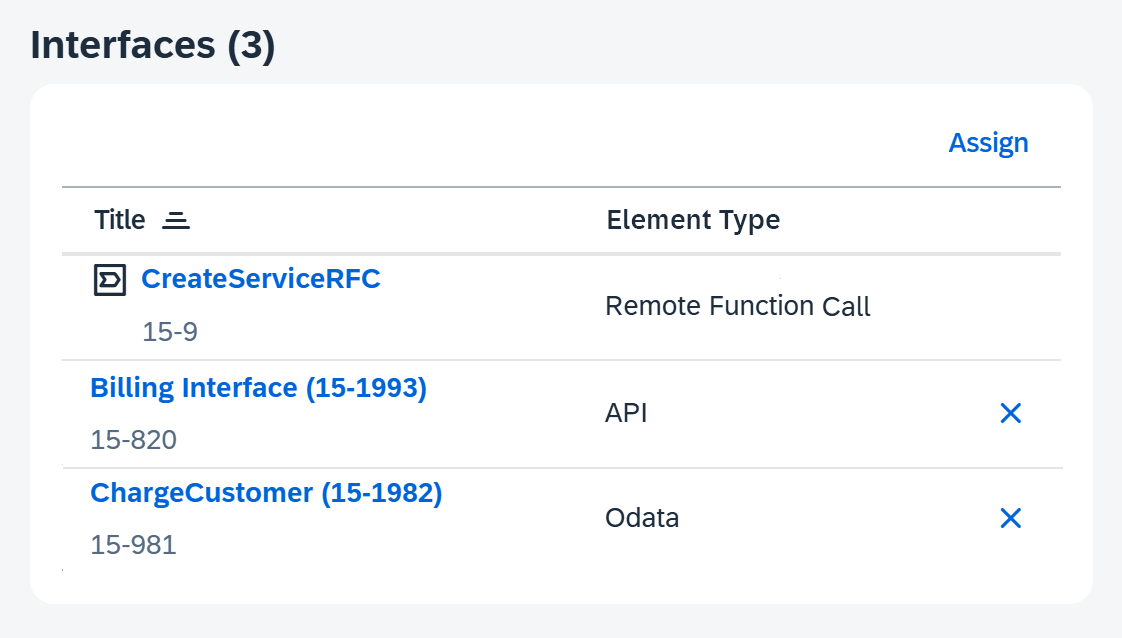
As a result, the corresponding sections in the Processes app have been updated to reflect this change, providing a clearer and more standardized way to manage and interpret library content.
TL;DR:
Library element classification is now standardized by moving Category values to the Element Type field, ensuring consistent handling across the Processes app.
Improved Editing Guidance and Governance in Requirements
Requirements management is enhanced with better guidance and stricter control over editing requirement descriptions. The app now includes message strips that assist users during the editing of requirement descriptions, providing clearer guidance and improving usability.
At the same time, editing is now restricted to the “In Refinement” status. Once a requirement is approved or moves beyond this stage, its description becomes locked and cannot be modified during later phases such as planning, realization, or testing. This ensures that all team members work with a consistent and approved definition.
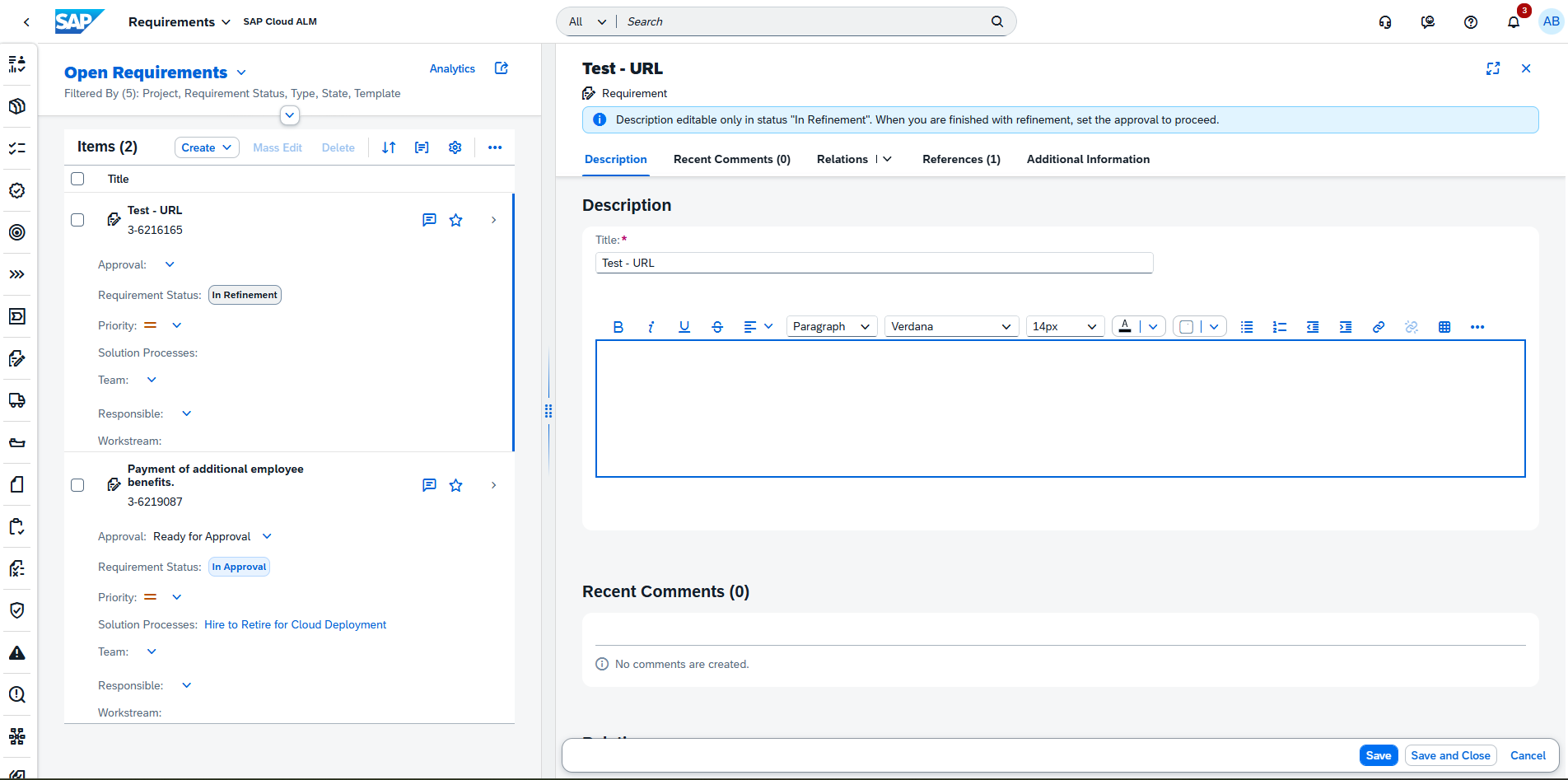
If changes are required after approval, a project administrator can reset the requirement, moving it back to In Refinement and restarting the approval process.
These updates improve governance, transparency, and consistency across requirement management.
TL;DR:
Requirement descriptions can now only be edited in In Refinement, with added guidance via message strips and controlled reset options for post-approval changes.
Service – AI Assistance for Innovation Adoption
App Cockpit Now Available
A new cockpit is now available in the AI Assistance for Innovation Adoption app, providing a centralized entry point for navigation and analysis.
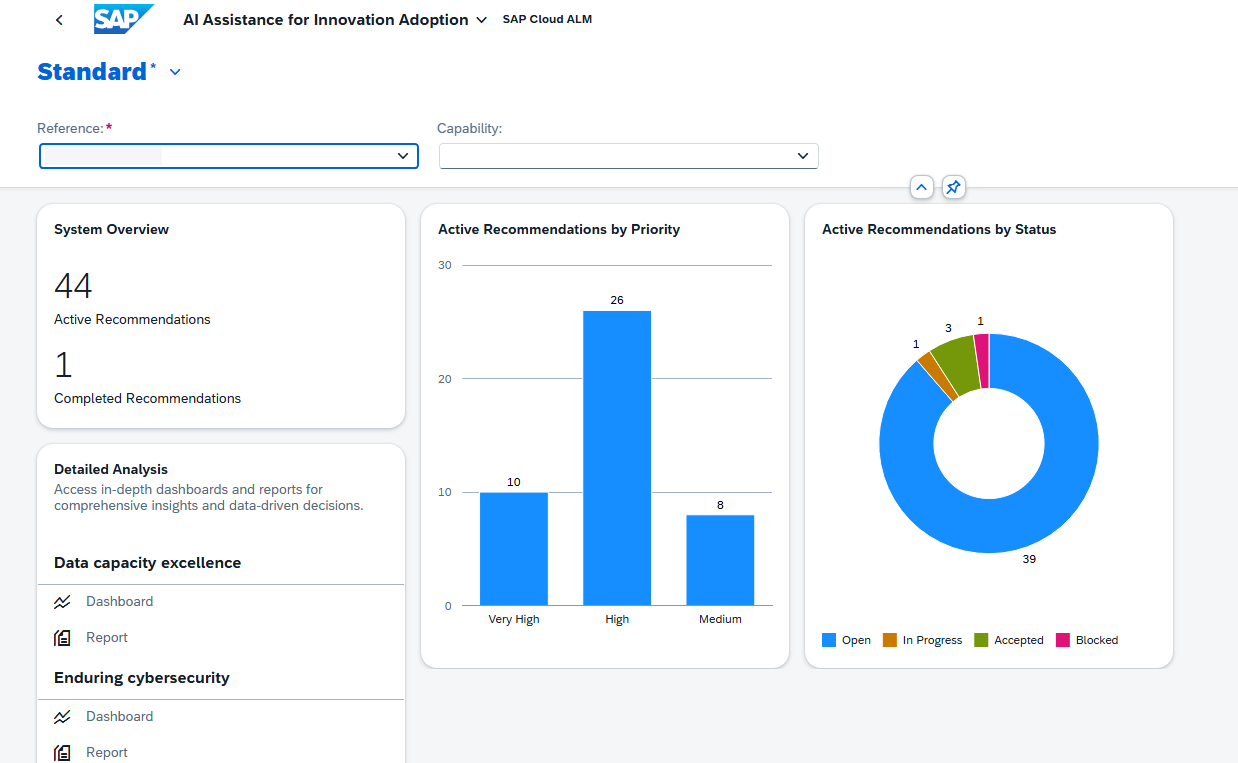
From the cockpit, users can:
- Select a reference (system number or customer number)
- Choose a capability
- Open the capability dashboard
- Access a report summarizing analysis results
- Navigate directly to detected issues in the Issues and Actions Management app via interactive diagrams
This enhancement improves usability by making it easier to access insights and act on identified issues.
TL;DR:
A new cockpit provides centralized navigation, reporting, and direct access to issues for faster analysis and action.
New Capability: Technical Efficiency Optimization
A new capability, Technical Efficiency Optimization, is now available in the AI Assistance for Innovation Adoption app.
This capability focuses on improving the performance of SAP S/4HANA systems by analyzing the underlying SAP HANA database. It identifies performance bottlenecks and optimization opportunities and provides recommended actions to resolve detected issues.
This enables teams to better understand system performance and take targeted actions to improve efficiency.
TL;DR:
The new Technical Efficiency Optimization capability analyzes SAP HANA performance and provides recommendations to optimize SAP S/4HANA systems.