Tag: SAP Cloud ALM Updates

SAP Cloud ALM – What’s New in Week 4

SAP Cloud ALM continues into the new year with updates that focus on clarity, control, and data-driven insight.

The week 4 release introduces deeper transformation readiness in SAP Business Transformation Center, new data-focused KPIs and analysis capabilities in RISE with SAP Methodology, extended monitoring and validation options in Operations, and smarter automation and collaboration features in Implementation.

Together, these enhancements help teams make better decisions, keep systems clean and efficient, and manage transformations and operations with greater confidence and precision.

SAP Business Transformation Center – Modeling

The latest update in the SAP Business Transformation Center further strengthens data migration reliability by extending automatic checks to customer-specific standard texts. This enhancement ensures that important business content is not unintentionally left behind during transformation projects.

Automatic Detection and Migration of Customer-Specific Standard Texts

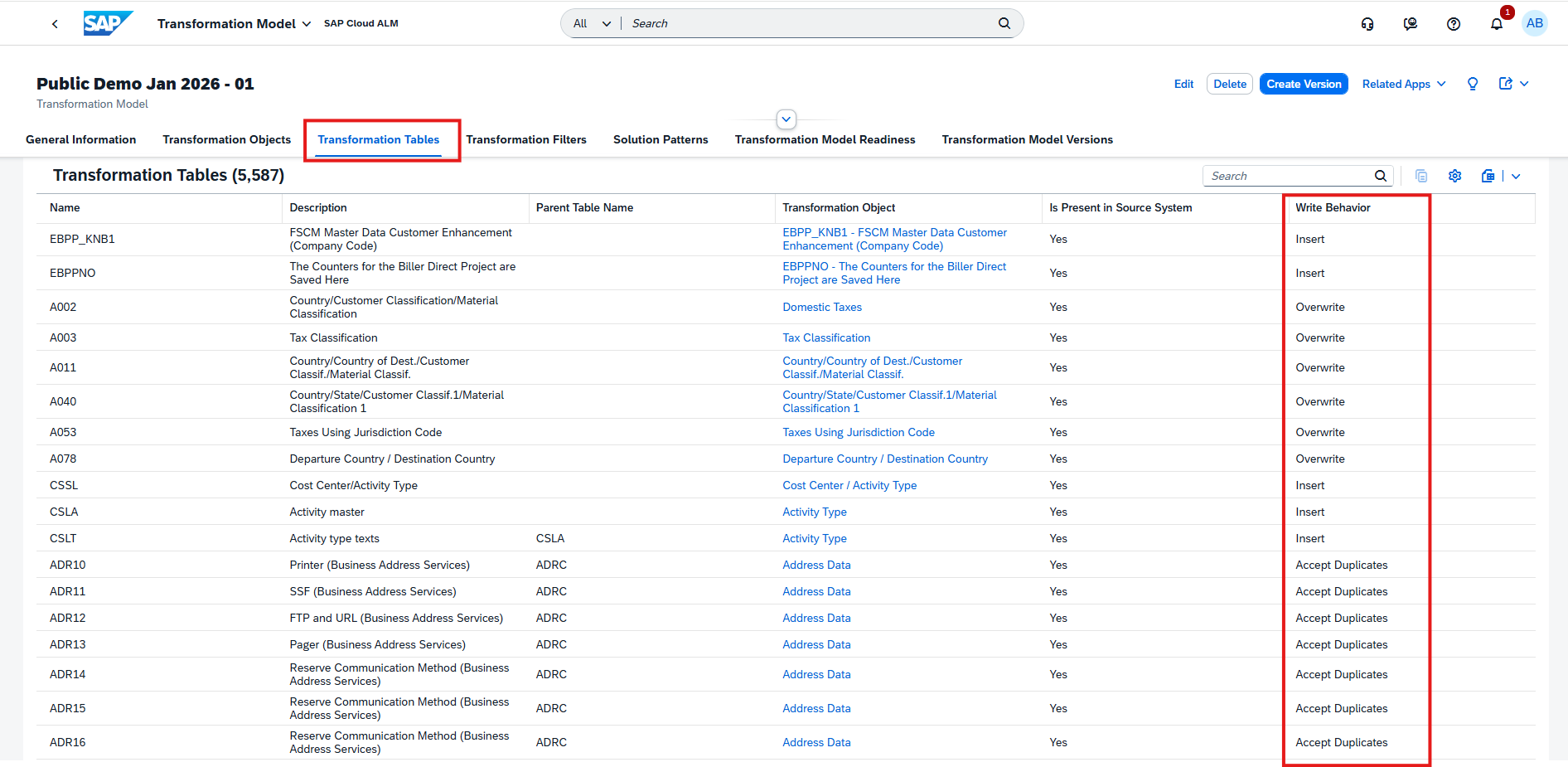
SAP Business Transformation Center now automatically detects and migrates customer-specific standard texts from the SAP ERP source system. These texts are identified via a new Unknown Standard Texts Check in the Manage Transformation Models app and are evaluated as part of the Transformation Model Readiness process.

If standard texts are found that are not part of the standard SAP ERP content, custom transformation objects are created automatically. These objects are included in the migration scope by default, but can be reviewed and explicitly included or excluded, giving teams full transparency and control before proceeding with data migration.

This check is tightly integrated into the overall Transformation Model Readiness status. A transformation model version can only be created once all readiness activities – including connectivity, unknown change documents, and unknown standard texts – are completed successfully. This prevents incomplete or inconsistent migrations and reduces the risk of rework later in the project.

TL;DR:

Customer-specific standard texts are now detected and handled automatically during transformation model readiness, ensuring no relevant texts are missed and giving teams clear control over what enters the migration scope.

RISE with SAP Methodology – System View, Customer Objects

The latest updates in the RISE with SAP Methodology area further strengthen transparency and insight into clean core adoption. With new dashboards, tabs, and deeper drill-down capabilities, teams can now move more seamlessly from high-level KPIs to detailed analyses of data efficiency and customer objects. These enhancements make it easier to assess technical debt, prioritize improvement areas, and steer systems toward long-term clean core compliance with confidence.

New Data Tab in System View

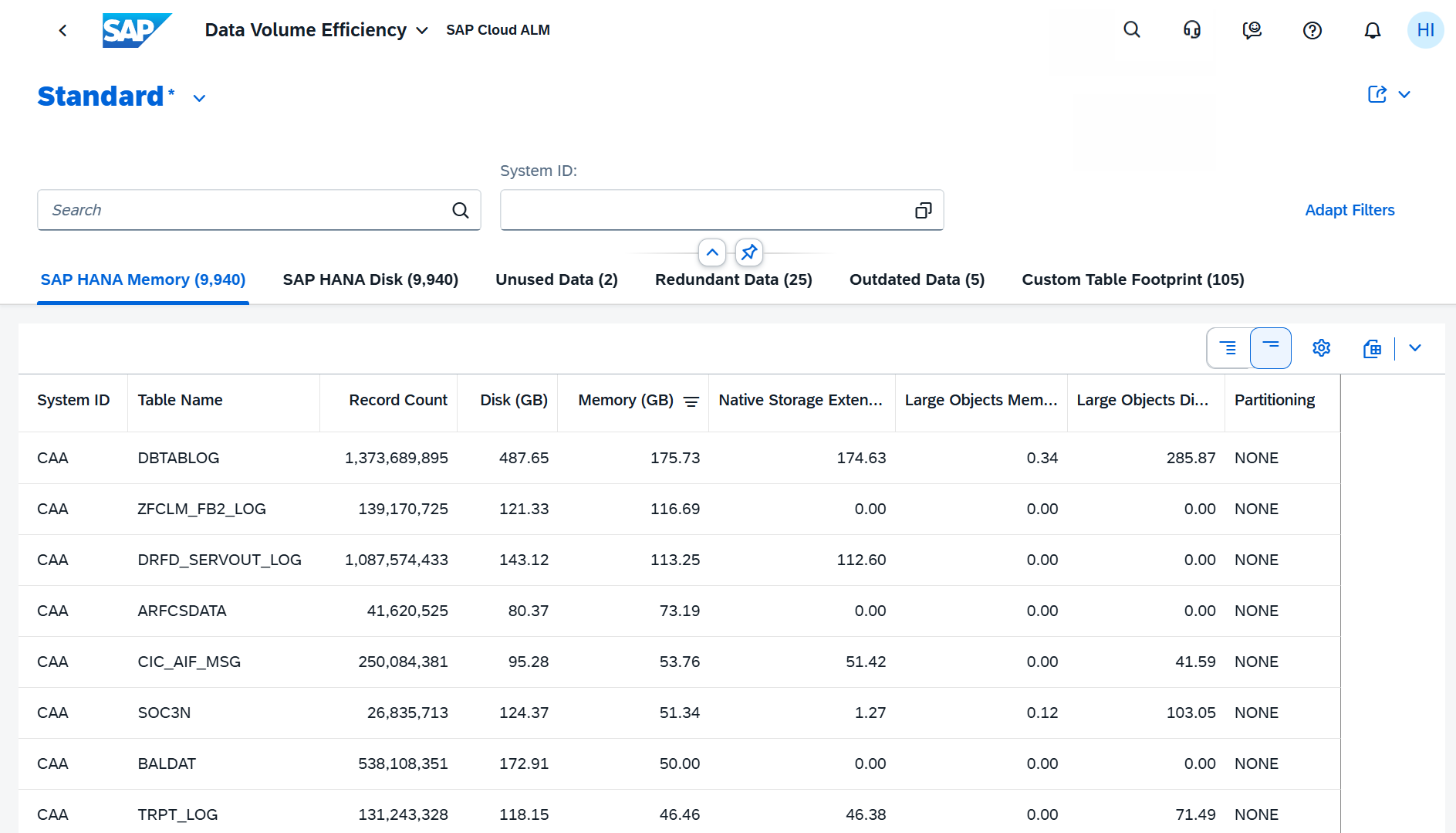
The System View dashboard in SAP Cloud ALM has been expanded with a new Data tab, adding data-focused KPIs to the clean core methodology. This update introduces the first data pillar, Data Volume Efficiency, helping teams better understand, monitor, and optimize data usage in their systems.

At the center is the Data Volume Efficiency score, which evaluates how efficiently data is managed in productive SAP S/4HANA and SAP S/4HANA Cloud Private Edition environments. The score is calculated based on several dedicated KPI cards:

  • HANA Memory
  • HANA Disk
  • Unused Data
  • Redundant Data
  • Outdated Data
  • Custom Table Footprint

By combining these KPIs, the Data tab provides a clear, consolidated view of data growth and quality. This makes it easier to identify concrete follow-up actions – such as archiving, cleanup, or data deletion – to improve system performance, reduce costs, and keep landscapes fit for innovation.

The Data Volume Efficiency score and KPIs are available only for productive systems, and all technical prerequisites must be fulfilled for the cards to display data.

TL;DR:

The new Data tab in System View adds data-related clean core KPIs, enabling better visibility into data volume, clearer optimization priorities, and improved cost and system efficiency management.

New Customer Objects App

A new Customer Objects app is now available under the RISE with SAP Methodology page on the SAP Cloud ALM launchpad. This new dashboard provides a dedicated deep dive into extensibility and clean core compliance, building on the KPIs already available in the System View.

The Customer Objects dashboard allows teams to analyze customer-specific developments in much greater detail. It complements the high-level view with object-level insights, making it easier to understand where technical debt exists and which extensions require attention. Both the Customer Objects and Referenced SAP Objects table views include key information such as:

  • Clean Core Level
  • Technical Debt Score and Technical Debt Share
  • Level B, C, and D findings
  • Classification of objects
  • Total references

This level of transparency helps development, architecture, and operations teams prioritize remediation efforts, distinguish between upgrade-stable and critical extensions, and plan modernization steps more effectively.

TL;DR:

The new Customer Objects app adds a deep-dive view on extensibility, giving detailed insight into clean core levels, technical debt, and findings for customer objects – making it easier to analyze, prioritize, and modernize extensions.

Direct Access to Customer Objects from System View

Access to the Customer Objects deep-dive dashboard is now fully integrated into the System View of SAP Cloud ALM. This enhancement makes it easier to move from high-level clean core insights directly into detailed object analysis without switching context.

From the Extensibility tab in the System View, selecting the Level B Objects, Level C Objects, or Level D Objects cards now takes you straight to the Customer Objects dashboard. The data is automatically pre-filtered for both the selected system and the chosen clean core level, enabling a smooth drill-down from overview KPIs to object-level findings.

This tighter integration supports faster analysis of technical debt and extensibility risks, helping teams quickly identify which customer objects require modernization or corrective action.

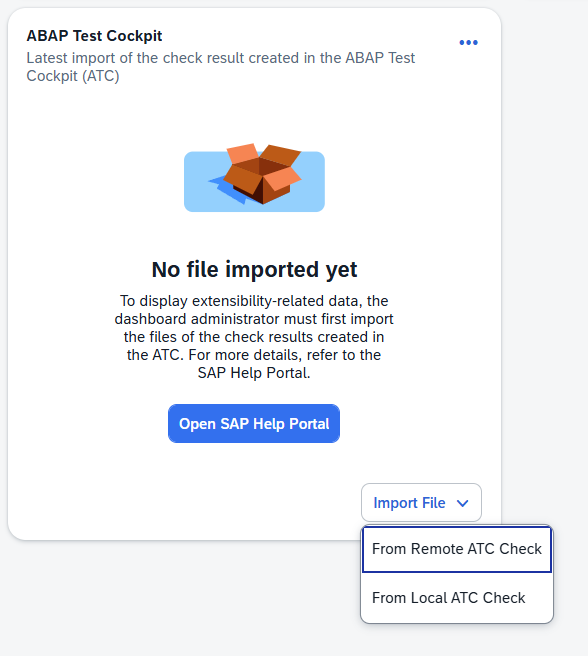
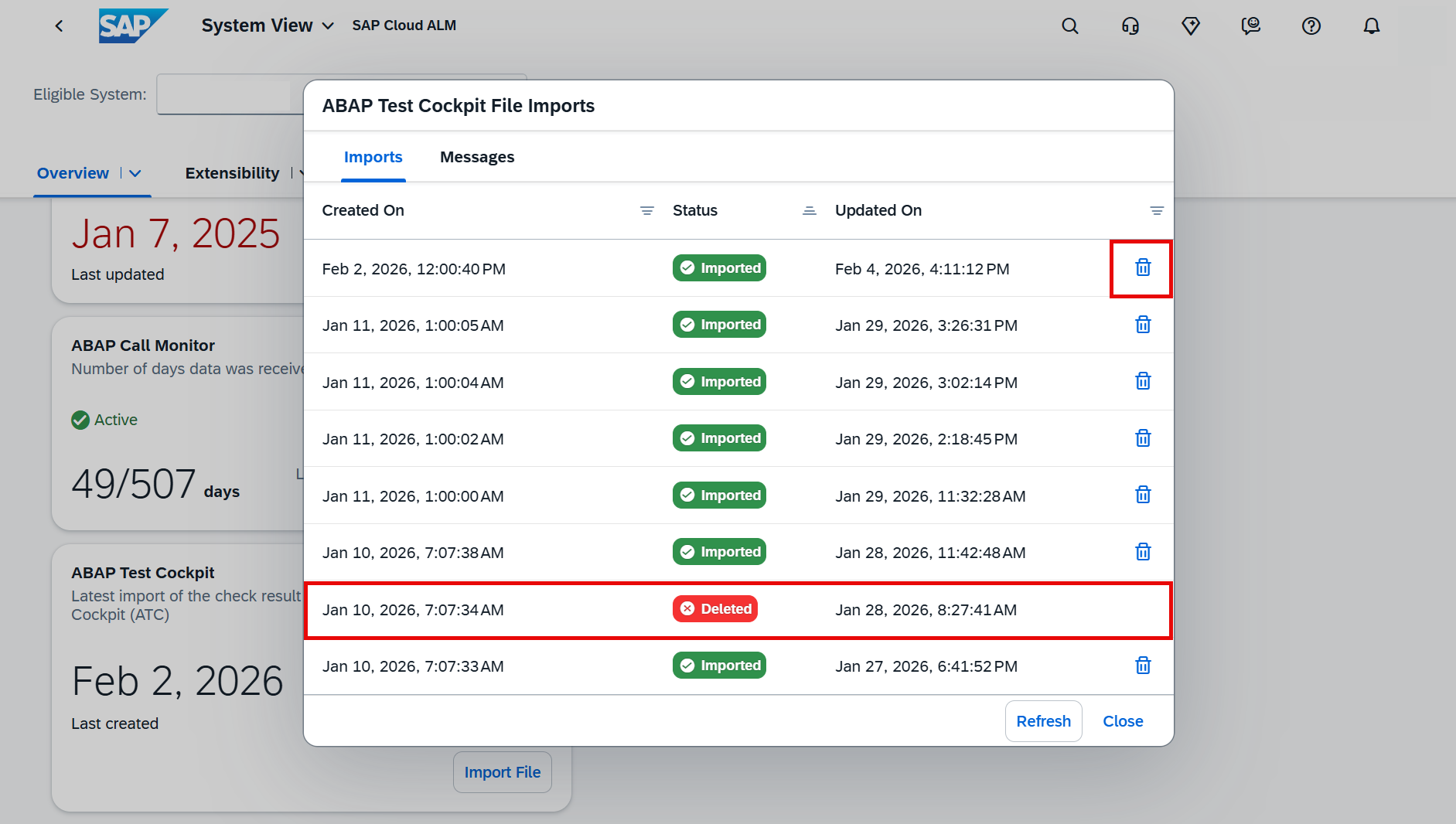
Data is only displayed if the latest ABAP Test Cockpit (ATC) check results have been imported by a dashboard administrator. Without up-to-date ATC data, the Customer Objects dashboard remains empty.

TL;DR:

The System View now links directly to the Customer Objects dashboard, enabling one-click drill-down from clean core KPIs to detailed object analysis – pre-filtered by system and clean core level.

Operations – Job & Automation Monitoring, Integration & Exception Monitoring, Business Process Monitoring

The latest updates in the Operations area focus on greater precision and control in day-to-day monitoring. Enhancements across Job & Automation Monitoring, Integration & Exception Monitoring, and Business Process Monitoring give operations teams more flexible filtering, richer analytical access, and expanded KPI coverage for industry-specific scenarios. Together, these improvements help teams detect issues faster, analyze operational behavior more effectively, and keep complex system landscapes running smoothly.
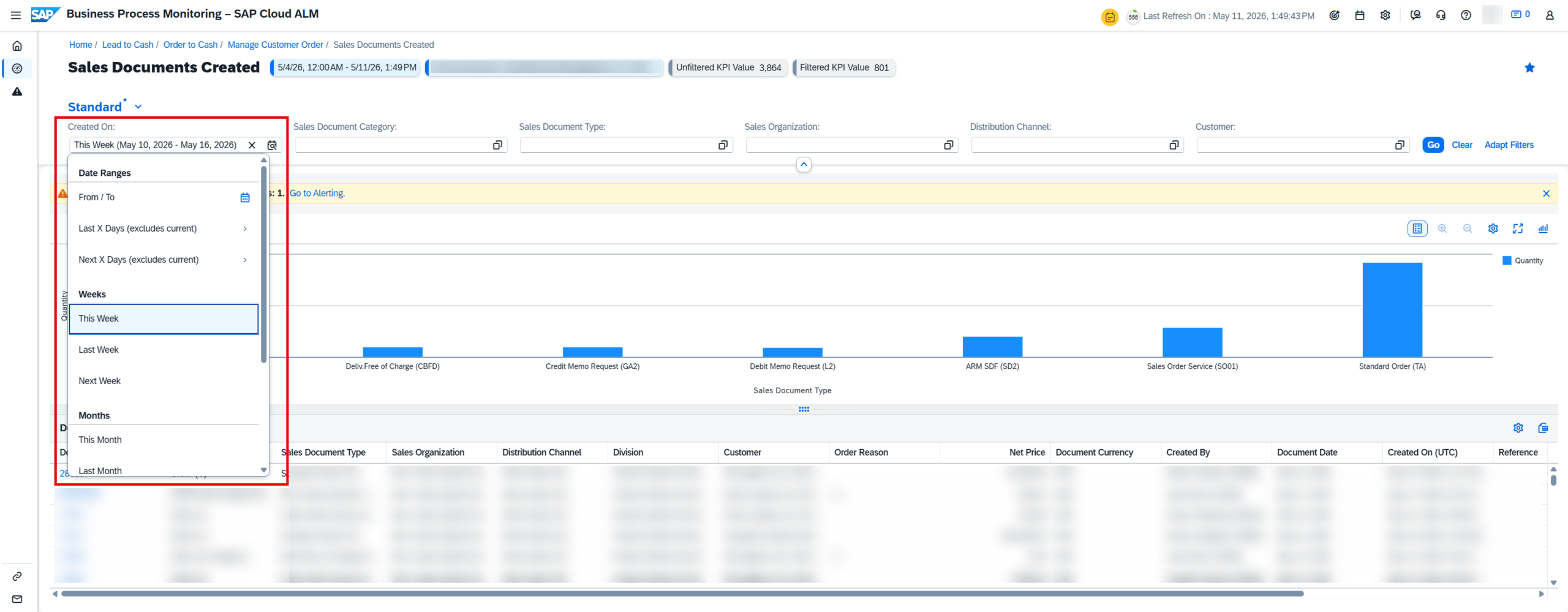
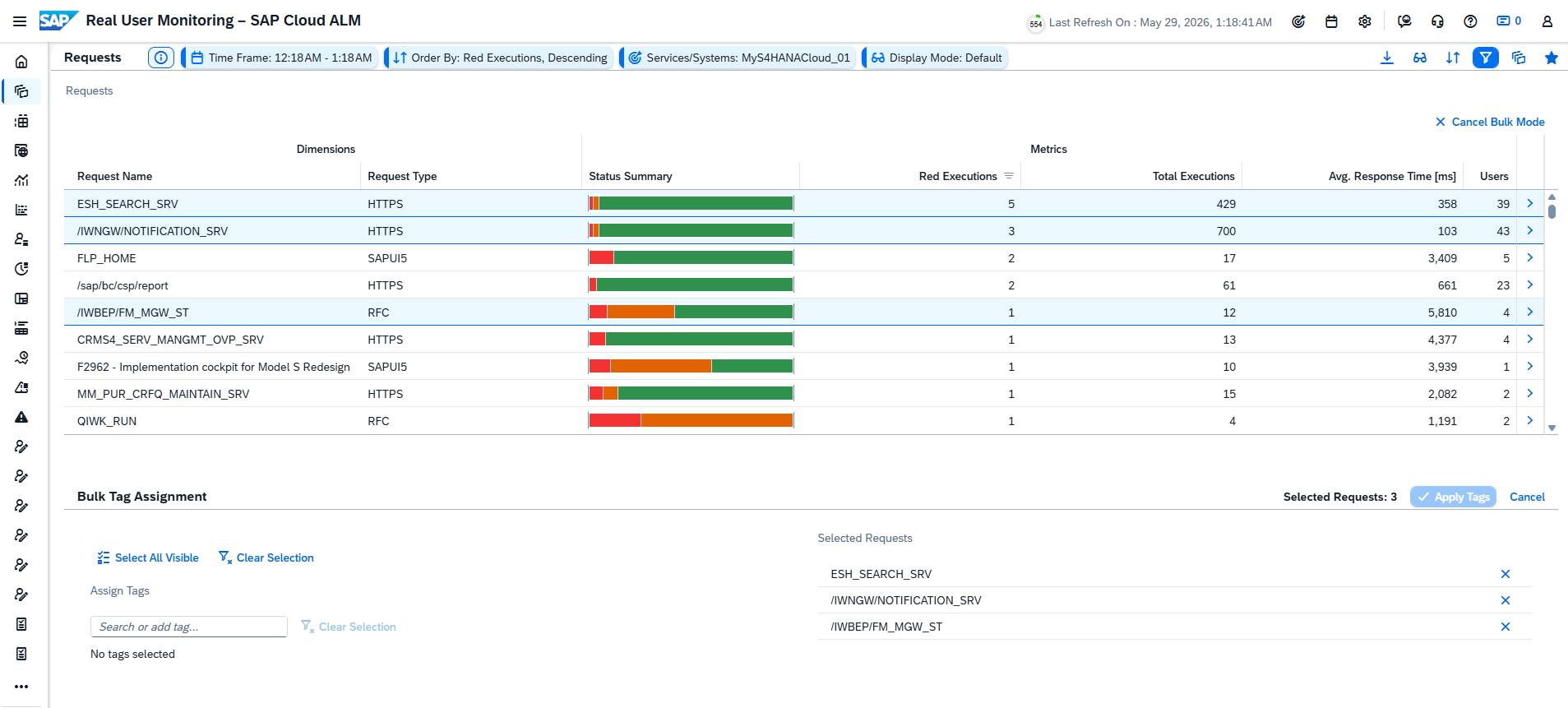
Not Contains Filter Option for Monitoring and Analysis Filters

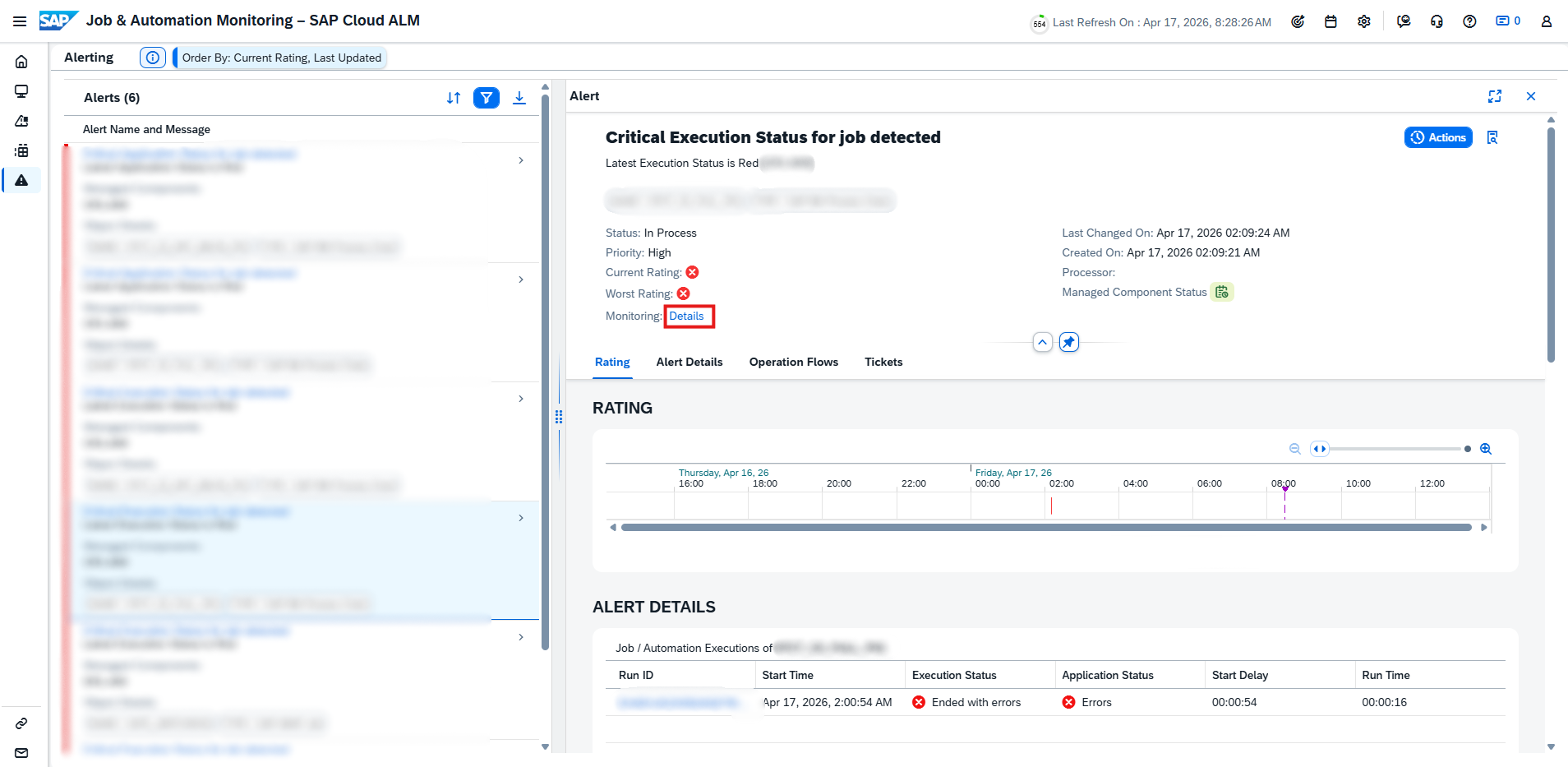
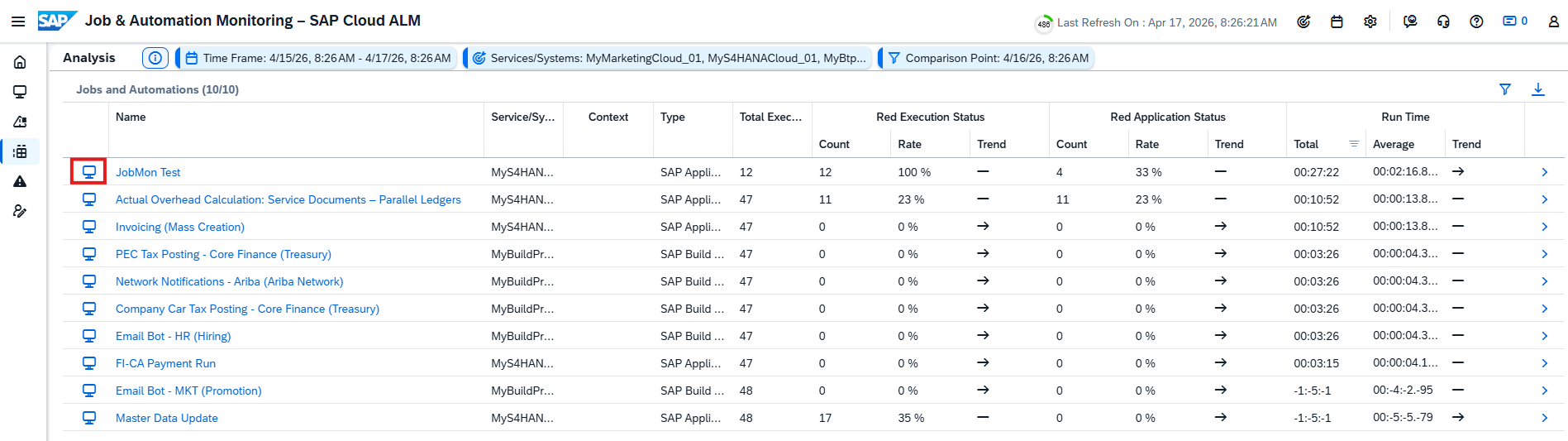
Filtering in Job & Automation Monitoring has become more flexible. A new Not Contains condition is now available for the Executed By and Scheduled By filters in Monitoring and Analysis view.

By adding an exclamation mark (!) before a value, operations teams can explicitly exclude jobs or automations based on who executed or scheduled them. This makes it easier to narrow down results, remove noise from large job lists, and focus on the executions that actually matter for analysis or troubleshooting in SAP Cloud ALM.

For example, filtering with !ABC for Executed By and !XYZ for Scheduled By will show only those jobs that were not executed by ABC and not scheduled by XYZ.

TL;DR:

Use the new Not Contains filter to exclude specific executors or schedulers and refine job and automation analysis more precisely.

Enhanced Category Selection in Generic Integration Monitoring Analytics API

The Generic Integration Monitoring Analytics API has been enhanced to support more flexible analysis scenarios. It is now possible to select up to five categories (messageType) within a single API call. Previously, each call was limited to just one category, often requiring multiple requests to retrieve a broader view.

This improvement reduces the number of API calls needed for analytics, simplifies reporting logic, and enables more efficient aggregation of integration data across multiple message types in SAP Cloud ALM.

To ensure stable performance, the API enforces a limit: if more than five categories are selected, the request returns a 412 response.

TL;DR:

The Integration Monitoring Analytics API now supports up to five categories per call, enabling more efficient and flexible integration analytics with fewer requests.

Business Process Monitoring KPIs for Commodity Expense Management and Foreign Exchange Risk Management for commodity businesses

Business Process Monitoring has been extended with new KPIs tailored for commodity-driven scenarios, giving operations and finance teams deeper insight in SAP Cloud ALM. These KPIs help monitor execution quality, identify exceptions early, and improve control over cost and risk processes.

Commodity Expense Management – New KPIs

  • Commodity Expense Accruals Created
  • Commodity Expense Planning Objects Created
  • Commodity Expense Planning Object Items Created
  • Commodity Expense Settlements Created
  • Commodity Expense Settlement Items Created
  • Failed Commodity Expense Accruals
  • Failed Commodity Expense Settlement Items
  • Open and Reversed Commodity Expense Accruals
  • Open Commodity Expense Settlement Items

Foreign Exchange Risk Management for Commodity Businesses – New KPIs

  • Exposures Released
  • Exposures with Errors
  • Hedge Requests Canceled
  • Hedge Requests Pending Approval
  • Hedge Requests Sent for Trading
  • Hedge Requests Trade Completed
  • Open Hedge Requests

Note: These KPIs are not part of the standard end-to-end processes. To use them, first create a custom process and assign the relevant KPIs.

TL;DR:

New KPIs for commodity expense and foreign exchange risk management provide detailed visibility into accruals, settlements, exposures, and hedge activities – enabling stronger monitoring and faster issue resolution when assigned to custom processes.

Implementation – Features, Documents, Cross-Project Overview       

This week’s updates in the Implementation area focus on automation, integration, and efficiency across the project lifecycle. New APIs and workflow integrations improve how features, documents, and approvals are managed, while usability enhancements in analytics and cross-project views help teams find, filter, and act on information faster. Together, these improvements reduce manual effort and support more streamlined, scalable project execution.

Feature Status Updates via Features API

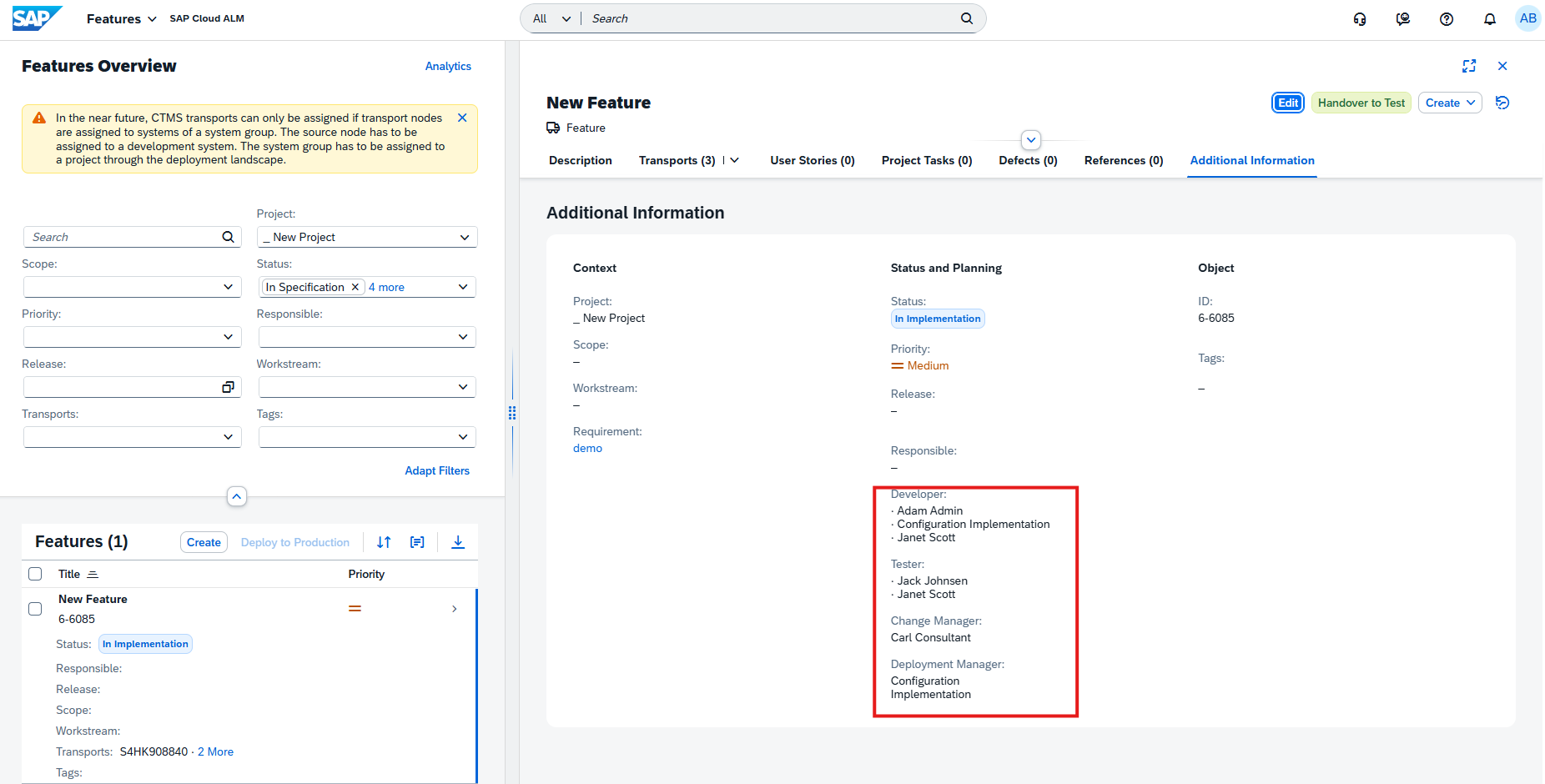
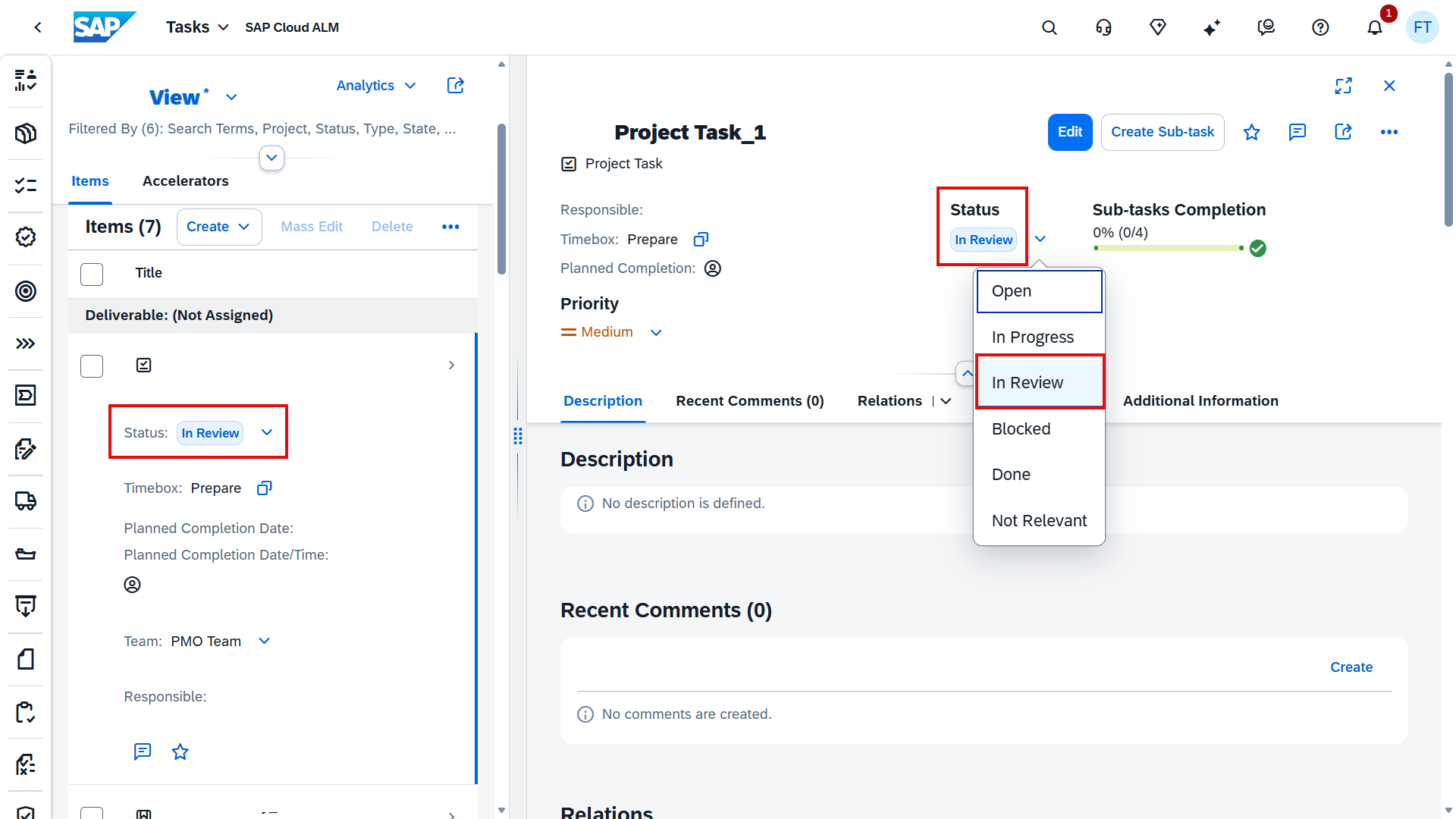
The Features API has been enhanced to allow teams to update the status of features programmatically. This enables tighter integration with external tools, automated workflows, and CI/CD pipelines, reducing the need for manual status updates in the UI.

Using the API, feature statuses can now be switched to the following states:

  • Not Planned
  • In Specification
  • In Implementation
  • In Testing
  • Successfully Tested
  • Deployed

One important exception remains: the transition from Successfully Tested to Ready for Production is intentionally excluded from the API and must still be performed directly in the Features app. This ensures an explicit review step before production readiness is confirmed.

This enhancement is particularly useful for teams aiming to automate release processes, synchronize feature status with development tools, or keep SAP Cloud ALM aligned with external delivery pipelines.

TL;DR:

The Features API now supports automated feature status updates for most lifecycle stages, enabling better integration and reduced manual effort – while keeping final production readiness under controlled review.

Integration of SAP Build Process Automation for External Approval Procedures in Documents

Document approvals in SAP Cloud ALM can now be extended with external workflow integration using SAP Build Process Automation. This new approval procedure allows document approval processes to run outside SAP Cloud ALM while remaining fully connected to the Documents app.

When external workflow integration is enabled, approval requests are handed over to SAP Build Process Automation, where approvers receive their tasks directly in their BPA inbox. Approval workflows can be tailored to organizational needs, including:

  • Single or multiple approvers
  • Parallel or sequential approval steps
  • Email notifications
  • Conditional logic based on document type or tags

Once the workflow is designed and deployed in SAP Build Process Automation, it can be connected back to SAP Cloud ALM and used seamlessly for document approvals.

TL;DR:

Document approvals can now be handled via SAP Build Process Automation, enabling flexible, customizable external workflows while keeping documents managed centrally in SAP Cloud ALM.

Faster Navigation in Process Hierarchy Assignment

The Process Hierarchy Assignment app now includes a search field, making it easier to work with large and complex hierarchies in SAP Cloud ALM.

Users can quickly find process hierarchy nodes by title or ID, reducing manual scrolling and speeding up cross-project assignments – especially helpful when managing extensive process structures across multiple projects.

TL;DR:

Search hierarchy nodes by title or ID in the Process Hierarchy Assignment app for quicker navigation and easier cross-project work.

Administration – Landscape Management

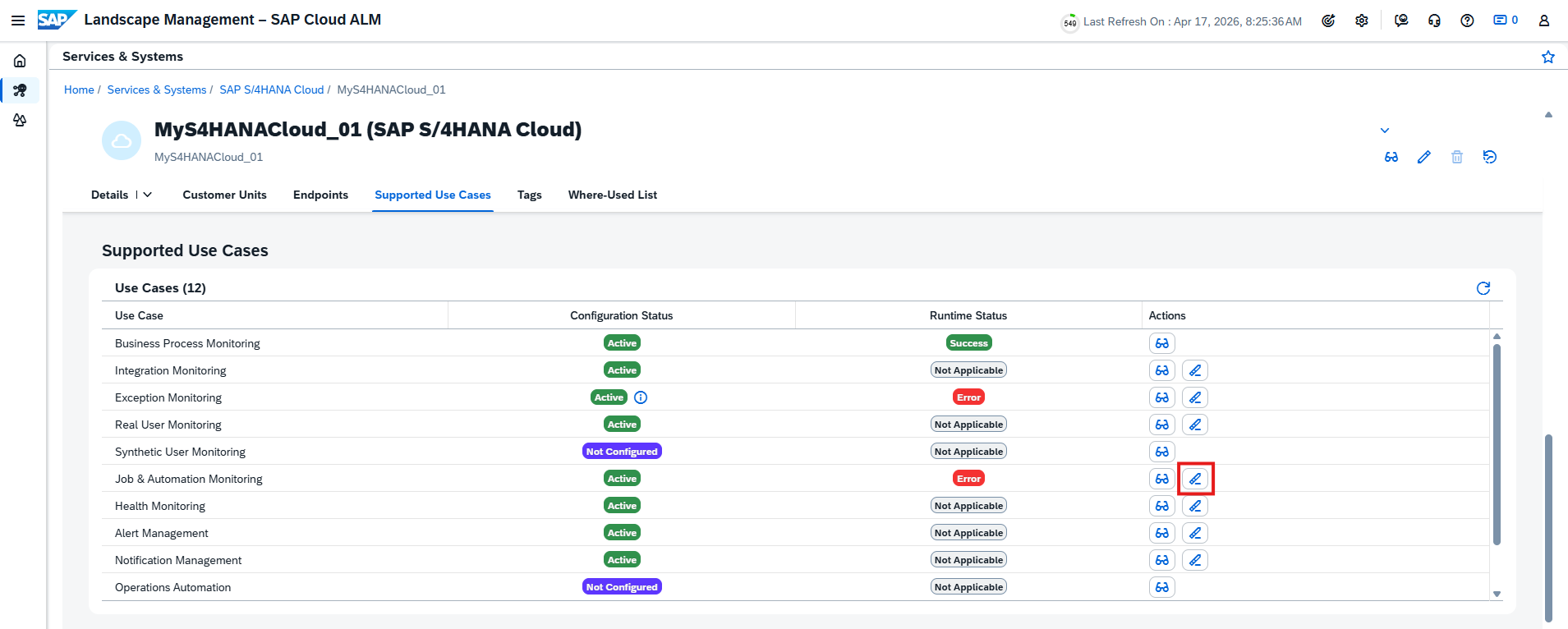
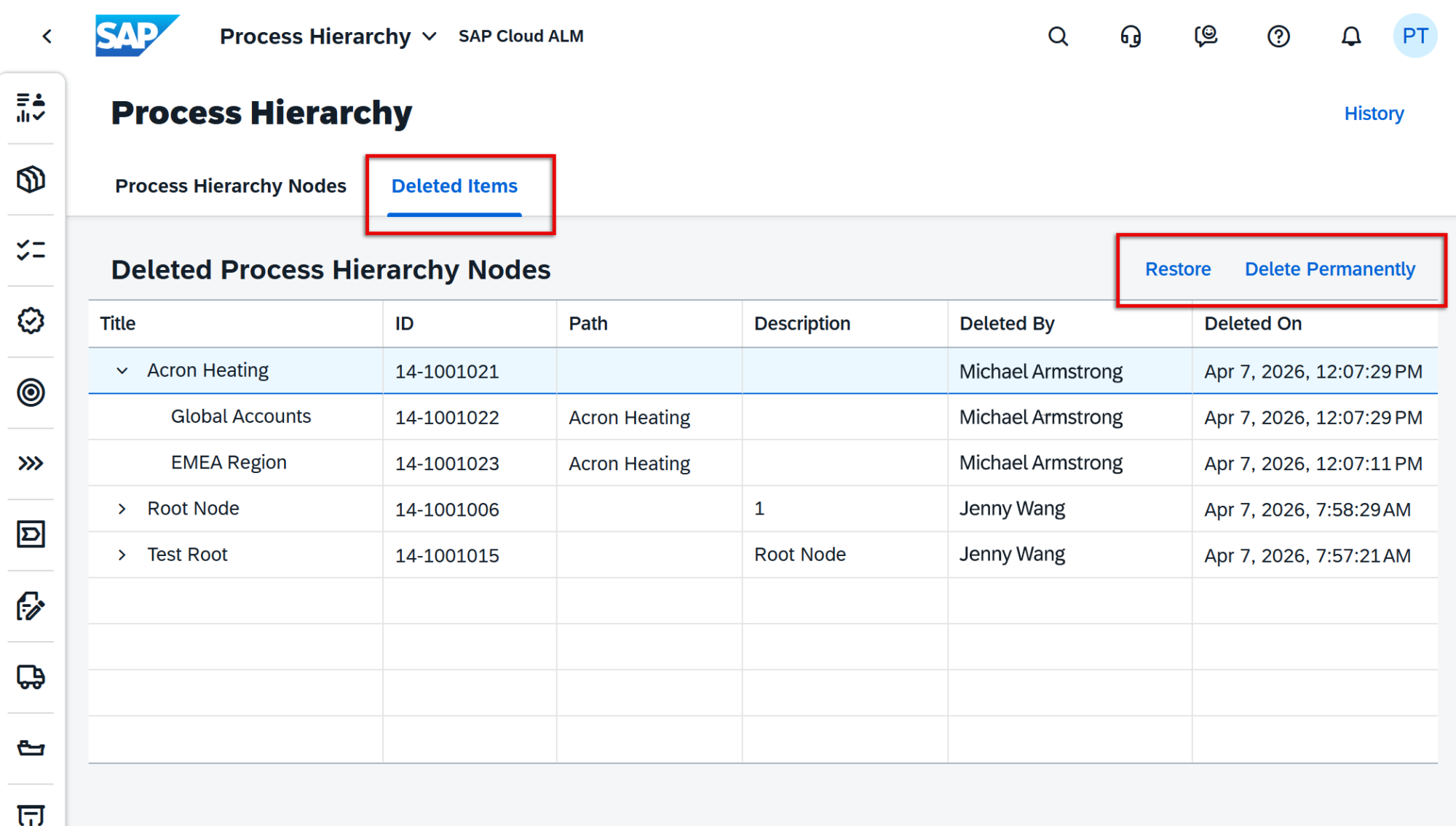
New clean-up option for obsolete customers and systems

Managing landscapes stays clean and accurate with a new clean-up option for obsolete customers and systems in SAP Cloud ALM. SAP Cloud ALM now automatically flags customer numbers and systems that are no longer part of the daily backend import and marks them clearly as obsolete with a red indicator in the Landscape Management tables.

This situation can occur for several reasons, such as changes to SAP Cloud ALM customer numbers, updates to customer numbers of managed cloud systems, removals from the SAP Corporate Group, or missing authorizations of the S-user used for landscape synchronization.

Using the Configuration view in Landscape Management, administrators can now permanently delete obsolete customer numbers, their related systems, and all associated assignments. In addition, individual obsolete systems can be removed selectively, provided they no longer have any active use cases. This helps keep the landscape lean, avoids confusion, and ensures that only relevant and actively used systems remain visible.

TL;DR:

Landscape Management now highlights obsolete customers and systems and allows administrators to safely delete them, keeping SAP Cloud ALM landscapes clean, accurate, and up to date.

Cross-Area Update – Increased Memory and API Data Transfer

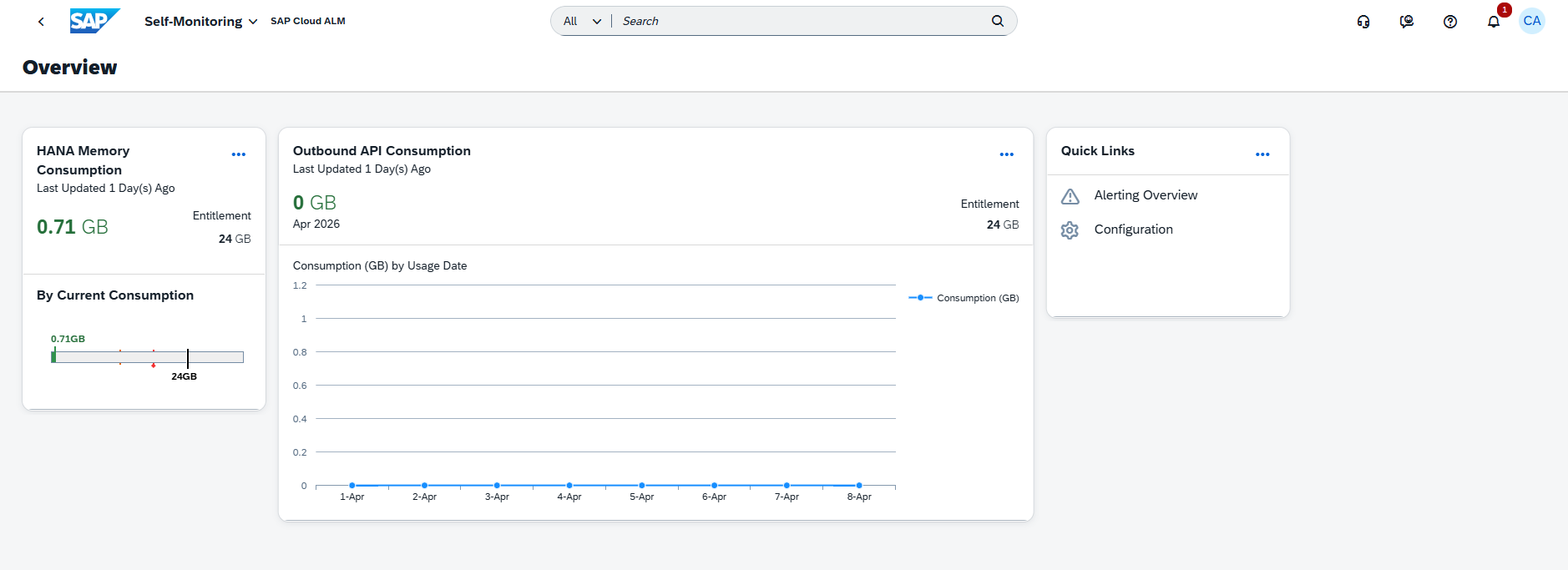
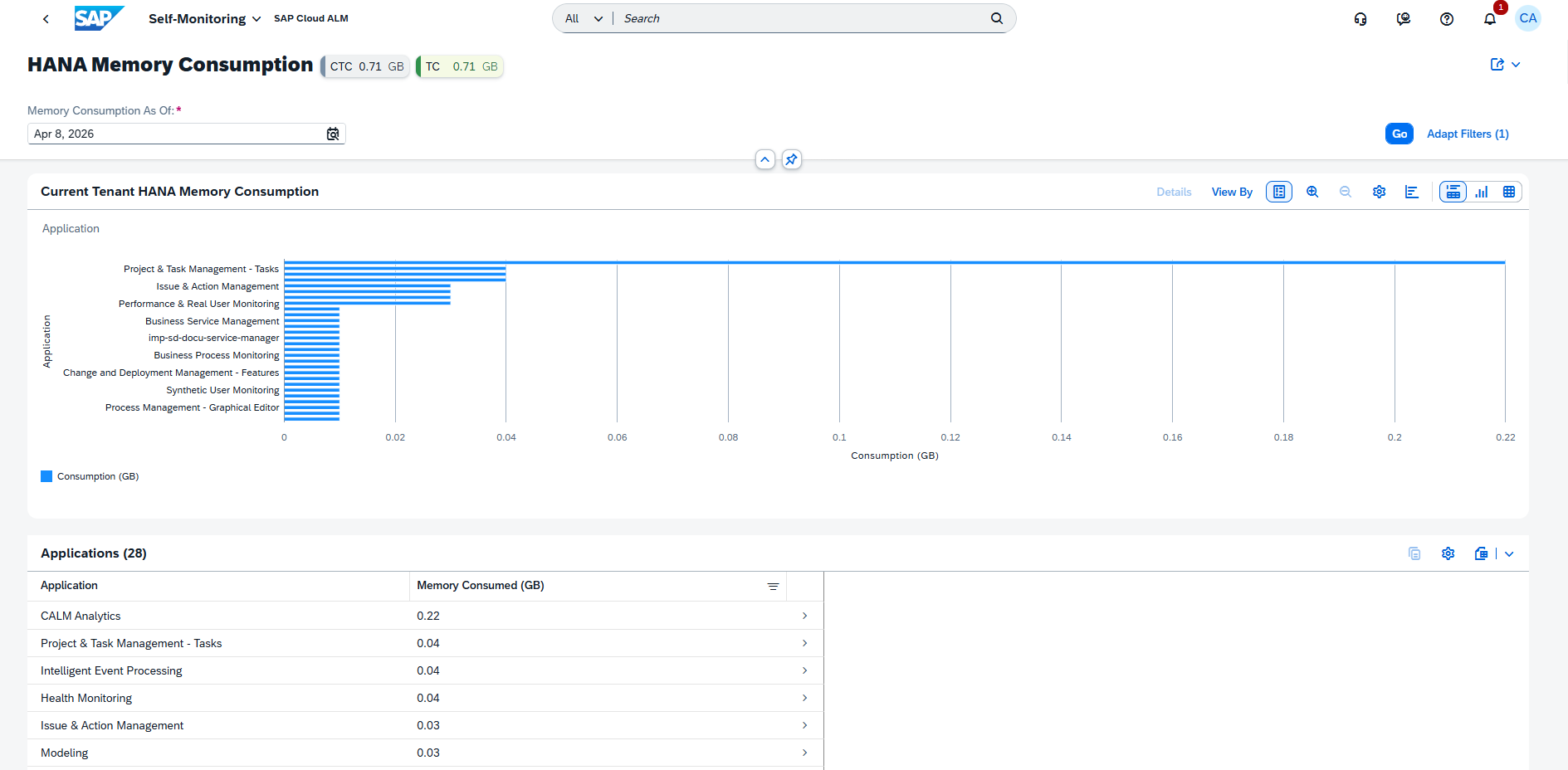
To better support larger landscapes and more advanced monitoring scenarios, SAP Cloud ALM now provides significantly increased baseline resources per tenant. The available SAP HANA memory and monthly data transfer for outbound APIs have been expanded from 8 GB to 24 GB.

This increase applies equally to:

  • Base tenants included with Enterprise Support
  • Tenants provided via the SAP Cloud ALM tenant extension

The enhancement is effective for both existing tenants and all newly provisioned tenants, ensuring immediate benefits without additional configuration. With more memory and higher data transfer limits, teams can handle larger datasets, enable richer monitoring scenarios, and integrate outbound APIs more comfortably without hitting resource constraints.

TL;DR:

SAP Cloud ALM tenants now come with 24 GB of base HANA memory and outbound API data transfer (up from 8 GB), supporting larger landscapes and more demanding monitoring use cases out of the box.

​​​​SAP Cloud ALM – What’s New in Week 48

​SAP Cloud ALM continues to evolve with updates that sharpen accuracy, boost usability, and deepen cross-platform consistency. This week’s release brings smarter system scans in SAP Business Transformation Center, clearer navigation and structure in RISE with SAP Methodology, stronger identity and access management in Administration, and practical productivity boosts across Implementation and Operations

​Together, these enhancements streamline daily work, reduce manual effort, and give teams more reliable insight and control across their transformation and operations landscape.​ 

SAP Business Transformation Center – Scoping

This week’s update improves migration reliability by extending system scans to include currency conversion tables, helping ensure financial data stays accurate and up to date during the move to SAP S/4HANA. 

Currency Conversion Customizing Tables Now Included in System Scans

The system scan in SAP Business Transformation Center now detects the TCURR currency conversion customizing table, ensuring that the latest exchange rate data from the SAP ERP source system can be considered during migration. This enhancement helps maintain an accurate and up-to-date currency conversion process in the SAP S/4HANA target system while reducing manual post-migration maintenance. 

By default, TCURR is set to Out of Scope, but users can review and adjust this in the Select Scanned Tables app to decide whether exchange rate data should be included as part of the migration scope. 

TL;DR: 

TCURR (currency conversion) is now detected in system scans, allowing teams to optionally include up-to-date exchange rate data in the migration scope. 

RISE with SAP Methodology – System View Enhancements

This week’s updates sharpen the clarity and usability of the RISE with SAP Methodology area. With a redesigned System View experience and improved naming consistency on the launchpad, navigating clean core KPIs and methodology content becomes more structured and intuitive – helping teams focus on insight, not interface. 

Launchpad Page Renamed

The RISE with SAP launchpad page has been renamed to RISE with SAP Methodology. 

This rename better reflects the broader scope of guidance, structure, and lifecycle support delivered through the RISE methodology. 

TL;DR: 

The launchpad page is now called RISE with SAP Methodology, aligning with the overarching transformation framework. 

Tab View Introduced in the System View Dashboard 

A new tab-based layout is now available in the System View dashboard, making clean core monitoring more intuitive and structured. 

Instead of scrolling through multiple KPIs, users can switch directly between clean core dimensions using dedicated tabs – allowing faster navigation and clearer insights. 

TL;DR: 

A new tab view makes it easier to jump directly to the clean core KPI category you want to analyze. 

Operations – Job & Automation Monitoring, Configuration & Security Analysis, Business Process Monitoring

The latest updates in the Operations area focus on improving visibility, consistency, and control across all monitoring disciplines. From clearer job notifications to stronger access restrictions and more reusable event configurations, these enhancements help operations teams respond faster, analyze more effectively, and manage complex landscapes with greater confidence. Whether it’s refining event handling, tightening security, or extending monitoring insights, updates continue to strengthen SAP Cloud ALM as a central hub for stable and proactive operations. 

Execution Information in Notification Emails for Job & Automation Monitoring Alerts

Notification emails in Job & Automation Monitoring have been streamlined for easier readability. 

All execution-related details – run information, executed steps, and exceptions – are now consolidated into a single Execution Information table. 

Previously, this information was split across three separate sections, making emails longer and harder to scan. With the new unified format, operational teams can assess job outcomes more quickly and with less clutter. 

TL;DR: 

Execution details are now combined into one clean table in job/automation notification emails for faster insight. 

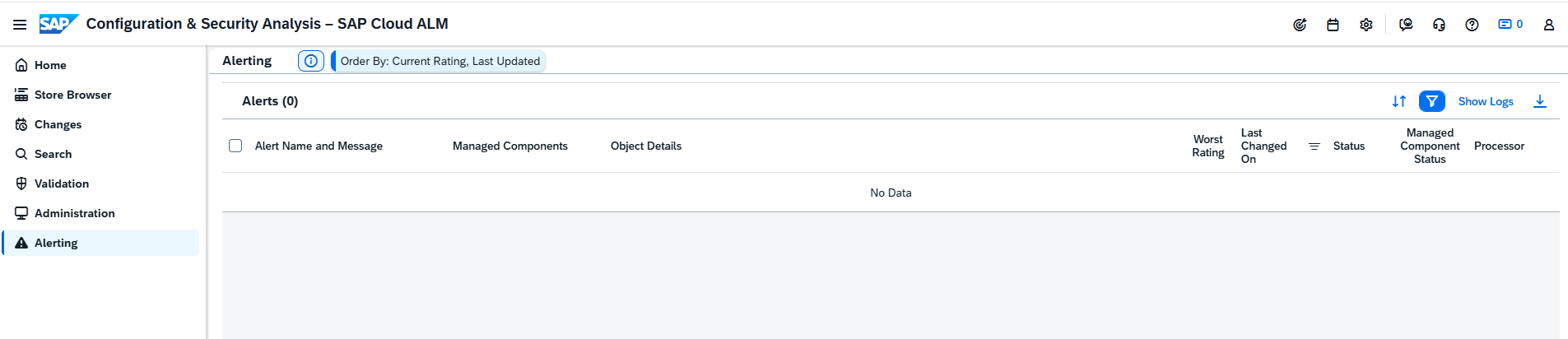
Access Control Enabled for Configuration & Security Analysis

Access Control is now enforced for both Configuration & Security Analysis – Data Stores and Configuration & Security Analysis – Validation apps. 

Users can only view configuration and compliance data for the systems and services explicitly assigned to them in the Landscape Management Access Control List. 

This enhancement strengthens data protection, ensures principle-of-least-privilege access, and aligns Configuration & Security Analysis with access control standards already used in other Operations apps. 

TL;DR: 

Configuration & Security Analysis now respects Access Control Lists – users only see landscape objects they are authorized for. 

Reuse Actions, Import Structures, and Improve Event Visibility in Business Process Monitoring

Business Process Monitoring receives several enhancements that streamline event handling, improve process reuse, and strengthen operational transparency. 

Event Action Variants 

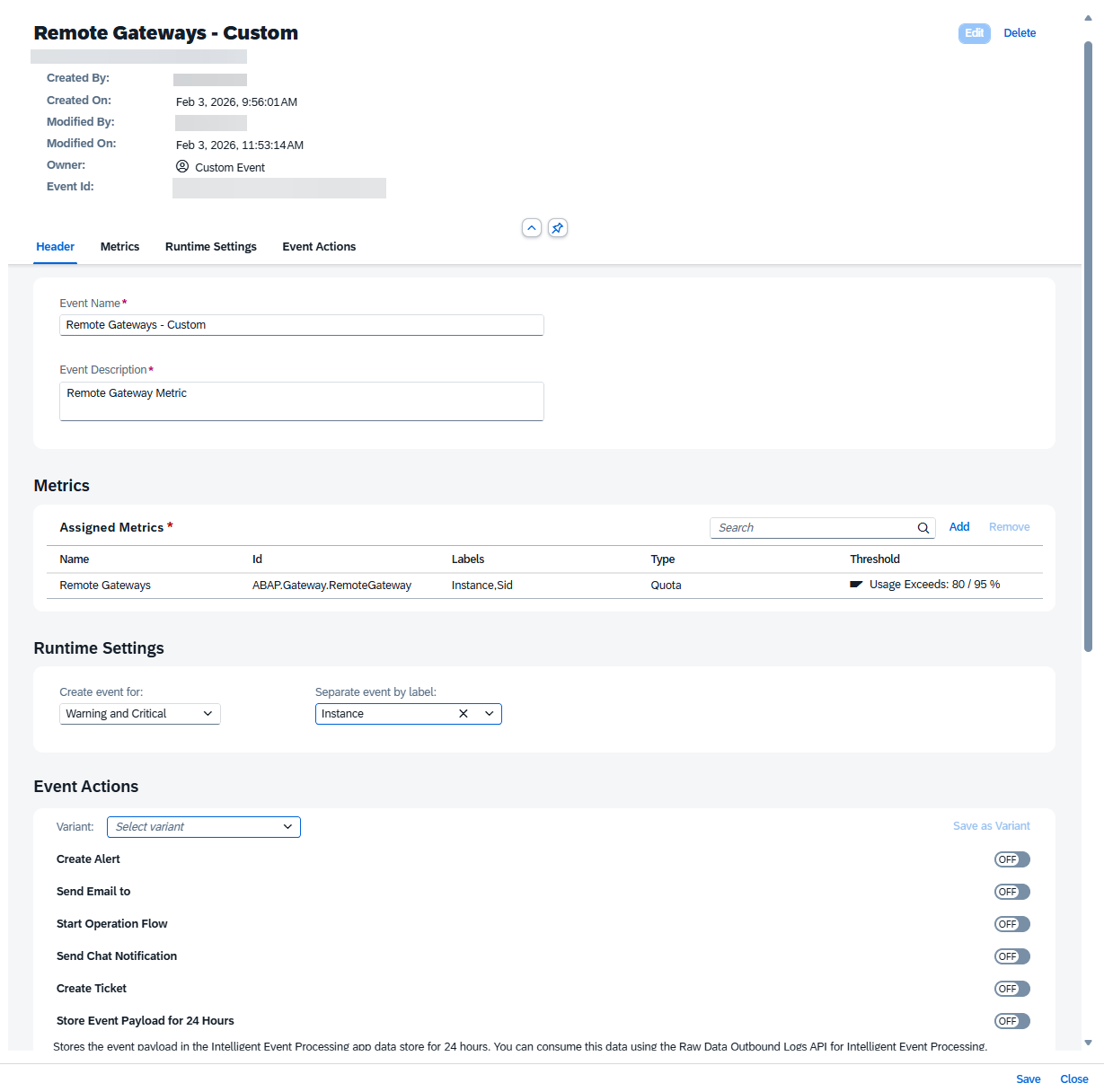
Event actions can now be saved as reusable event action variants, allowing teams to apply the same action setup across multiple KPIs or when configuring events in other apps. Variants can be created and centrally managed in the Intelligent Event Processing app, reducing repetitive configuration work and ensuring consistency.

Import Process Hierarchy Nodes 

Existing business process structures from the Process Hierarchy app can now be imported directly into Business Process Monitoring. Imported nodes behave like any custom process and can immediately be enriched with KPIs. 
Note: Only up to three hierarchy levels are supported – deeper hierarchies are flattened upon import. 

Notifications for Updated Event Ratings 

Whenever an event’s rating changes, all recipients defined in the event definition now receive an automatic email notification. This ensures stakeholders stay informed when a situation escalates or improves. 

Store Event Payload for 24 Hours 

A new event action allows the system to store event payloads for 24 hours in the Intelligent Event Processing data store. These payloads can then be accessed via the Raw Data Outbound Logs API, supporting downstream analytics or incident investigations. 

TL;DR: 

Event actions are now reusable, process structures can be imported, rating changes trigger notifications, and event payloads can be stored for 24 hours for deeper analysis. 

Implementation – Documents, Overview, Test Preparation

This week’s updates in the Implementation area focus on usability, discoverability, and integration. From enhanced document search and customizable project overview layouts to API-driven test case management, these improvements help teams work more efficiently, stay better organized, and integrate SAP Cloud ALM more seamlessly into their existing workflows. 

Document Search Enhancement

SAP Cloud ALM now makes it easier to find the documents needed for project work. 

With the new Central Search capability, documents can be located across multiple attributes including title, type, status, priority, approval state, external file name, content, tags, and notes. 

Only saved documents are included in search results – drafts remain excluded to ensure clarity and accuracy. 

This update significantly improves discoverability, especially in large projects with extensive documentation. 

TL;DR: 

Documents can now be found via Central Search using multiple attributes, improving speed and accuracy when locating project artifacts. 

Personalized Project Overview Layout

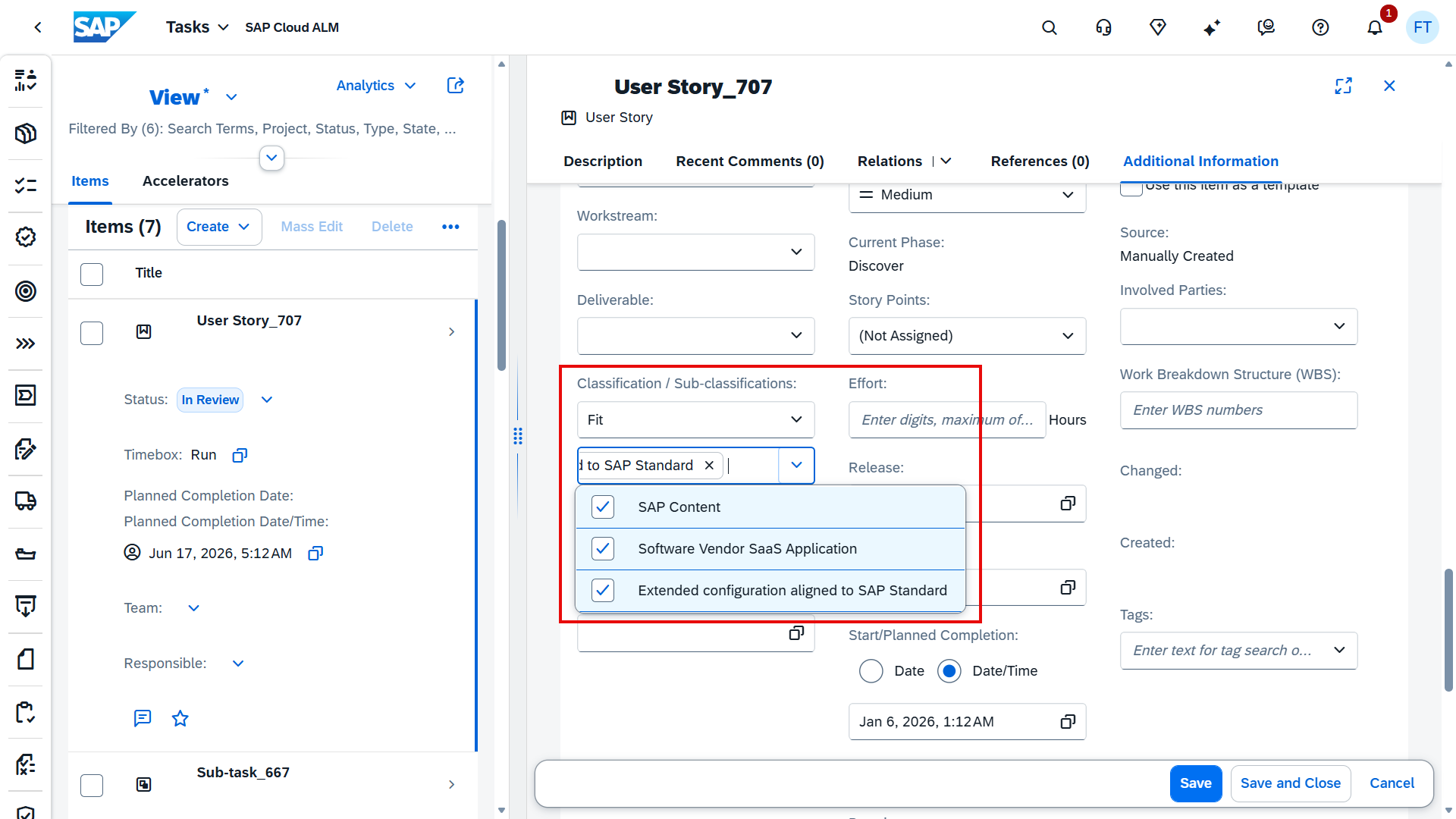
The Project Overview app now supports drag-and-drop card rearrangement, giving teams the freedom to personalize how project information is displayed. 

Users can move cards into the order that best fits their workflow and save the customized layout. In addition, the reorganized view can be shared with team members via email, making collaboration and stakeholder communication more efficient. 

TL;DR: 

Cards in Project Overview can now be rearranged via drag-and-drop, enabling personalized layouts and easy sharing of customized views. 

API Support for Managing Manual Test Cases

SAP Cloud ALM expands its test management capabilities with a new Test Management API that enables external management of manual test cases. 

With this API, teams can now create, update, or retrieve manual test cases programmatically – streamlining integration with external test tools, automation frameworks, and custom workflows. This enhancement reduces manual effort and supports more flexible, API-driven test lifecycle management. 

Technical details can be found: SAP API Guide for SAP Cloud ALM

TL;DR: 

A new Test Management API allows external management of manual test cases, enabling automation and tool integration. 

Administration – User Management

This week’s Administration update focuses on strengthening foundational identity management. With a new option to update identity provider configurations directly from the User Management Overview, SAP Cloud ALM makes it easier to stay aligned with upcoming security and integration standards. 

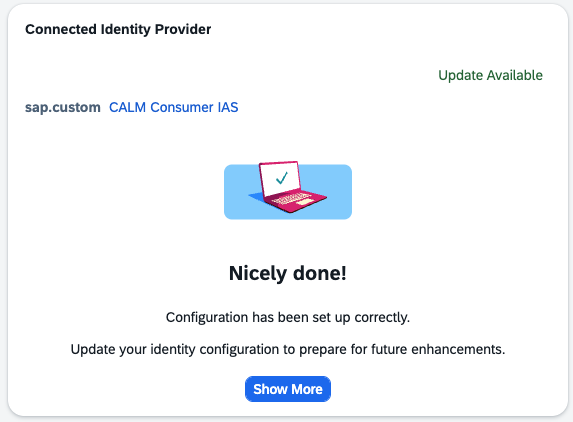
Update Identity Provider Configuration

A new enhancement in the User Management Overview allows administrators to update their identity provider configuration to align with the latest SAP recommendations. This update enhances the integration between your Identity Authentication service tenant and SAP Cloud ALM, preparing the environment for upcoming improvements. 

Open the Connected Identity Provider card and choose Show More to review the details. Select “Update Now” to apply the updated configuration.

TL;DR: 

Administrators can now update the identity provider setup directly in SAP Cloud ALM to meet new integration standards and ensure future compatibility. 

Cross-Area Update

Terminology Alignment for SAP Solution Manager Transitions

A new documentation resource is now available to support teams moving from SAP Solution Manager to SAP Cloud ALM. It provides a clear comparison of terminology used across both solutions, helping users understand conceptual equivalents and avoid confusion during transition or dual-operation phases. 

The document will continue to grow over time as more terms and functional mappings are refined. 

See the full comparison guide here: SAP Cloud ALM and SAP Solution Manager – Terminological Differences

TL;DR: 

A new terminology comparison guide helps align SAP Solution Manager and SAP Cloud ALM concepts, making transitions smoother and reducing ambiguity.

​​​​SAP Cloud ALM – What’s New in Week 46

SAP Cloud ALM keeps advancing – with this week’s updates centered on precision, structure, and control. 

​The week 46 release introduces automated checks and smarter data migration handling in SAP Business Transformation Center, expanded monitoring coverage in Operations, and improved organization and usability features in Implementation. 

​Together, these enhancements strengthen consistency across projects, streamline validation, and make managing transformations and operations more efficient than ever.​ 

SAP Business Transformation Center – Modeling 

The latest update in the SAP Business Transformation Center strengthens data migration reliability and transparency. With new automation in detecting and transferring customer-specific change documents, transformation projects can now ensure a more complete and accurate migration process – reducing manual effort and minimizing the risk of missing critical data.

Automatic Migration of Customer-Specific Change Documents

Data migration just became smarter and more complete in the SAP Business Transformation Center. 

With the new automatic detection and migration of customer-specific change documents, teams can ensure that all relevant change records from the SAP ECC source system are transferred – no manual configuration required. 

This enhancement is managed through the new Source System Scan tab in the Manage Transformation Models app, which includes an Unknown Change Documents Check to identify and migrate any custom change documents that might otherwise be missed. The scan also verifies system connectivity and logs detailed check results so teams can restart or refresh failed checks directly. 

By automating this critical validation step, transformation projects gain a more reliable, transparent, and complete migration process – helping teams move data confidently and efficiently. 

For more information, see Managing the Source System Scan and the Related Checks

TL;DR: 

Automatic detection and migration of customer-specific change documents ensure complete, consistent data transfer – all managed through the new Source System Scan in Manage Transformation Models. 

Operations – Real User Monitoring

This week’s Operations update expands monitoring coverage to new SAP solutions, giving teams deeper visibility into system performance and user experience. With Real User Monitoring now supporting more specialized applications, organizations can ensure consistent performance insights across a broader part of their landscape. 

Expanded Real User Monitoring Coverage

 Real User Monitoring (RUM) now supports additional SAP solutions, broadening visibility into user experience and system performance across more business areas. 

The newly supported solutions include: 

  • SAP Advanced Commodity Risk Analytics 
  • SAP Project and Resource Management (resource management capability)

This enhancement helps operations teams gain consistent, end-to-end insights into performance and user behavior – even in specialized analytical and resource management scenarios. 

TL;DR: 

Real User Monitoring now covers SAP Advanced Commodity Risk Analytics and SAP Project and Resource Management, extending performance visibility across more SAP solutions.

Implementation – Libraries, Process Authoring, Test Plans

This week’s Implementation updates enhance flexibility and control across project design, development, and testing. From a cleaner library creation experience to direct management of developments and smarter test case filtering, teams gain more efficient ways to structure, connect, and validate their work in SAP Cloud ALM. 
Redesigned Library Element Creation Menu

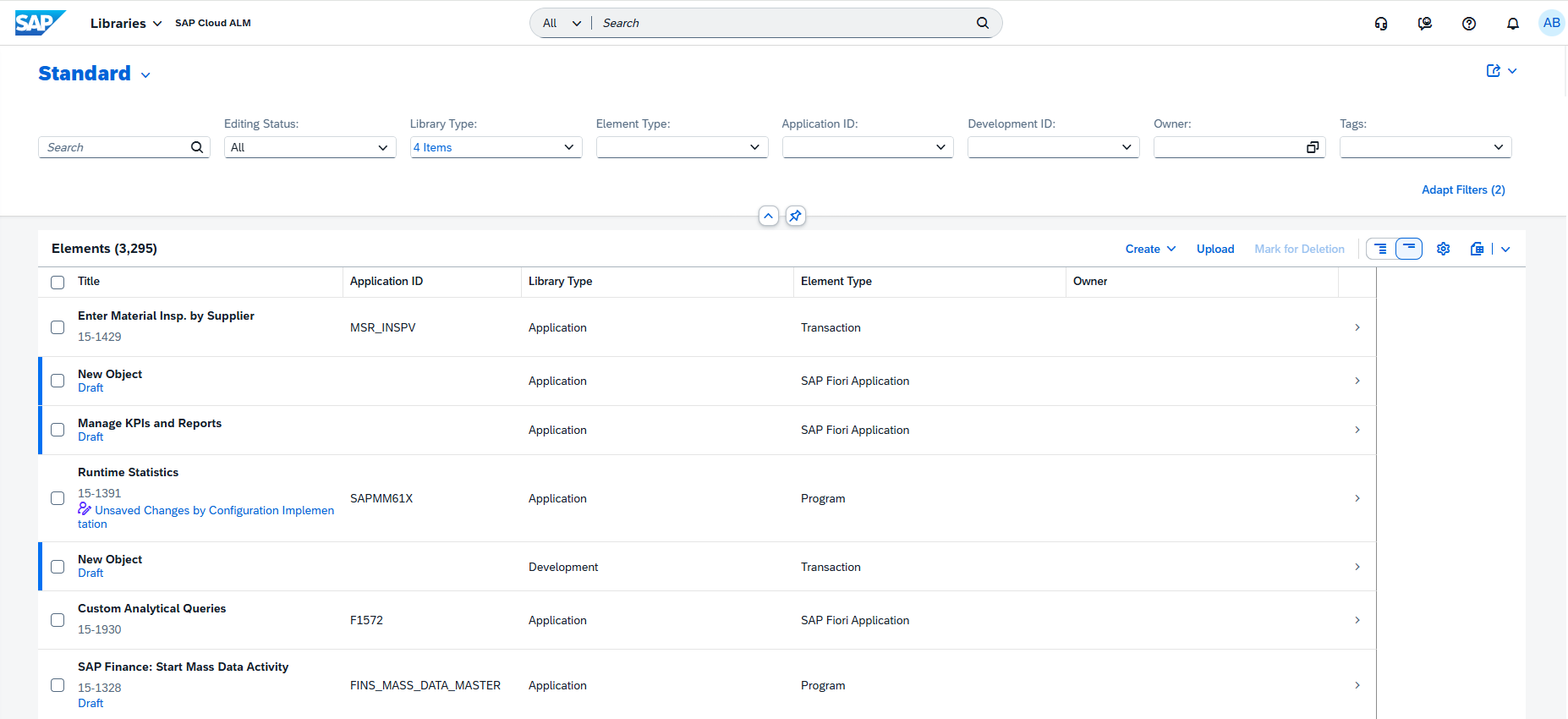
The Libraries app now features a remodeled menu for creating new library elements. 

This improved layout simplifies navigation and makes it easier to select the right type of element, helping teams quickly build and organize reusable project assets.

TL;DR: 

A redesigned library element creation menu improves clarity and ease of use in the Libraries app. 

View and Maintain Developments in Process Authoring

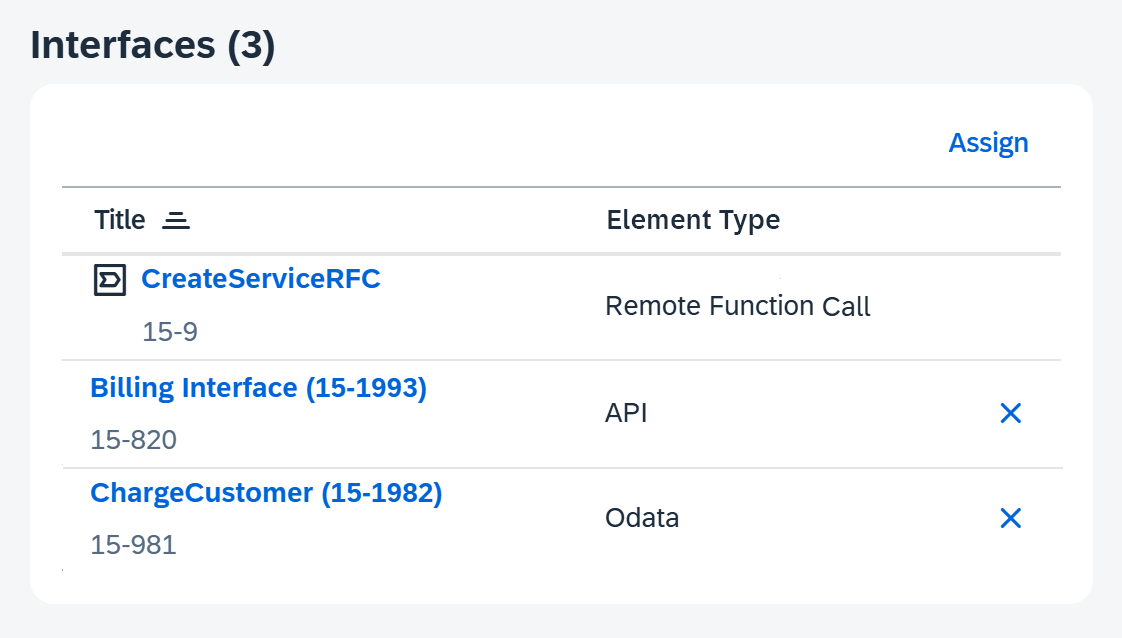
In Process Authoring, users can now view developments assigned to a solution activity directly from the Solution Activities list. Details such as development type – for example, TransactionClasses/Interface, or Custom Fiori Application – are now visible.

When in Edit mode, developments can also be assigned or unassigned directly within the list, improving visibility and control over the technical objects linked to each activity. 

TL;DR: 

Users can now view, assign, and unassign developments for solution activities in Process Authoring for better transparency and management. 

Additional Filters in Test Case Assignment

The Test Plans app now offers more filtering options when assigning test cases. 

These additional filters make it easier to narrow down the list of available test cases, ensuring that only relevant ones are included in each plan.

TL;DR: 

New filters in Test Plans make test case assignment faster and more targeted. 

Cross-Area Update 

Switch to New DigiCert Root Certificates for SAP Cloud ALM Connectivity 

SAP is strengthening platform security by transitioning to higher encryption standards with the DigiCert TLS RSA4096 Root G5 and DigiCert Global Root G3 certificates. 

Systems using custom trust store, STRUST, must include the new root certificates alongside the existing DigiCert Global Root G2, which remains valid during the transition period. 

Keep in mind that this update is not optional. Once SAP begins issuing certificates signed with the new roots in Q1 2026, systems that haven’t added G5 and G3 will simply stop trusting SAP Cloud ALM endpoints. This can lead to broken connections, failed integrations, and missing monitoring data – issues that cannot be fixed without updating the trust store. 

To stay operational, make sure the certificates are added well in advance. For more information, see SAP Note 3566727

TL;DR: 

Add DigiCert G5 and G3 root certificates to custom trust stores, keep G2 active during the transition, and ensure continued secure connectivity ahead of the 2026 rollout. 

SAP Cloud ALM – What’s New in Week 44

​SAP Cloud ALM keeps advancing – this week’s updates focus on clarity, structure, and smarter control. 

​The week 44 release brings a reorganized extensibility view in RISE with SAP, extended security coverage and monitoring in Operations, and improved project organization and usability in Implementation. 

​Together, these updates strengthen transparency across systems, simplify daily work, and help teams deliver with greater confidence and precision.​ 

RISE with SAP – System View

The latest updates in the RISE with SAP area focus on strengthening clean core transparency and extensibility governance. With the introduction of the new Clean Core Level Concept, the System View dashboard now provides a clearer, more structured view of how custom code and extensions align with SAP’s clean core principles – helping customers manage technical debt, plan modernization, and maintain upgrade stability. 

Extensibility Section Reorganized

The Extensibility section of the System View dashboard has been completely restructured to align with the new Clean Core Level Concept for SAP S/4HANA Cloud, replacing the legacy 3-Tier Extensibility model.

This change modernizes how extensibility compliance is visualized, making it easier for users to distinguish between upgrade-stable, clean-core-compliant extensions and those that may require remediation.

Under the new model, all extensions are categorized into four Clean Core Levels (A-D), which describe how closely each extension aligns with the clean core principles for SAP S/4HANA Cloud: 

  • Level A: Extensions that are built with released SAP APIs and ABAP for Cloud Development, and are considered fully cloud-compliant. 
  • Level B: Extensions that are partially aligned with the clean core guidelines and may require adjustments to reach full compliance. 
  • Level C: Extensions that use classic extensibility approaches and should be modernized over time. 
  • Level D: Extensions that are not compliant with the clean core principles and should be addressed with high priority. 

The updated section introduces several new KPI cards to provide a clearer picture of system extensibility and technical debt: 

  • Technical Debt Score – Evaluates modernization needs based on clean core compliance. 
  • Execution of Customer Objects – Shows how frequently custom objects are executed compared to standard ones. 
  • Business Modifications – Highlights legacy modifications that may affect upgrade stability. 
  • Unused Customer Objects – Identifies unused extensions that can be cleaned up. 
  • Clean Core Share – Measures the overall share of compliant extensions. 
  • Detailed Level Overview (A-D) – Provides visibility into the distribution of extensions by clean core level. 

By integrating the Clean Core Level Concept, the dashboard offers greater transparency into custom code usage and a practical foundation for modernization planning. 
As part of this transition, the following cards have been removed from the dashboard: 

  • Setup for ABAP Cloud Development 
  • ABAP Cloud: Level A Objects 
  • ABAP Classic: Business Modifications 
  • Button linking to the Custom Code Analytics dashboard 

TL;DR: 

The Extensibility section now follows SAP’s Clean Core Level Concept (A-D), introducing new KPIs like Technical Debt Score and Clean Core Share for a clearer, more structured view of your system’s extensibility landscape. 
Operations – Configuration & Security Analysis, Health Monitoring, Business Service Management, Real User Monitoring

The latest updates in the Operations area continue to strengthen SAP Cloud ALM’s monitoring and compliance capabilities. From extended security validation coverage for SAP HANA Cloud and SuccessFactors services, to new Event Mesh metrics in Health Monitoring, and smarter changepoint detection in Real User Monitoring – these enhancements help operations teams gain deeper insights, act faster, and maintain a clean, secure landscape. 

Expanded Service Coverage – Configuration & Security Analysis

The Configuration & Security Analysis app continues to broaden its scope with new integrations that help operations teams strengthen security compliance and configuration transparency across a wider range of SAP services. 

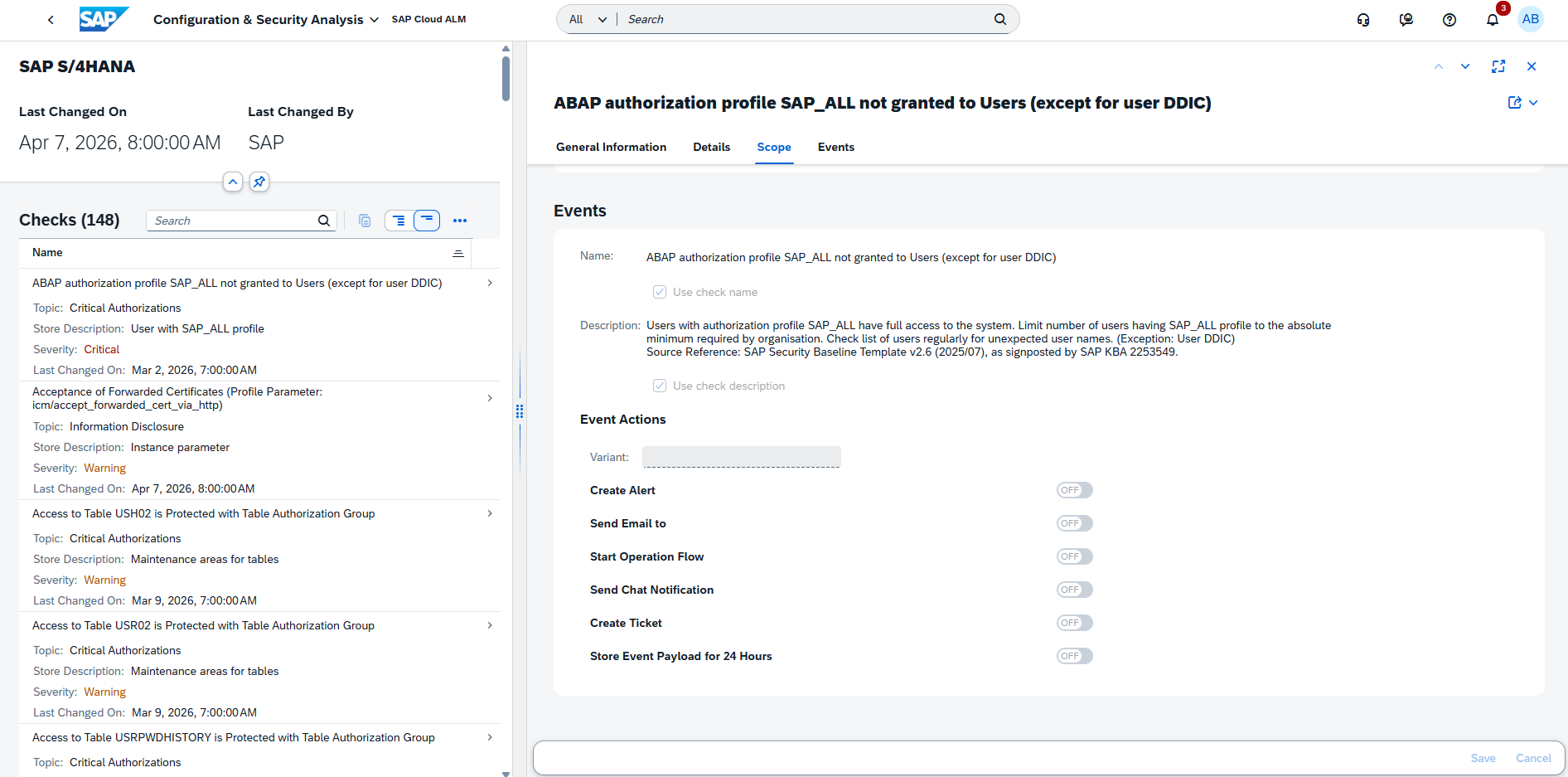
Users can now analyze configuration items and view compliance results against SAP’s official security recommendations for the following additional services: 

  • SAP HANA Cloud 
  • SAP HANA Cloud, Data Lake 
  • SAP SuccessFactors Agent Lifecycle Management 
  • SAP SuccessFactors Agent Performance Management 

These additions make it easier for administrators and security teams to centrally monitor adherence to SAP’s best practices across multiple SAP cloud services. The compliance results highlight deviations from recommended configurations, enabling faster remediation and more consistent governance. 

Configuration for these services can be managed directly in the Configuration & Security Analysis – Data Stores app. Validation of Security Recommendations can be viewed in Configuration & Security Analysis – Validation app.  

TL;DR: 

Configuration & Security Analysis now supports SAP HANA Cloud, HANA Cloud Data Lake, SuccessFactors Agent Lifecycle Management, and Agent Performance Management, providing broader visibility and security compliance insights across SAP cloud environments. 

Support for SAP Integration Suite (Event Mesh) – Health Monitoring

Health Monitoring now extends its coverage to include SAP Integration Suite (Event Mesh), giving operations teams better visibility into the health and performance of their event-driven integration scenarios. 

With this enhancement, users can monitor key Event Mesh metrics directly within SAP Cloud ALM, including: 

  • Message Consumers 
  • Active Connections 
  • Broker State 
  • Message Queues 
  • Message Spool Usage 

By tracking these metrics, administrators can proactively identify bottlenecks, assess system load, and ensure event distribution runs reliably across connected systems. 

TL;DR: 

Health Monitoring now supports SAP Integration Suite (Event Mesh), adding metrics for message flow, connection status, and broker performance to improve operational oversight. 

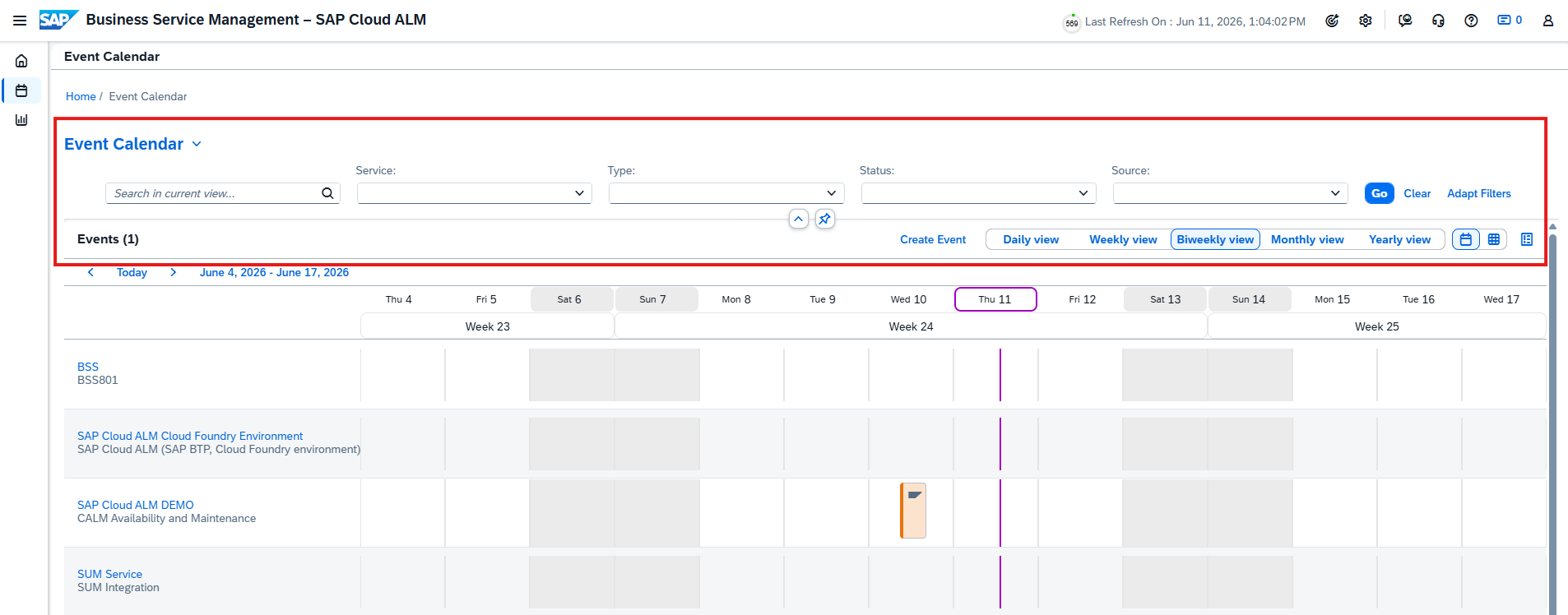
Event Actions for Past Events – Business Service Management

The Business Service Management app now supports event actions for past status events, such as Disruption and Degradation events, even when both their start and end times have already occurred. 

Previously, event actions like ticket creation, email, or chat notifications were not triggered for retrospective events generated by SAP for Me. With this enhancement, teams can now apply the same automated workflows to past events, ensuring that all incidents – past or current – are consistently documented and communicated.

Supported event actions include: 

  • Create Ticket – Automatically generates and closes a ticket when a past event occurs, including details from root cause analysis. 
  • Send Mail – Sends an email notification after an event or root cause analysis is completed, based on your settings. 
  • Send Chat Notification – Sends a chat alert after an event or analysis is finished, ensuring team awareness. 
  • Start Operation Flow – Triggers an operation flow automatically after the event occurs, following the configured rules. 

This enhancement improves visibility, traceability, and post-incident analysis for business service health management. 

TL;DR: 

Users can now trigger ticketing, mail, chat, and operation flow actions for past SAP for Me events, improving retrospective analysis and service management consistency. 

Alerts for Changepoint Detection – Real User Monitoring

Real User Monitoring now includes changepoint detection alerts, enabling proactive identification of unusual performance shifts across your monitored systems and services. 

A changepoint represents a statistically significant deviation in request performance – such as a sudden spike or drop in response time – compared to recent behavior. SAP Cloud ALM continuously evaluates metrics within a sliding time window, adapting the analysis length to request frequency. 

Changepoints are detected for the following backend request types: 

  • HTTP / HTTPS 
  • RFC / RFCS 
  • Dialog 
  • Web Service (WS) 

Detected changepoints appear on a timeline for all systems and services in scope, visually highlighting periods of performance degradation (marked in red). Selecting a changepoint displays key details such as:

  • Request type and name 
  • Time window of impact 
  • Measured response times and trends 

With this update, you can also create alerts for changepoints, automatically notifying your team of anomalies that may require investigation. This significantly improves situational awareness and shortens the time to detect and resolve performance issues. 

TL;DR: 

Real User Monitoring now detects and alerts on changepoints – short-term performance shifts across HTTP, RFC, and other request types – helping teams quickly spot and act on emerging issues. 

Implementation – Project Overview, Projects and Setup, Process Authoring, Processes

The latest updates in the Implementation area focus on improving project clarity, structure, and usability. With new tools to visualize risks, group projects into programs, simplify process relations, and create test cases directly in the Processes app, project teams can manage complexity more efficiently and keep execution tightly aligned with testing and governance. 

New Risks Card in Project Overview

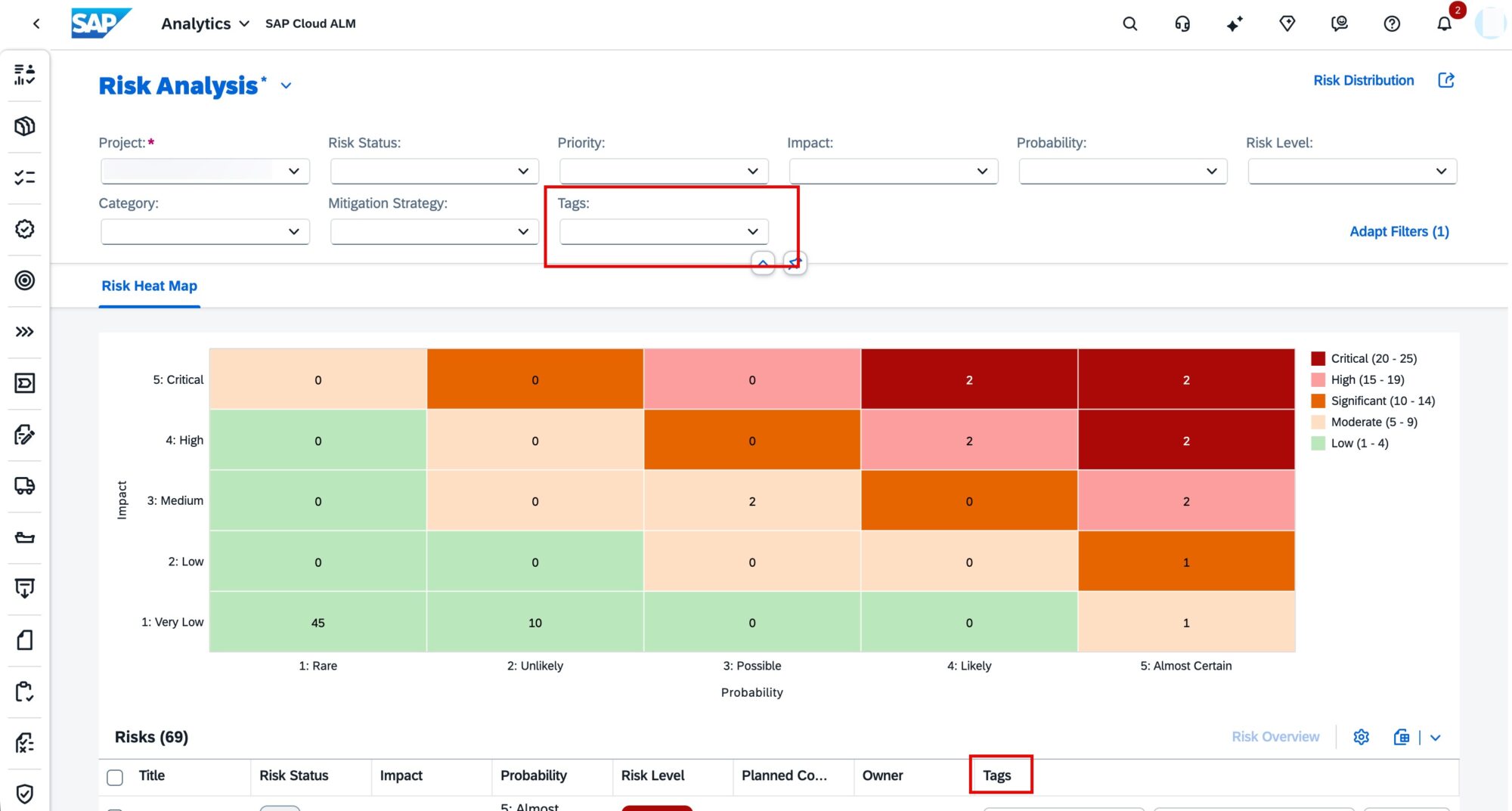
Project transparency has a new Risks card in the Project Overview app.  

This card visualizes project risks in two ways by Status and by Risk Level – giving project managers and stakeholders an instant overview of potential challenges and their severity. 

TL;DR: 

The new Risks card in Project Overview provides instant visibility into project risks by status and level. 

Grouping Projects into Programs – Projects and Setup

Users can now group multiple related projects under a Program, providing a higher-level organizational layer for complex initiatives. 

Programs make it easier to navigate between connected projects, align their progress, and manage large-scale transformations more effectively. 

TL;DR: 

Group related projects into Programs for better portfolio visibility and easier navigation between linked initiatives. 

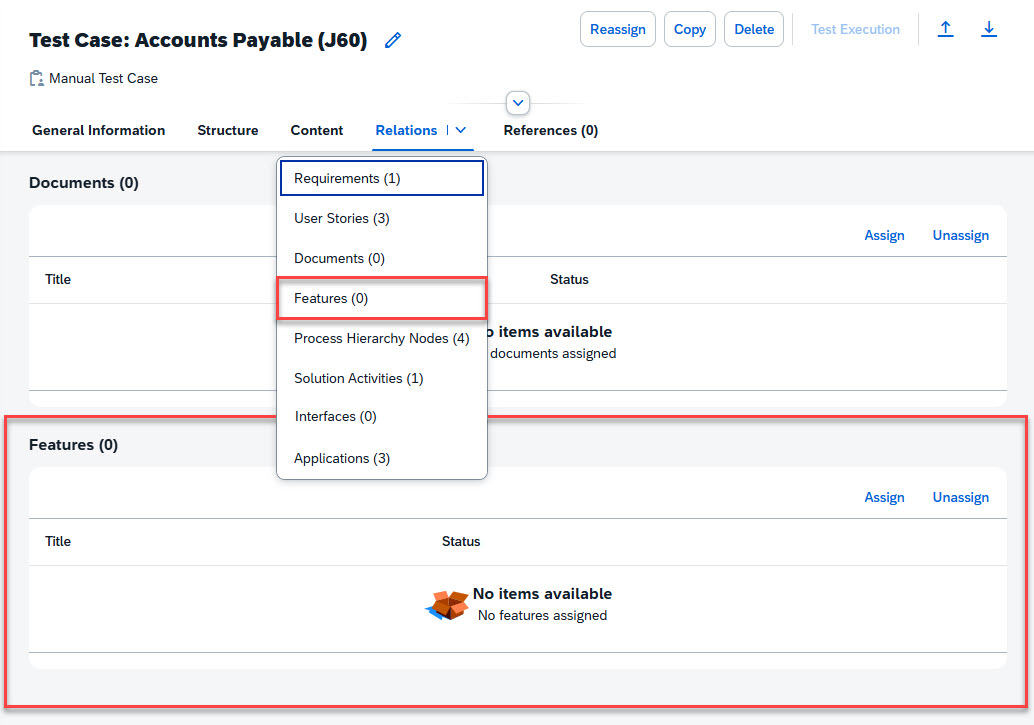
Relations grouped in a single tab – Process Authoring

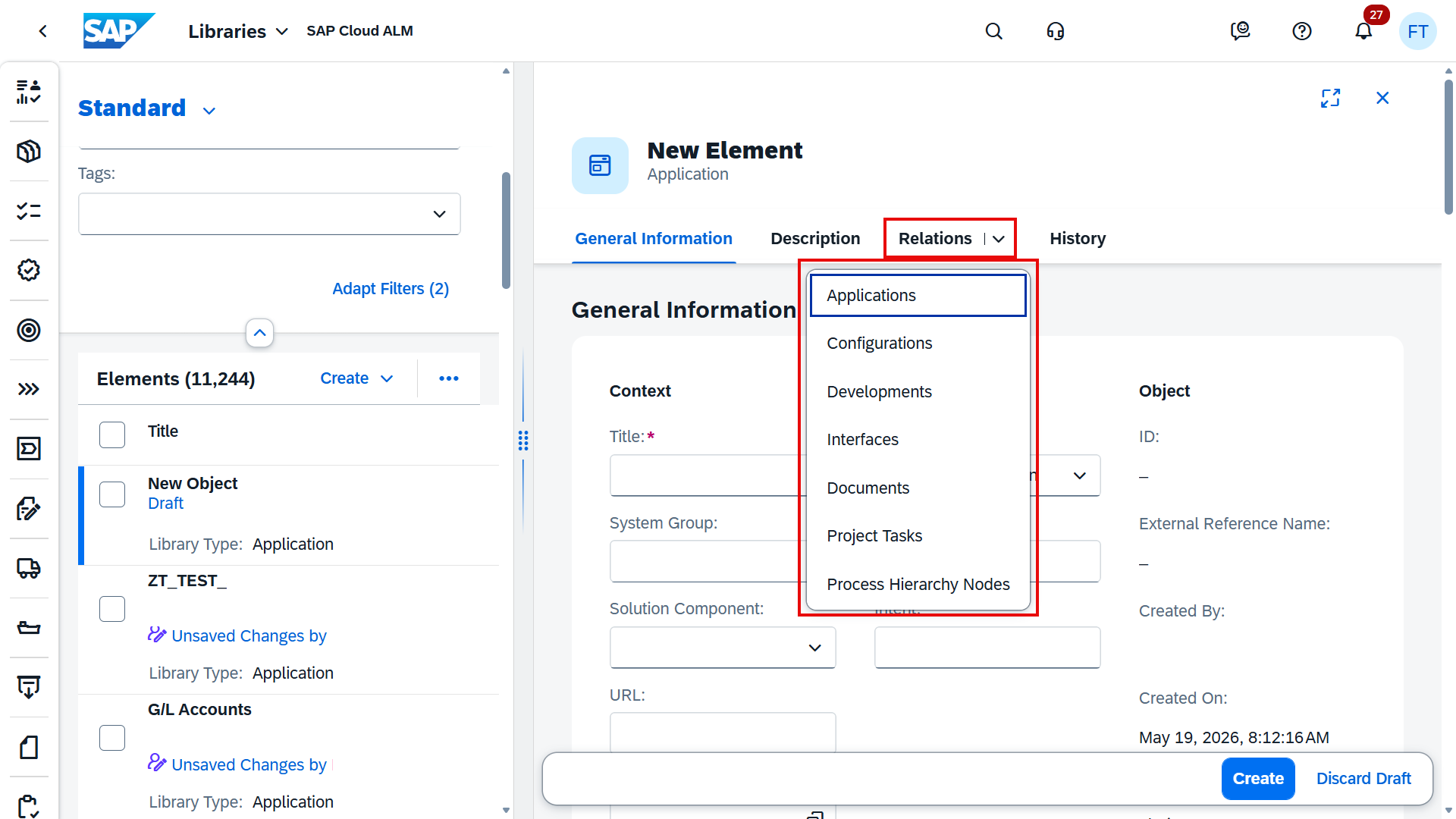
Relations in Process Authoring are now consolidated under a single Relations tab. 

Users can quickly switch between relation types using a convenient drop-down menu, while still being able to scroll through sections as before. 

This usability improvement reduces clutter and simplifies navigation when managing multiple relation types in complex process structures. 

TL;DR: 

All relations for a solution activity are now grouped in one tab with a quick drop-down selector for smoother navigation. 

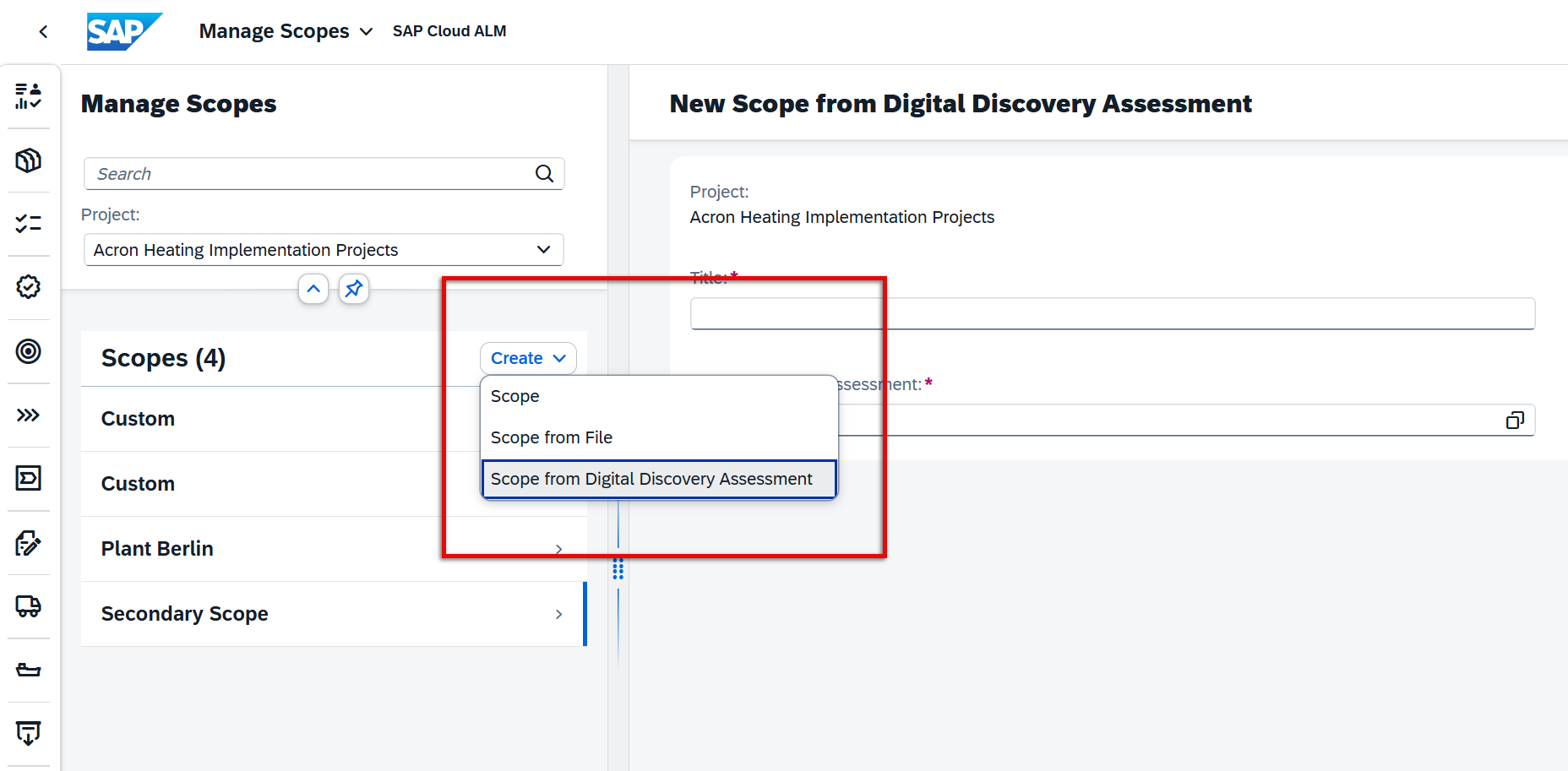
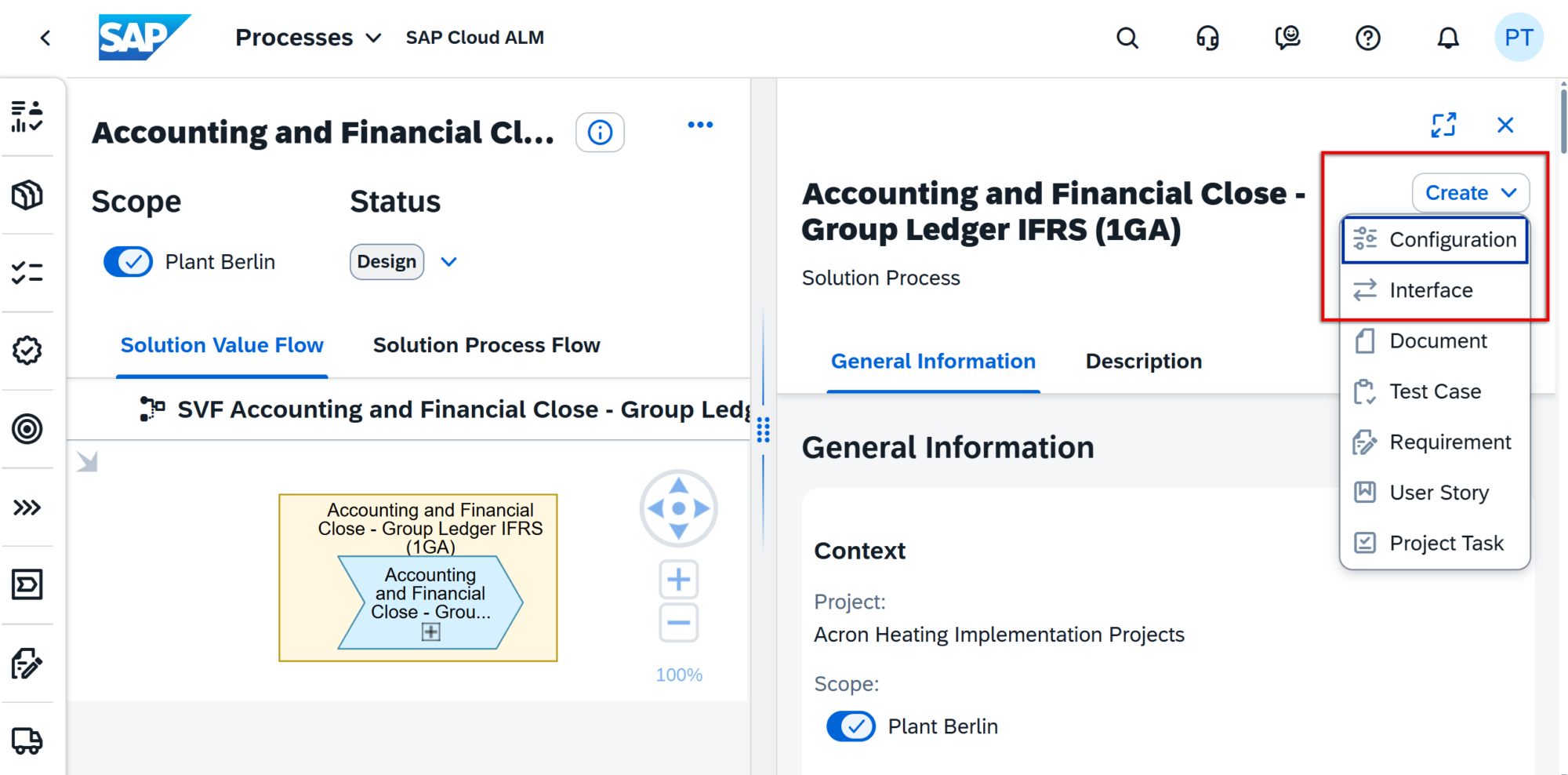
Create Test Cases Directly in Processes

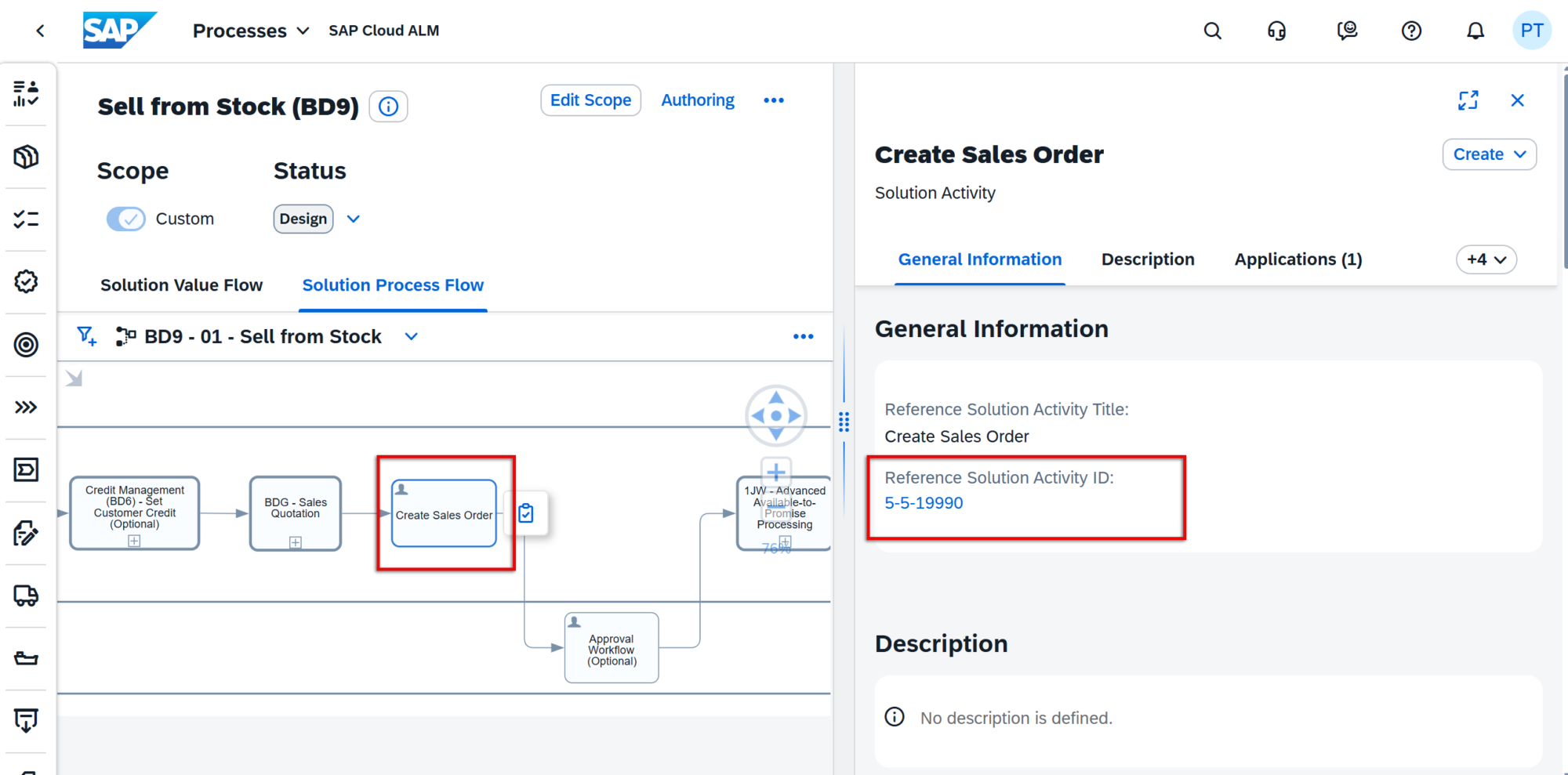
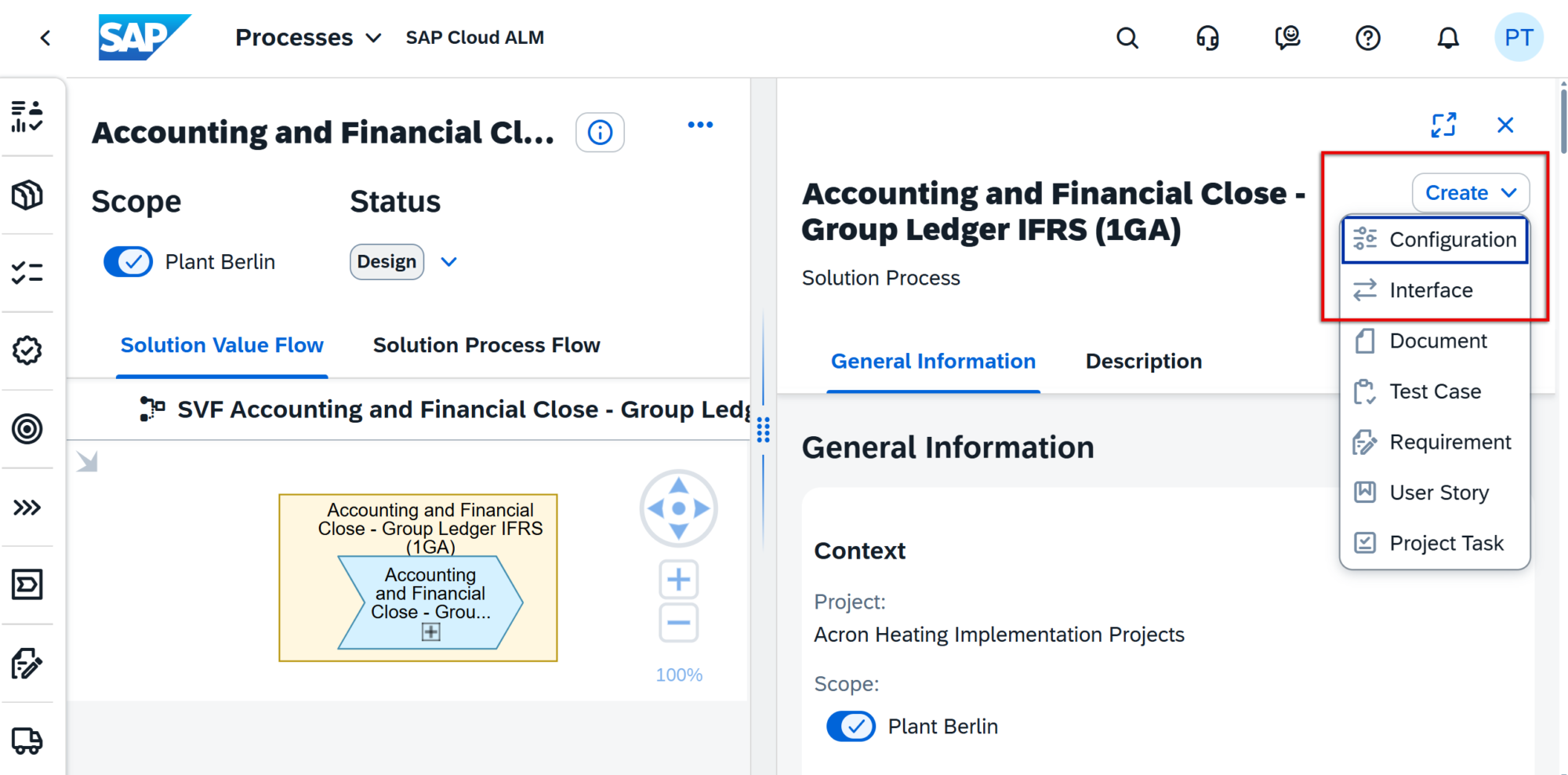
In the Processes app, users can now create test cases directly from a solution process or solution process flow diagram. 

The creation dialog is prefilled with relevant data, so users only need to add a title before saving. Automated test cases can be created for solution processes, while manual ones can be added for process flow diagrams. 

This reduces the need to switch between apps and helps maintain tighter alignment between processes and testing. 

TL;DR: 

Create automated or manual test cases directly in the Processes app – no need to switch to Test Preparation. 

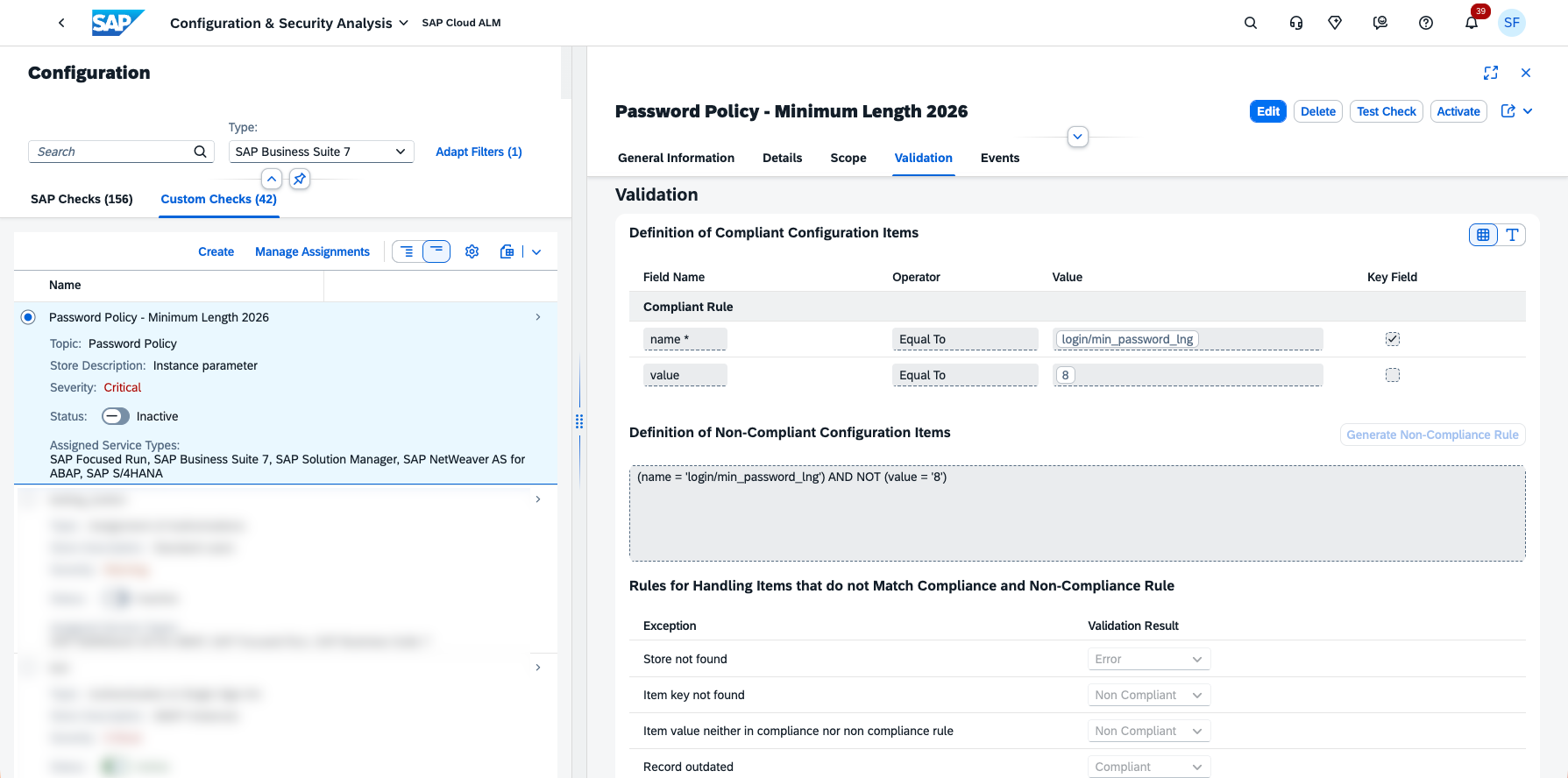
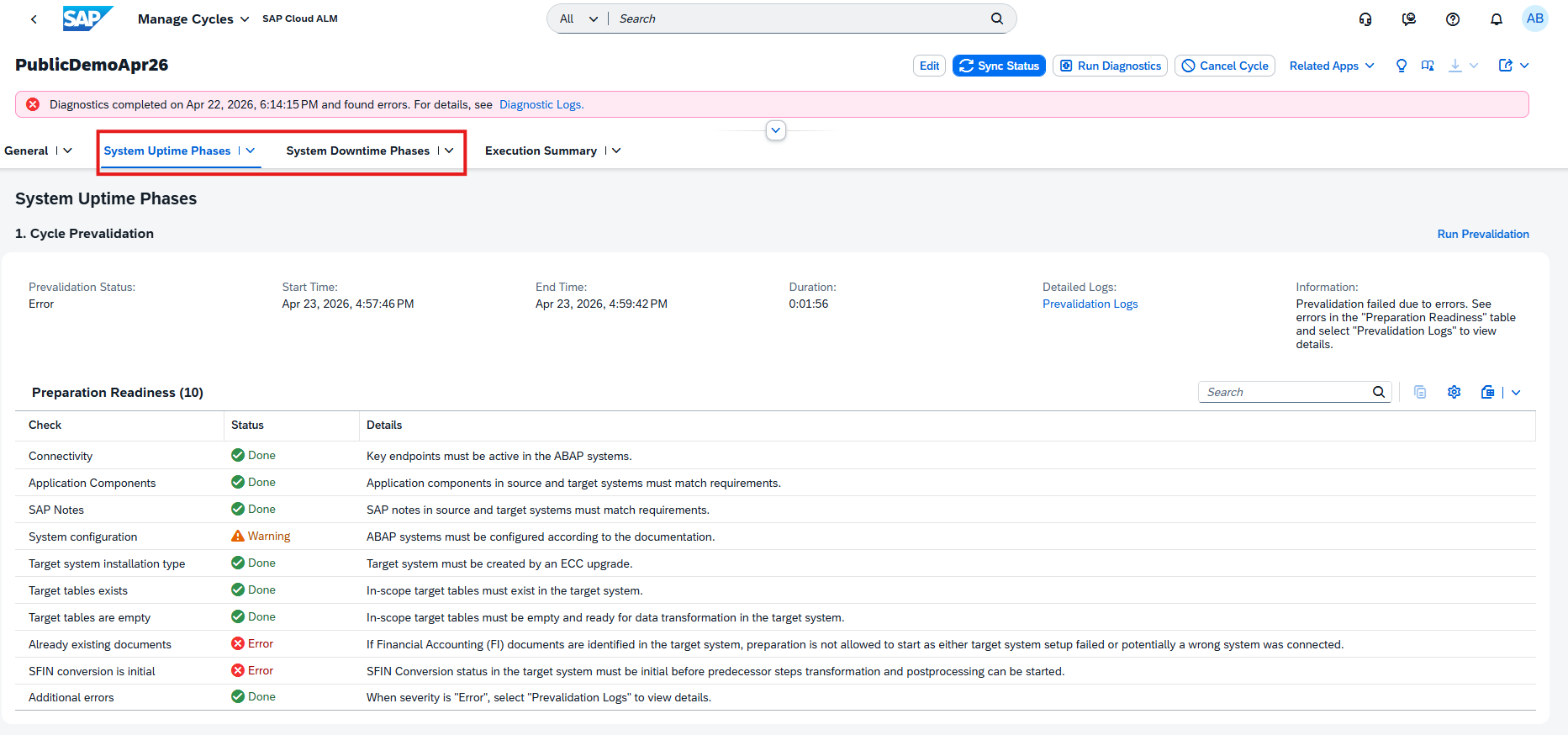
Config & Security Validation now in SAP Cloud ALM

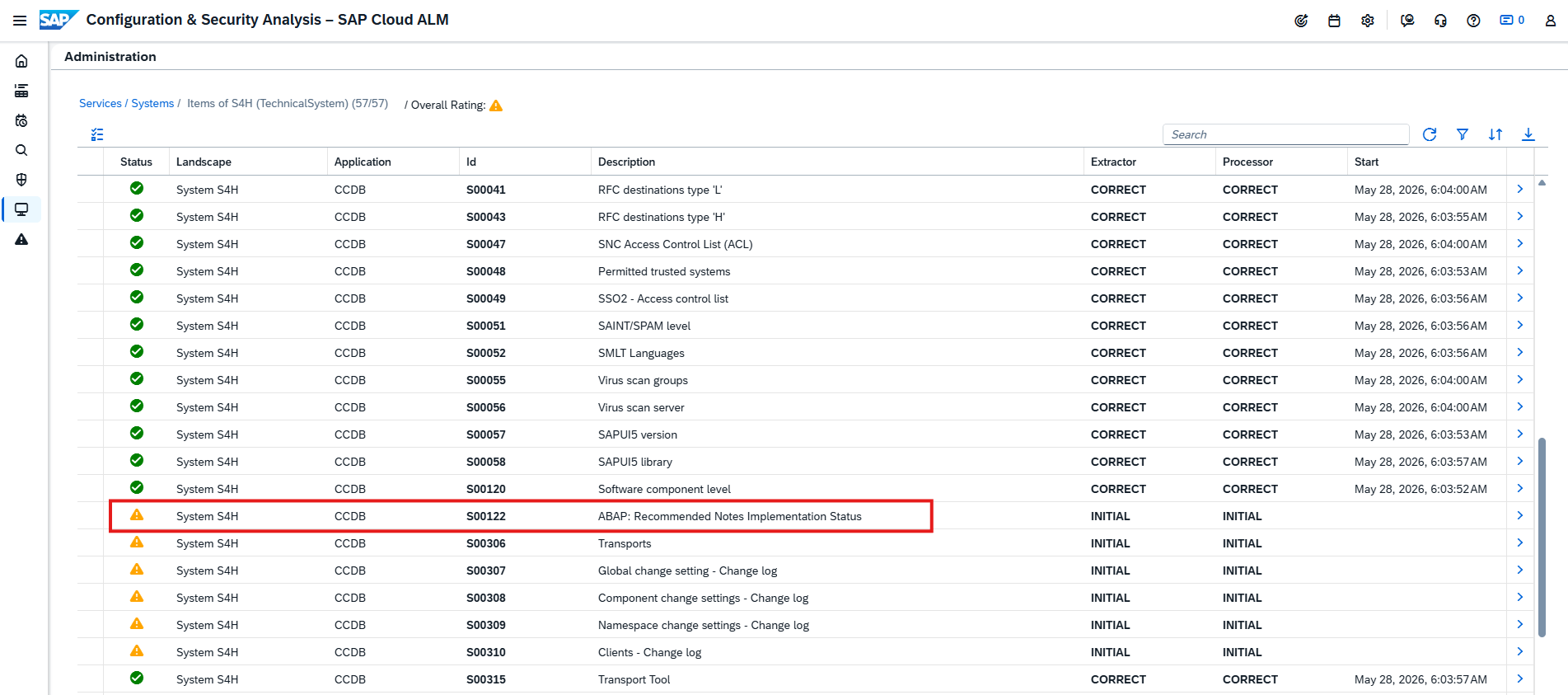
SAP has introduced a new enhancement to the Configuration & Security Analysis functionality in SAP Cloud ALM. The new feature brings an important improvement to security monitoring and extends the existing Data Stores view. This update represents a significant step forward in strengthening overall system security and visibility within SAP Cloud ALM. 

It focuses on delivering faster insights, better visibility and more actionable reporting for SAP system configurations. Compared to the previous Data Stores, this enhancement makes the experience much more efficient and user friendly. 

With the new Validation view, we can see misconfigurations are shown immediately. Users no longer need to search through multiple data stores. Results are presented visually, making it easy to understand what actions need to be taken. 

Reporting layout has been modified to present information in a more intuitive way. It has interactive charts, and the system’s overview helps to analyze the configuration data immediately. It focuses on what matters the most, system compliance. 

It also introduced monitoring flexibility. Each check can be activated or deactivated depending on the specific monitoring needs. This is good way to declutter data that is not relevant and have much more pleasant or presentable overview. 

The new Configuration and Security Analysis Validation in SAP Cloud ALM helps users detect misconfigurations more quickly. It enhances visibility across configurations and provides clearer insights through improved reporting. 

Although alerting is not yet included, this release is an important step toward more proactive security monitoring and configuration management in SAP Cloud ALM. 

SAP Cloud ALM – What’s New in Week 42​

SAP Cloud ALM continues to evolve with updates that focus on clarity, control, and usability. The week 42 release introduces detailed role documentation for administrators, smarter filtering in Services, new validation capabilities and app structure in Operations, and enhanced ownership and access control in Implementation.

​These updates refine how teams collaborate, manage responsibilities, and ensure compliance – making SAP Cloud ALM an even stronger foundation for reliable delivery and efficient operations.​

Service – Issues and Actions Management

The latest enhancement in the Service area focuses on improving transparency and traceability within issue and action management. New filtering options make it easier for teams to track ownership, review changes, and ensure proper follow-up throughout the project lifecycle.

Filter by Created By and Last Changed By

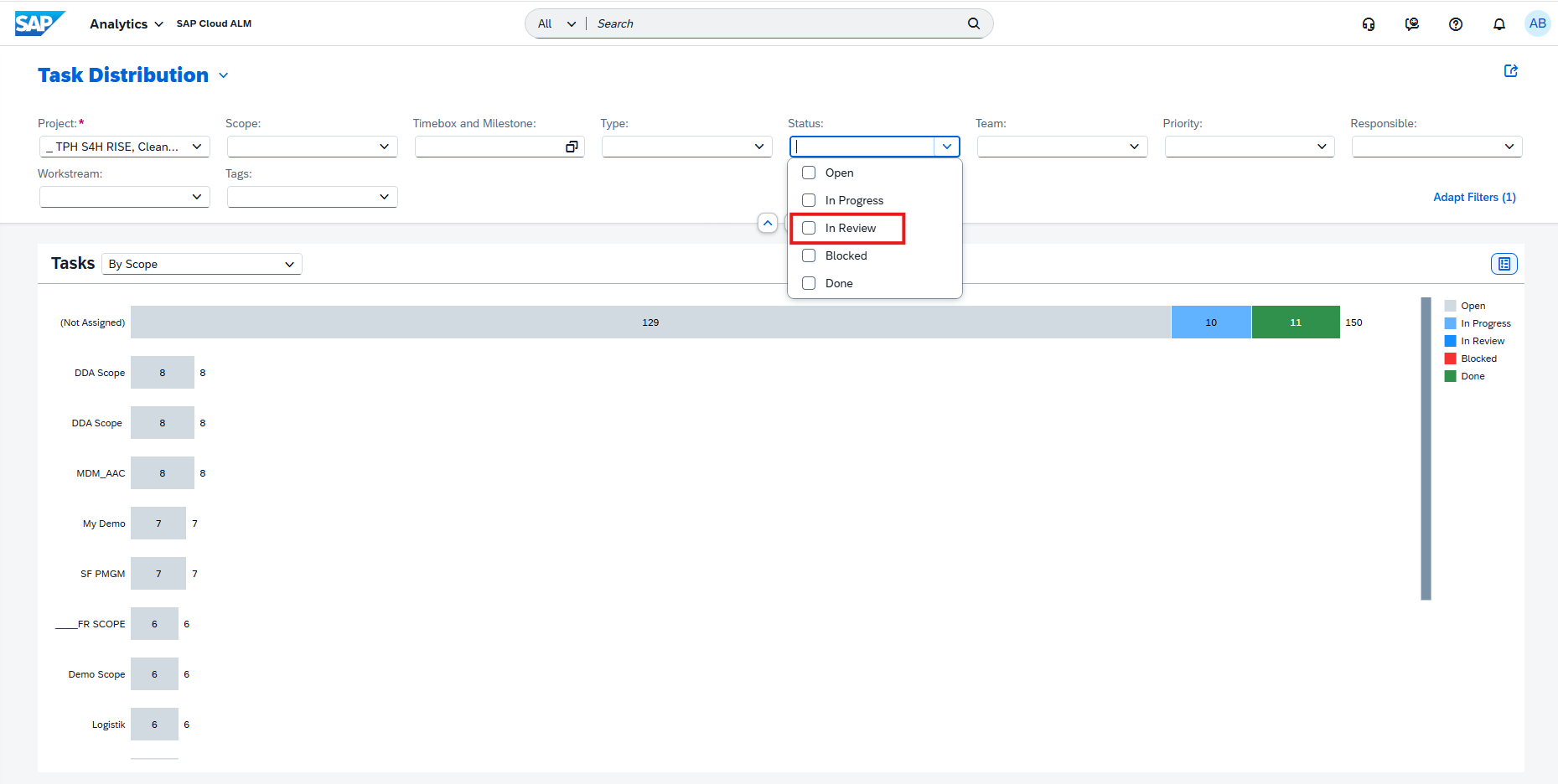
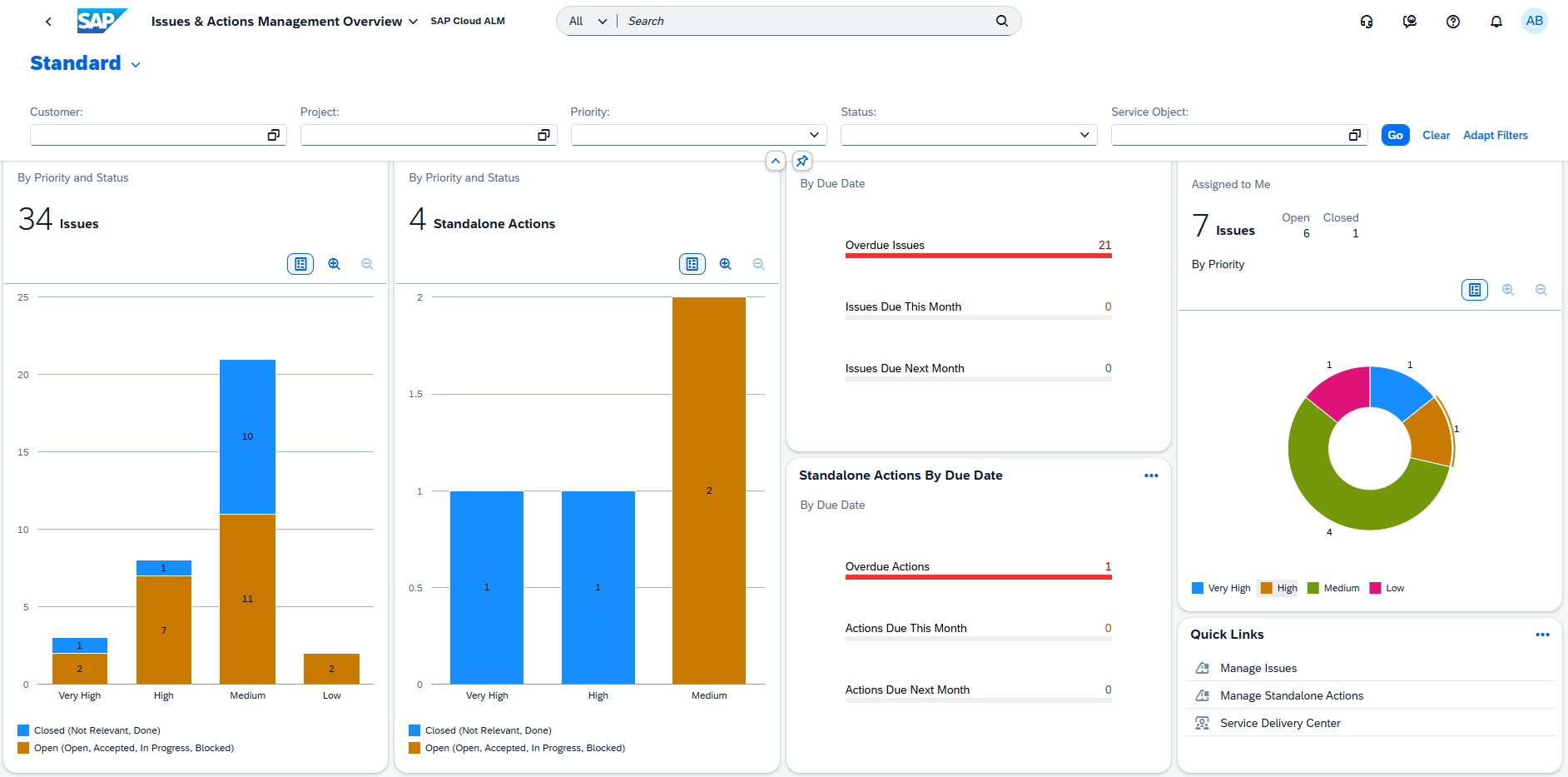
A new filtering enhancement in the Issues and Actions Management app makes it easier to track ownership and accountability. Users can now filter issues and standalone actions by Created By and Last Changed By directly on the Issues and Actions Overview page – helping teams quickly identify who created or last modified an item. The filter supports both auto-suggestion and value help, allowing flexible user lookups based on configured user IDs, such as an email address or corporate ID.

This improvement is especially useful for project managers reviewing activity history, consultants validating updates, and service delivery leads ensuring proper follow-up ownership. It provides greater transparency across collaborative workstreams and simplifies issue tracking in complex projects. 

TL;DR: 

Filter issues and actions by creator or last editor to improve traceability and accountability in project collaboration.

Administration – User Management 

The latest update in the Administration area focuses on improving transparency and control in user and access management. With newly released detailed role documentation, administrators now have a clear reference for predefined roles and permissions across SAP Cloud ALM and SAP Business Transformation Center – making role assignment and governance simpler and more reliable.

Detailed Role Documentation 

SAP has released comprehensive role documentation for SAP Cloud ALM and SAP Business Transformation Center, providing administrators with a clear overview of all predefined roles, their permissions, and application coverage.

This new reference material, available in the Setup and Administration Guide under the Roles section, helps User Administrators assign roles with confidence and transparency – ensuring users have the exact level of access needed to perform their tasks across different functional areas. 

Each role in SAP Cloud ALM corresponds directly to a role collection in the SAP BTP subaccount, making administration simpler and more consistent. Roles are predefined, ready to use, and designed to reflect the real-world responsibilities of specific business roles – such as Project Lead, Health Monitoring Administrator, or Integration Architect. 

The documentation also highlights where roles span multiple apps, for example, how a Health Monitoring Administrator requires authorizations in both Intelligent Event Processing and Landscape Management to perform configuration and monitoring activities effectively. 

This level of transparency makes user provisioning more efficient, supports compliance and audits, and helps organizations establish a well-structured access management model across their SAP Cloud ALM landscapes. 

TL;DR: 

A new detailed role reference helps administrators understand predefined roles, their permissions, and cross-app coverage – improving clarity, governance, and efficiency in user access management. 

Operations – Business Process Monitoring, Configuration & Security Analysis 

The latest updates in the Operations area enhance visibility, compliance, and flexibility across system monitoring and configuration management. Organizations can now create custom processes to reflect their own operational structures, while the Configuration & Security Analysis capabilities have been expanded and reorganized to provide clearer navigation and powerful new validation tools. Together, these improvements help teams better align SAP Cloud ALM monitoring with their real-world processes and maintain stronger compliance with SAP’s security standards. 

Custom Processes and Process Configuration – Business Process Monitoring

Business Process Monitoring now supports the creation and configuration of custom processes, providing greater flexibility alongside the predefined standard processes delivered by SAP. This enhancement allows organizations to represent their own operational structures and define monitoring in line with specific business needs. In the Configure Processes view, all available processes – both standard and custom – are listed in one place. The Visible column determines which processes appear on the Home page.  

From the list, it is possible to: 

  • Access detailed information about process nodes and assigned KPIs. 
  • Restructure and modify process nodes for custom processes. 
  • Add or remove KPIs. 
  • Create new custom processes as needed. 

This update enables a more accurate reflection of business operations and simplifies the management of monitored process structures. 

TL;DR: 

Custom processes can now be created and configured in Business Process Monitoring, allowing closer alignment with organizational workflows and KPIs. 

New App: Configuration & Security Analysis – Validation 

A new app, Configuration & Security Analysis – Validation, is now available in SAP Cloud ALM. This app introduces validation and compliance checking capabilities, allowing organizations to assess whether their systems and services comply with SAP’s recommended security configurations.

Key capabilities include: 

  • Running automated compliance checks against predefined SAP security recommendations.
  • Viewing compliance scores that summarize how closely each system aligns with best practices. 
  • Accessing the app directly from the SAP Cloud ALM Launchpad or via Validation in the left navigation of the Configuration & Security Analysis area.

These new validation functions provide actionable insights into configuration quality and help maintain secure, compliant system landscapes. 

TL;DR: 

A new Validation app enables automated compliance checks and scoring, helping assess alignment with SAP’s security recommendations.

Name Change in Configuration & Security Analysis 

The Configuration & Security Analysis app has been renamed to Configuration & Security Analysis – Data Stores, marking the first step in separating its different capabilities for clearer navigation and focus. 

This change helps distinguish between the existing functionality for collecting configuration data and the new validation-focused features introduced in a separate app.

The following applications are now available under Configuration & Security Analysis: 

  • Configuration & Security Analysis – Data Stores: The existing application for collecting configuration items from systems and services, and for browsing and analyzing data stores. 
  • Configuration & Security Analysis – Validation: A newly introduced app dedicated to compliance checks and validation. It allows direct access to validation capabilities via the Validation option in the left navigation or a separate launchpad tile. 

This renaming ensures a more structured experience, making it easier to navigate between data collection and validation activities. 

TL;DR: 

The Configuration & Security Analysis app is now split into two – Data Stores for configuration collection and Validation for compliance checks – providing clearer functional separation. 

Implementation – Documents, Process Authoring, Processes

This week’s updates in the Implementation area enhance control, traceability, and collaboration across key project activities – from documentation and process design to test management. Teams can now assign responsible users and receive targeted notifications for document updates, manage access and test case relations more securely in Process Authoring, and directly maintain test cases within solution processes and diagrams. Together, these improvements streamline day-to-day project work, strengthen governance, and make it easier to keep implementation artifacts consistent and aligned across teams. 

Assign Responsible Users and Receive Document Notifications 

The latest enhancements in the Documents app further strengthen governance and collaboration around project documentation. Two new capabilities make it easier to manage accountability and stay informed about document changes. 

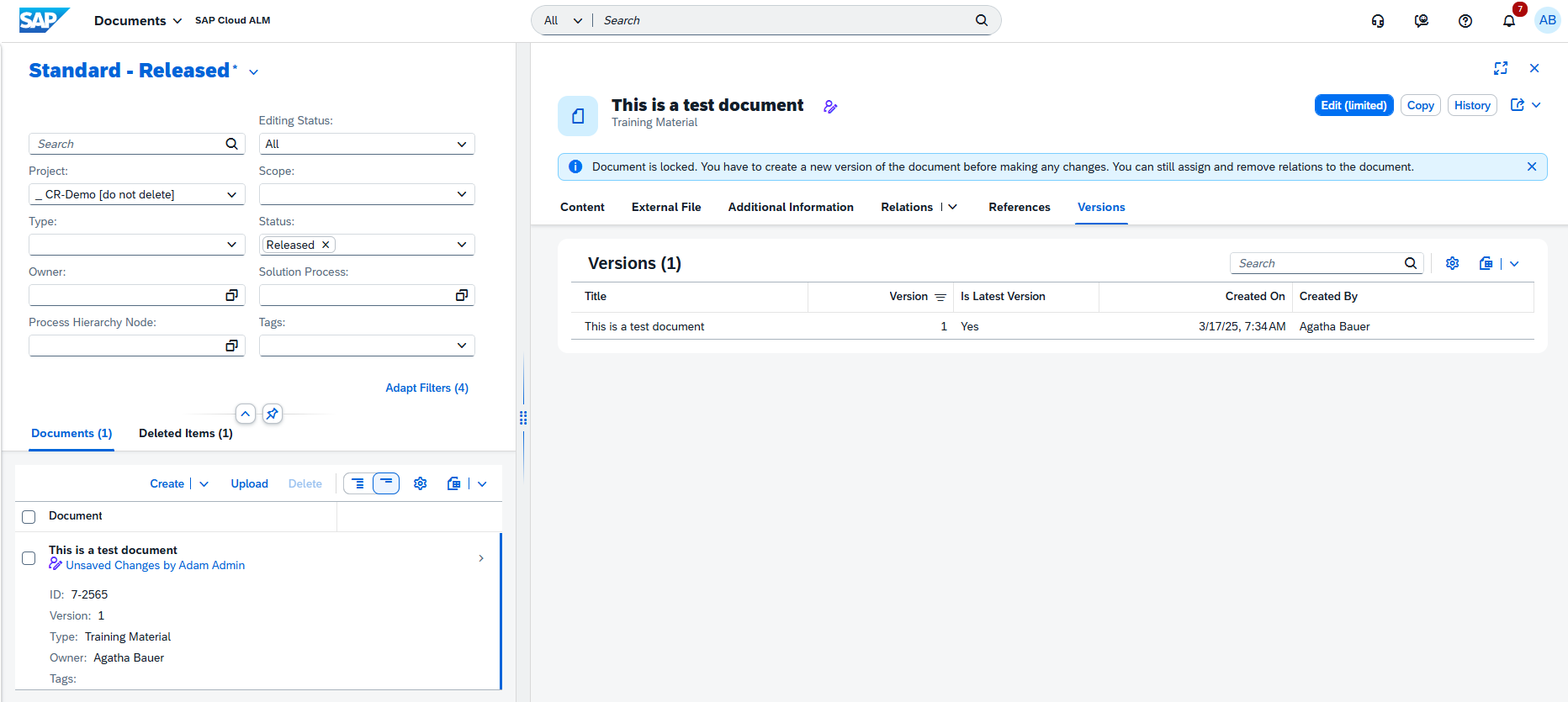
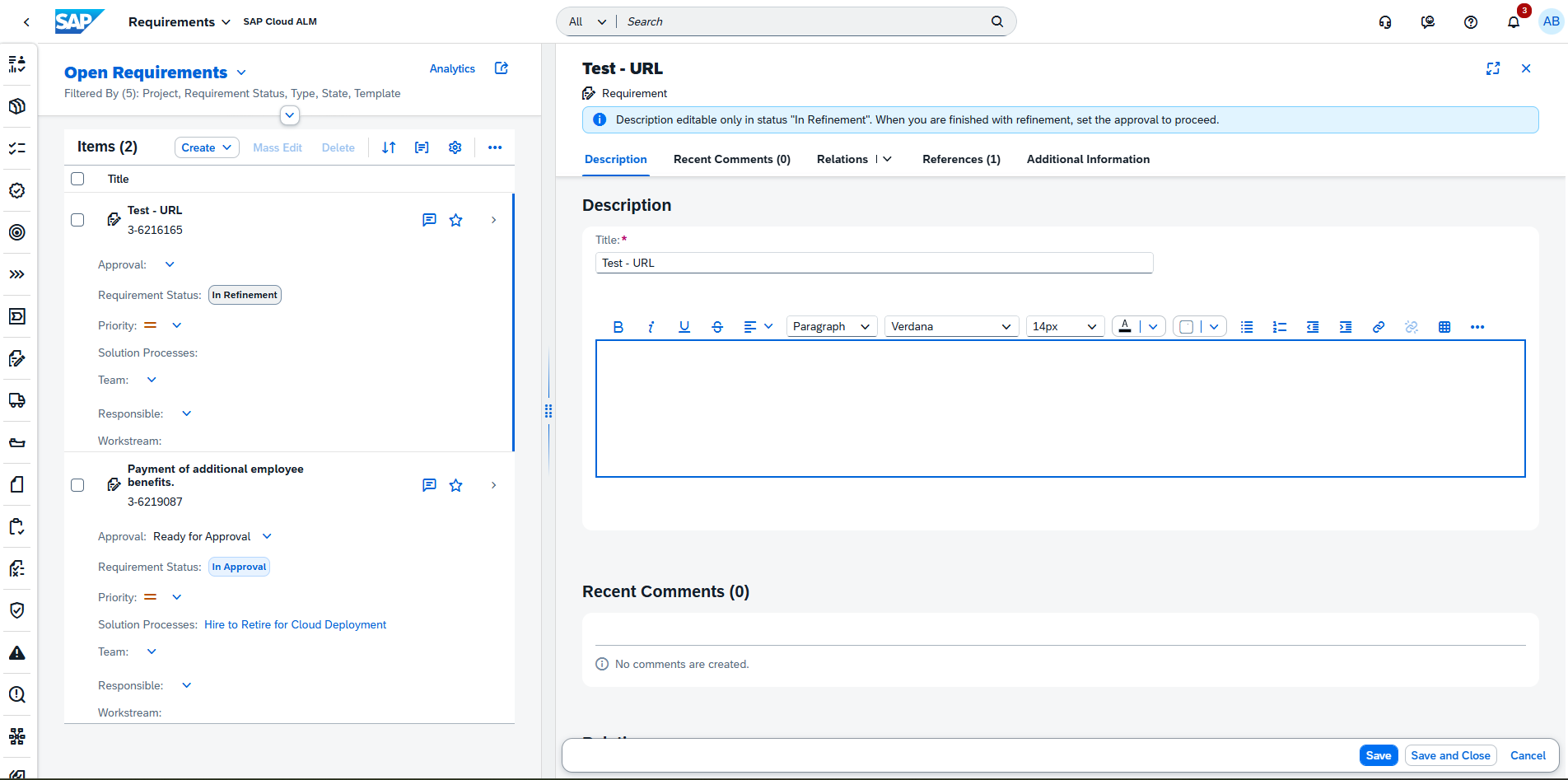
First, a new Responsible attribute has been added to the Additional Information tab. The Responsible user acts as an active contributor – they can receive notifications about updates, perform approvals, and edit the document. This role supports better collaboration by clearly defining ownership for document actions. 

Keep in mind that same person cannot be both the Owner and Responsible for a document.

Second, the app now includes new notification options, allowing users to stay updated on key document activities. Notifications can be triggered when: 

  • A document is assigned to you. 
  • The status or content of a document changes. 
  • The approval state of a document is updated. 

These enhancements help ensure that document workflows remain transparent and responsive, making it easier for teams to coordinate reviews and maintain control over evolving project assets. 

TL;DR: 

Assign a Responsible user to share accountability and receive targeted notifications when document content, status, or approvals change – improving transparency and collaboration. 

Improved Access Control and Test Case Management in Process Authoring 

The Process Authoring app receives significant usability and security improvements that help ensure users see and manage only what’s relevant to their role and permissions – while making it easier to connect test cases directly to solution activities. 

With this update, users can view and maintain only those relations for which they have the appropriate access authorization. This restriction is based on their assigned roles and the project-level access controls defined in SAP Cloud ALM. Unauthorized relations now appear as “Unauthorized Item” entries in the list, helping maintain transparency while protecting sensitive content. 

In edit mode, users can only modify relations tied to entities they’re authorized to maintain – meaning some sections may include active Assign/Unassign options, while others remain read-only.

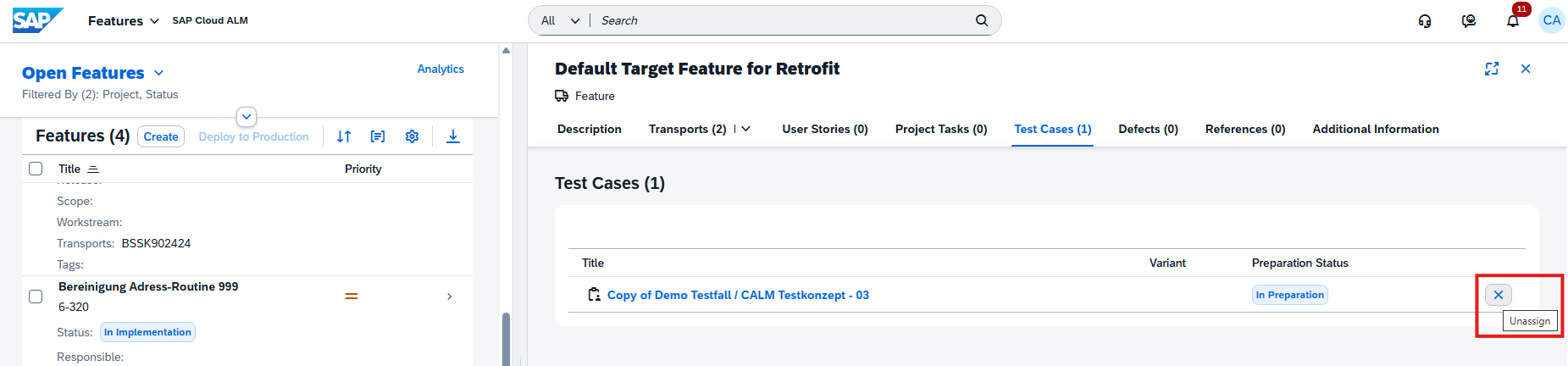
In addition, users can now view and manage test cases directly from a solution activity’s detail view. Each assigned test case shows its title, preparation status (In Preparation or Prepared), variant (if applicable), and type (manual or automated). From edit mode, users can assign or unassign test cases on the spot, with the test case name linking directly to its detailed view in the Test Preparation app for seamless navigation.

Together, these enhancements give project teams finer-grained access control and more integrated test management, ensuring data integrity while improving authoring efficiency. 

TL;DR: 

Users now see and edit only authorized relations in Process Authoring and can directly view, assign, and unassign test cases for solution activities – improving control, security, and workflow efficiency. 

Maintain Test Cases for Solution Process Entities 

The Processes app now provides greater flexibility in managing test case assignments, allowing users to directly link testing assets with solution processes and process flow diagrams. 

With this update, users who have the appropriate authorization can assign and unassign test cases directly from the Solution Process Viewer. Multiple test cases can be assigned in a single action, simplifying setup and maintenance for complex project scopes. Only test cases that belong to the current project and scope – and are not already assigned to another process or diagram – can be added. 

Assignments follow a clear hierarchy: 

  • Assigning a test case to a solution process flow diagram also links it to the parent solution process automatically. 
  • Conversely, unassigning a test case from a diagram will remove it from the parent process as well. 
  • Test cases originally assigned in Process Authoring cannot be unassigned here. 

It’s also important to note that automated test cases can be assigned to solution processes, while manual test cases apply to process flow diagrams. This structure ensures consistency in how testing is aligned with different process types.

These enhancements strengthen the integration between process design and testing, helping teams maintain traceability and ensuring that every process element is validated appropriately. 

TL;DR: 

Users can now assign and unassign test cases for solution processes and flow diagrams directly in the viewer – with hierarchy-based behavior and support for both automated and manual test cases, improving traceability and efficiency.