Tag: SAP Cloud ALM Updates

SAP Cloud ALM – What’s New in Week 40

SAP Cloud ALM keeps moving forward. The week 40 updates bring smarter validation in the Business Transformation Center, region-specific IP allowlists in Administration, stronger monitoring in Operations, and practical upgrades in Implementation. Together, they make projects clearer, operations smoother, and daily work more efficient.

SAP Business Transformation Center – Cycle and Monitoring, Transition

The latest updates in SAP Business Transformation Center focus on making transformation projects more structured and reliable. By deepening integration with validation tools and requiring clearer definitions of project approaches, these enhancements help ensure that data is consistent, methodologies are transparent, and teams are aligned from the very beginning.

Enhancement to DTV Integration – Cycle and Monitoring

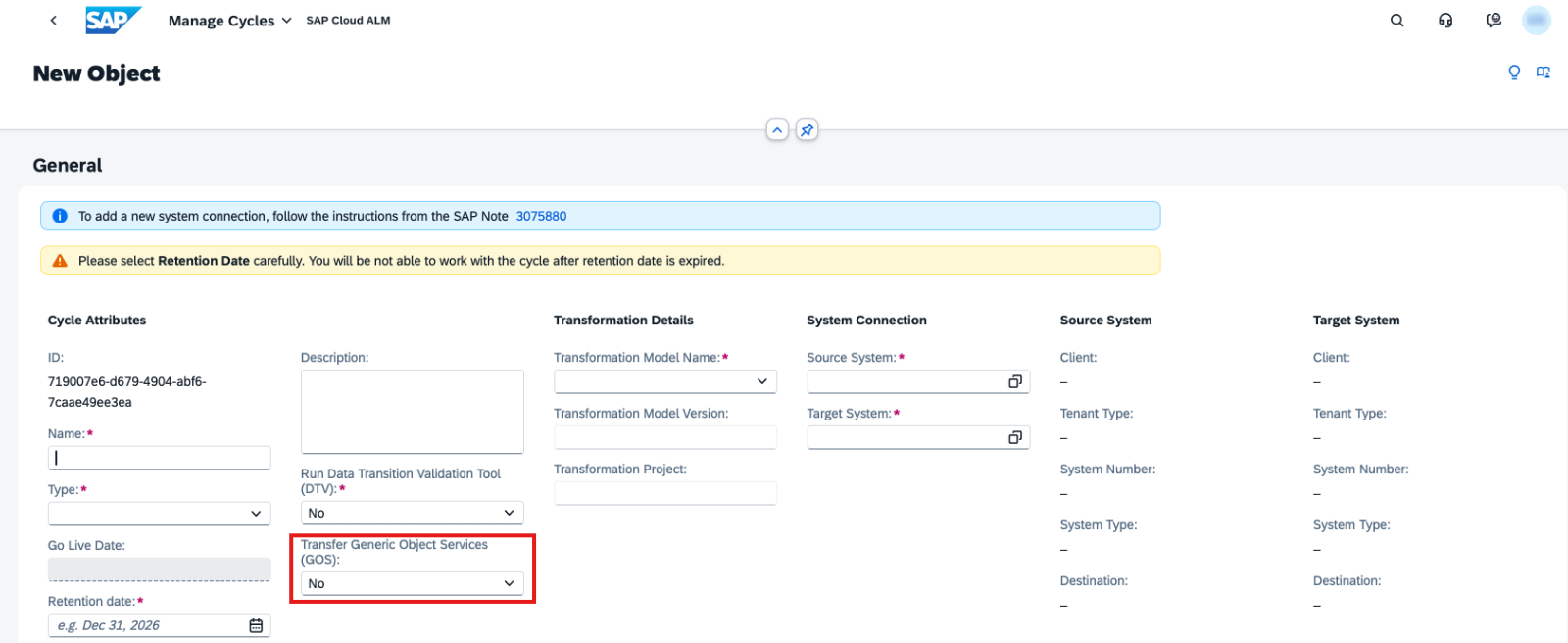
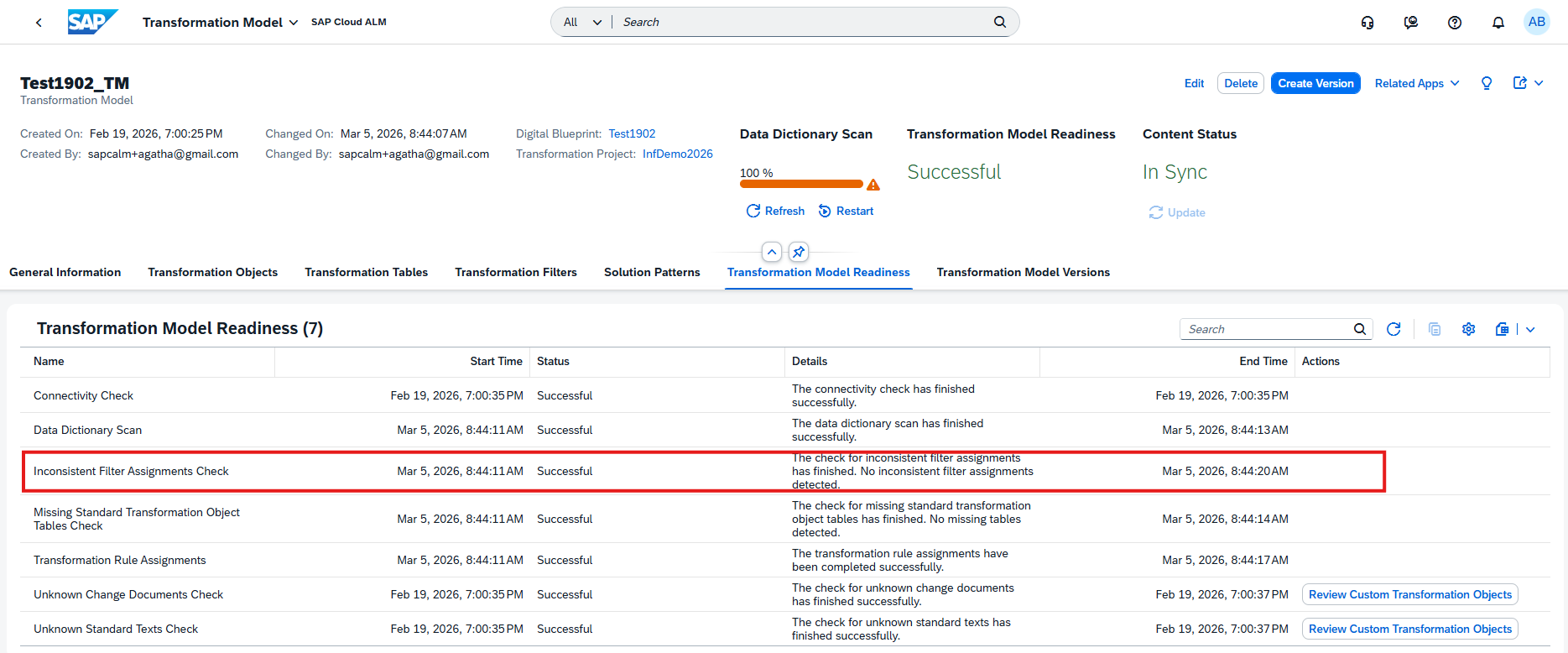
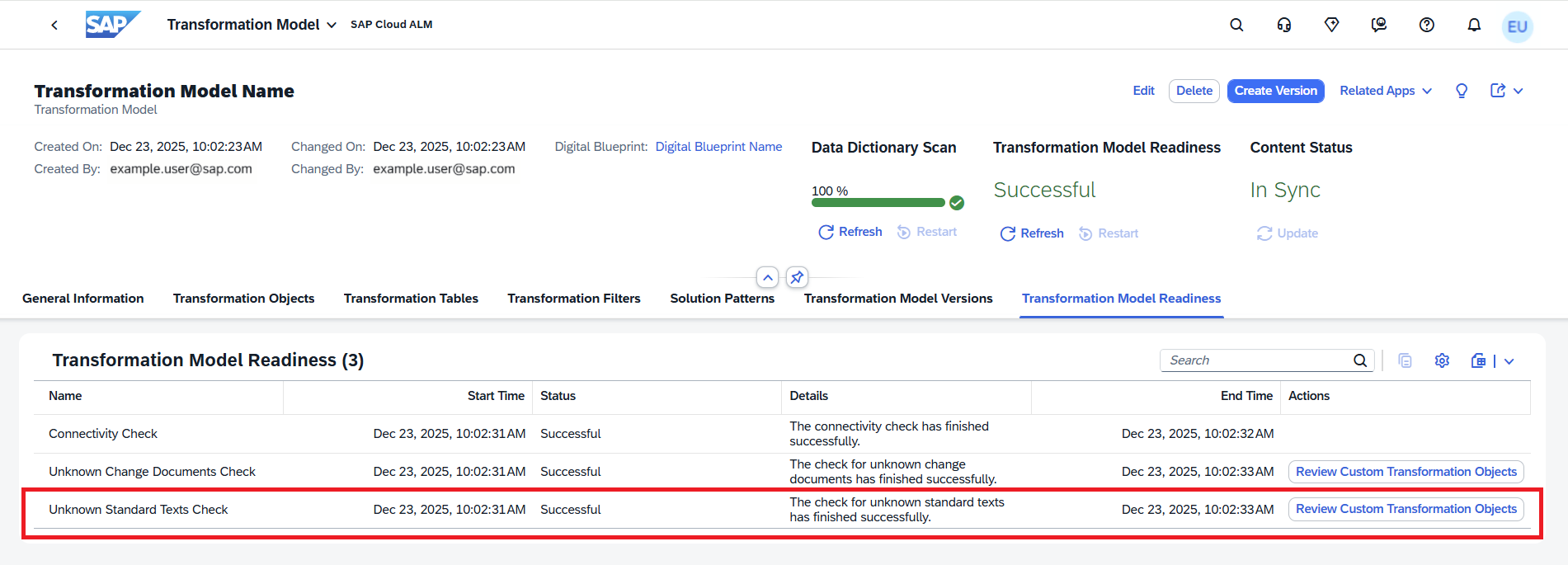
A new enhancement strengthens the integration between SAP Business Transformation Center and the Data Transformation Validation (DTV) tool. With this update, cycles can now set up a DTV project in both the source and target systems and import business reports directly.

This integration makes it possible to validate transformation results with DTV more seamlessly, ensuring that data between systems aligns correctly. By embedding DTV into the cycle setup, project teams gain a more reliable way to confirm data integrity and reduce the risk of inconsistencies before moving forward.

TL;DR:

Cycles can now set up DTV projects in source and target systems and import reports for smoother, more accurate data validation.

Transformation Approach Information – Transition

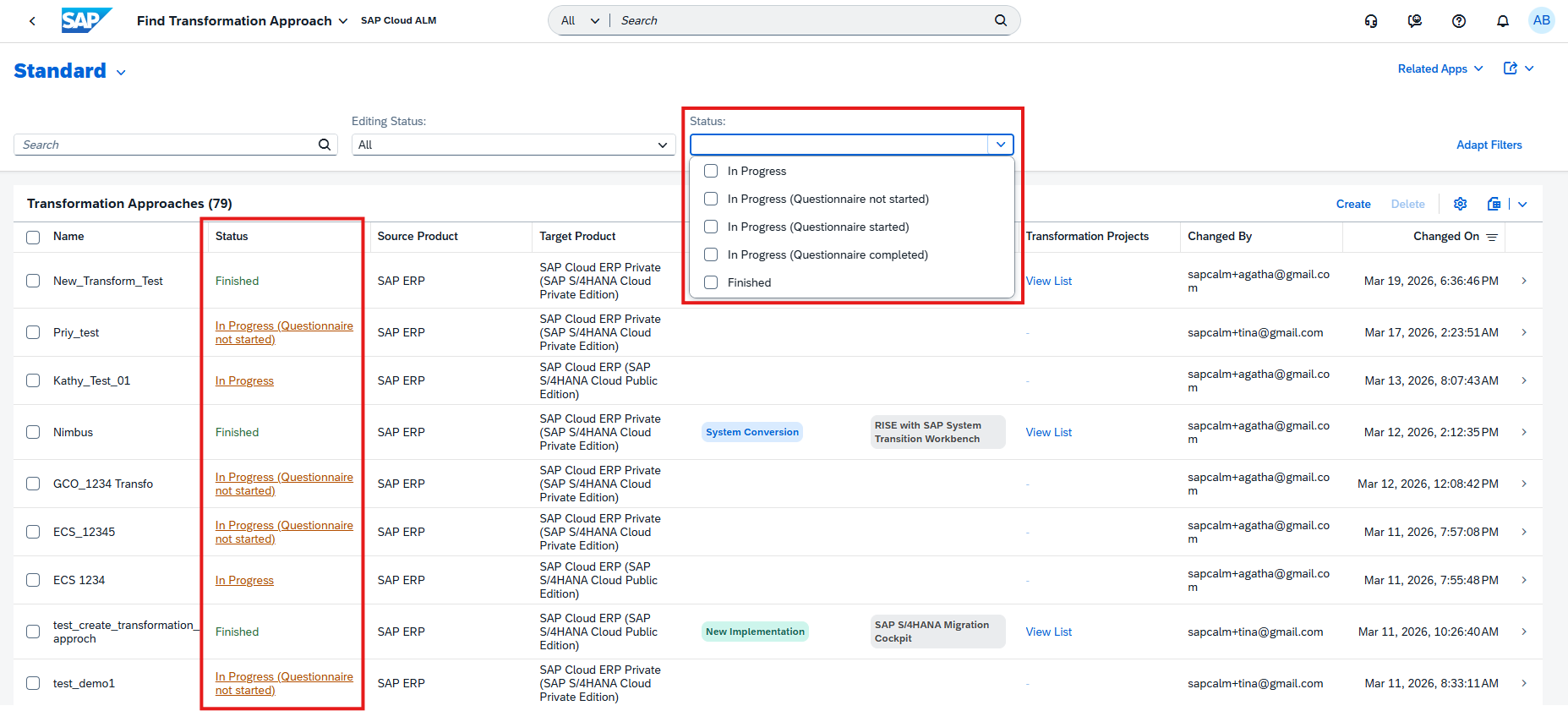
When creating a new transformation project in the Manage Transformation Projects app, teams are now required to specify a transformation approach. Once the project is created, a new Transformation Approach tab is available, providing an overview of the approach details.

This improvement helps ensure consistency and transparency from the start of each transformation initiative. By explicitly defining the chosen transformation approach, stakeholders gain clarity on project direction, expectations, and methodology – reducing ambiguity and enabling better alignment across teams.

TL;DR:

Transformation projects now include mandatory transformation approach information, improving clarity, alignment, and governance from the outset.

Administration & Cross-Area Update – Network & Firewall Access

To ensure smooth connectivity between SAP Cloud ALM and your systems, SAP has released a new requirement for region-specific IP allowlists. Administrators must verify that their network and firewall configurations include all IP addresses used by SAP Cloud ALM in their respective region.

If organization maintains IP allowlists for firewalls, Cloud Connector, or proxy restrictions, it is essential to include not only the SAP BTP Cloud Foundry application ranges but also the new IP ranges specific to SAP Cloud ALM. These are defined per region and ensure uninterrupted connectivity for Cloud ALM services. Failing to update allowlists may block access to Cloud ALM services and prevent monitoring data from flowing correctly.

The required ranges differ by region. A full, detailed list of current IP addresses is provided in the official documentation: IP Addresses Specific to SAP Cloud ALM (Unified Gateway).

TL;DR:

Check and update your allowlists to include SAP Cloud ALM regional IP addresses alongside SAP BTP Cloud Foundry ranges. This is a critical change to avoid disruptions in connectivity and monitoring.

Operations – Job & Automation Monitoring, Alert & Event Management, Exceptions

Today’s updates in the Operations area strengthen visibility and responsiveness across system monitoring. New capabilities in Health Monitoring, Job & Automation Monitoring, Alert & Event Management, and Exception handling provide operations teams with clearer insights, more actionable notifications, and faster access to critical data. Together, these enhancements help reduce downtime risks, improve efficiency, and support proactive system management.

Access Control and Enhanced Download Options – Job & Automation Monitoring

The Job & Automation Monitoring app now comes with Access Control, ensuring that users only see data relevant to their role and responsibilities. Access is based on the Access Control List defined in the Landscape Management app, so each user can view only the systems and services maintained in their list. This provides stronger governance, reduces noise, and makes monitoring more secure and targeted.

Alongside this, SAP has enhanced the download options on the Monitoring page. Previously, users could only download job overviews. With this update, it’s now possible to also export job executions and step executions. This richer level of detail makes it easier to analyze performance offline, troubleshoot execution issues, and prepare documentation for audits or reports.

TL;DR:

Access Control restricts monitoring visibility to assigned systems and services, while new download options provide more detailed job execution data for deeper analysis.

Smarter Event Filters and Value Help – Job & Automation Monitoring

Event configuration in Job & Automation Monitoring is becoming both smarter and easier. The app now validates Job/Automation Name filter parameters to prevent conflicts – such as combining operators like Is and Is Not or Contains and Not Contains. When such conflicting conditions are detected, a warning is shown so teams can correct the setup. This ensures more accurate and reliable event filtering.

In addition, a new value help for Job/Automation Name simplifies filter setup. Instead of manually typing job names, users can now pick directly from a list of available jobs and automations within the selected scope. This reduces the risk of typos, speeds up configuration, and helps ensure consistency.

TL;DR:

Event filters now validate conditions to avoid conflicts, and value help makes job/automation selection faster and more reliable.

Email and In-App Notifications for Processor Changes – Alert & Event Management

Alert handling just became more transparent and responsive in Alert & Event Management. With this update, users can now receive both email notifications and in-app notifications whenever a processor is assigned to or removed from an alert.

This means that the right people are immediately informed when ownership of an alert changes – reducing the risk of missed handovers and ensuring accountability. Email notifications include direct links back to the alert itself, as well as a link to the Alert List page showing all alerts assigned to a particular processor when the “Select All” option is used.

For teams managing high volumes of alerts, this enhancement provides a clearer chain of responsibility and faster access to the relevant items, ultimately improving response times and coordination.

TL;DR:

Stay informed when processors are assigned to or removed from alerts, with direct links provided via email and in-app notifications for faster follow-up.

Enhanced Exception Analysis Across Multiple Apps

The Exceptions page has been significantly improved with new filtering and visualization options, making it easier to drill down and analyze exceptions across your monitored landscape.

In the second-level drilldown (category view), users now have access to:

  • Filter bar – refine exceptions based on parameters like Message, User, or Service Name.
  • Interactive charts – visualize exception distribution across parameters and quickly drill into specific categories.
  • Table-driven filters – add values directly from table entries in selected columns to fine-tune results.

Previously, exception analysis was limited to simple time-based views (last 24h, 7 days, or 30 days). With these enhancements, teams can now combine parameter-based filters with timeline views for much more targeted analysis – helping them isolate recurring issues, identify trends, and act faster.

The improved functionality is available in the Exceptions pages of:

  • Integration & Exception Monitoring
  • Job & Automation Monitoring
  • Real User Monitoring

Implementation – Analytics, Documents, Processes, Test Execution

The latest enhancements in the Implementation area focus on making project work more flexible, traceable, and efficient. From new options in test preparation and execution, to better document handling, to expanded mass edit capabilities in processes, these updates provide teams with practical tools to streamline project execution and maintain consistency across complex landscapes.

Analytics Enhancements

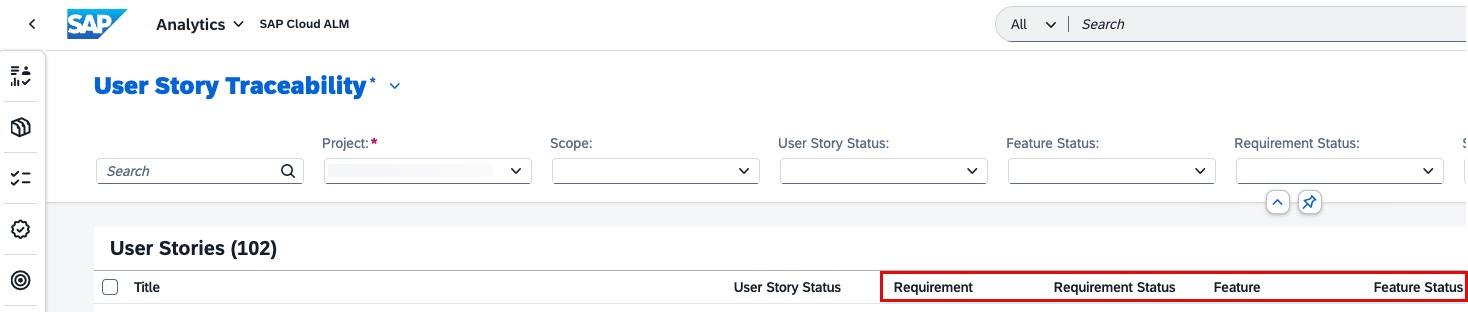
Recent updates in the Analytics area of SAP Cloud ALM strengthen traceability and improve filtering, giving project teams clearer insights and more focused reporting across requirements, user stories, tests, and defects.

  • Defects column in Feature Traceability app – A new column makes it easier to spot and track defects linked to features, with detailed information available via the side panel.
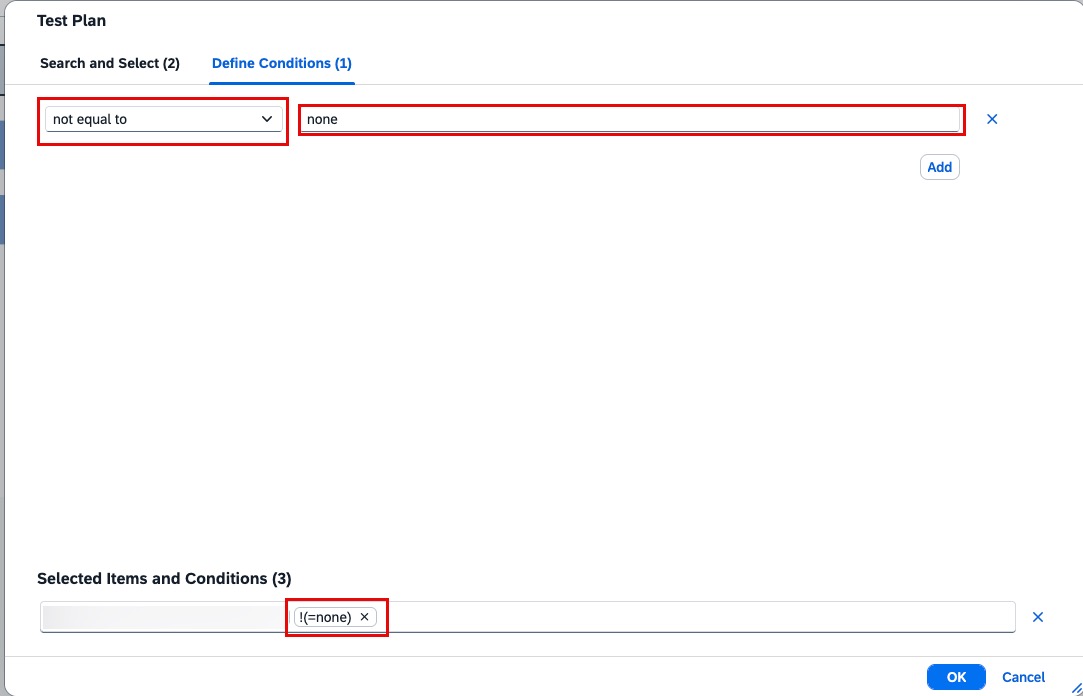
  • Refined filtering logic in User Story Traceability app – The Test Plan filter now also applies to related items such as test cases, test executions, and defects, ensuring more accurate reporting and end-to-end traceability.
  • Process Hierarchy Node filter in Requirement Traceability app – Requirements can now be filtered by process hierarchy nodes, making it simpler for business analysts and solution architects to align requirements with specific business processes.

These enhancements help teams improve quality tracking, streamline analysis, and keep requirements, tests, and defects better connected to the business processes they support.

TL;DR:

Analytics is now improved with defect tracking, smarter Test Plan filtering, and process hierarchy-based requirement filtering, making analysis and reporting more reliable.

Document Management Enhancements

The Documents app in SAP Cloud ALM has been improved with new features that make document handling more transparent, controlled, and reversible.

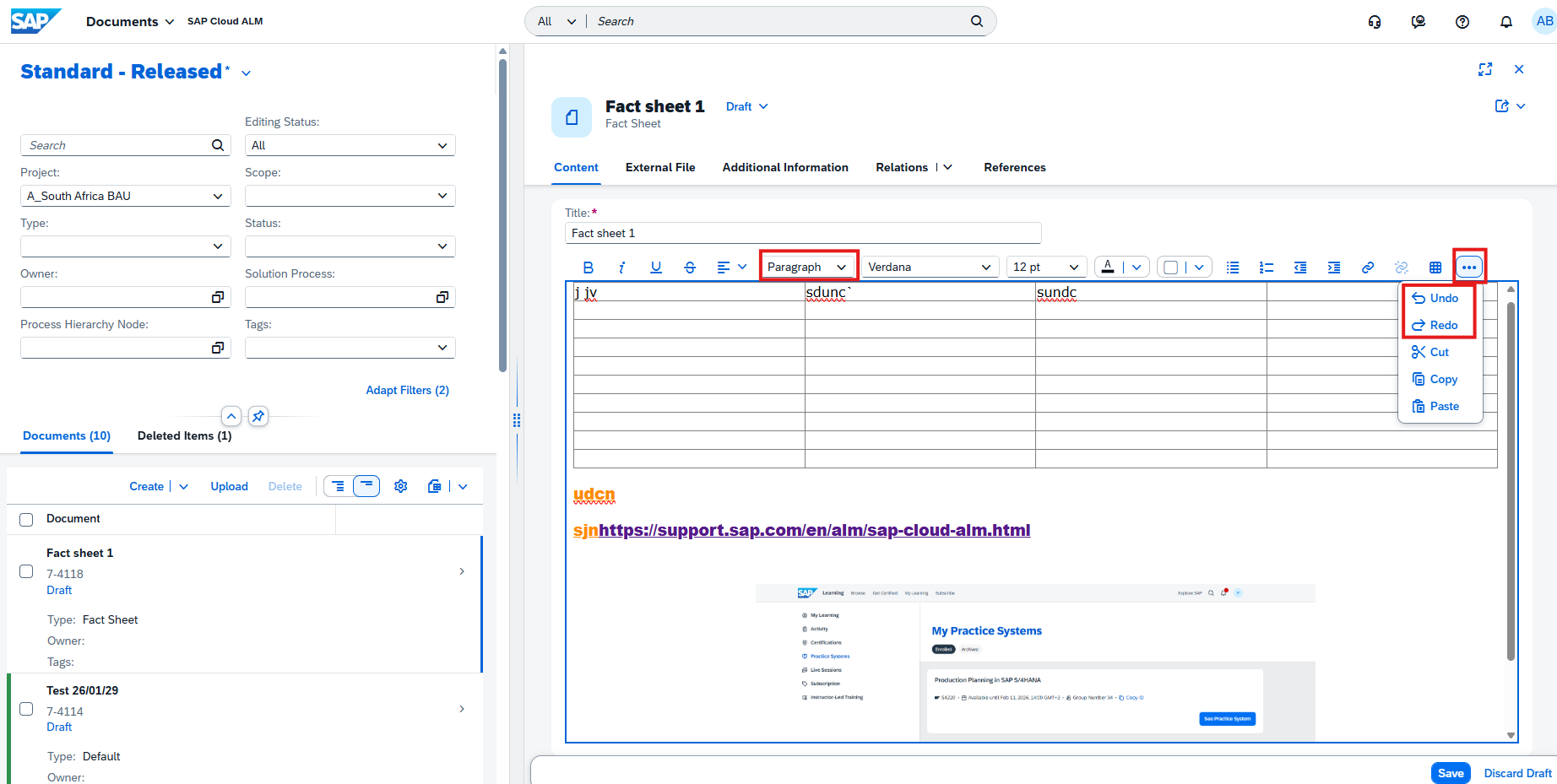
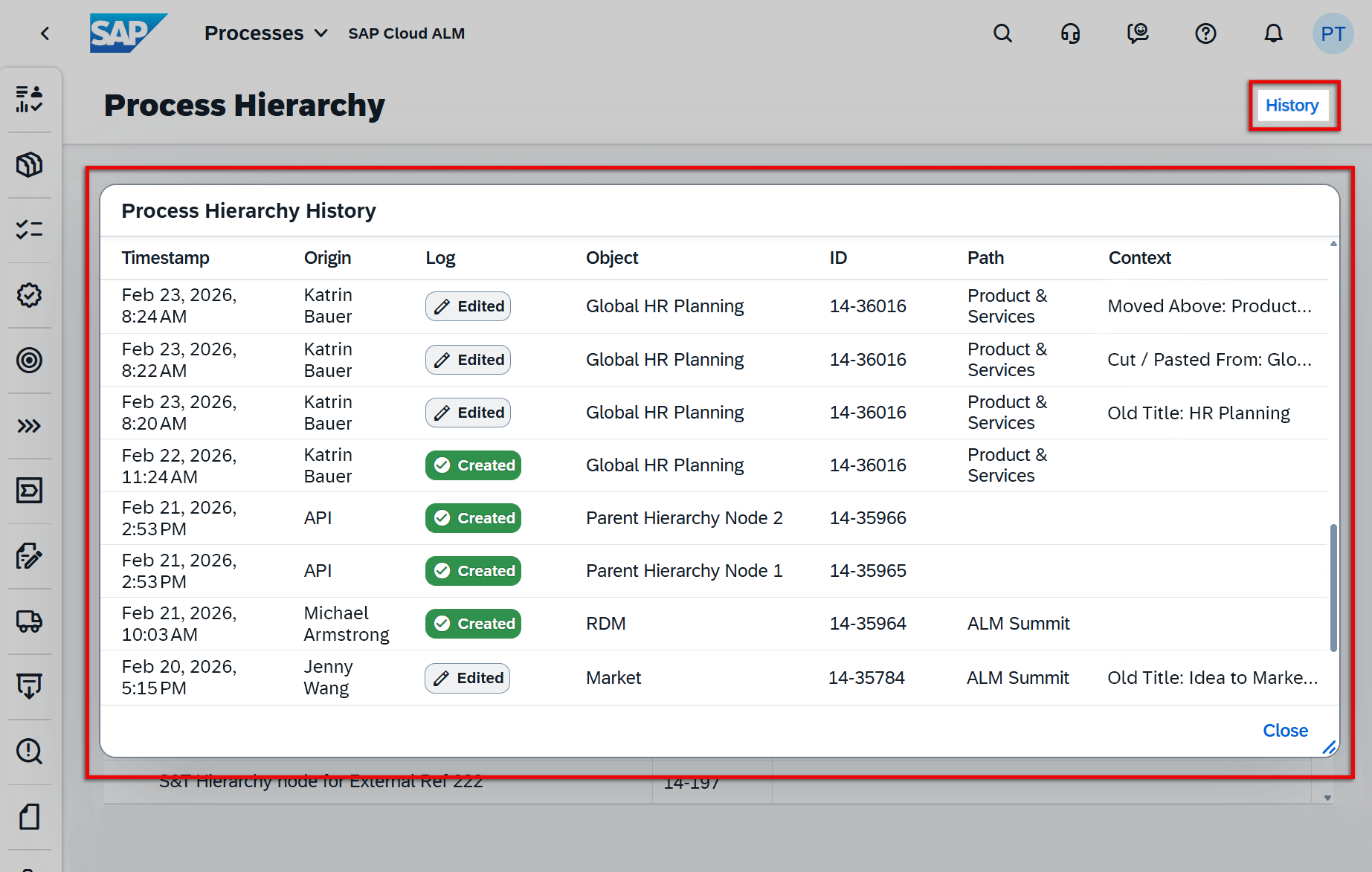
  • Document History – A new history feature now tracks all modifications made to documents once they exit draft status for the first time. Teams can monitor changes over time and even export the history for further analysis or compliance purposes. It’s worth noting that history is only available from the release of this feature onward – past changes are not included.
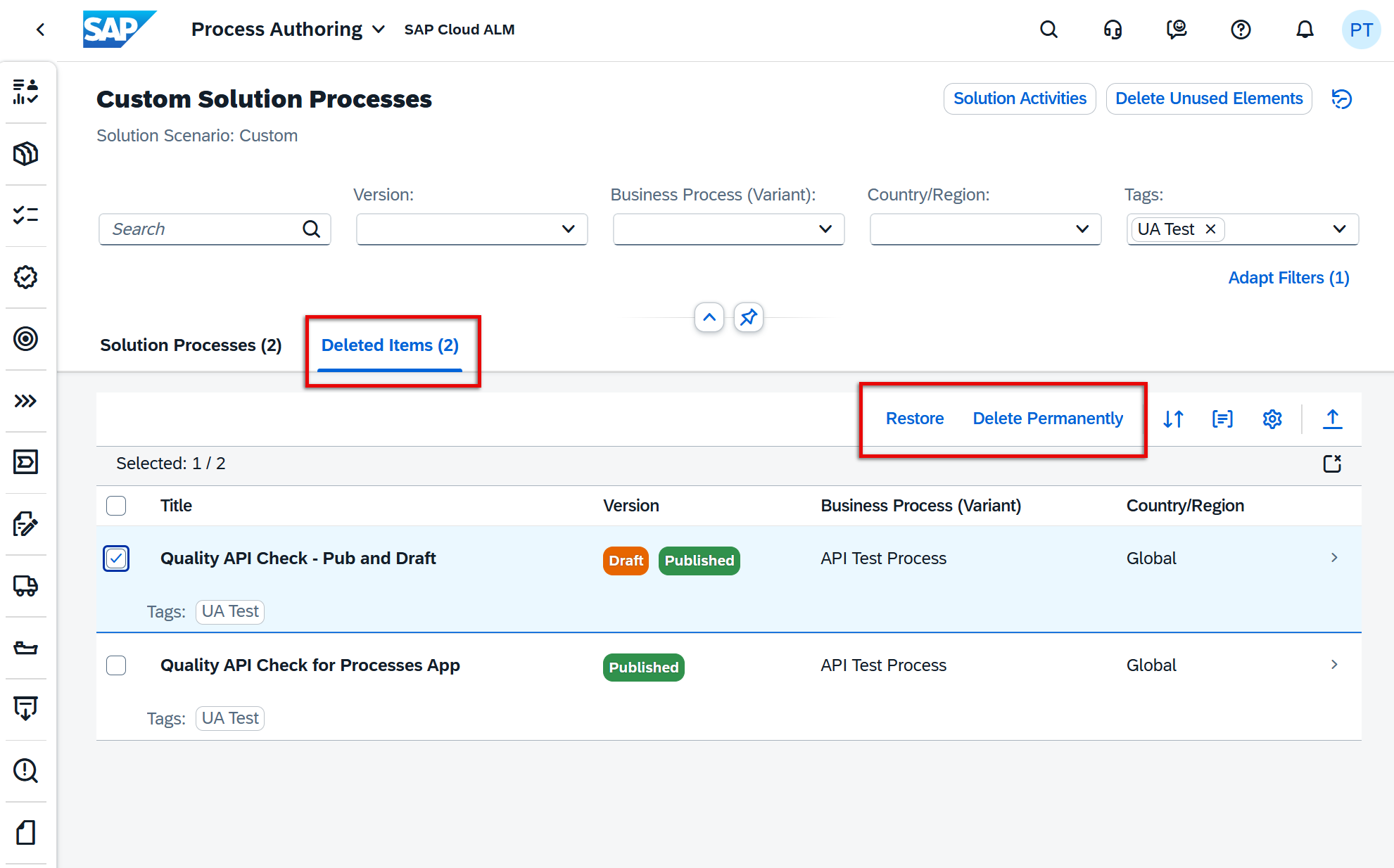
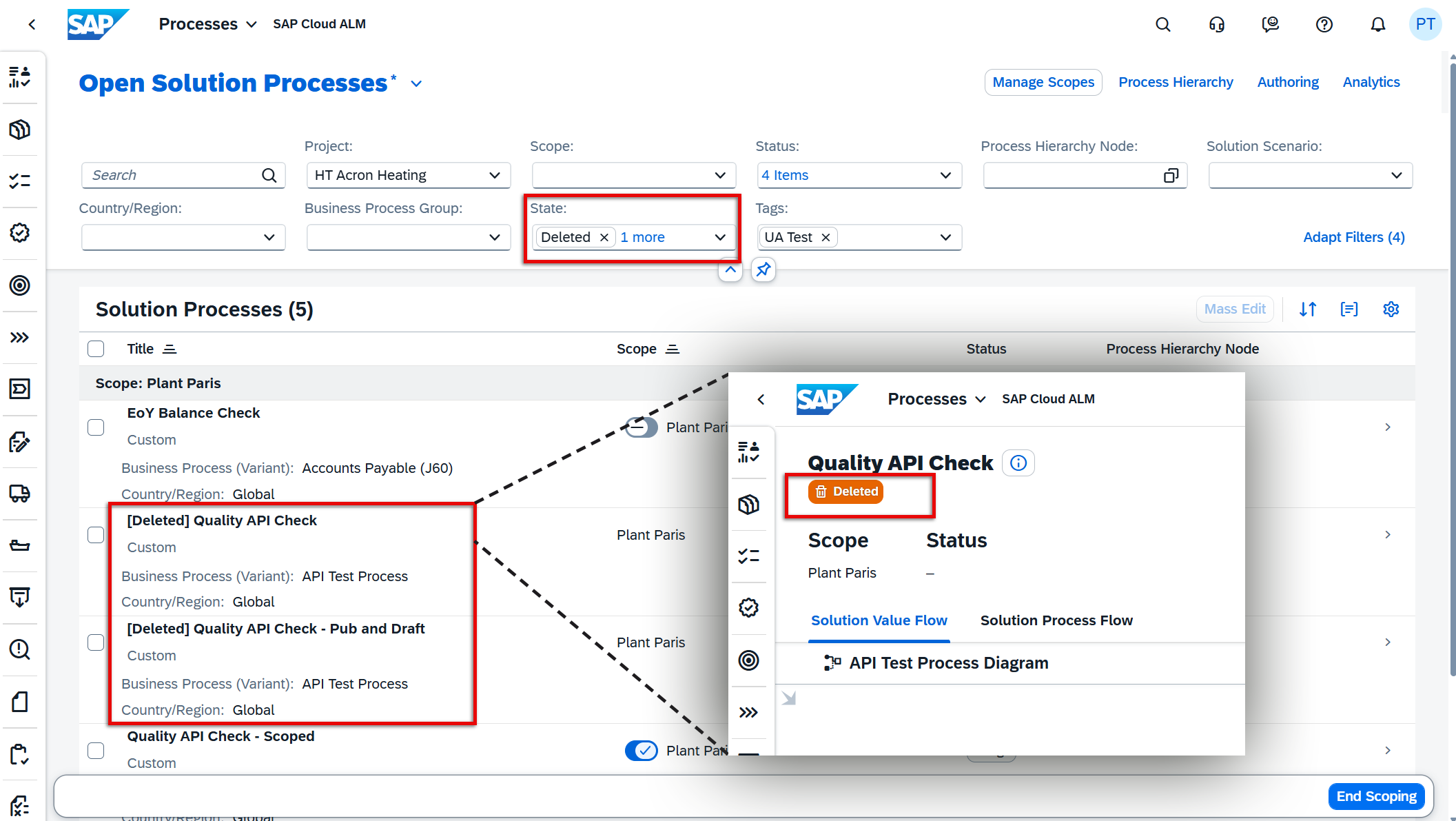
  • Two-Step Deletion – Instead of being permanently removed immediately, deleted documents now move to a new Deleted Items tab. From there, users can choose to restore documents if deleted in error or permanently remove them when no longer needed. This provides a safety net against accidental deletions and improves governance around document lifecycle management.

Together, these enhancements bring more transparency and control to project documentation, helping teams maintain accuracy while reducing the risk of accidental loss.

TL;DR:

Track all changes with the new document history feature and benefit from safer handling of deleted documents with a restore option.

Processes Enhancements

The Processes app has received several new features that give teams more flexibility and clarity in managing solution processes at scale. These enhancements focus on bulk editing capabilities and improved visibility into solution components.

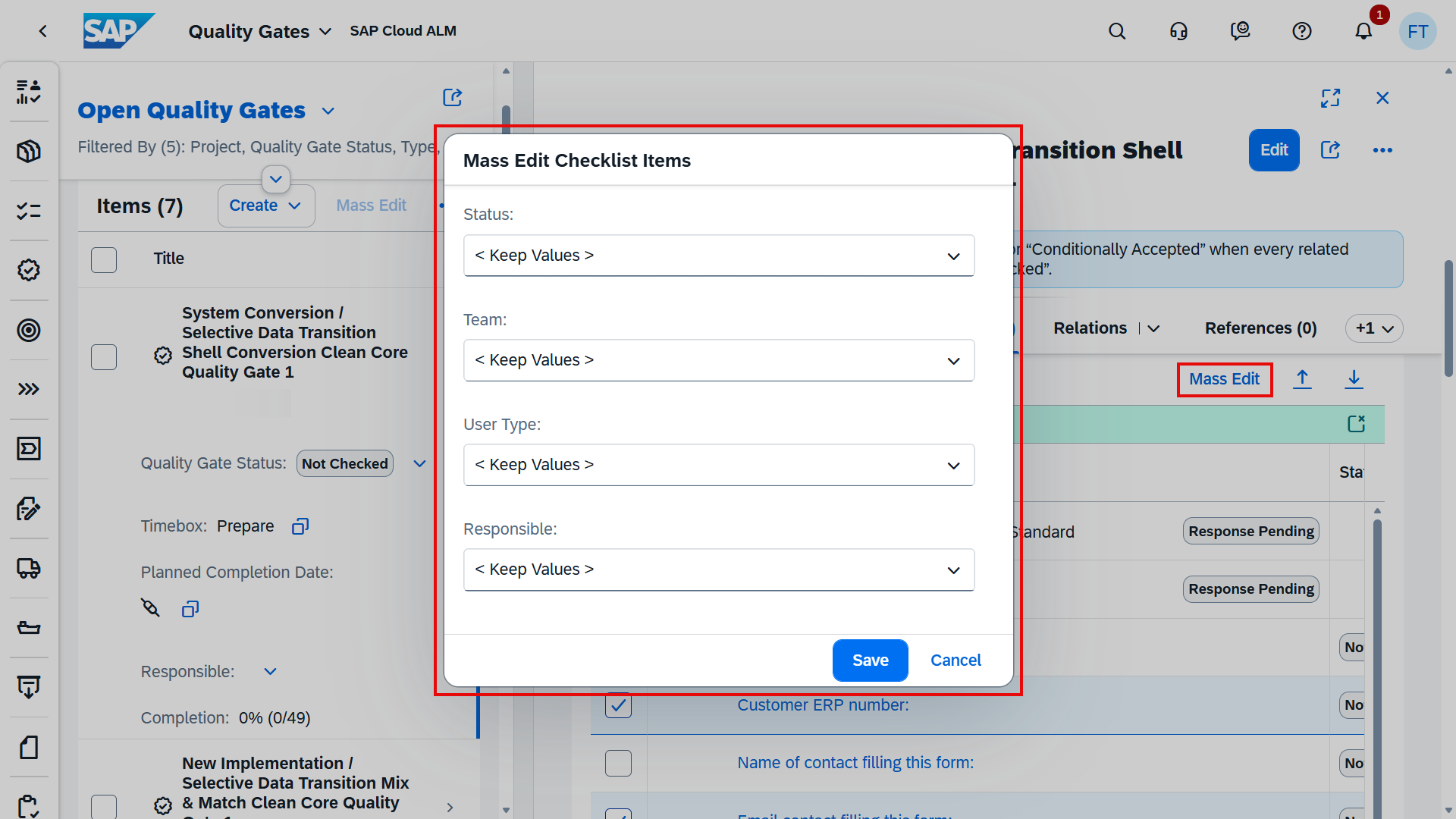
  • Mass Edit of Process Hierarchy Node Assignments – Administrators can now edit process hierarchy node assignments for multiple solution processes at once using the Mass Edit function. Options include keeping existing values, clearing assignments, assigning new nodes, or unassigning selected nodes (with the exception of those set in Process Authoring). This streamlines updates across large process sets, especially when adjusting by country/region or during scope changes.
  • Mass Edit of Tag Assignments – Similarly, tags can now be edited in bulk. Teams can keep, clear, or add tags to multiple solution processes at once, ensuring faster alignment with project structures or reorganizations. Standard content tags and those created in Process Authoring remain protected, preventing accidental loss of important classifications.
  • Visibility of Leading and Optional Solution Components – In the solution process viewer, users can now see which solution components are marked as leading or optional. This distinction makes it easier to understand component dependencies and prioritize efforts accordingly. If no label is shown, the component is considered mandatory.

Together, these updates help reduce repetitive work, improve governance, and give clearer insights into how processes are structured and supported within SAP Cloud ALM projects.

TL;DR:

New mass edit options for process hierarchy nodes and tags speed up large-scale updates, while new labels highlight leading and optional solution components for better transparency.

Reset Test Actions in Manual Test Execution

A new reset option has been introduced in the Test Execution app, giving testers more flexibility when working with manual test cases. Testers can now reset the status of individual test actions back to their initial state at any point during execution – even after the test case has been saved.

Importantly, any associated defects or comments linked to the reset action remain intact, ensuring that valuable information is not lost while allowing the test execution flow to be corrected or repeated as needed.

This enhancement reduces the need to recreate test cases when execution steps need to be retried, saving both time and effort. It also helps maintain the integrity of test documentation while offering testers more control during execution.

TL;DR:

Testers can now reset test actions to their initial state during manual test execution without losing linked defects or comments, making test cycles more flexible and efficient.

SAP Cloud ALM – What’s New in Week 38

SAP Cloud ALM continues to evolve with updates that focus on practicality and user experience. The enhancements delivered in week 38 bring improvements across multiple areas: Services gets more flexibility in handling issues and actions, RISE with SAP extends its System View with new clean core integration insights, Operations strengthens monitoring with features like ABAP heartbeat and job runtime details, Implementation adds new tools for risks, documents, and testing, while Administration improves transparency with contract information.

Together, these updates make it easier to manage complexity, ensure compliance, and keep projects and operations running smoothly. In this blog, we take a closer look at the highlights of week 38 updates.

Services – Issues and Actions Management

The Services area continues to receive refinements that make Issues and Actions Management more efficient and user-friendly. A small but useful change: the Search button on the Issues and Actions Overview page is now labeled Go. While minor, this aligns the app more closely with SAP’s standard UI conventions, making the interface more intuitive for users.

Filter Issues Without a Service Object

A new filtering option on the Issues and Actions Overview page allows users to separate issues with assigned service objects from those without. This improvement is particularly valuable in large projects where service object assignments are used to categorize and connect issues to technical or functional areas.

By filtering Issues without service objects, project managers and consultants can quickly identify gaps in classification and ensure that all issues are documented with the proper context. This not only improves reporting accuracy but also helps streamline ownership and accountability. With all issues correctly assigned, teams can analyze trends more effectively and reduce the risk of unresolved tasks falling through the cracks.

TL;DR:

Filter issues with or without a service object to spot missing assignments and maintain completeness.

Quick Status Update in Display Mode

Updating the status of recommended actions no longer requires switching into edit mode. Instead, teams can now adjust statuses directly while viewing the action in display mode.

This enhancement removes unnecessary clicks and speeds up status updates, especially during project review meetings or status checks where many actions are discussed in quick succession. For consultants and project managers, it means more focus on the discussion itself rather than navigating the tool. The ability to make quick updates in real time helps ensure that SAP Cloud ALM always reflects the latest progress without delaying follow-up work.

TL;DR:

Update recommended action statuses directly in display mode for faster reviews.

Automatic Closure of Recommended Actions

New automation makes issue handling more efficient: when an issue is marked as Done, all its linked recommended actions are now automatically closed.

Previously, users had to manually review and close each related action, a process that often led to overlooked items and inconsistent records. With this improvement, teams benefit from a consistent workflow where completed issues automatically bring closure to all associated actions. This reduces administrative effort, prevents lingering open items that no longer require attention, and ensures dashboards and reports always present a true picture of project progress.

For consultants and project managers, this translates into less manual clean-up and more confidence that completed issues are fully resolved within SAP Cloud ALM.

TL;DR:

Recommended actions now close automatically when the parent issue is marked as Done, improving consistency and reducing manual work.

RISE with SAP – System View

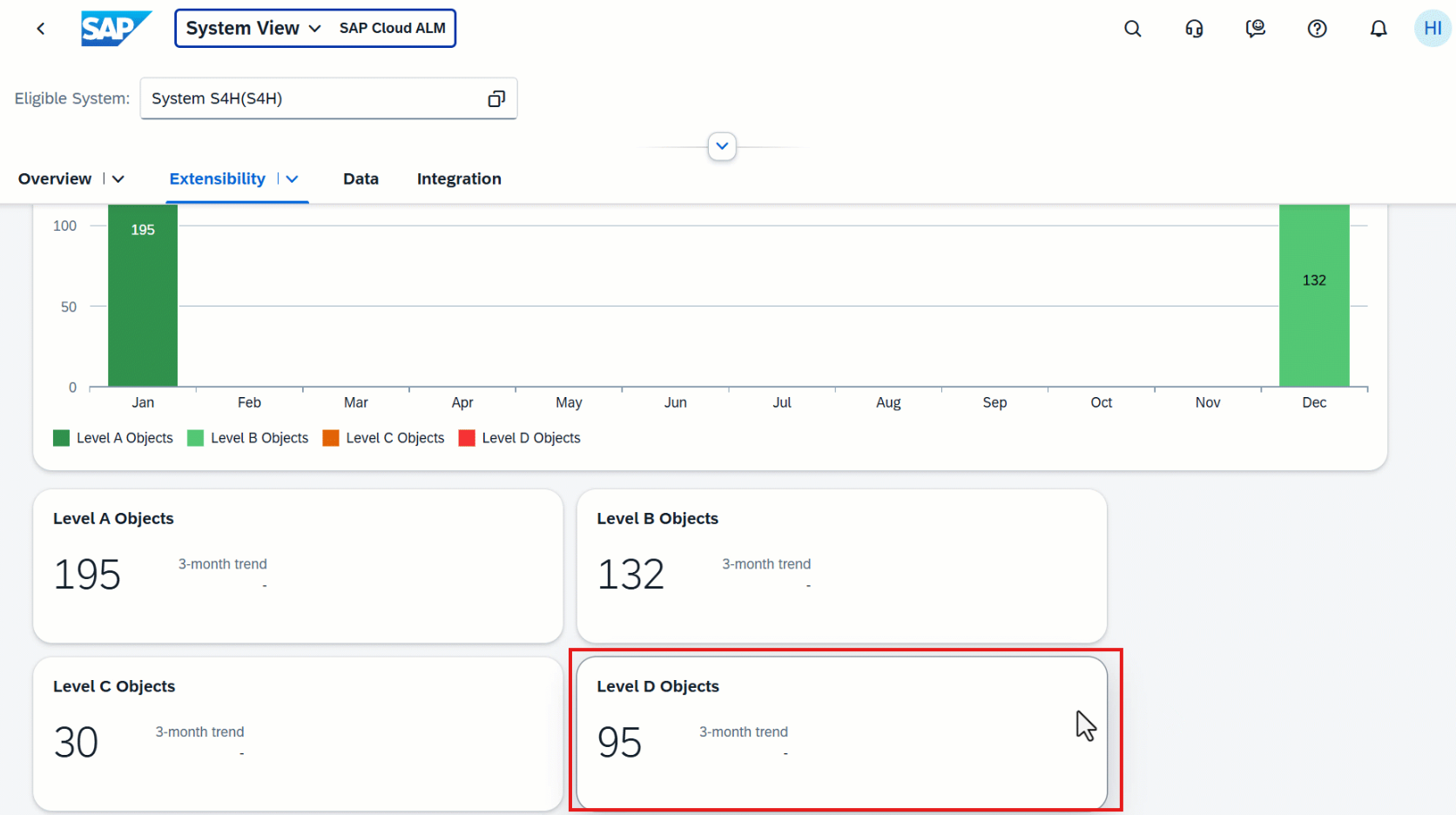
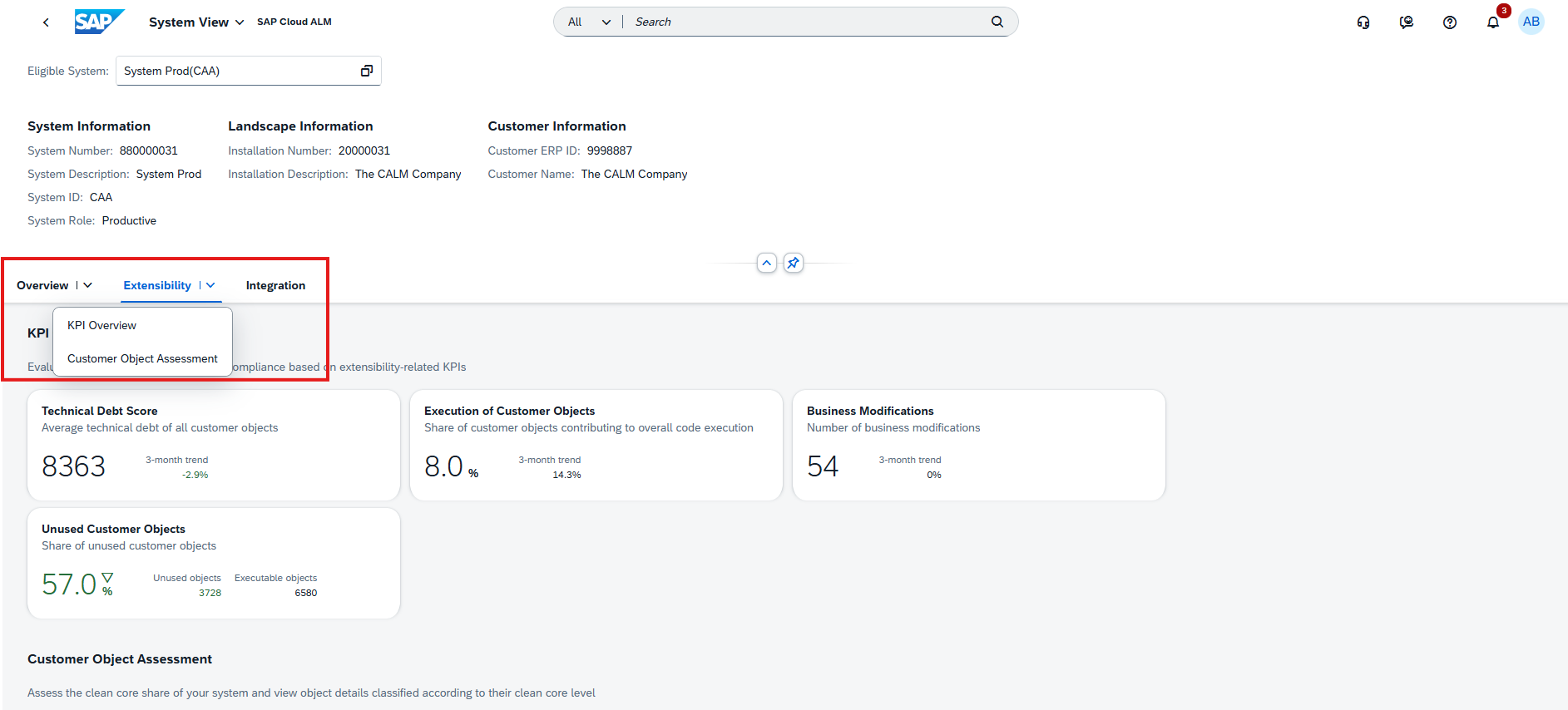
The RISE with SAP continues to expand its dashboards to give customers better insights into clean core compliance. With the latest update, the System View now includes integration-related KPIs, helping teams evaluate interface compliance and align more closely with SAP’s Clean Core Level Concept.

Card Details Relabeled in System View

The System View dashboard has been updated to improve consistency with SAP’s new Clean Core Level Concept. On the ABAP Cloud card, details that were previously labeled with “Tier 1” terminology are now aligned with the new naming convention:

  • Tier 1 Customer Objects is relabeled to Level A Objects
  • Potential Tier 1 Objects is relabeled to Potential Level A Objects

This change does not affect the underlying data but ensures that the dashboard reflects SAP’s latest terminology, making it easier for users to align their clean core practices with the new Level A/B/C model introduced by SAP.

By providing consistent naming across the dashboard, project teams and administrators can better interpret results and communicate findings without confusion caused by legacy labels.

TL;DR:

System View aligns with the new Clean Core Level Concept: “Tier 1” objects are now labeled as Level A Objects, improving clarity and consistency.

Operations – Health Monitoring, Job & Automation Monitoring, Real User Monitoring

The latest updates in SAP Cloud ALM’s Operations area introduce new monitoring and features that improve visibility, provide faster context, and help teams react more efficiently to issues across systems, jobs, and end-user activities.

Health Monitoring: ABAP Heartbeat Monitoring

ABAP systems and instances now send a heartbeat metric every minute to indicate their availability. This enables teams to detect potential downtime or disruptions in metric transmission more quickly.

It’s important to note that a negative heartbeat response does not definitively confirm unavailability but should be treated as an early signal to investigate possible outages or interruptions.

TL;DR:

ABAP systems now provide minute-by-minute heartbeat signals, giving teams an early warning mechanism for potential downtime.

Enhanced Job Monitoring Notifications

Job-related alert emails now provide more context and quicker navigation options. Alongside the Start Time, notifications now include End Time and Run Time, allowing operations teams to assess job performance directly from the email without needing to log into SAP Cloud ALM.

In addition, recipients can now navigate directly to the specific job run by selecting the Run ID in the notification. This reduces investigation time, supports faster handovers, and ensures that even stakeholders without full ALM access can track and process job-related alerts more effectively.

TL;DR:

Job alert emails now show End Time and Run Time and include direct links to job runs, giving teams faster insights and quicker access to investigations.

New Exceptions Page in Real User Monitoring

A new Exceptions page has been added to the Real User Monitoring app. It surfaces user-relevant exceptions for the selected application and scope, with the ability to drill down into detailed descriptions and context information.

Currently, the page covers:

  • ABAP Dumps
  • ABAP Web Service Exceptions
  • ABAP Gateway Errors

This provides a centralized way to track and analyse exceptions impacting end users, enabling teams to resolve issues faster and improve user experience.

TL;DR:

Real User Monitoring now includes an Exceptions page for ABAP dumps, web service errors, and gateway errors, helping teams resolve user-impacting issues more quickly.

Implementation – Test Preparation, Risks, Processes

The latest updates in the Implementation area make project execution more structured and efficient. New features include harmonized relation assignments in test cases, a brand-new Risks app for structured risk management, the option to create documents from templates, and improved collaboration with recent comments displayed directly in detail views. Together, these enhancements boost transparency, consistency, and teamwork across projects.

Harmonized Relation Assignment in Test Preparation

The Test Preparation app has been streamlined with a new harmonized approach to relation assignment. Previously, requirements and user stories were handled in separate tabs, creating a fragmented experience when linking test cases to other project objects. With this update, both are now integrated into a single Relations tab, giving teams one central place to assign and manage all related objects.

Beyond simplification, the update also introduces direct navigation links for all assigned relations (except for process hierarchy nodes). This makes it easier to move between test cases and their related requirements, user stories, or other objects, ensuring smoother workflows and faster access to relevant details.

This enhancement saves time, reduces confusion, and strengthens traceability across testing activities by consolidating relation handling into one intuitive view.

TL;DR:

All relation assignments for test cases are now handled in one central tab, with direct links to related objects for faster navigation and improved traceability.

New Risks App Released

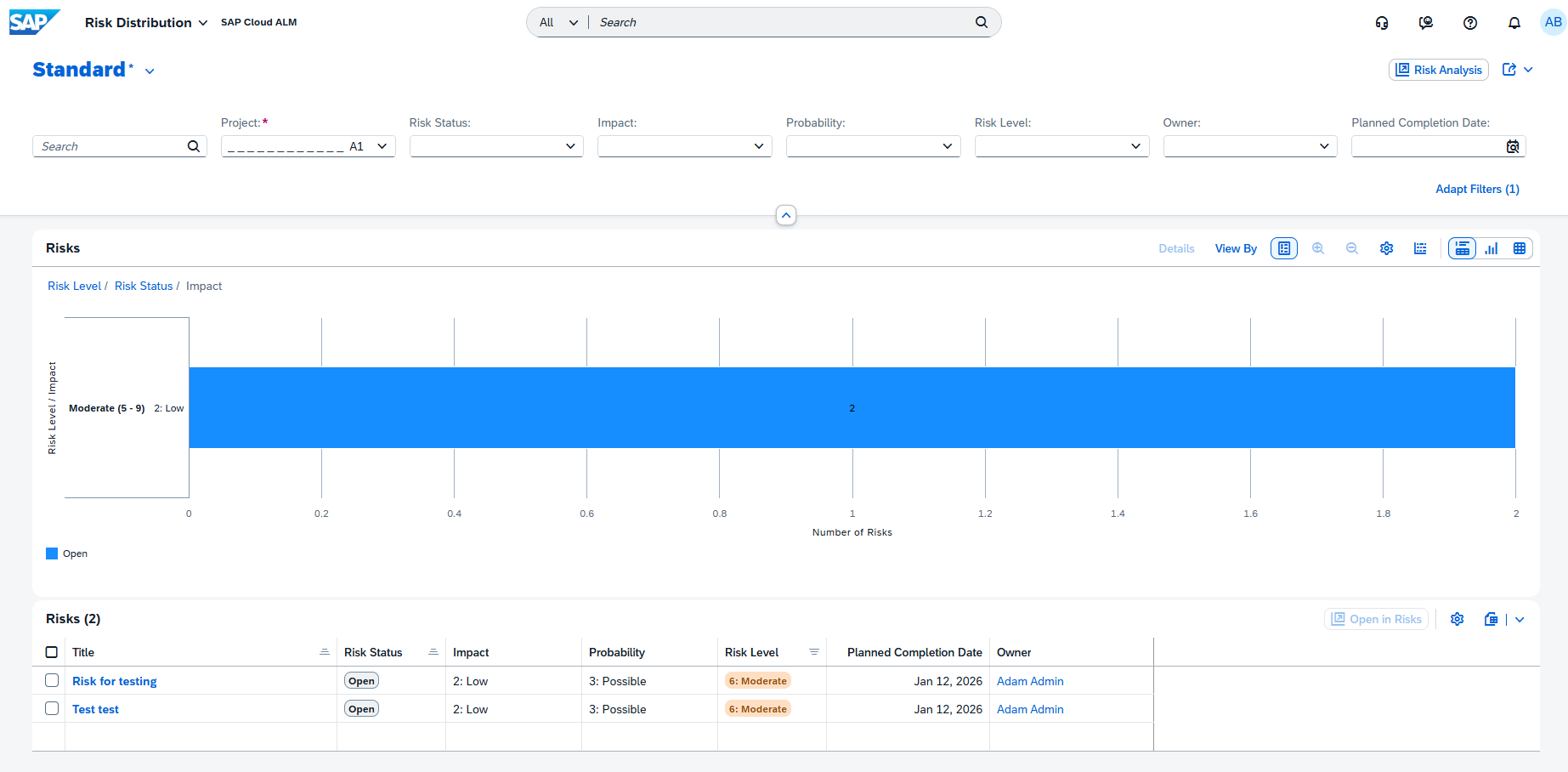
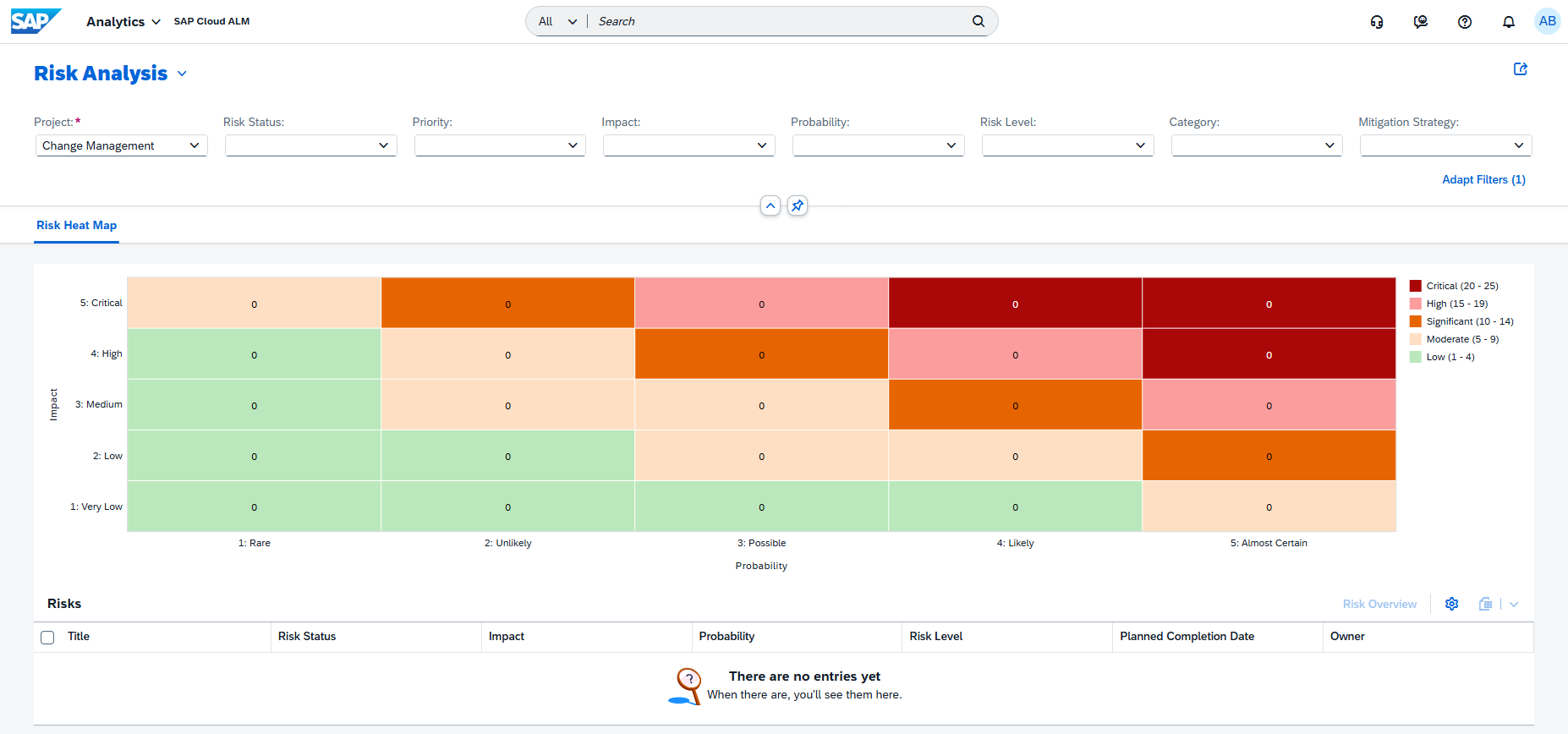
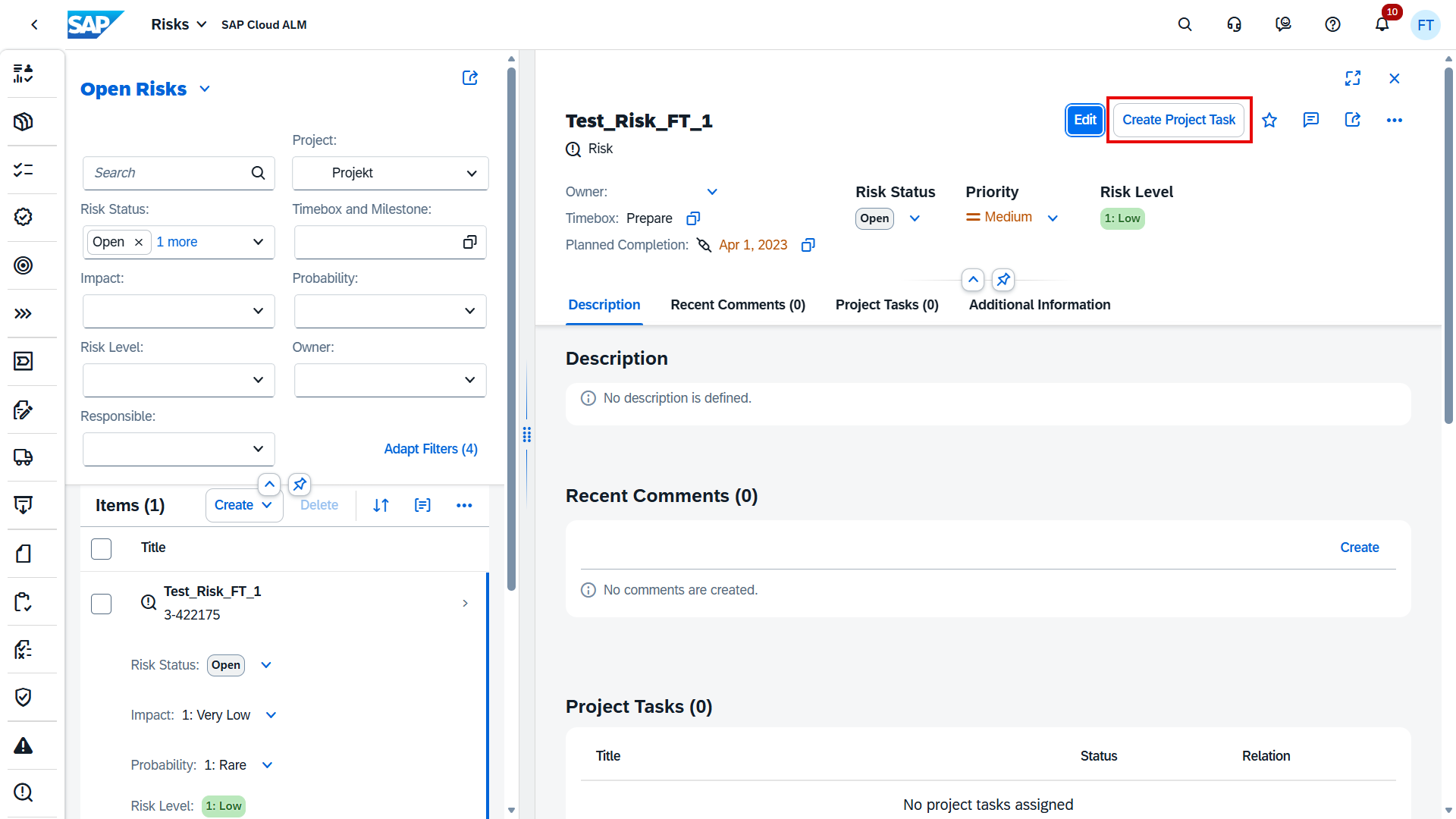
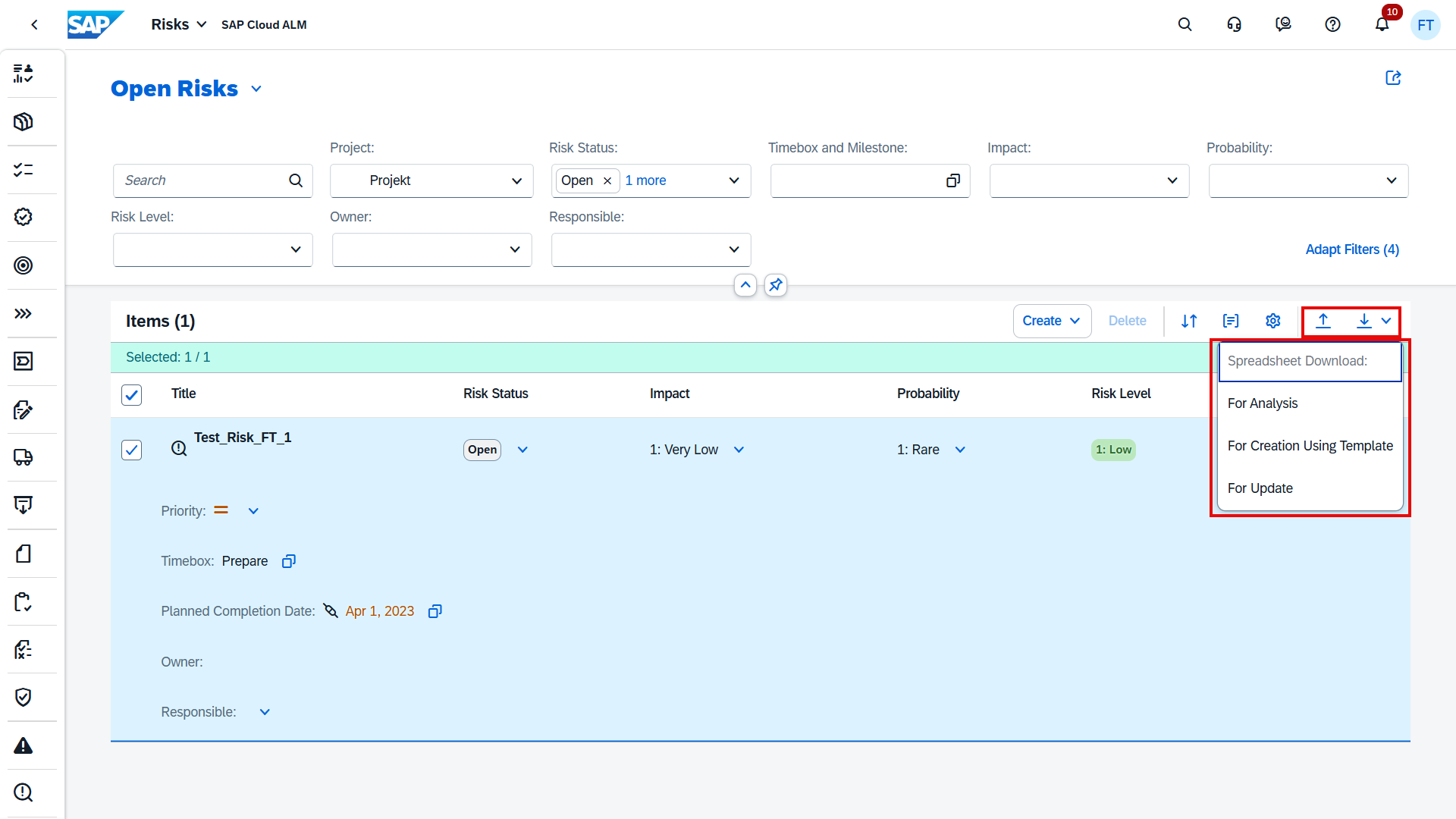
The new Risks app in SAP Cloud ALM introduces a structured way for project teams to identify and manage risks that could adversely affect objectives related to scope, timelines, quality, or budget. By embedding risk management directly into the project environment, teams gain visibility and control over potential challenges before they escalate.

In the app, risks can be created, edited, searched, and deleted with ease. Teams can also assign statuses, categories, owners, responsible persons, and mitigation strategies to ensure accountability and structure. Each risk can be assessed based on impact, probability, priority, and mitigation measures, providing a clear framework for evaluation.

Additional capabilities such as tagging risks for easier grouping and creating templates from existing risks make it simple to reuse and adapt established patterns across projects. Together, these features help streamline risk governance and strengthen decision-making.

TL;DR:

The Risks app allows teams to create, categorize, and assess risks, assign responsibilities, and apply mitigation strategies – helping projects stay on track and reducing uncertainty.

Create Documents from Templates in Processes

Creating project documentation just became easier and more consistent. In the Processes app, when working in the solution process viewer, users can now create new documents based on predefined templates instead of starting from scratch.

This enhancement helps ensure uniform formatting and governance across project documentation, reducing the risk of inconsistencies and saving time on repetitive setup tasks. When selecting Create Document, users are redirected to the Documents app as before, but now have the option to:

  • Select the template icon to browse and use available document templates, or
  • Choose Continue, to create a completely new document.

Once the document is created, the system takes users back to the Processes app automatically, streamlining the workflow.

TL;DR:

New documents in the Processes app can now be created from templates, ensuring consistency and saving time while keeping governance standards intact.

View the Last Five Comments in Detail View

Collaboration around tasks and project items becomes smoother with a new comment visibility enhancement across multiple apps. In the Tasks, Quality Gates, Requirements, Defects, and Risks apps, the latest five comments for an item are now displayed directly in the detail view.

This change makes it much easier for project members to stay informed about the most recent discussions without having to navigate through long comment histories. If additional context is needed, users can simply choose the Show All option to view the complete comment thread.

The feature supports faster alignment during project reviews, reduces the chance of overlooking important updates, and ensures that all team members can quickly access recent inputs.

TL;DR:

See the last five comments in item detail views across multiple apps, with the option to expand and view the full comment history when needed.

SAP Cloud ALM – What’s New in Week 26 and 32

SAP Cloud ALM continues to evolve with a steady stream of enhancements, each designed to make daily work smoother, more transparent, and more efficient. This update covers improvements from week 26 through week 32, with changes that strengthen planning, monitoring, and collaboration across projects and operations. We’ve reviewed the latest additions and highlighted the ones we think are worth your attention.

From exporting issues directly to Excel for offline analysis, to automating data transformation steps, to extending operational dashboards, the newest features cater to administrators, project managers, consultants, and operations teams alike. Let’s walk through the highlights.

Services – Issues and Actions Management

The Services area in SAP Cloud ALM is all about keeping teams aligned, informed, and in control of project progress. Recent enhancements to Issues and Actions Management focus on making it easier to share information, speed up updates, and focus on what matters most. Whether it’s exporting key data to Excel for offline analysis, updating multiple actions in a single step, or filtering work by category and deadlines, these improvements help project teams, service delivery consultants, and team leads work smarter and keep projects on track.

Export Issues and Actions to Excel

Users can now export filtered issues or standalone actions directly from the Issues and Actions Overview page into Excel. The export preserves all visible columns (except Comments and Follow-Up Tasks) and includes clickable links back to the original items in SAP Cloud ALM.

This feature is particularly useful for project managers preparing progress updates or status reports, service delivery consultants summarizing issues and actions for customer follow-ups, and team leads who need to review and share action lists outside of SAP Cloud ALM.

Apply filters before exporting to ensure the spreadsheet contains only the relevant issues or actions for the intended audience. The export file automatically includes all visible columns (except Comment and Follow-Up Tasks) and provides clickable links back to each item in SAP Cloud ALM.

It is recommended to run exports ahead of status meetings, reviews, or project handovers so teams can distribute clear, and consistent records.

TL;DR:

Export filtered issues or actions to Excel for offline use, reporting, and quick access back to SAP Cloud ALM.

Mass Update of Recommended Actions

This feature lets users update the status of multiple recommended actions linked to a single issue directly from the Issue Details page. It eliminates repetitive updates, saves time, and ensures consistent status tracking across related actions.

This feature is especially valuable for project managers who need to quickly update several actions after review meetings, service delivery consultants managing large volumes of recommended actions from a single issue, and team leads who need to align statuses across related actions before reporting.

Use this feature during regular action reviews or after meetings to apply updates in bulk. This helps maintain clean, up-to-date records and speeds up preparation for reporting.

TL;DR:

Update multiple recommended actions in one step to save time and ensure consistency.

New Filters by SAP Category

Users can now refine their search on the Issues and Actions Overview page using two new filters designed to enhance focus and improve issue handling:

  • SAP Category – Allows users to group issues and actions by specific technical or functional areas (e.g., Change Management, System Management, Data Migration). This provides clarity on ownership and accelerates topic-specific reviews.
  • Deadline – View items based on due dates to keep track of what needs attention now.

These filters support more efficient prioritization, clearer work distribution, and faster decision-making, especially in projects with many tasks or teams involved.

These filters are useful for anyone responsible for tracking tasks, deadlines, and responsibilities across different areas, including project managers who need to quickly identify overdue or upcoming issues to keep projects on schedule, service delivery consultants who want to focus on specific topics such as System Performance or Data Management, and team leads who need to review progress in their area of responsibility to ensure nothing is overlooked.

To get the most value from these filtering capabilities:

  • Standardize the use of SAP Categories when creating or updating issues and actions. This ensures consistency across teams and simplifies later analysis.
  • Incorporate the Deadline filter into weekly planning or review cycles to identify overdue or near-due items that require immediate attention.
  • Leverage both filters in combination for focused, high-impact reviews – e.g., identifying “Data Migration issues due this week” to support targeted decision-making.

TL;DR:

Use Category and Deadline filters for faster prioritization and more focused reviews.

SAP Business Transformation Center – Cycle and Monitoring, Modeling

The SAP Business Transformation Center continues to strengthen its capabilities, making transformation projects more accurate, automated, and transparent. Recent updates focus on reducing manual effort, improving rule application between systems, and providing clearer visual insights into transformation cycles. From smarter transformation rules to specialized automation and the ability to download detailed execution graphs, these enhancements help data migration specialists, functional consultants, and project managers deliver cleaner, faster, and more controlled transformation outcomes.

Enhanced Transformation Rules – Cycle and Monitoring

Transformation rules are now applied to relevant transformation objects between the source and target systems based on matching unique entities present in both systems. This ensures greater accuracy and reduces manual adjustments during transformation activities.

This enhancement is valuable for data migration specialists who need to ensure consistent object mapping between systems, project teams looking to minimize transformation errors and rework, and functional consultants who require precise rule application across multiple transformation objects.

TL;DR:

Transformation rules now apply automatically to objects with matching unique entities in both systems, improving accuracy and reducing manual work.

New Transformation Rule – Incoterms 2 Rule – Modeling

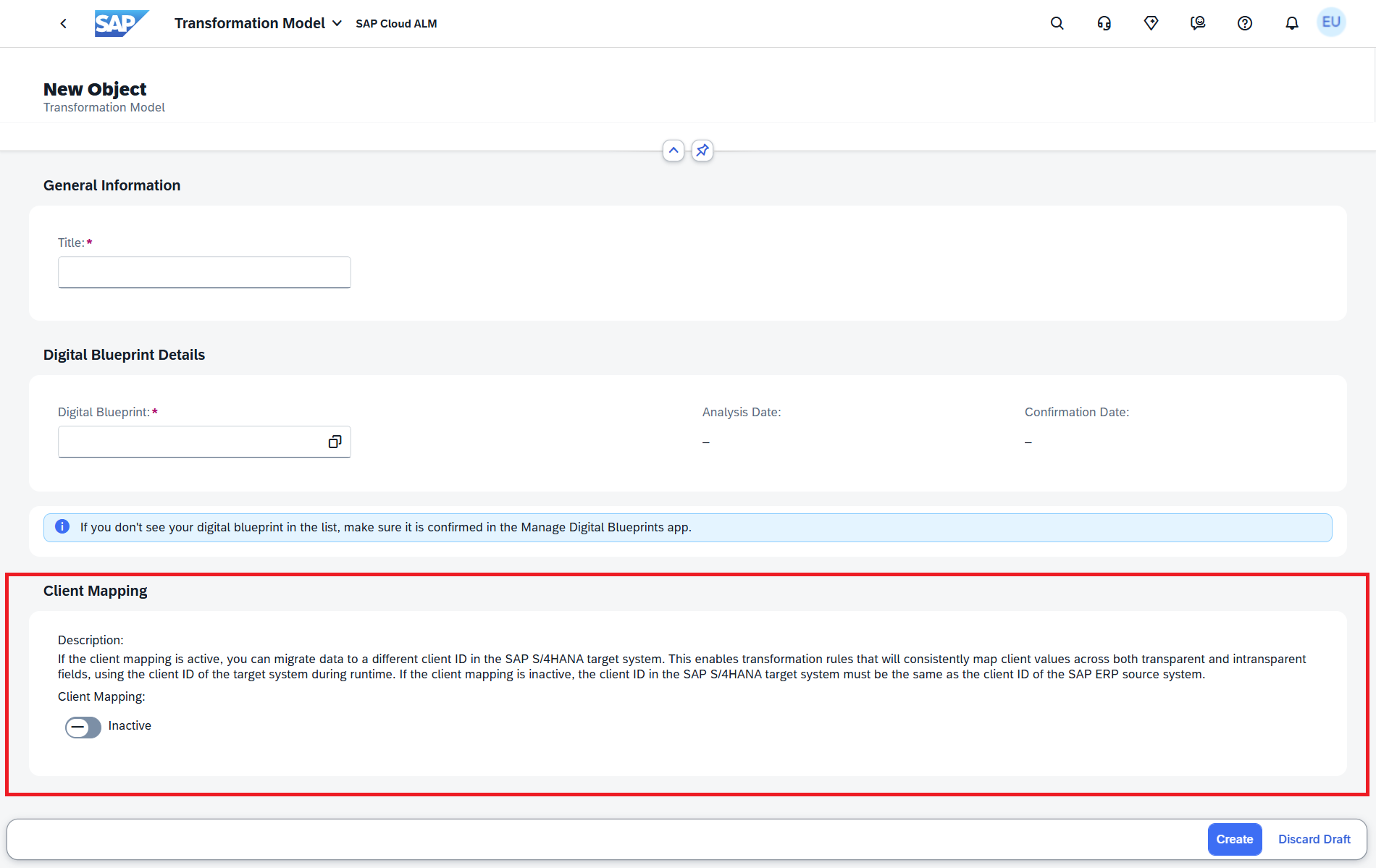
A new rule, Incoterms 2 Rule, is available in the Transformation Model Version app. When both KNVV and LFM1 tables have empty fields for INCO2/INCO2_L, the rule automatically copies the value from INCO2 to INCO2_L. This applies when Customer Master and Vendor Master transformation objects are part of the model, eliminating manual post-processing for these cases.

This feature benefits data migration teams handling customer and vendor master data, functional consultants involved in logistics and supply chain transformations, and project teams seeking to automate repetitive data adjustments.

Include the Incoterms 2 Rule in transformation models where both Customer and Vendor Master objects are in scope. This will prevent unnecessary manual corrections during post-processing.

TL;DR:

The Incoterms 2 Rule automatically fills INCO2_L from INCO2 when relevant fields are empty, reducing manual corrections in customer and vendor master data.

Download Graph – Cycle and Monitoring

Users can now download transformation and postprocessing graphs once cycle preparation is complete.

  • Transformation phase – Run All graph is available when status is Ready or Error.
  • Postprocessing phase – Run Without Interruption graph is available when status is Blocked, Error, or Ready.

This provides a clear, shareable visual representation of cycle execution status.

This feature is valuable for project managers who need a visual reference for tracking progress, technical leads analyzing transformation or postprocessing flows, and stakeholder reporting teams preparing visual project updates. Consider downloading and archiving the relevant graphs after each cycle to document progress, identify bottlenecks, and share updates with project stakeholders.

TL;DR:

Users can now download transformation and postprocessing graphs to visualize cycle progress and share project status more effectively.

RISE with SAP

New App – Operations View

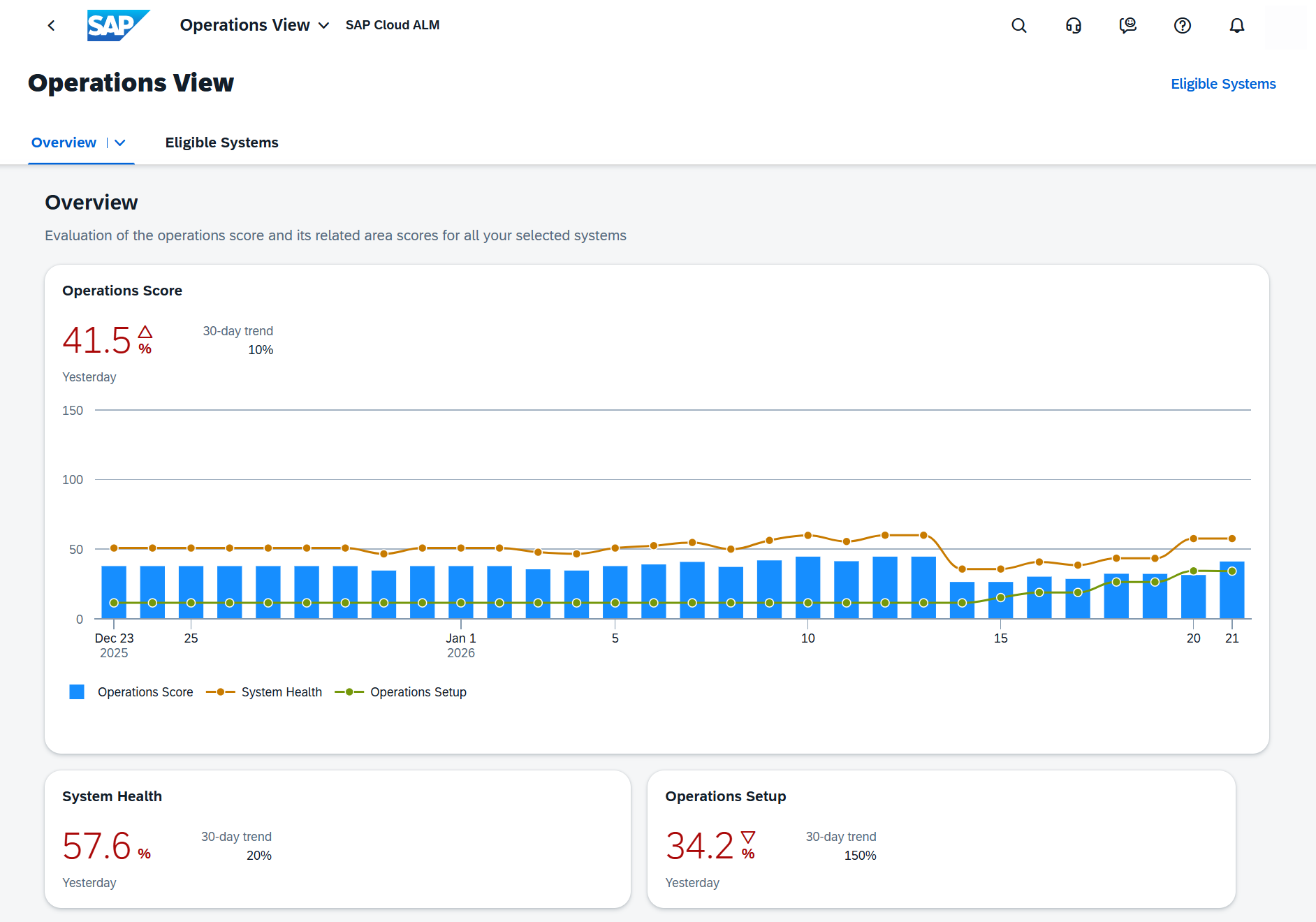
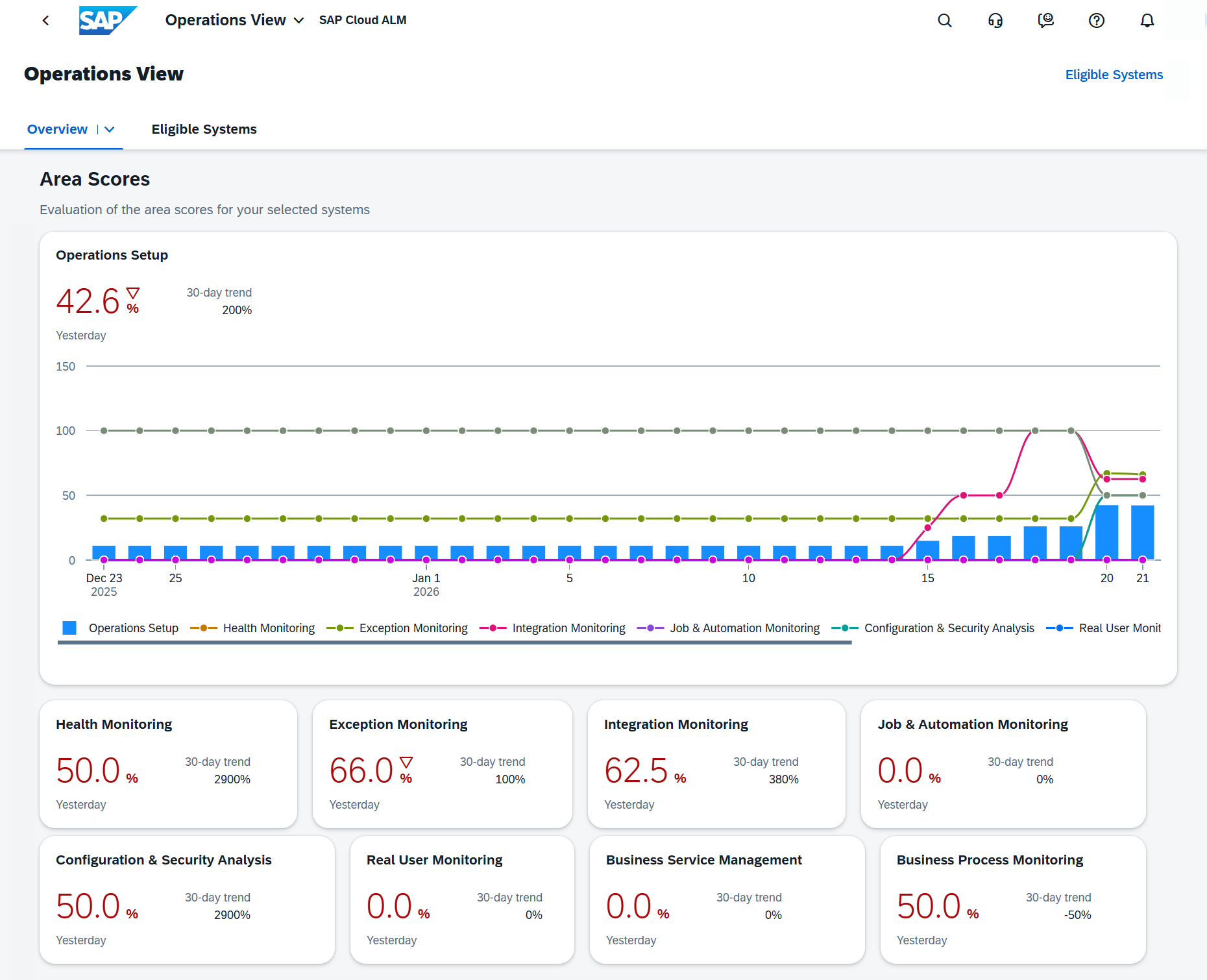
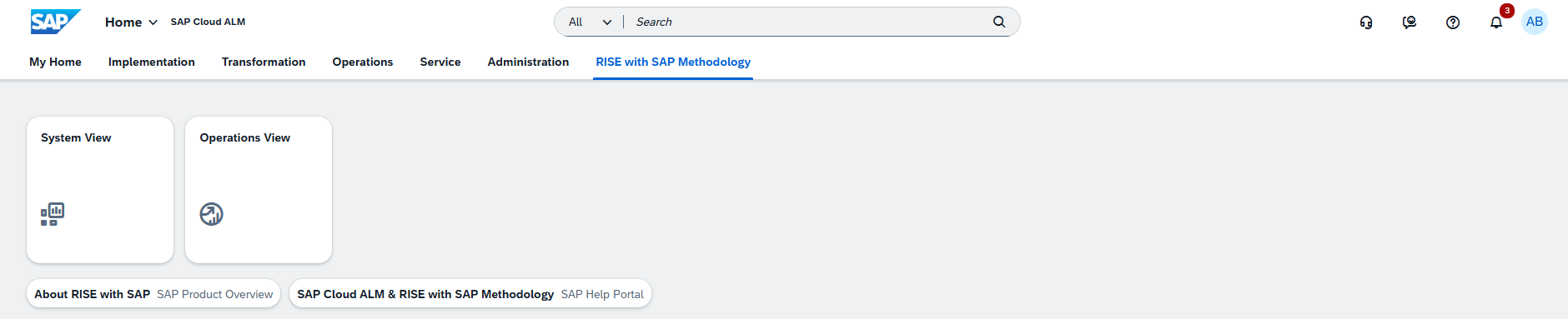
The Operations View dashboard is now available on the SAP Cloud ALM launchpad under the RISE with SAP page. It provides a clean core compliance overview from an operations perspective, displaying KPIs to monitor, evaluate, and improve the operational quality and efficiency of eligible systems.

Metrics include Connectivity, Exceptions, Background Processing, and Performance, giving users a consolidated System Health score.

From each system tile, users can drill down to Operation Details for a breakdown of KPI calculations and contributing metrics.

System administrators monitoring operational KPIs for RISE with SAP systems, IT operations teams working to maintain high performance and compliance, and project managers tracking operational health for reporting purposes will all benefit from this feature.

Ensure all prerequisites are met for dashboard access, including enabling the dashboard for productive SAP S/4HANA systems and assigning the Customer ERP ID in the Landscape Management app. Use the System Health score as a regular checkpoint in operational review meetings.

TL;DR:

The Operations View dashboard gives a consolidated health score for RISE with SAP systems, helping teams monitor and improve operational quality.

Operations – Integration & Exception Monitoring, Operations Automation

The latest updates in SAP Cloud ALM’s Operations area bring powerful new tools to help organizations maintain smooth, reliable, and high-performing system landscapes. From proactive anomaly detection in message processing to broader automation capabilities, these enhancements empower operations teams to spot issues early, respond faster, and optimize workflows across SAP and non-SAP environments.

Our alm360 Operations service incorporates relevant advancements in SAP Cloud ALM to deliver targeted, end-to-end operational support, helping organizations maintain stability, performance, and compliance across their SAP landscapes. Get in touch with us today to see how we can help you get the most out of SAP Cloud ALM.

Anomaly Detected in the Number of Messages Processed event for Business Services – Integration & Exception Monitoring

Users can now configure an Anomaly Detected in the Number of Messages Processed event for Business Services. This enables notifications or corrective actions when the message volume for a business service exceeds or falls below a set threshold within a defined time period. It provides a proactive approach to identifying irregular patterns in message flow, helping prevent disruptions.

This feature is particularly valuable for integration monitoring teams working to keep message volumes within expected thresholds, operations teams seeking to detect performance or stability issues before they escalate, and service managers responsible for ensuring SLA compliance for business services.

We recommend setting precise thresholds for each monitored business service by analyzing historical message patterns and identifying normal operating ranges. Pair these thresholds with well-defined event actions that immediately alert responsible teams or automatically trigger remediation workflows, ensuring anomalies are addressed before they impact performance or service levels.

TL;DR:

Users can now set anomaly detection for message volumes in Business Services, enabling early alerts and faster corrective action.

Generic Data Provider for Integration Monitoring Analytics API

A new generic data provider, Integration Monitoring Messages, is available for the Integration Monitoring Analytics API. It allows collection of data from the Integration & Exception Monitoring app across all message categories in a single API call, replacing the previous need for multiple calls per category.

This feature is particularly useful for integration architects who design custom dashboards or analytics, technical teams that need to aggregate integration data across multiple categories for consolidated reporting, and developers focused on optimizing API calls for greater efficiency and reduced system load.

TL;DR:

The new generic data provider collects all integration messages in one API call, simplifying data access and reporting.

Support for Third-Party Automation Engines – Operations Automation

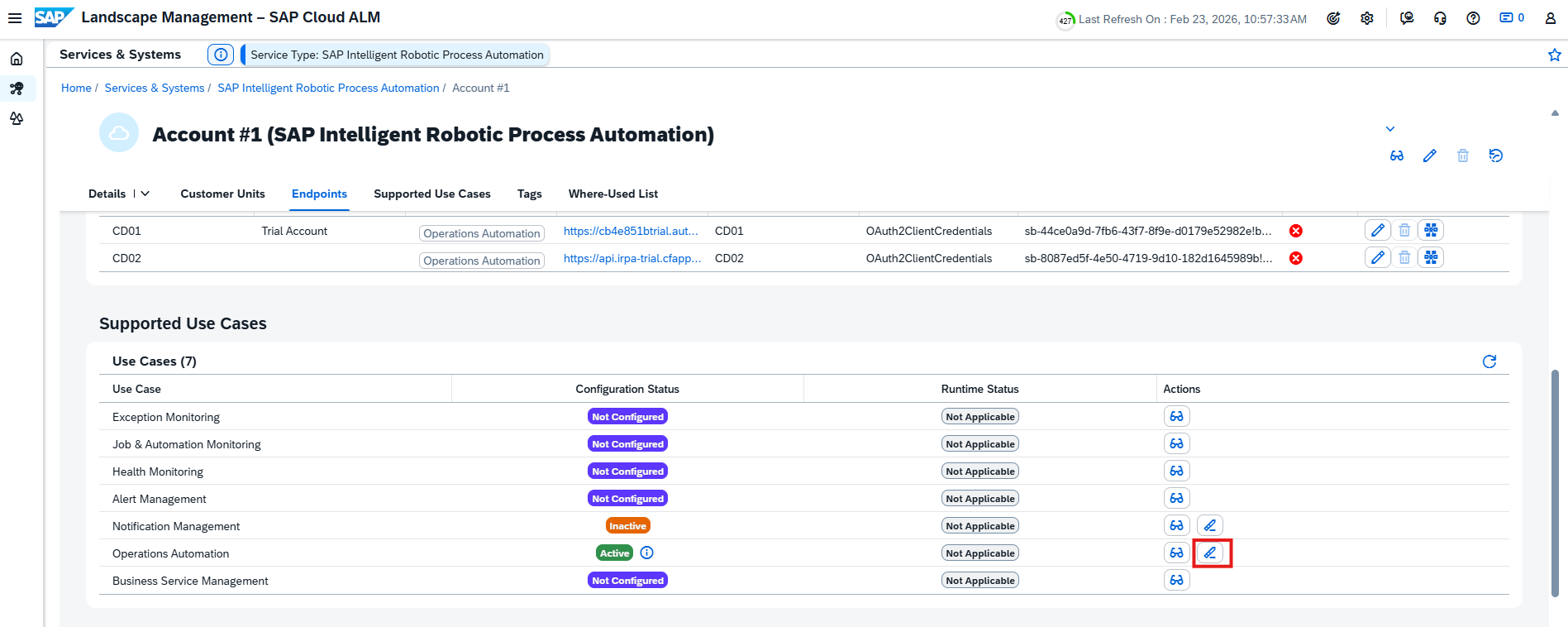
SAP Cloud ALM events can now trigger jobs, workflows, and automations in third-party automation and orchestration platforms. This extends automation capabilities beyond SAP solutions, allowing integration with existing enterprise automation tools. Context from monitoring and status events is passed directly to the chosen automation engine.

This feature is especially beneficial for IT automation teams working with non-SAP orchestration platforms, operations teams seeking to unify automation across SAP and non-SAP landscapes, and solution architects designing complex cross-platform automation workflows that require seamless event-triggered execution.

Integrating SAP Cloud ALM with the preferred automation platform allows predefined workflows to trigger automatically upon specific events, improving response times and boosting overall operational efficiency.

TL;DR:

SAP Cloud ALM events can now trigger actions in third-party automation engines, enabling unified cross-platform automation.

Implementation – Documents, Task Distribution, Processes

The latest updates in SAP Cloud ALM’s Implementation area bring practical new features to help teams work more efficiently, stay organized, and keep projects on track. From structured document approvals to new ways of visualizing task distribution and faster process ownership changes, these enhancements give project teams better tools to manage complexity, maintain compliance, and deliver results with confidence.

Take a look at our alm360 Implementations to see how we can help to leverage these capabilities in projects – and feel free to contact us to discuss how we can support your SAP Cloud ALM journey.

Document Approval Workflow in the Documents App

The controlled document approval workflow ensures documents follow a defined approval process within the Documents application. This strengthens compliance in SAP Cloud ALM projects by introducing clear approval stages and structured status changes. Once a document is approved or rejected, it can be returned to editing via the Rework option for further updates.

This feature is valuable for project managers who oversee documentation quality and compliance, quality leads who ensure controlled review processes before releasing documents, and team members responsible for preparing and approving project documentation. Enabling the approval requirement for documents that are critical to compliance or project governance helps maintain high standards and accountability.

By using status changes strategically—such as Start Approval, Approve, or Reject—teams can keep a clear audit trail of decisions, ensuring transparency and supporting strong governance throughout the project lifecycle.

TL;DR:

The document approval workflow enforces a structured review process, improving compliance and governance for project documentation.

New Views in Task Distribution

The Task Distribution app and card now offer three additional views – By Priority, By Tag, and By Release. These provide new perspectives for analyzing and managing task assignments, helping teams focus on urgent, categorized, or release-related work.

This enhancement is especially useful for project managers who need to balance workloads based on priority, scrum masters who organize tasks by release or category tags, and team leads who monitor progress across multiple parallel work streams.

The By Priority view can support daily stand-ups by highlighting urgent items, the By Tag view helps filter work streams or topics for focused discussions, and the By Release view enables tracking readiness for upcoming deployments, ensuring that teams stay aligned and deliver on schedule.

TL;DR:

New Task Distribution views let users manage tasks by priority, tag, or release, improving focus and workload planning.

Change Process Owner for Multiple Solution Processes at Once

Users can now update the process owner for multiple solution processes in a single action using the Mass Edit function in the Processes app. This is particularly useful for reassignments based on Process Hierarchy or Country/Region criteria, reducing the time and effort required for individual updates.

This capability is particularly valuable for process managers responsible for aligning ownership across multiple processes, project leads who need to quickly reassign responsibilities following organizational changes, and implementation teams handling ownership updates based on country, region, or process hierarchy.

We recommend using Mass Edit for ownership changes during project onboarding or when restructuring responsibilities. Keep in mind that updates overwrite existing assignments – even for processes not currently in scope – and that only the first 100 selected entries will be processed at a time.

TL;DR:

Mass Edit lets users reassign process owners for multiple solution processes in one step, streamlining large-scale updates.

Administration

New Section for RISE with SAP Role Management

A new section, RISE with SAP, is now available in User Management (visible only to eligible RISE with SAP customers). This section includes the standard role for the Operations View dashboard, simplifying access management for this capability.

This enhancement is especially useful for user administrators who manage roles and access for RISE with SAP dashboards, system administrators tasked with maintaining operational visibility for authorized users, and project leads who need to grant dashboard access as part of project onboarding.

TL;DR:

A new RISE with SAP section in User Management provides a standard role for the Operations View dashboard, making access management easier and more consistent.

SAP Cloud ALM – What’s New in week 51

Welcome to our bi-weekly SAP Cloud ALM update series! Every two weeks, SAP introduces a fresh wave of enhancements to SAP Cloud ALM, bringing you new features, performance improvements, and UI refinements. In this edition, we’ll explore the latest updates rolled out in week 51 which will be the last updates for this year!

Services

Service Delivery Center has 2 new features. 

It’s now possible to enter a Customer Description for services available on the header of the details page. Entering a description makes it easier to identify the service. 

To display the Customer Description column on the Overview page add it from View Settings.

One click action on the row of Issues and Actions Management tab is added to Service Delivery Center

When clicking on a row of the Issues and Actions Management tab, the system opens the relevant page in the Issues and Actions Management app.

  • If the selected language is the original language, the page opens in the edit mode.
  • If the selected language is not the original language, the page opens in the display mode.
  • If the service order is closed, the page opens in the display mode.

Issues and Actions Management introduced possibility to create follow-up tasks from SAP Cloud ALM for a:

  • Recommended action: The Create Follow-Up Task button is enabled if selecting an issue with at least one recommended action and no follow-up task associated with it.
  • Standalone action: The Create Follow-Up Task button is enabled if selecting a standalone action with no follow-up task associated with it.

It’s possible to select multiple issues or standalone actions to create follow-up tasks. But keep in mind that:

  • If none of the issues or standalone actions are valid for creating follow-up tasks, the Create Follow-Up Task button is not enabled.
  • If only some issues or standalone actions are valid for follow-up task creation, you can select the Create Follow-Up Task button. However, a warning message will appear in the popup stating that the system can create follow-up tasks only for a valid number of issues or standalone actions.

SAP Business Transformation Center

Scoping has new filtering and mass edit options for scanned tables.

In the Select Scanned Tables app, allows now to filter scanned tables by their filter assignments in the scanned tables list view.

It’s also possible to use the Mass Edit button to activate or deactivate filter assignments directly from the scanned table list view.

This helps to quickly find scanned tables with specific filter assignments and change them without going into the detail view for each scanned table.

Cycle and Monitoring has 2 new features:

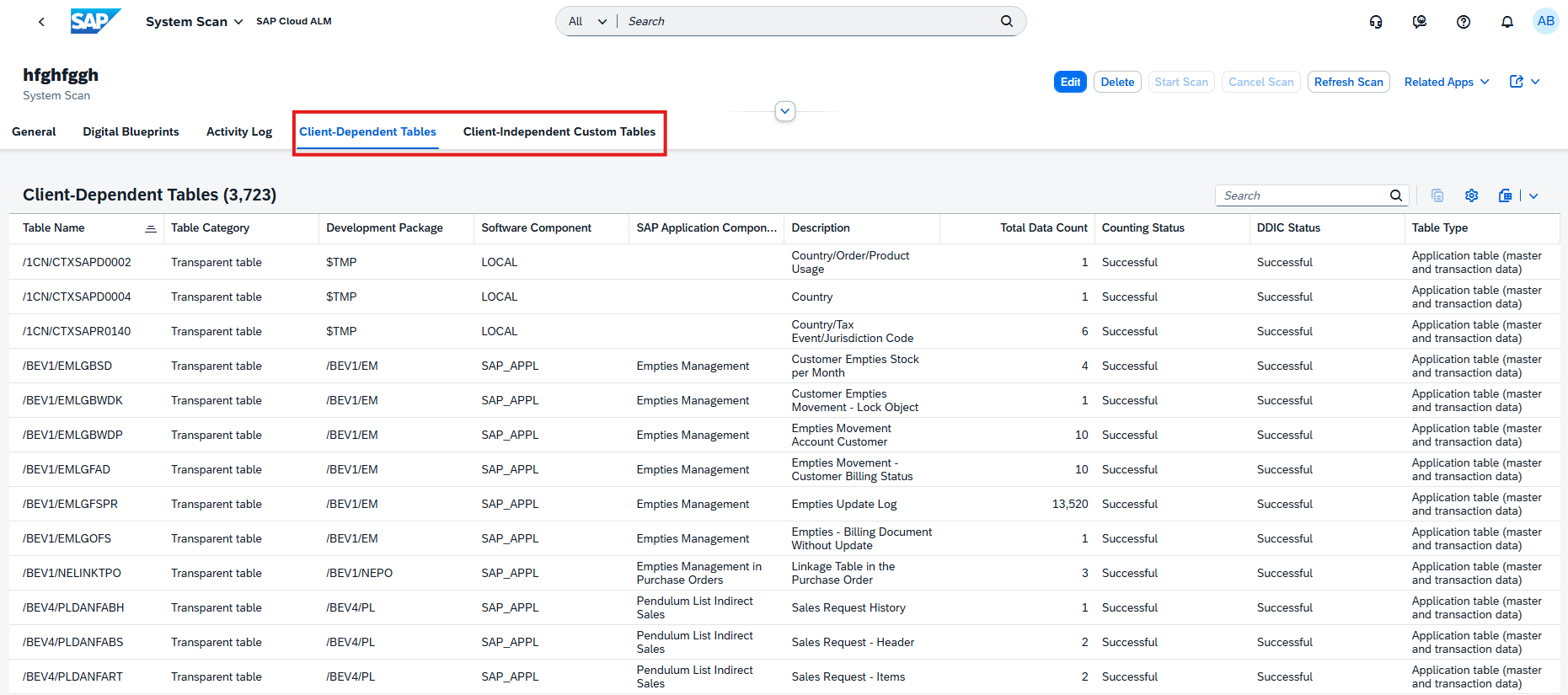
The new option is now available to use the SAP Data Transition Validation tool when creating a cycle.

In the Run Cycles app, it’s now possible to view the dependent sub transformation objects.

Dependent Sub Transformation Objects: When the system resolves a transformation object that is dependent on the current one, its sub-transformation objects are added to the dependent sub-transformation objects.

For example, the change documents that are related to a cost center, can only be collected after knowing which cost centers are in scope.

Implementations

Processes has the solution scenario SAP Services Content for Automotive now available and has been added to the list of supported solutions for Process Management.

Tasks application introduced 2 new features. 

It’s now possible to update the column “Predecessor Row” in the spreadsheet upload for existing tasks.

For follow-up tasks that were created from issues and actions, the related issues and actions are now displayed in the task detail view.

Projects and Setup allows now to maintain unspecific on-premise systems. This can be done in the System Groups tab.

Features has also 2 new features available.

Now the Transport Checks are available for Features application.

With Transport Checks, it’s possible to check a CTS-managed transport set to evaluate the impact on the production tenant. Transport checks can be performed based on a feature which defines the set of CTS-managed transports.

The checks include Downgrade Protection and a Cross-Reference Check. It’s possible to choose to perform an individual check or both. When performing transport checks, all production tenants of all CTS-managed transports of feature are checked.

Features also allow now to check for transport readiness when approving a feature for production.

When switching the status of a feature to Ready for Production, all transports assigned to the feature are checked if they are ready to be imported to the production system.

If there’s no assigned transports, the check doesn’t start.

Documents support now uploading external files in different formats (PDF, PPT, etc.) from the SAP Document Management service directly in SAP Cloud ALM.

It’s possible to upload, replace, download, and delete external files from SAP Cloud ALM. This new feature is available on the object page of a document under the tab External File.

To use this feature, there must be established a connection between the SAP Document Management service and SAP Cloud ALM.

Users will be notified by a message on the UI if there are any issues with the connection to the SAP Document Management service.

Documents application also allows now to assign or unassign relations to the application libraries from within the app. Relations are listed in the table Applications on the object page of a document.

*New features available for Several apps:

In the Tasks app and in the Libraries app, it’s now possible to assign project tasks to configuration elements, enabling to track and perform tasks that are necessary for the configuration element.

Operations

Job & Automation Monitoring has 2 new features.

It’s now possible to monitor the job execution data of SAP Digital Manufacturing service. To do this use the SAP DM Production Process job type.

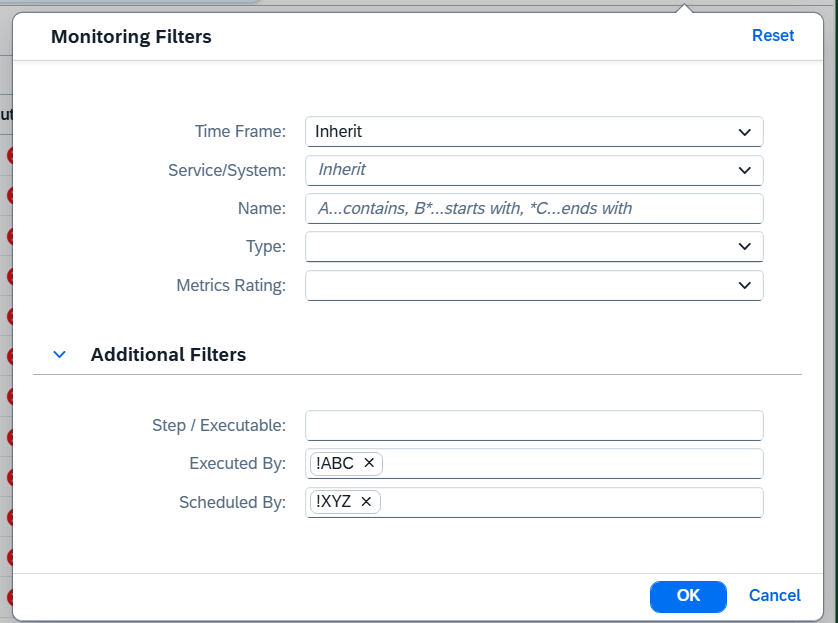
Job & Automation Monitoring introduced also additional filters to further refine the jobs and automations displayed on the Monitoring page.

The following filters are available in Additional Filters:

  • Step/Executable: Filter by the step/executable name of the job or automation.
  • Scheduled by: Filter by the user who has scheduled the job or automation.
  • Executed by: Filter by the user who has executed the job or automation.

Integration & Exception Monitoring has several new features. 

It’s now possible to monitor messages for

  • SAP Ariba Shopping – Mobile
  • SAP Intelligent Clinical Supply Management
  • SAP Market Communication for Utilities

There has also been a change in the data collection method for SAP Master Data Integration. The data collection is now orchestrated using Next Generation – Data Collection Infrastructure (NG-DCI). This simplifies the configuration process and allows for the automatic setup of services with SAP Cloud ALM.

It’s important to keep in mind that existing SAP Master Data Integration services configured in Integration & Exception Monitoring must be removed and configured again to use the Next Generation – Data Collection Infrastructure (NG-DCI).

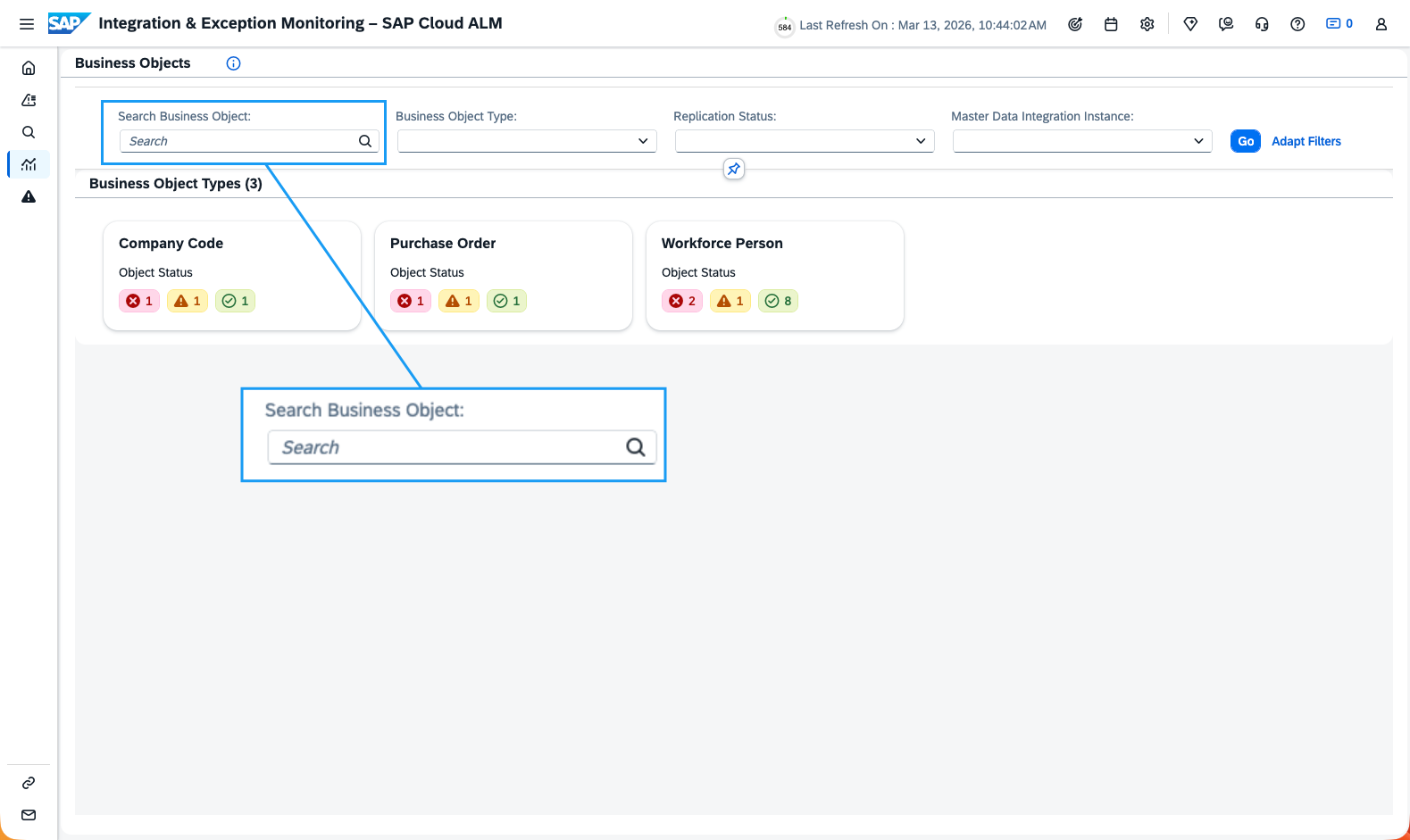
Integration & Exception Monitoring introduced also a new page Business Objects.

This page presents a new way to visualize the business objects in landscape. With this page, it’s possible to monitor the status of the master data replication process.

It gives an overview of all objects in landscape, allowing to further drill down to individual instances, and view the message information to resolve any errors.

Enhancement to Time Zone Configuration – All the time stamps in emails and chat notifications sent for Send Email to and Send Chat Notification event actions are now converted to the time zone configured in the Intelligent Event Processing app.

Earlier, only the Reported At / Detected At time stamps were converted to the configured time zone.

Administration

In Libraries it’s now possible to create and display relations between configuration elements and process hierarchy nodes to document how configurations relate to the overall process hierarchy.

EU Access

EU Access, which restricts the access to and processing of personal data to SAP employees located in EEA/Switzerland, is now available for SAP Cloud ALM. 

A special entitlement is required for EU Access. To have your SAP Cloud ALM tenant provisioned in an EU Access data center, you need to have a valid EU Access contract.

SAP Cloud ALM – What’s New in Week 38

Welcome to our bi-weekly SAP Cloud ALM update series! Every two weeks, SAP introduces a fresh batch of enhancements to Cloud ALM, ensuring users benefit from the latest features, performance enhancements, and user interface refinements. In this edition, we’ll explore the most recent updates rolled out in week 38. If you missed our article on the latest updates, you can read it here.

Services

Issues and Actions Management is now displayed in the translated languages. To switch between the available languages, click on the English (Original) button. If the content is available in login language, the issues and actions opens also in login language.

Implementation

Analytics has this time 2 new updates.

As sometimes unexpected things can occur, the new Quality Gate Reporting app that was planned for Week 36, will be available with this week’s updates.
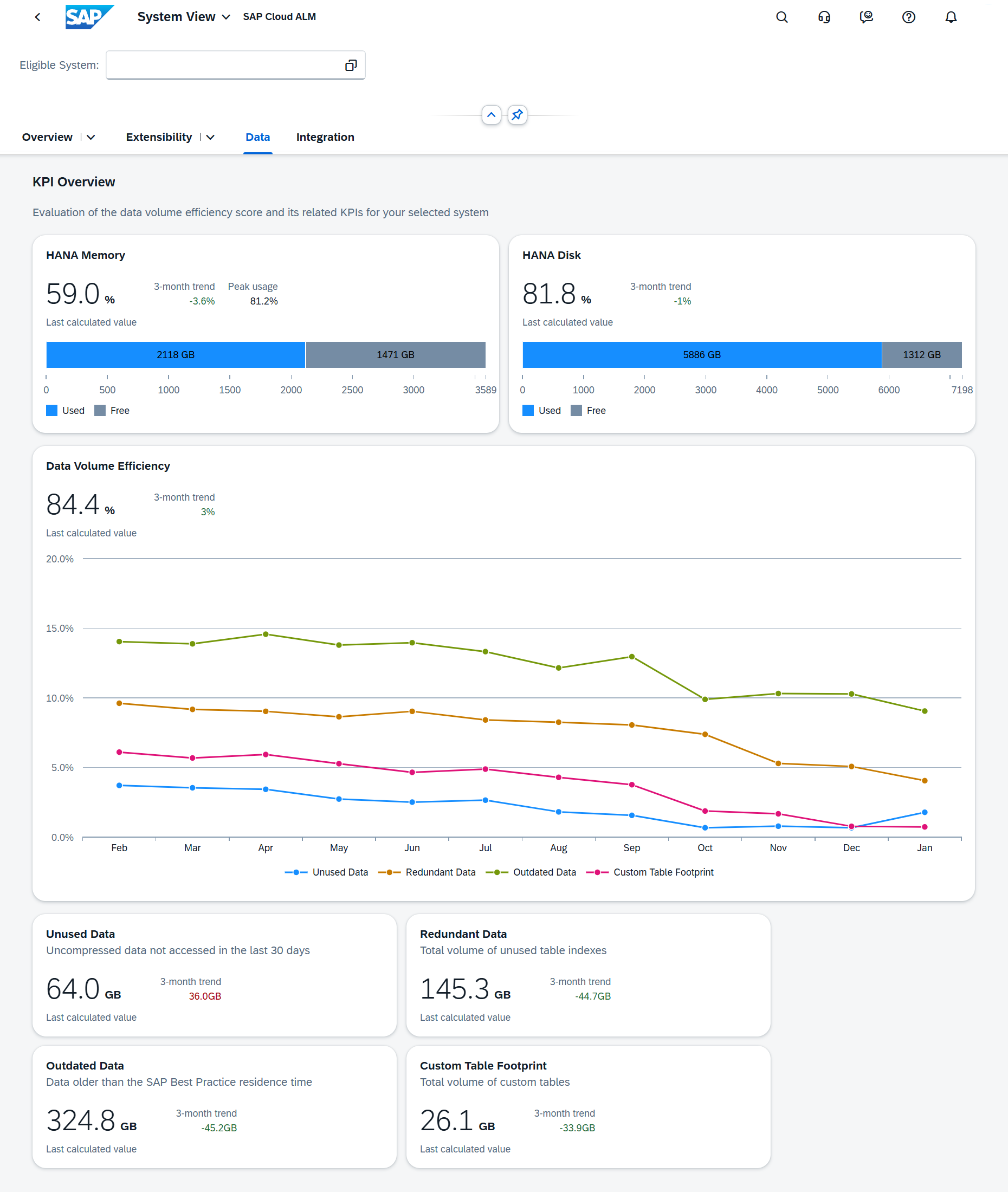
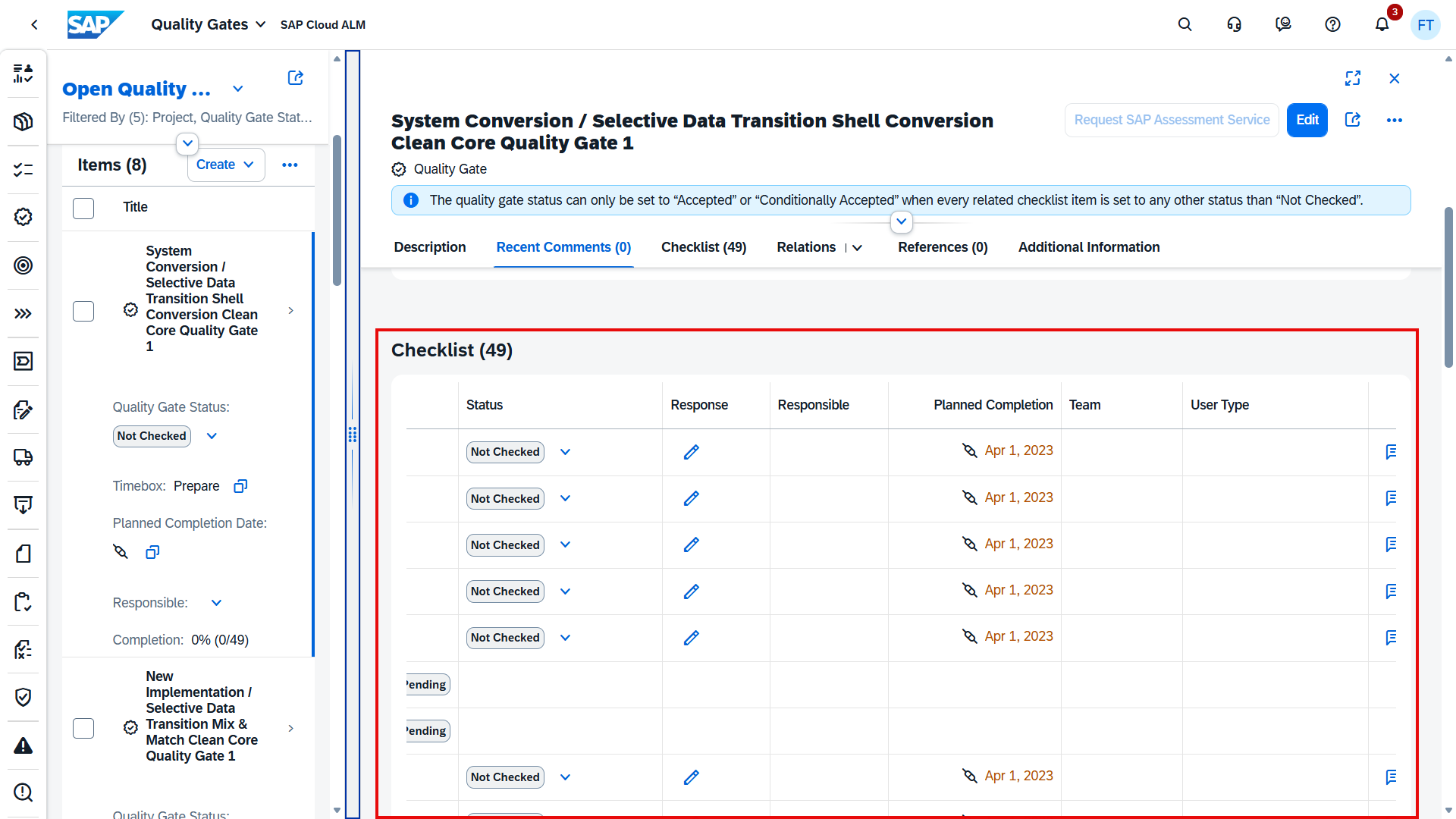
Quality Gate Reporting app helps to monitor quality gates and their associated checklist items according to user type distribution and keep track of follow-up tasks.

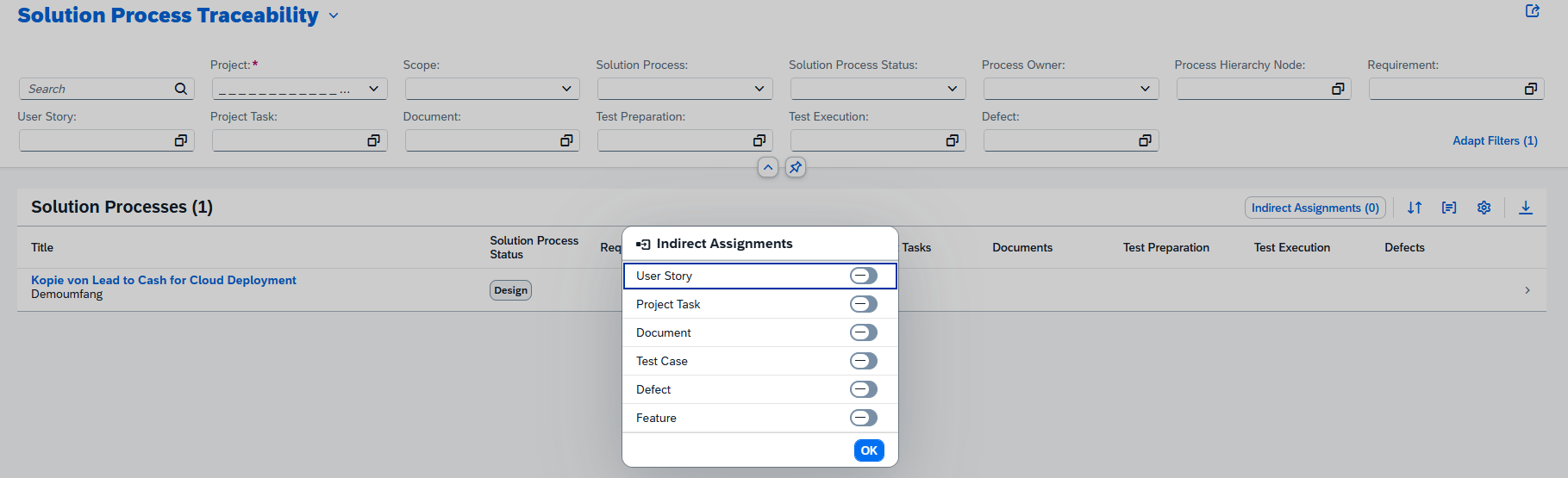
Solution Process Traceability app got new function of showing indirect assignments for features.

Cross-Project Overview has also a new application Transport Analysis. The app is located within the Cross-Project Overview tile. It gives an overview of all system transports and it’s possible to search for transports and check which feature they are assigned to.

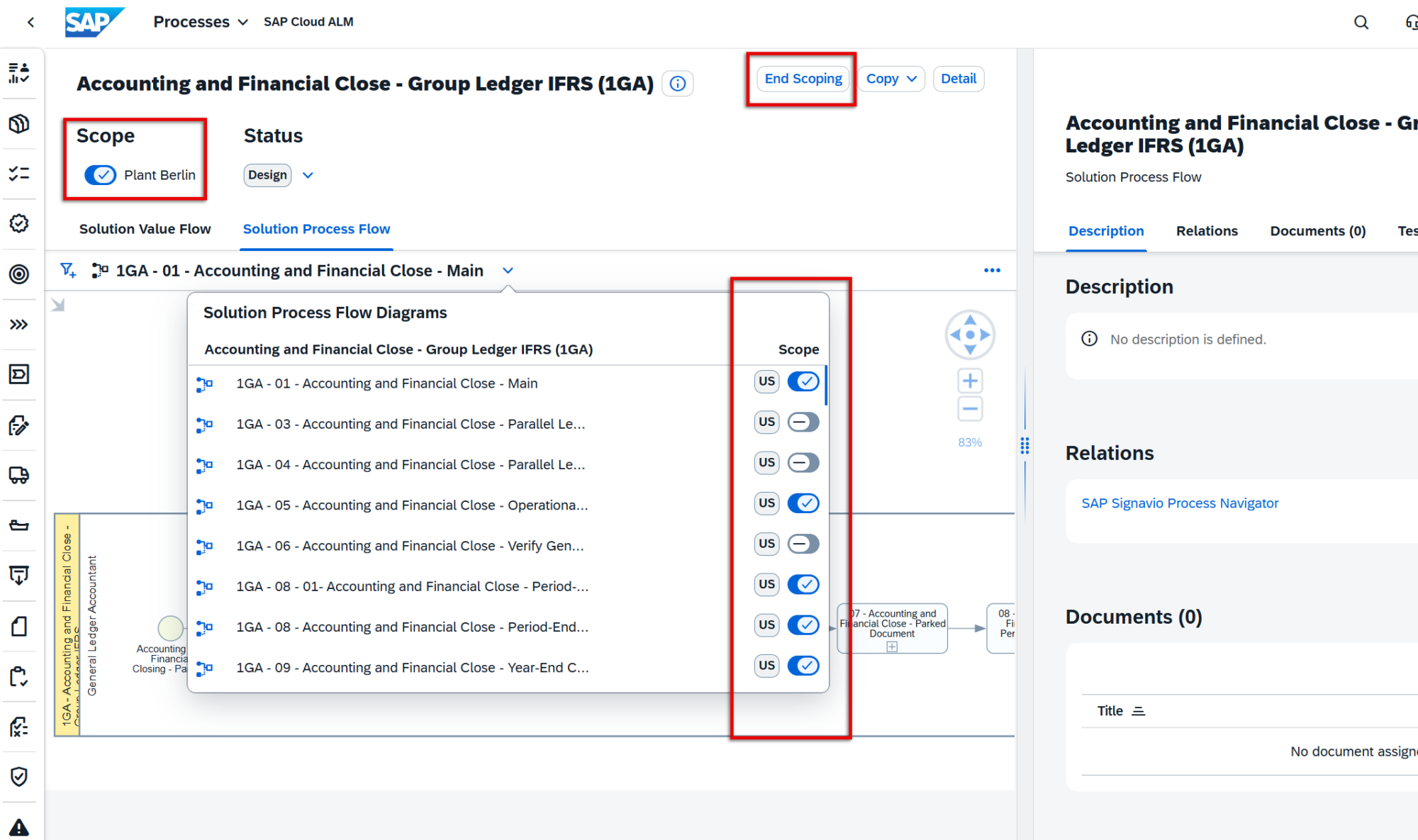
Processes has introduced a new Mass Edit button and checkboxes displayed to the left of the list of solution processes allowing mass maintenance. Function allows to set the same status for multiple rows at the same time or set the scope state (In Scope or Out of Scope) for multiple items when in Edit Scope mode.

The checkbox at the very top of the list allows to select all solution processes in the list if needed.

If changing any of filter settings in the filter bar at the top of the UI, current selection disappears.

Additionally, it’s possible to clear current selection by choosing the “Clear Selection” icon to the right of the information banner.

Keep in mind that for performance reasons, only the first 100 entries are currently mass edited regardless of how many rows are selected. This may be particularly relevant for users using the Edit Scope function.

Test Management now supports addition to filter settings, possibility to save table settings as views.

This allows to apply the settings the next time working with test case list.

In Test Plans it’s now possible to only delete test plans that are in status In Preparation. It helps to prevent accidental loss of test results. To delete a test plan that is already In Testing or Finished, it’s necessary to change its status first.

Remember that it’s strongly advised against deleting test plans after testing has started because all test runs, and test results associated with the test plan will be deleted as well.

Operations

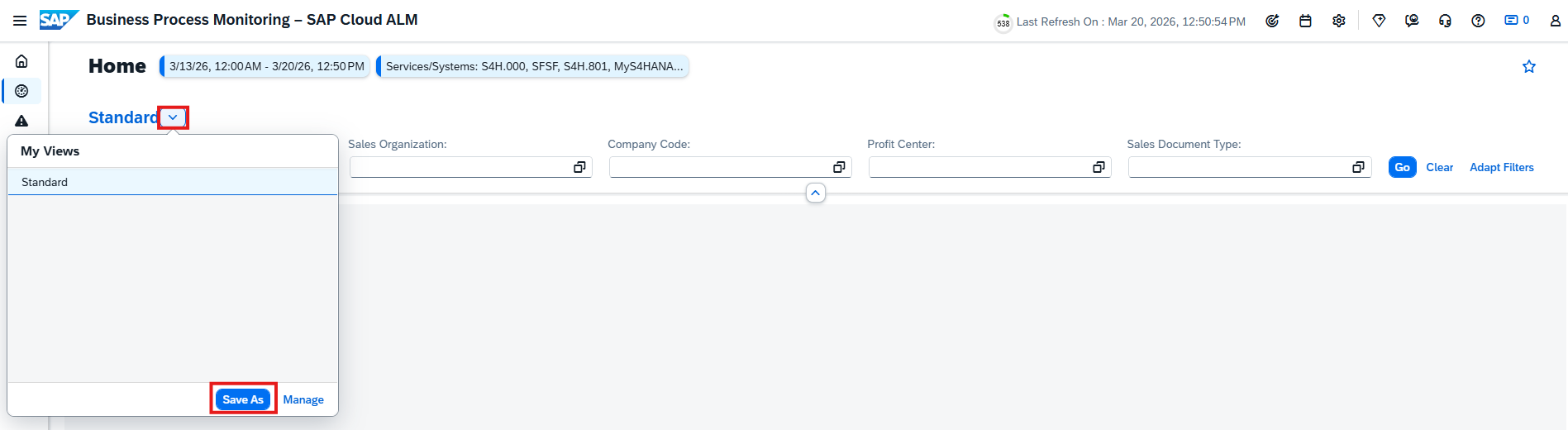
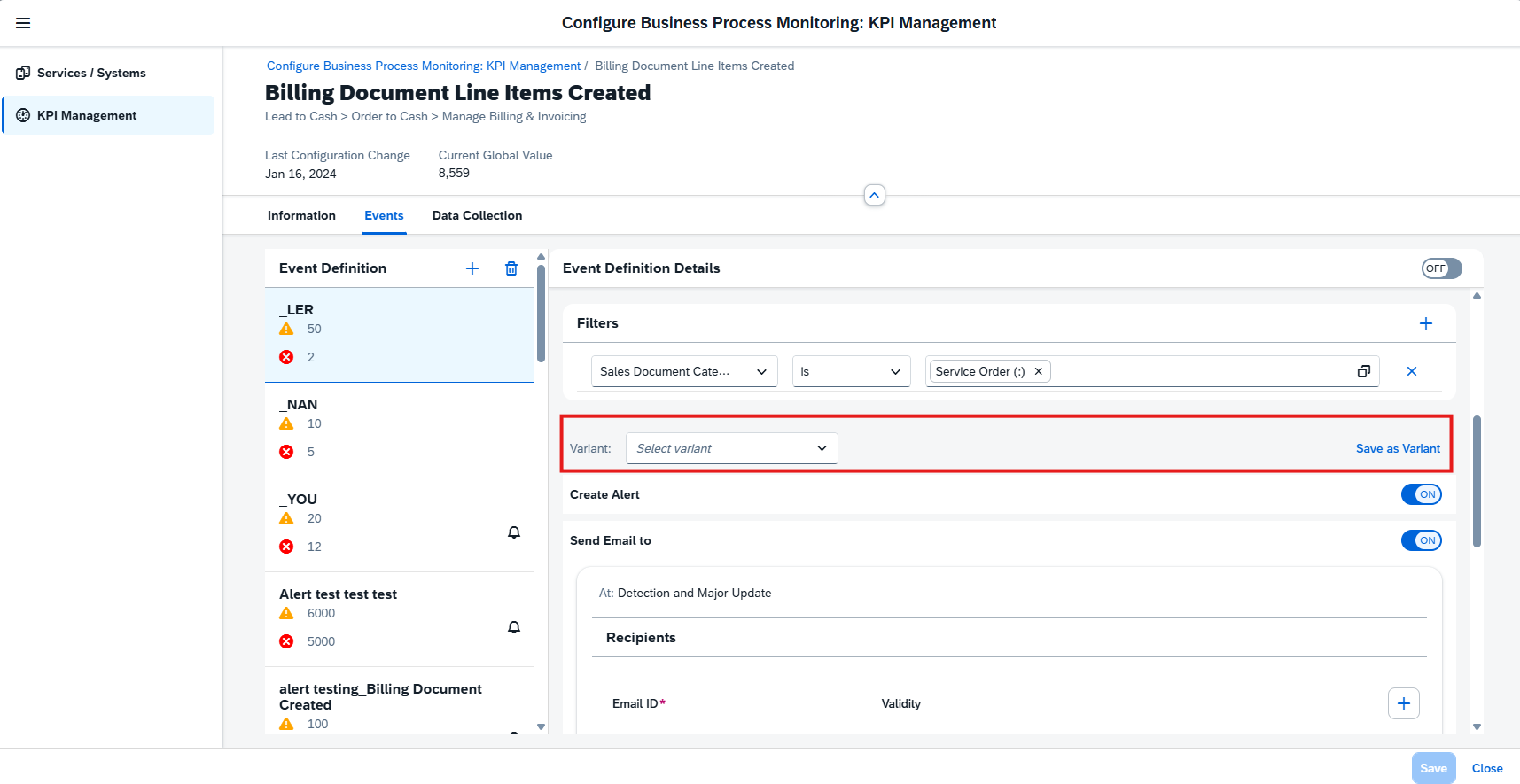
Synthetic User Monitoring also now supports Event Action Variants to sum up the event action settings and save time on configuration. Save an event configuration as an event action variant. Then use the variant to replace the current event configuration of another business service with the variant.

These Event Action Variants can also be managed in the Intelligent Event Processing app.

Keep in mind that when using variants, it’s not anymore possible to edit the event configuration directly. Instead, the configuration is connected to the variant, which means that if the variant definition is changed, the event configurations connected to the variant will automatically use these changes.

Integration & Exception Monitoring has a new monitoring category for SAP Project and Resource Management, resource management capability providing us with detailed status overview of the incoming and outgoing Transactional Messages.

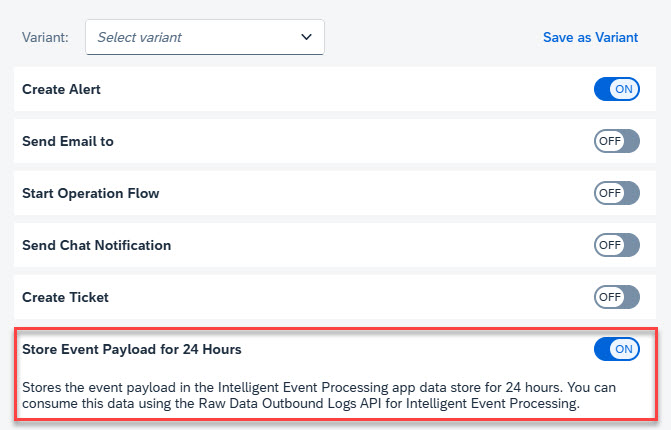
Intelligent Event Processing has enhanced Event Payloads by providing Landscape information of the managed component in the payload. The landscape information includes details such as customer name, customer ID, tenant ID, data-center, role, and so on. These details provide more context about the managed component of the event situation.

SAP Cloud ALM – What’s New in Week 46

Welcome to our bi-weekly SAP Cloud ALM update series! Every two weeks, SAP rolls out a new set of enhancements to Cloud ALM, providing users with the latest features, performance boosts, and user interface improvements. In this post, we’ll dive into the latest updates released in week 36. If you missed our article on the latest updates, you can read it here.

Services

Service Delivery Center had replacement of Service and Session Names with Brand Voice Texts.

This means that for a pre-packaged service order, the system calculates the percentage of service completion based on the weightage of the completed predefined tasks. Each task contributes a certain percentage to the completion of the service order.

Implementation

Projects and Setup allows now to assign transport nodes to the systems in a system group.

Libraries have 2 smaller enhancements.

The filter Source was added to the list of library elements.

It’s now possible to use tags for library elements to classify elements according to custom criteria.

Analytics has a new app available: Quality Gate Reporting.

The new Quality Gate Reporting app helps to monitor quality gates and their associated checklist items according to user type distribution and keep track of follow-up tasks.

Operations

Job & Automation Monitoring now allows to configure Critical Runtime or Critical Delay events to raise event actions when the run time or delay exceeds by a few seconds. Previously, the time was set in minutes.
Now, it’s possible to set the time in seconds, minutes, or hours for Red (error) or Yellow (warning) statuses.
Intelligent Event Processing has new content available for Manual Event actions in Execution Log.

Manual actions are triggered in the Alerting page of monitoring applications and now we can view the manual event actions (email and operation flow) that are triggered for an event in the Execution Log.

Additionally, it’s possible to filter for manual event actions using Filter -> Action Name.

Business Process Monitoring has 3 new features available.

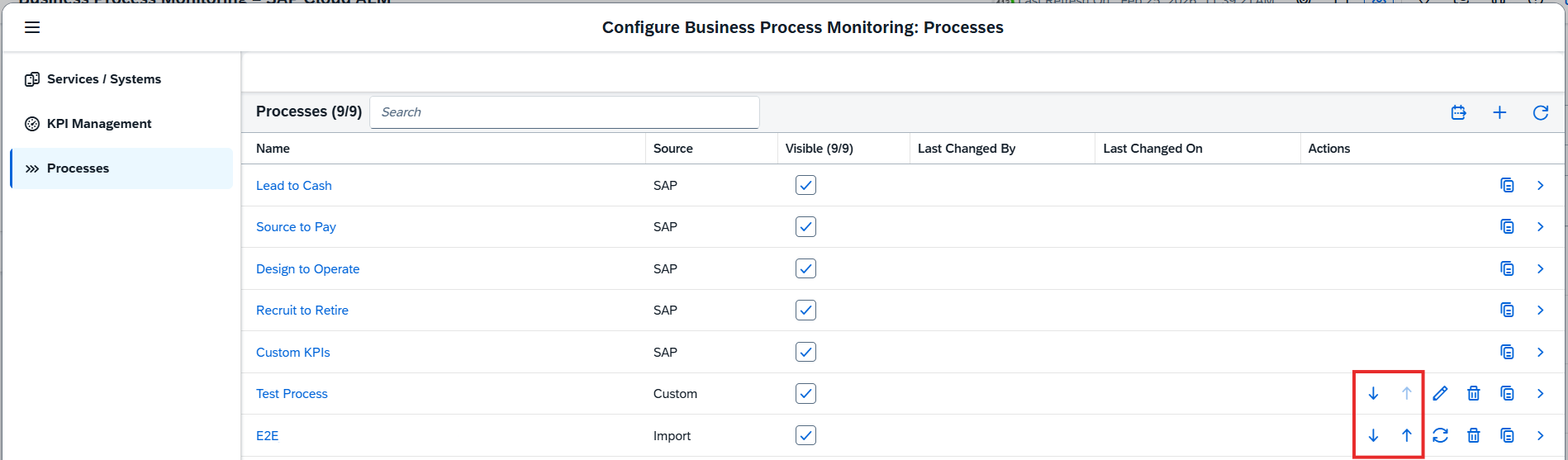
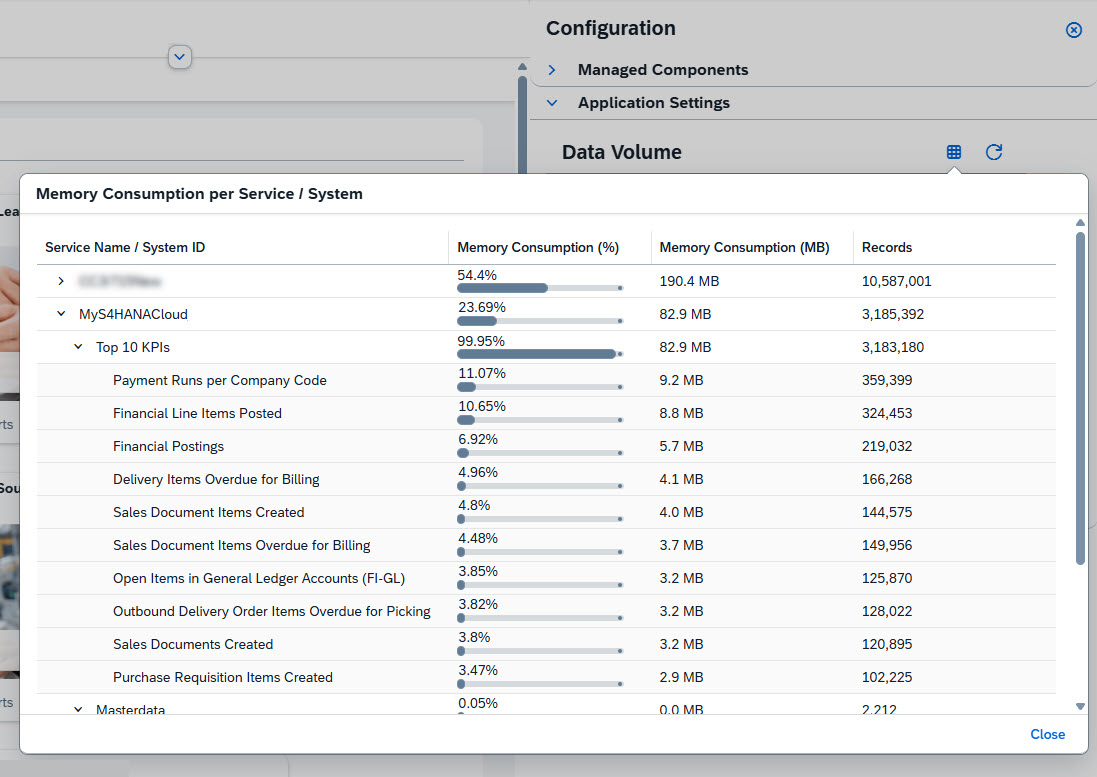
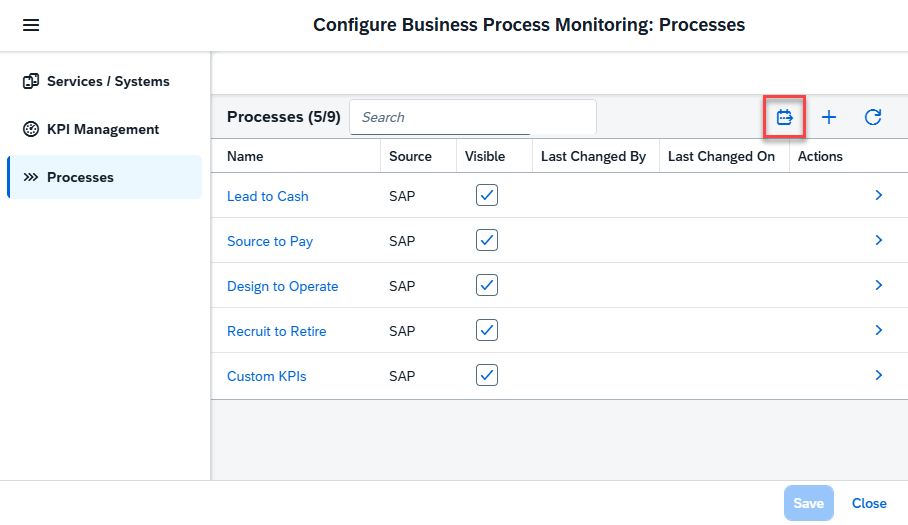
To ensure a unified view and easier configuration within SAP Cloud ALM for operations, the configuration panel and dialog of business process monitoring have been enhanced. Here’s what’s new for the configuration dialog:

  • The sections in the configuration panel have been reordered. Services and systems and the KPI management are now found under Managed Components.
  • The configuration dialogs for services and systems and the KPI management have been merged into one dialog with individual pages, allowing to easily switch between them.
  • The information about connected services and systems has been improved for clarity.

In the scope selection, it’s now possible to filter list by service status:

  • Configured: Business process monitoring is configured, and the data collection is active for this service or system.
  • Not Configured: Business process monitoring is not configured, or the configuration was removed.
  • Inactive: Business process monitoring is configured, but the data collection was deactivated for this service or system.

By default, the list is filtered by the service status Configured.

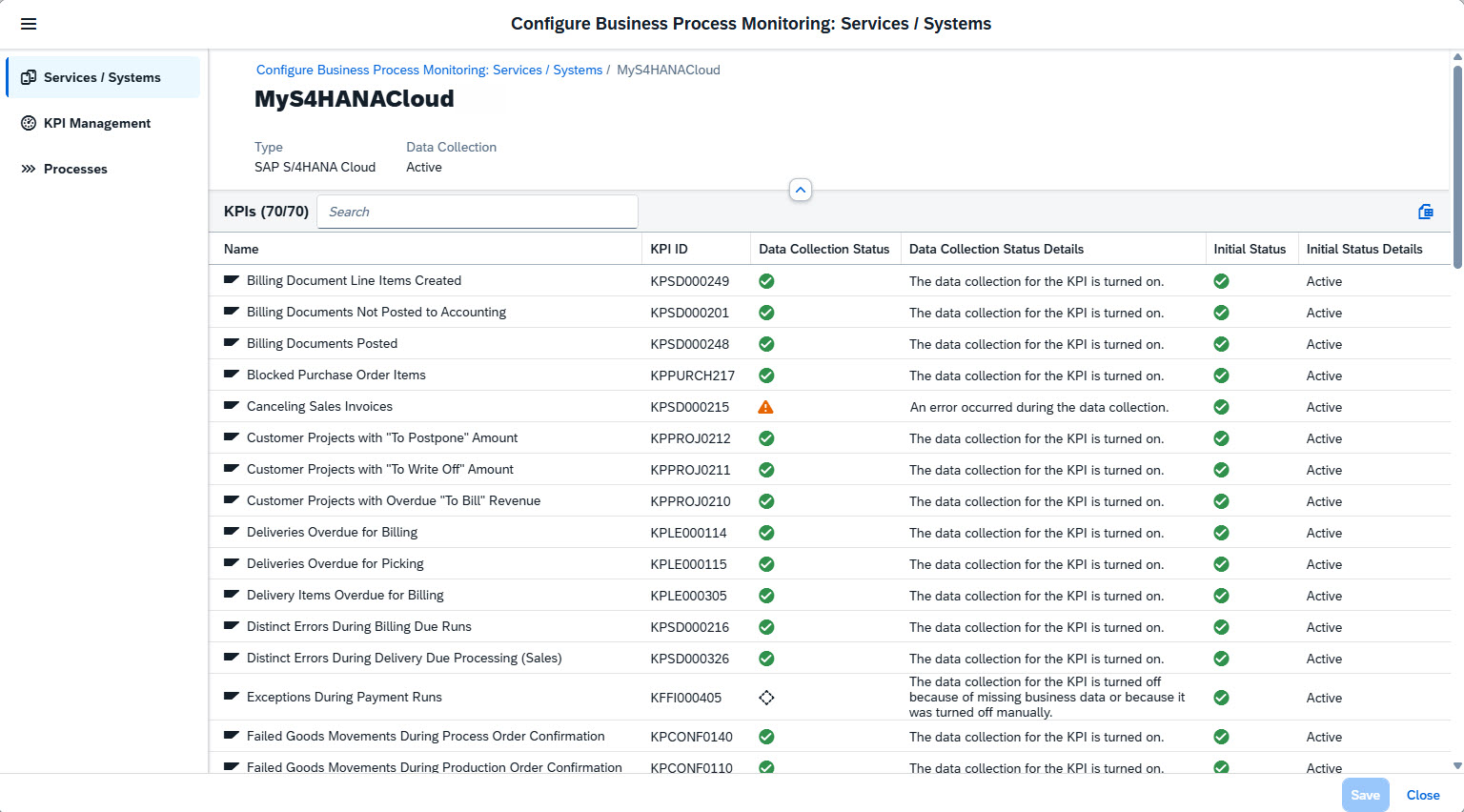
KPI Management now has a new function to export a list of KPIs to a spreadsheet. This can be done in KPI Management List by choosing Export to Spreadsheet.

The export contains the KPI ID and name, the process, the availability of an event definition, the collection status, the category, and the last configuration change.

The exported data is based on the scope selection that is active when the spreadsheet is exported.

* Several areas

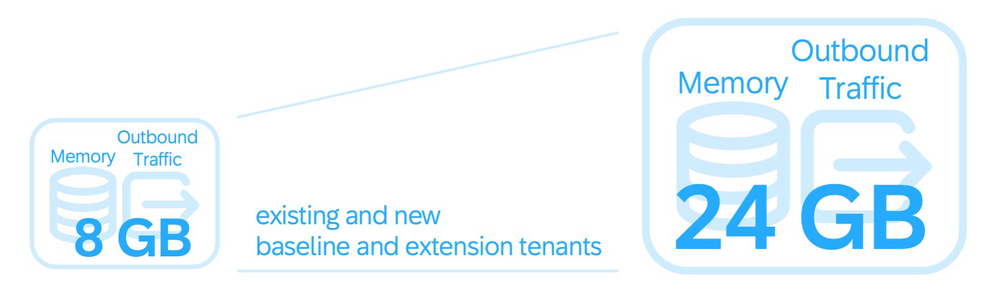
It’s now possible to get additional SAP Cloud ALM tenants for the same customer number by subscribing to the microservice SAP Cloud ALM, tenant extension.

Purchasing the extension, grants entitlement to request another fully independent tenant that comes with 8 GB of SAP HANA memory and 8 GB of monthly outbound API data transfer.

Here’s how to benefit from this additional tenant:

  • Use multiple productive tenants, for example, to provide SAP Cloud ALM to different organizational units in large enterprises or to separate SAP Cloud ALM for implementation and SAP Cloud ALM for operations.
  • Add a development or test tenant to the existing productive tenant, for example, to build and test extensions.
  • Separate systems from different landscapes, for example, for systems containing sensitive information.
  • Create training or playground environments.

Preview of Upcoming Updates

In week 38, we can look forward to enhancements in the Implementation area, specifically for Landscapes – Design and Visualization. The Landscapes app will then seamlessly integrate with the Landscape Management app to automatically enforce Access Control Lists based on user roles.

This means users will have tailored access to specific landscape objects, enhancing both security and usability.