Tag: SAP Cloud ALM

For posts relating to CALM

IT monitoring concept: How to secure your SAP landscape in the long term

As experienced SAP experts, we know how crucial good IT monitoring is for system stability, performance and business continuity. Nevertheless, it is often given a low priority – until disruptions occur. While the big projects are in the spotlight, monitoring remains in the background, although it is a critical success factor for business processes.

A well-thought-out monitoring concept not only ensures smooth operations, but also minimizes risks and costs:

  • Detecting problems early – performance bottlenecks or integration errors before they become critical and escalate
  • Aligning IT with business objectives – smooth processes for better service quality
  • Reducing downtime – proactive instead of reactive troubleshooting

SAP Cloud ALM (Application Lifecycle Management) offers a powerful solution for strategically and seamlessly integrating monitoring into your IT processes – for cloud, on-premise and hybrid SAP environments.

Developing a monitoring concept

An effective monitoring concept requires clear goals and a well-thought-out implementation. Here are the most important steps:

Evaluate the current situation

Who needs what monitoring data? What tools are already in place? Identify gaps and optimization potential. Analyze the landscape and stakeholders, and determine who will be affected by the monitoring process and how the data will be used. If available, evaluate existing monitoring practices and tools to understand what is already working well and where there are still gaps.

Define goals

What do you want to achieve? Is it performance, compliance, security or risk management? Monitoring should not only collect IT data, but also support key business processes.

Determine what you want to achieve through monitoring – identifying problems, improving performance, compliance or risk management. Don’t just focus on technical system metrics, but align your monitoring efforts with the priority of your business processes within the organization.

Determine what to monitor

Which systems and processes are critical? Choose meaningful metrics that provide actionable insights rather than just data overload.

From the identified systems and objectives, select the most important systems and processes to monitor, focusing on the most relevant metrics that provide actionable insights into the performance and health of your services and systems.

Implementation

Research and select monitoring tools that can collect and analyze data quickly and easily. For SAP-centric landscapes, SAP Cloud ALM is the ideal tool because it supports a variety of SAP products – cloud services and on-prem systems. Connect your systems agent-less and activate the various use cases available.

Analyze and interpret data

After the first round of data collection, you should evaluate the collected data based on your KPIs and objectives. Determine the normal operating ranges for your selected metrics and set a baseline. Based on this, you can set up thresholds, alerts and notifications.

Continuous improvement

IT systems continue to evolve – so should your monitoring. Think of monitoring as a living framework. Perform regular reviews to assess the relevance of current metrics and thresholds. Check whether monitoring is still aligned with business priorities after major system changes, such as upgrades or the introduction of new features. Ideally, the topic of “monitoring” should already be part of projects or enhancements so that monitoring is already active from day 1 after their introduction.

Conversely, the same applies to the monitored systems: Use the insights from the monitoring data to make continuous improvements to your systems.

Stay up to date

Train your team and managers so that they can make optimal use of new monitoring features and functions. Monitoring is a dynamic process that requires continuous development.

Why monitoring with SAP Cloud ALM is indispensable for “operational excellence”

SAP Cloud ALM is much more than a simple monitoring tool. It not only enables you to monitor your IT systems, but also to control the entire SAP operations and pave the way for operational excellence.

The capabilities of SAP Cloud ALM enable you to go beyond pure technical monitoring and to monitor relevant “business-critical” and application-related metrics to ensure that business processes are working. With its ability to integrate into hybrid landscapes, along with intelligent automation and transparent reporting capabilities, it is becoming an indispensable resource for any head of an SAP competence center or anyone responsible for SAP operations.

By integrating SAP Cloud ALM into your monitoring strategy, your team can ensure a resilient, efficient IT environment that supports the growth and long-term stability of your business.

Leverage blue.works’ proven expertise

Implementing an effective monitoring strategy in SAP Cloud ALM requires not only technical knowledge but also practical experience and a deep understanding of best practices. At blue.works, we bring the expertise gained from numerous successful SAP Cloud ALM projects to help companies develop and implement monitoring concepts that deliver real business value.

We can create a tailored, proven alerting and monitoring approach within SAP Cloud ALM that is customized to your specific needs and ensures that your systems remain optimized and resilient. Contact us to discuss how we can support you on your SAP Cloud ALM journey.

SAP Cloud ALM – What’s New in week 6

Welcome to the latest SAP Cloud ALM update blog! SAP continues to drive innovation and enhance the Cloud ALM experience with user-focused improvements. This bi-weekly series keeps you up to date with the newest features, enhancements, and optimizations. In this edition, we’ll cover the key updates from week 6, highlighting how SAP is helping you work more efficiently and achieve greater results.

RISE with SAP

RISE with SAP page in SAP Cloud ALM launchpad has now new application System View.

System View Dashboard displays system’s clean core compliance. From there it’s possible to:

  • Check if the current SAP S/4HANA product version installed on system is up to date and plan next system upgrade.
  • Monitor that system is configured for clean core data collection.
  • Review current extensions to evaluate and prepare for any potential issues on next upgrade.

To be able to access the System View dashboard on the SAP Cloud ALM launchpad, you must be a customer with a valid RISE with SAP contract.

SAP Business Transformation Center

SAP Business Transformation Center now supports the full migration of SAP Human Capital Management (HCM) data from SAP ECC to SAP S/4HANA.

SAP Human Capital Management (HCM) data is migrated entirely, without any filtering.

Modeling has new data dictionary scan restart option in the Manage Transformation Models app.

Now if data dictionary scan encounters an error, it’s possible to trigger it again by choosing Restart.

Implementation

  • Processes has new solution scenarios available in the list of supported solutions for Process Management:
  • SAP Services Content for Integrated Utilities
  • SAP Business Network for Supply Chain
  • SAP Best Practices for SAP S/4HANA Cloud Public Edition, Public Sector

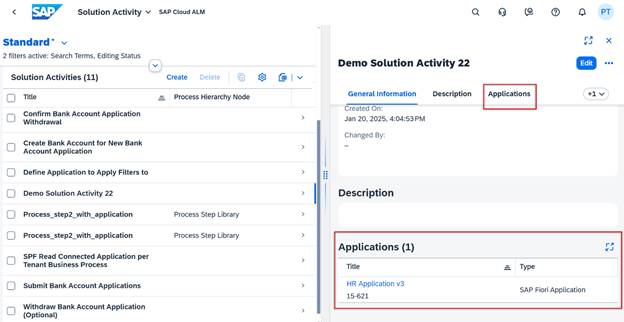
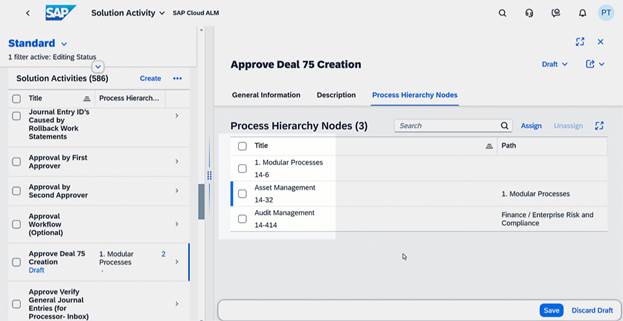
Processes now also allows to display applications assigned to a solution activity. When calling up the details for a solution activity in the Solution Process Viewer, users now see information about the applications that are assigned to it. As well as the name of the application, it displays which application type it belongs to. Some examples of possible application types are the following standard content types, although other customer content application types are also possible:

  • SAP Fiori Application
  • Transaction
  • URL
  • SAP Web Dynpro Application

Additionally, if the application shown is a custom application and not a standard one, users also see the Display ID of the custom application that is stored in the Library for reference.

Keep in mind that the Applications section is only shown if the solution activity actually has an application assigned to it, otherwise it is not displayed.

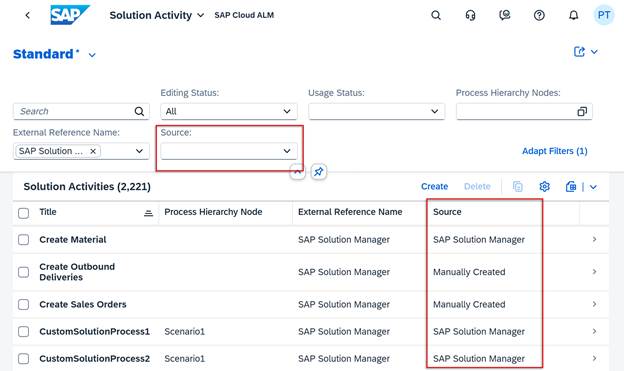
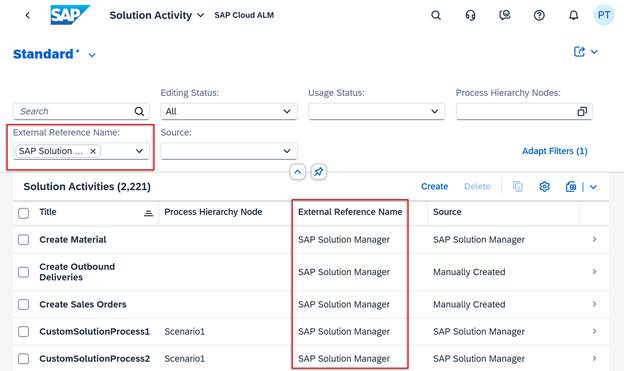
In Process Authoring it’s now possible to upload solution activities and custom solution processes to a project. If there is a need to import content, for example as part of a migration, users can now upload custom solution processes to a project using a ZIP file or solution activities using a spreadsheet. There’s also provided templates in the system if needed.

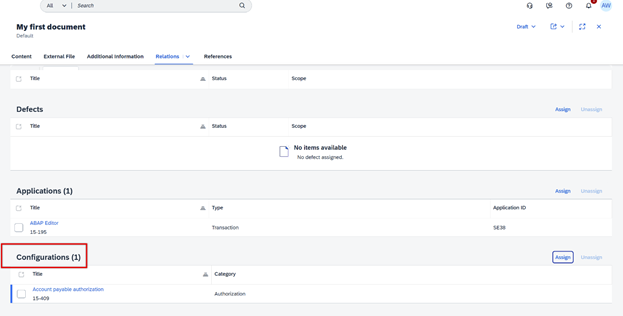
Libraries now displays in detail view solution activities that were assigned to configurations. There’s also links available to navigate to the Solution Activity app.

Operations

Health Monitoring now supports SAP Datasphere.

Available metrics for it are Storage and Events.

Intelligent Event Processing has a new section, Outbound Logs, in the Event Situation Details page. 

In this section, it’s possible to view the status of event payload storage, the count of available payloads, and the time stamps of the first and the last payloads. The payloads are stored for events that have Store Event Payload for 24 Hours event action enabled.

The log count is also displayed in the Event Situations table in the Overview page.

Services

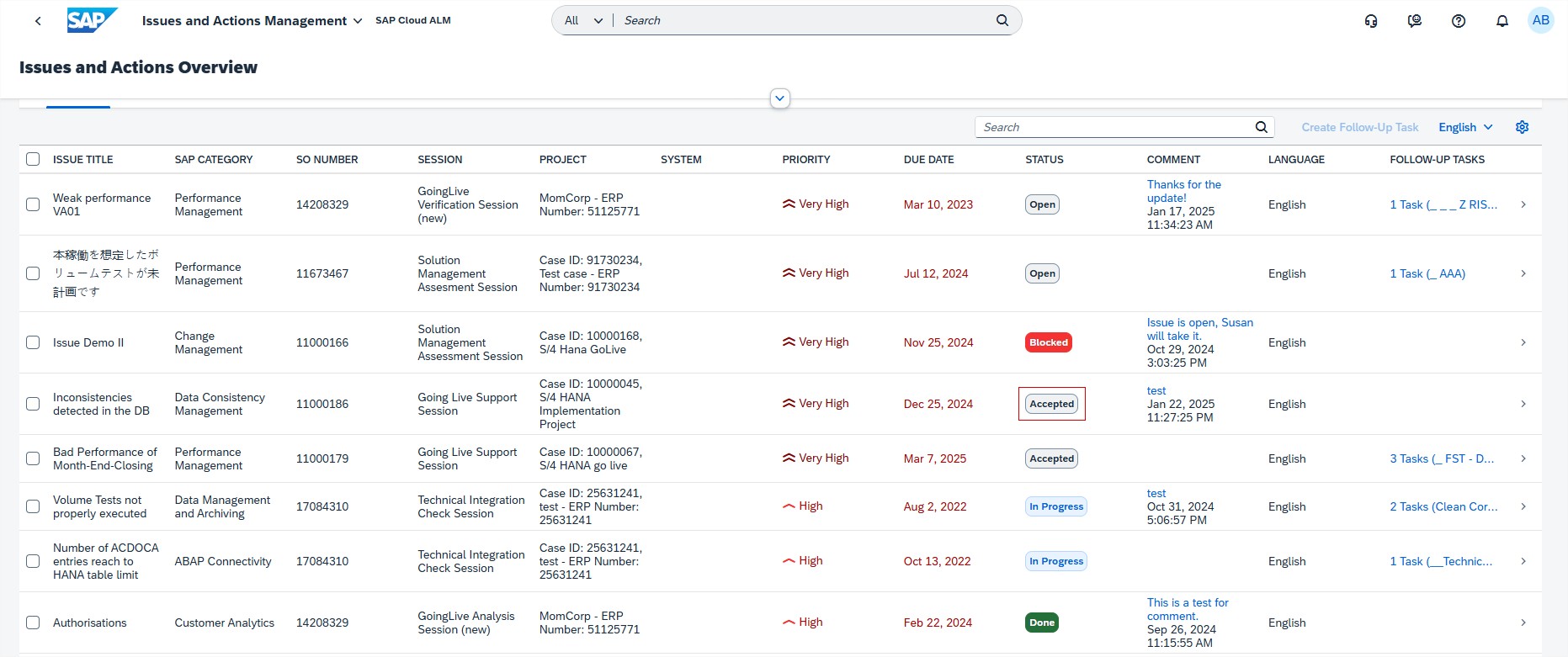
Issues and Actions Management has new Issue Status: Accepted. Setting a status of an issue to Accepted acknowledges the issue to SAP.
* Several areas

SAP is planning to remove the Belize themes shortly. It’s recommended to switch one of the SAP Horizon themes in user’s settings.

SAP Cloud ALM – What’s New in week 2 and 4

Welcome to the first SAP Cloud ALM update blog of 2025! As we embark on a new year, SAP continues its commitment to innovation and user-centric improvements in Cloud ALM. This bi-weekly update series keeps you informed about the latest enhancements, features, and optimizations. In this edition, we’ll delve into the highlights from the updates rolled out during week 2 and week 4, showcasing how SAP is enhancing the ALM experience to help you work smarter and achieve more.

SAP Business Transformation Center

It’s now possible to use Cloud Integration Automation Service (CIAS) to onboard the source and target systems for use with SAP Business Transformation Center. This service guides through the workflow and contains instructions for the manual and automated tasks, enabling an easy and quick integration configuration setup.

Modeling has 2 new features available.

There is now a new tab called “Filters” in the Transformation Object Details app, where is displayed a list of all transformation filters applied to a selected transformation object.

There is also a new tab called “Solution Patterns” in the Manage Transformation Model app, where are displays a list of the solution patterns applied to a selected transformation model. A “Solution Patterns” tab is also available in the Transformation Model Versions app, where it displays which solution patterns have been applied to the corresponding transformation model version.

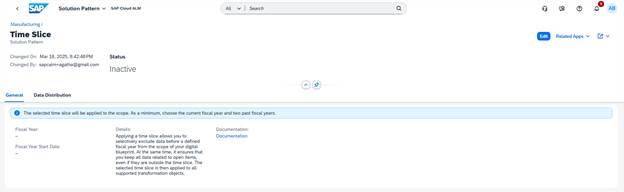
The solution pattern that SAP Business Transformation Center currently offers is time slice.

Scoping allows now to use the time slice solution pattern to selectively exclude data before a defined fiscal year from migration scope, while ensuring that data related to open items, even if outside the time slice, is included. This allows to reduce the migration scope only to data that is necessary for operational, reporting or auditing purposes. This data reduction not only simplifies the migration process but also ensures a more relevant and valuable dataset at the end of the migration.
Implementation

Test Preparation enhanced it’s feature inserting images to test cases. Images that are inserted in test case are now retained when downloading and reuploading the test case.

Projects and Setup allows now to search by the system title or ID in the selection list of System Groups tab. This helps in finding the preferred system in a long list of systems.

Analytics displays now all deliverables that are not completed by using the “Not Completed” button in the Deliverables tab of the Project Progress Reporting app. By default, the “All” button is enabled to show all deliverables. Additionally, the “Completed” button shows all completed deliverables.

In Features, a Cross-Reference Check now includes object conflict details. In the “Check Details” view when selecting the conflict reason, now displays detailed information on how to solve the issue.

Features also allows now to download transport check results of all the conflicting or missing objects belonging to the same check type and target tenant in a single spreadsheet.

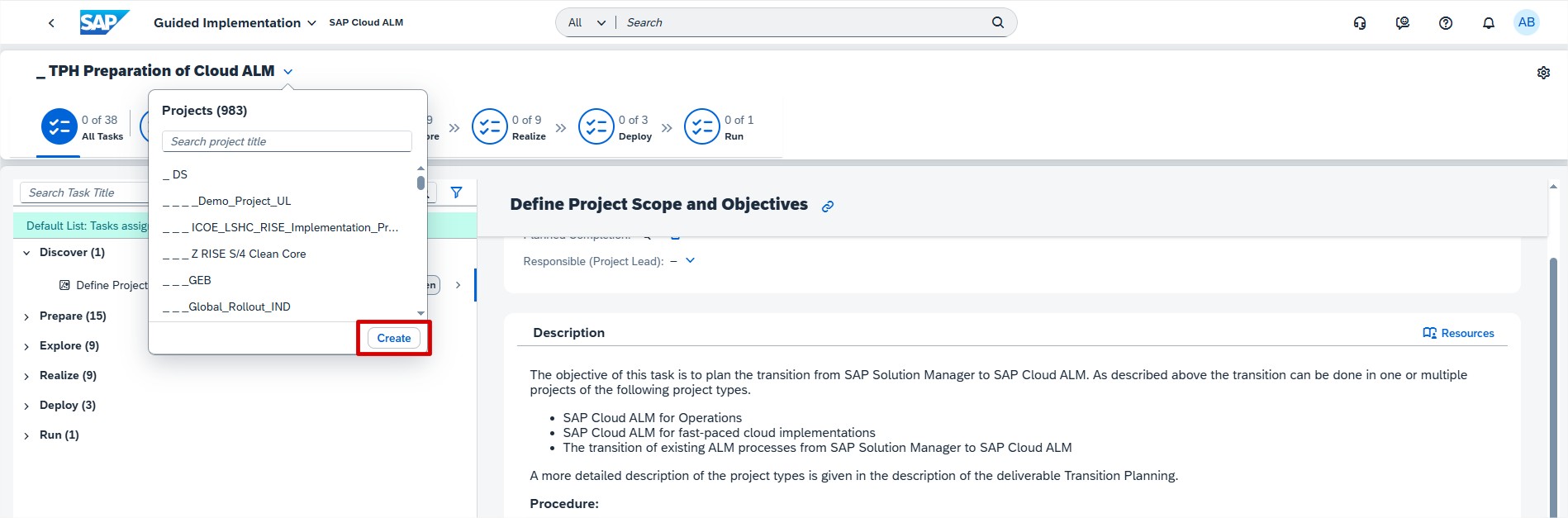
Guided Implementation has 4 new features available.

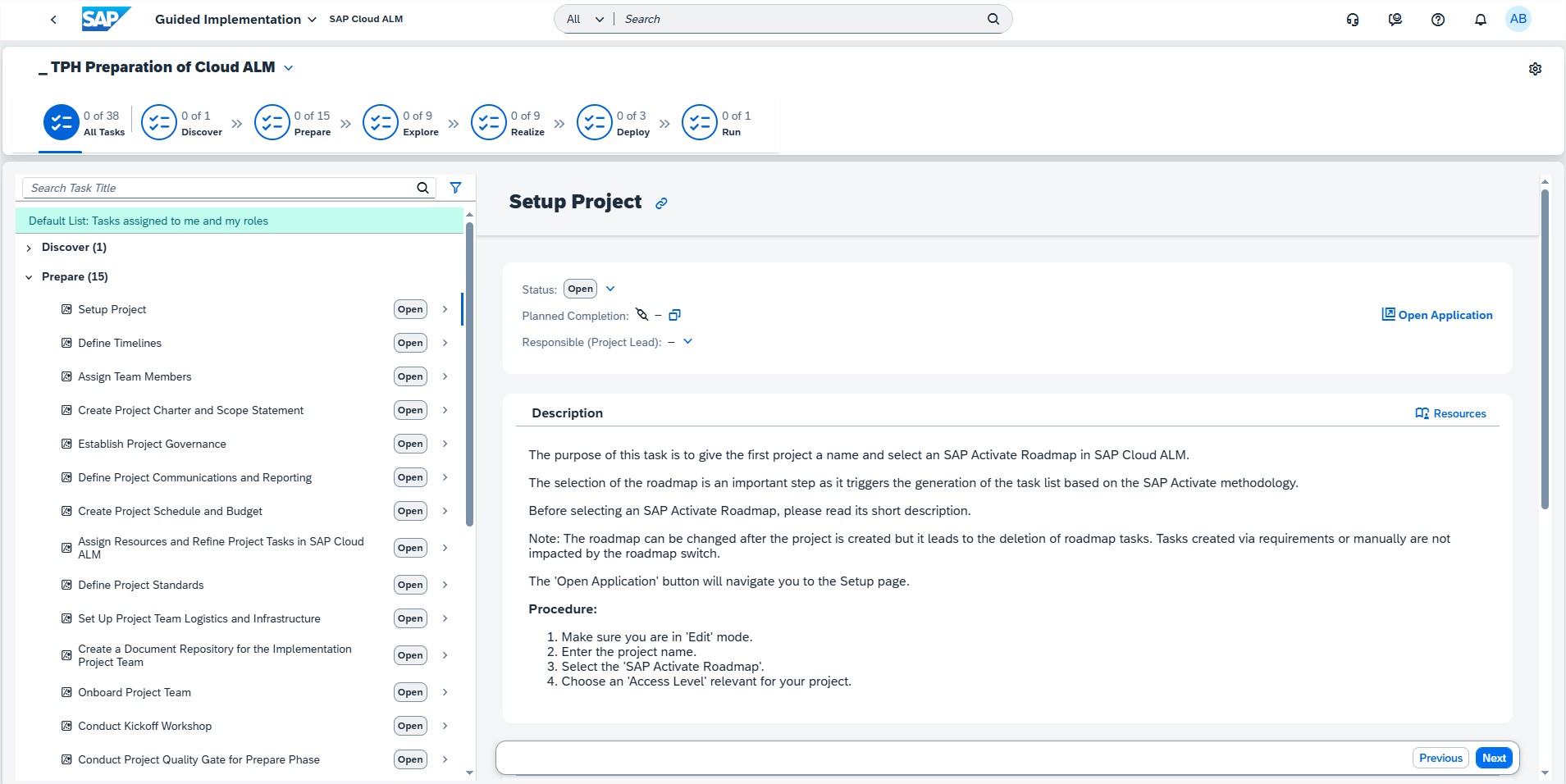
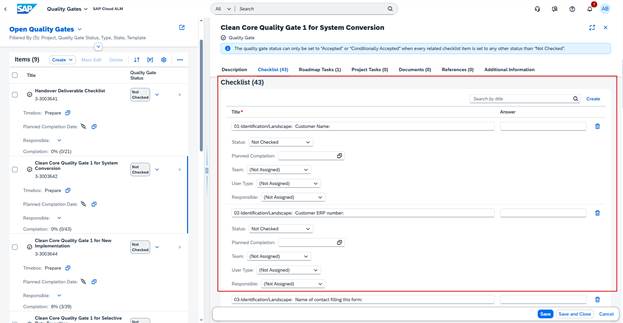
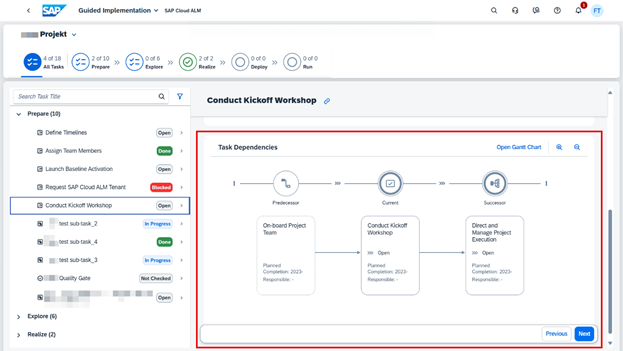
  • It’s now possible to manage the quality gates of a project in the app to ensure that all phase-specific quality criteria are met. The quality gate status and the checklist completion are now shown. Use the newly added link “Go to Checklist” to navigate to the Tasks app.
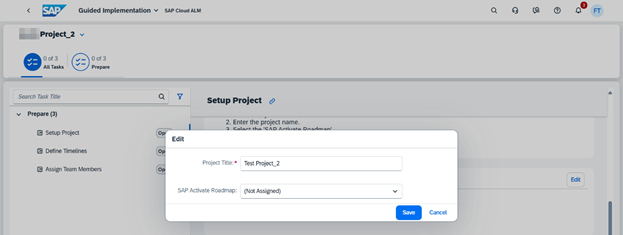
  • Phases without tasks are now clearly indicated. If no roadmap was selected for a new project that just has tasks in the Prepare phase, all other phases are hidden in the tab bar.
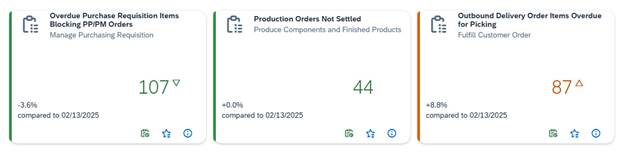
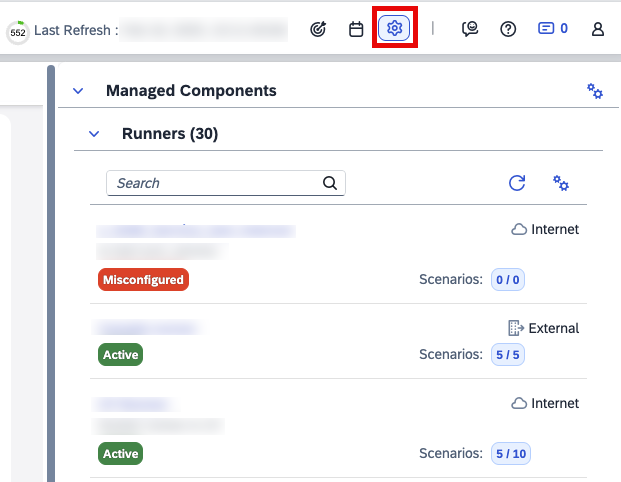
  • There are now icons for the different item types and statuses.
  • A filter for quality gate statuses was added to the app.

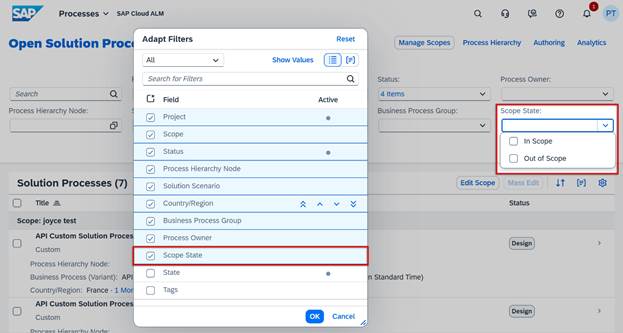
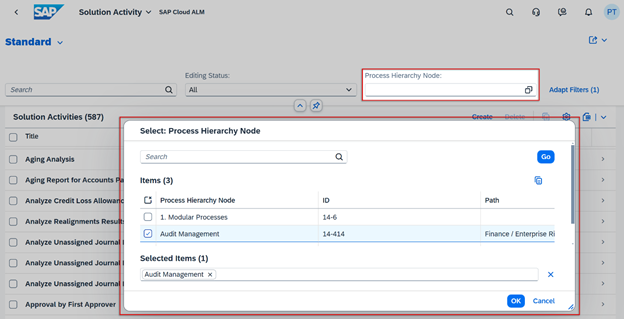
Process Authoring has new “Usage Status” filter in the list of solution activities. If there’s a need to delete solution activities, for example after performing a migration, a new filter helps to simplify the process. As it’s only possible to delete solution activities that are not used in a solution process, filter allows to display all activities that are not used anywhere. This gives opportunity to choose “Select All” in the list and delete all unused entries at once.

Process Authoring introduced also a two-step deletion process for custom solution processes using archiving to prevent users from unintentionally deleting data by mistake. It behaves slightly differently depending on the versions that exist.

  • If a custom solution process has draft and published versions, it’s possible to either choose to delete its draft directly or archive the custom solution process. Keep in mind that only unscoped custom solution processes can be set to Archived in Process Authoring.
  • If a solution process has a draft version only, it’s possible to delete this draft directly.
  • If a solution process has a published version only, it’s necessary to first archive the process and then delete it in a subsequent step.

Archived processes can then either be deleted or set back to active by choosing the “Restore” button. Restored custom solution processes are handled in the same way as active, unscoped custom solution processes.

Archived custom solution processes have the prefix [Archived] added to their title in the list of solution processes in the Processes app.

When a custom solution process has been archived, it’s no longer possible to edit its details, related diagrams or elements. Creating new diagrams, publishing and copying is also no longer possible unless restoring it to an active state.

Archived solution processes can no longer be scoped or mass edited, it’s not possible to change their status, Process Owner or Tag assignments in the Processes app.

Tasks has also 2 new features available.

  • Tasks allows now to use the spreadsheet upload to assign quality gates to project tasks and to assign requirements to user stories.
  • It’s now possible to assign responsible teams to checklist items.

Operations

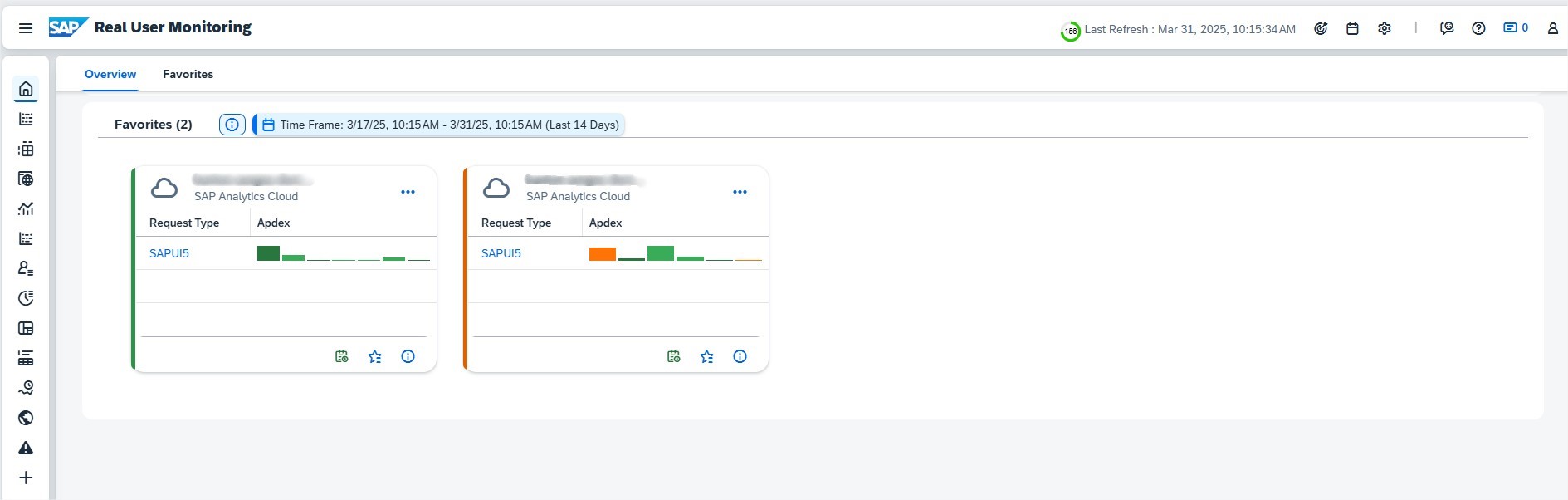
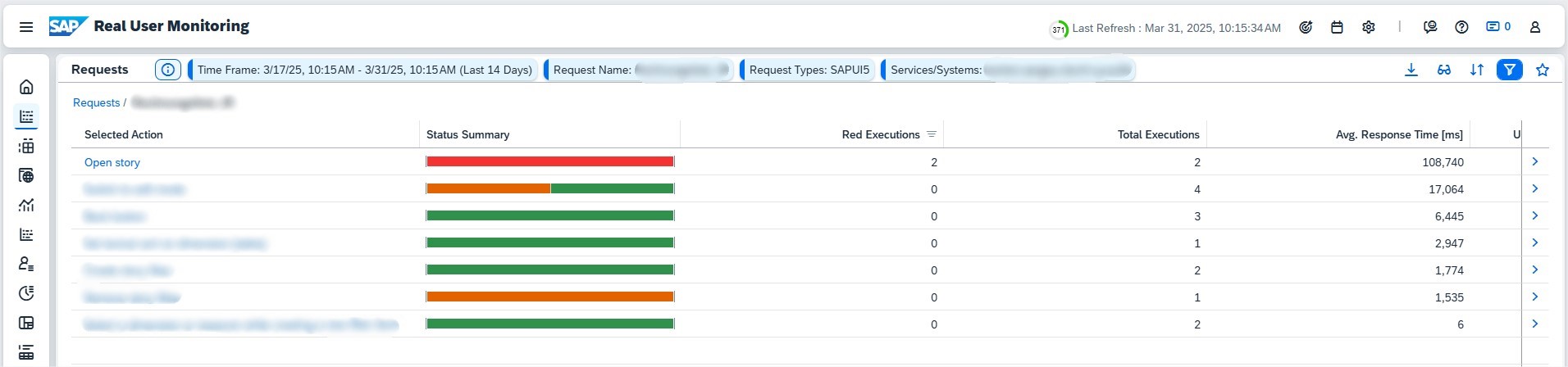
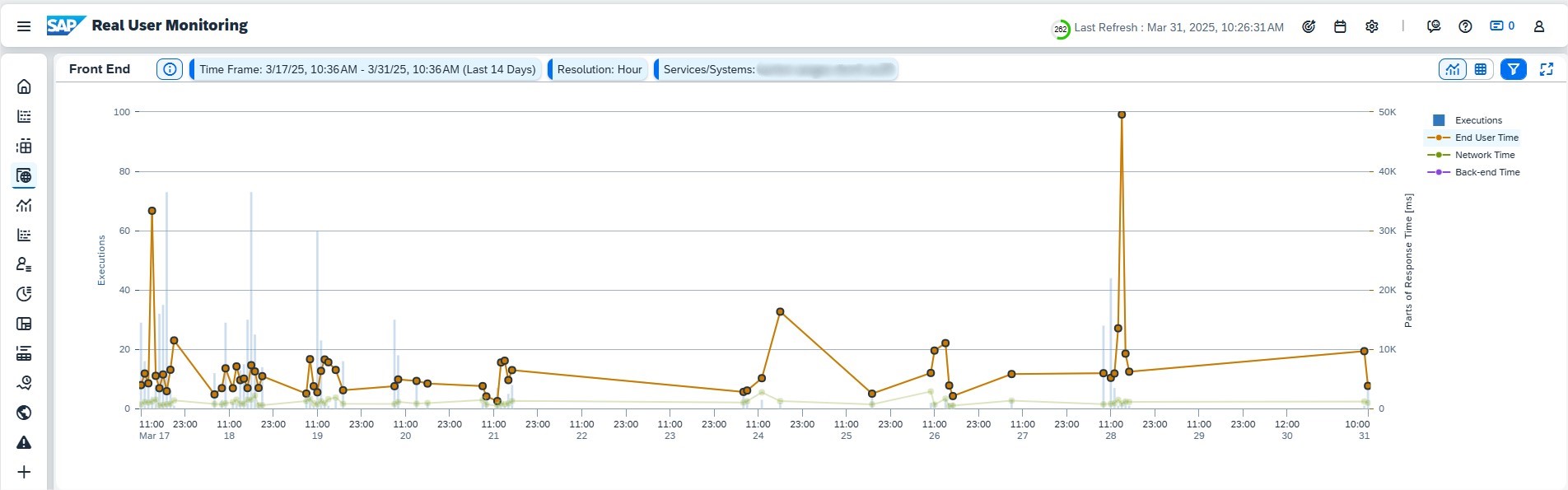
Real User Monitoring continues to evolve, now extending its capabilities to include several new supported solutions:

  • SAP Task Center
  • SAP Data Quality Management, microservices for location data
  • SAP Predictive Replenishment
  • SAP Build Work Zone, standard edition
  • SAP Build Work Zone, advanced edition
  • SAP SuccessFactors Work Zone
  • SAP Cloud Portal service

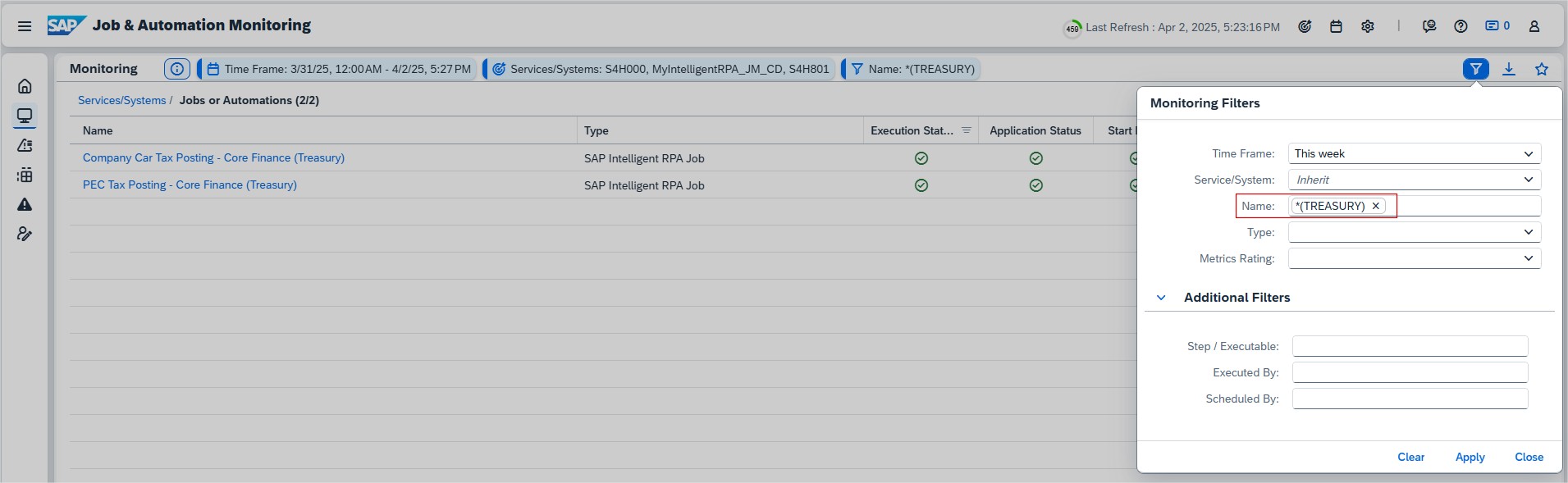
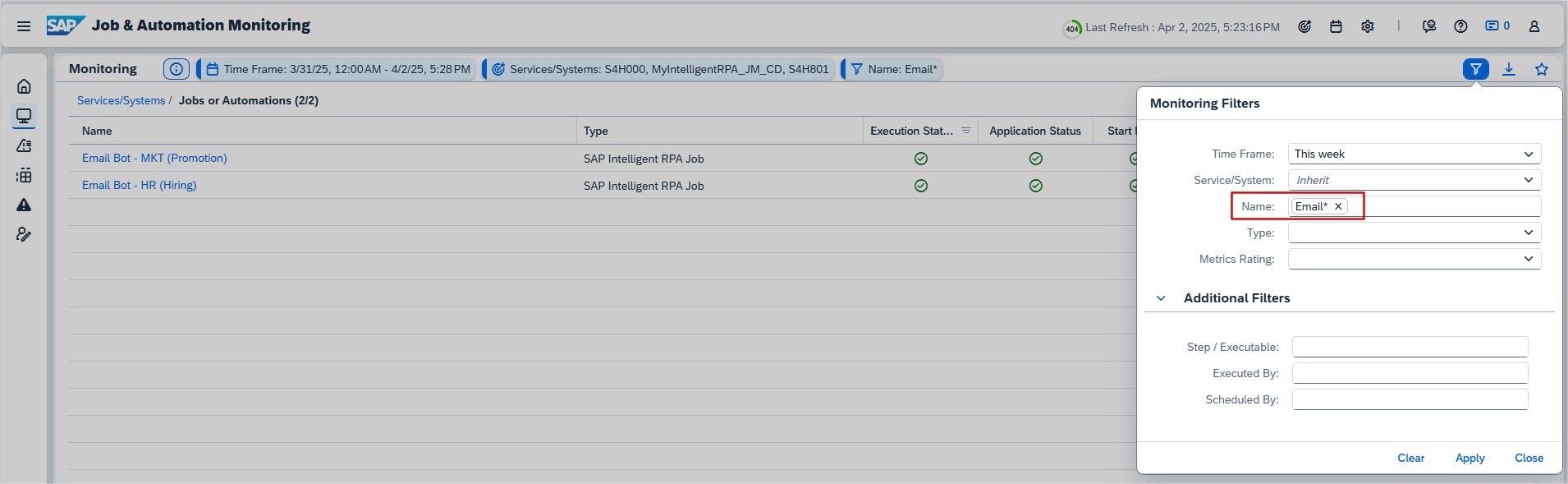
Job & Automation Monitoring has new filters available in Analysis page, to further refine the jobs and automations displayed. Filters can be found under “Additional filters”, and they are:

  • Step/Executable: Filter by the step/executable name of the job or automation.
  • Executed By: Filter by the user who has executed the job or automation.
  • Scheduled By: Filter by the user who has scheduled the job or automation.

In Intelligent Event Processing, it’s now possible to view the Event Name and Service Type for the variant in the “Where Used” pane. Additionally, it’s now possible to use the “Live Search” to find variants using Event Name and Service Type information.

ALM How-To: Designing and living IT processes in SAP Cloud ALM

This time, our blog series “How to ALM ” (HTALM) is about the possibilities of modeling and documenting ALM processes directly in SAP Cloud ALM (CALM). We show how to “activate” the predefined ALM best practice flows in SAP Cloud ALM and then customize them.

❓ Why document ALM processes in SAP Cloud ALM?

The predefined best practices in SAP Cloud ALM already provide a clear structure for onboarding, project setup, build, test and deployment. Nevertheless, every organization has individual requirements for IT processes that make it necessary to adapt the processes. And here’s the best part: you can adapt and document the best practice processes directly in SAP Cloud ALM BPMN Modeler.

⚽️ ALM Kick-start Modeling

SAP Cloud ALM comes with detailed BPMN process diagrams for the following areas:

  • Onboarding
  • Projektsetup
  • Fit-to-Standard
  • Build
  • Test
  • Deployment
  • Fix & Enhance

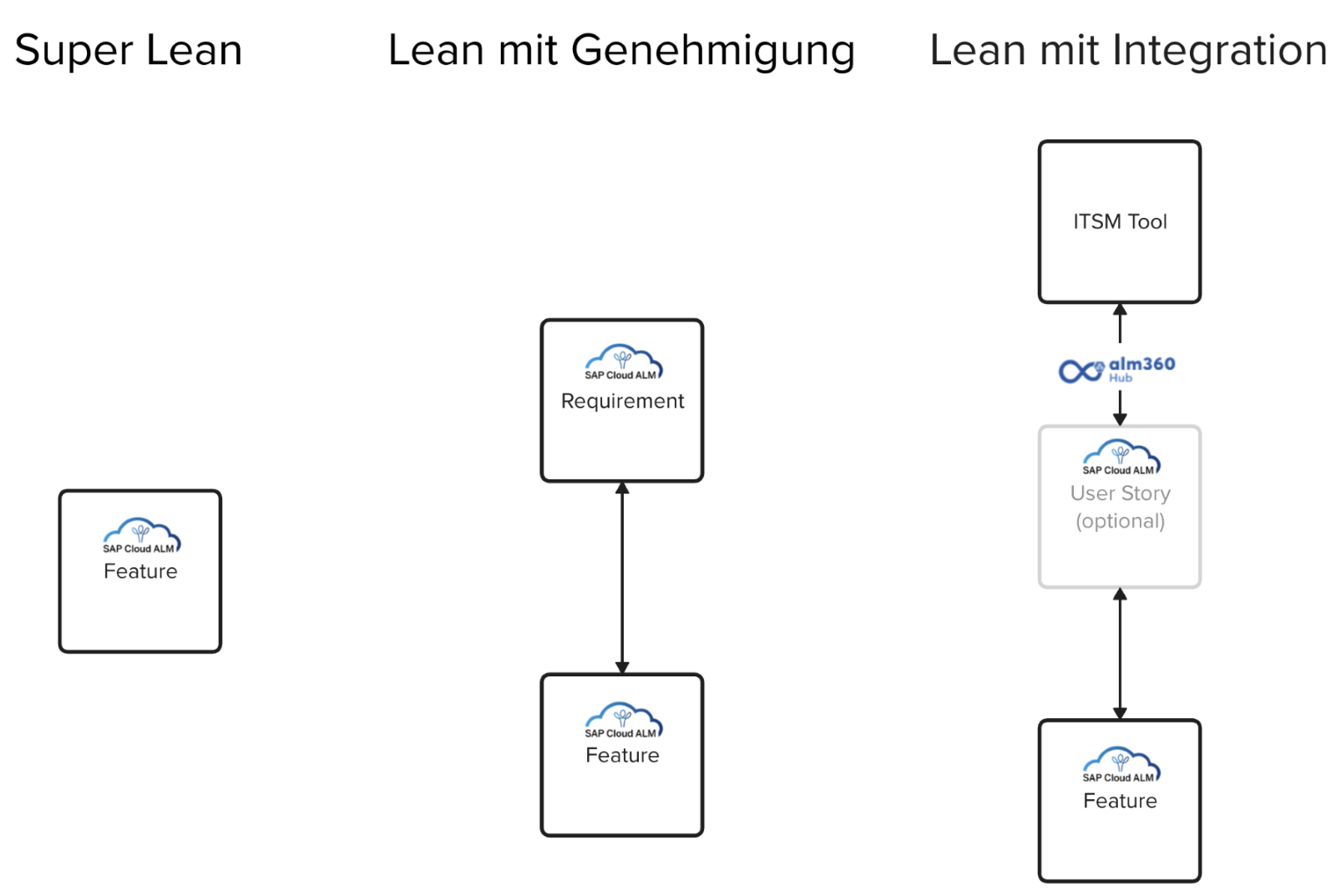
How can we now activate and customize them? I will give an example of the Fix & Enhance process. This process shows how solutions can be improved and enhanced iteratively – usually in the so-called maintenance phase, which comes after the project phase. In this Fix & Enhance process, you may want to integrate the integration of incidents and changes as a starting point from another tool in SAP Cloud ALM with a feature and not with a requirement, as envisaged in the best practice flow.

Important: I am deliberately not talking about an operations/operations “phase” here, but about a maintenance/maintenance “phase”, because the functions for operations/operations are reserved for the monitoring area in SAP Cloud ALM.

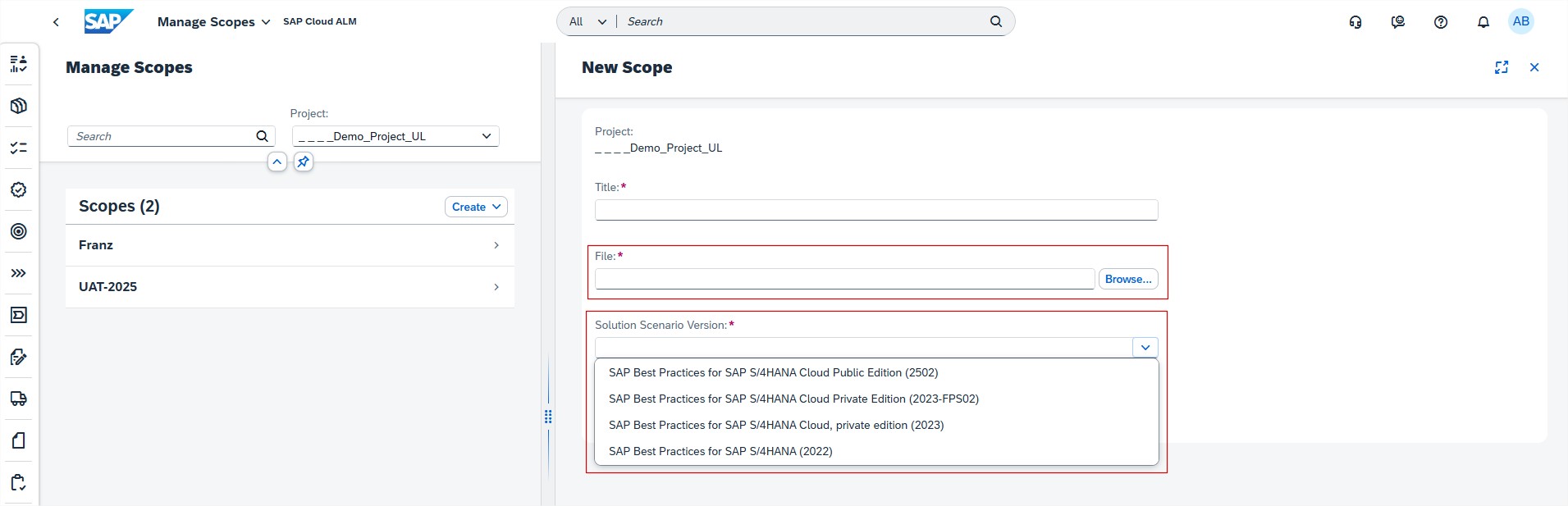
Step 1: Create a new scope for the “Tools and technology” solution scenario within a project

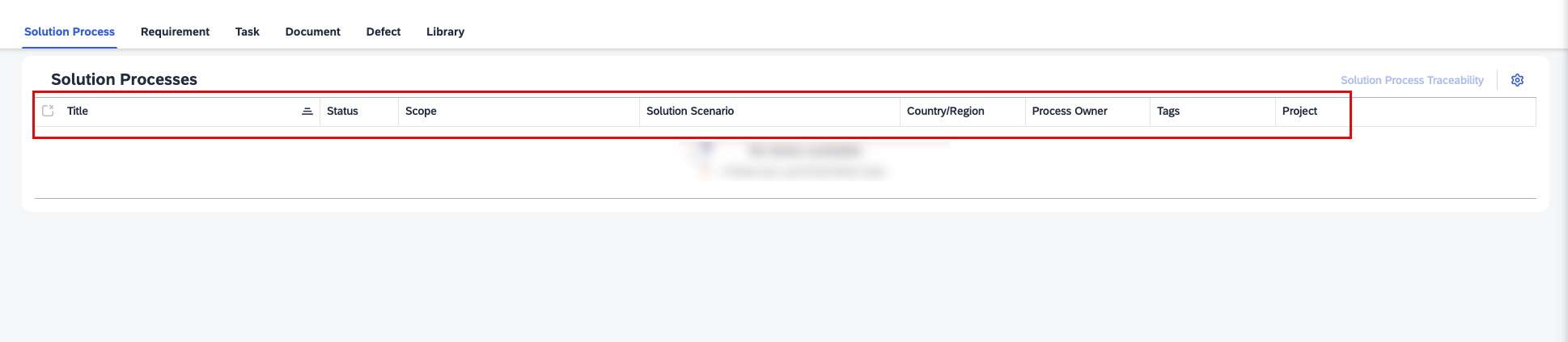
Step 2: Include solution processes of the solution scenario in the scope (via toggle switch)

The result can then be viewed immediately, as the solution value flow and the solution process diagrams are visible

Step 3: Create a copy of the solution process

Step 5: The copied diagrams can now be adapted to the company’s requirements, saved and published

💎 Why all this?

Thanks to the visualized roles and activities, everyone involved understands the process. We create transparency and are efficient because we don’t need another tool and can build on the best practices.

Ultimately, this is extremely helpful for following even complex processes and ensuring that nothing is forgotten.

➡️ And one last tip

Uses the initial experience with BPMN for the ALM processes to document the business processes in the same form. This creates uniform standards that generate transparency and promote collaboration between IT and specialist departments.

The integrated tools and best practices in SAP Cloud ALM make ALM process management not only efficient, but also intuitive.

Donuts and SAP ALM: The sweet analogy of agile product development for SAP Cloud ALM 

Many of us enjoy a freshly baked donut. We not only think of the delicious taste, but also of the shape – a ring. And although you might reflexively think that the article at hand is dealing with the analogy of the outer shape of a donut and the Application Lifecycle Management ring, I will not go into that, but rather into the difference between plan-driven and value-driven development and their problems. 

The question of why certain features are still missing from SAP Cloud ALM is particularly interesting. Many customers ask precisely this question: why is this or that feature still not available? I am not trying to defend SAP here, because it could certainly be argued that with more or faster developer resources, some things could be implemented more quickly. But for me, it is more about creating an understanding of the challenges: How do you balance the pressure of customer expectations with long-term vision and quality assurance? This is precisely where the difficulty of combining both stability and flexibility in a plan-driven approach to deliver sustainable value becomes apparent. 

From SAP SolMan to SAP Cloud ALM 

SAP Solution Manager (also affectionately known as SolMan by the community) will no longer be covered by mainstream maintenance from the end of 2027. Although SAP Cloud ALM is not a direct successor to SAP Solution Manager, as there will be no feature parity, it is at least the logical successor. 

And it is precisely here that the connection between a doughnut and SAP Cloud ALM arises. We have already established that almost everyone knows that a doughnut is ring-shaped. Many of you also know what a good doughnut should taste like. And SAP customers know what the SAP Solution Manager looks like and what ALM functions it offers. It is therefore obvious that these are the functions that are expected of the “successor product”. 

The Solution Manager can therefore be compared to a well-known doughnut recipe. It is a recipe and a preparation in which we know exactly which ingredients belong and what the end result should be. It is a proven recipe that is loved by many. 

The development of SAP Cloud ALM, on the other hand, represents a completely new recipe and approach. It is no longer developed in a plan-driven manner, where the end product and its features are fixed from the outset. Rather, it is a value-driven approach that prioritizes customer value and benefit. 

Value-Driven vs. Plan-Driven Development: A Recipe Duel 

Understanding the differences between value-driven and plan-driven development is important to recognize the benefits and challenges. Here is a comparison: 

Plan-Driven Development (PDD) 

PDD is based on a systematic and sequential approach in which each phase (requirements, design, implementation, validation) of software development is strictly planned before it actually begins. The scope of services is fixed, while the costs and deadlines are “variable” or the levers that can be adjusted. 

  • Planning: The main focus is on advance planning. It is expected that all requirements will be determined at the beginning of the project and that little or no change will occur during the course of the project. 
  • Documentation: PDD emphasizes the importance of comprehensive documentation. Each step is documented in detail to ensure that all parties involved understand the process and requirements exactly. 
  • Flexibility: PDD is usually less flexible with regard to changes, since changes are often costly and time-consuming, especially if they are made late in the process. 
  • Risk management: PDD tries to minimize risks early on by planning everything in advance. 
  • Examples of methods: Waterfall model, V-model. 

Value-Driven Development (VDD) 

VDD focuses on creating continuous value for the customer or end user by relying on feedback and iterative development. With this approach, the costs and deadlines are “fixed” and the scope of services is variable. Good, agile requirements engineering is a must for VDD. 

  • Planning: Instead of strictly adhering to a predetermined plan, VDD flexibly adapts to new information or changing customer needs. 
  • Documentation: While documentation is still important, it can be less extensive in VDD than in PDD. The focus is on functional software and customer feedback. 
  • Flexibility: VDD is very flexible with regard to changes, since the approach expects that requirements may change over time. 
  • Risk management: VDD accepts that risks exist, but relies on minimizing them through regular feedback loops and adjustments. 
  • Examples of methods: Agile development methods such as Scrum and Kanban 

Plan-driven Development: As familiar as a glazed doughnut or an SAP Solution Manager 

A few years ago, SAP Solution Manager was developed. A platform for implementing and operating SAP solutions (mainly for on-premise products). The recipe is fixed, the ingredients are known, and the result is predictable, i.e. the principle for the development of SolMan was largely the systematic approach of “plan-driven development». Similar to an architect who plans every detail before construction begins. 

The challenge of change: SAP Cloud ALM 

Imagine you are standing in a modern doughnut bakery. Instead of just baking a set doughnut, the baker experiments with different ingredients. He first brings you the naked dough ring, the basic structure – a minimum viable product (MVP), so to speak. For some, this is already enough, others wait for the icing, still others for the sprinkles, and based on the feedback, the baker can gradually (in several iterations) refine the doughnut. Still others give feedback and demand a certain filling. Which way is the right one? 

The development of SAP Cloud ALM is reminiscent of the trend towards experimental doughnut flavors. SAP Cloud ALM was also developed for the implementation and operation of SAP solutions, but with a clearer focus: for SAP cloud products. 

Agile development at SAP Cloud ALM is now like the baker stopping by every two weeks and saying, “Try this!” But instead of a full doughnut, there might only be one bite. Some customers are excited about the quick delivery and the opportunity to provide feedback. Others might be disappointed that the doughnut isn’t “done” yet. 

A world of flavors that is constantly changing 

Just as the world of donuts is constantly evolving – just think of trends like cronuts or donut burgers – so is our world of information systems and general conditions. The most important thing is that we are prepared to adapt, provide feedback and be open to the countless possibilities that lie ahead. 

Value-driven development requires flexibility and openness to change. And while some customers appreciate the opportunity to design their own “donuts,” others find it challenging to constantly adapt to new flavors. 

A shift in mindset is needed in at least three ways: 

1. Development teams must adapt so that they are able to actually develop a product in an agile way.  

2. Customers must develop the willingness and acceptance that not every function already adds 100% value, but that sub-functions can be used more quickly and at least add partial value. 

3. Customers must embark on a journey and not just demand functions because they “have always done it that way”, but question whether alternative approaches could bring even greater benefits. 

In a constantly changing (digital) world, we should perhaps all adopt the values of doughnut lovers a little more: curiosity, flexibility, patience and an open mind for the next potentially best and sweetest bite of doughnut innovation – even if one or two attempts don’t taste so good 🍩 

SAP Cloud ALM – What’s New Week 48

Welcome to the latest edition of our bi-weekly SAP Cloud ALM update series! Every two weeks, we bring you the newest innovations, performance improvements, and interface enhancements designed to elevate your Cloud ALM experience. In this edition, we’ll dive into the exciting updates introduced in week 48. Stay tuned for a closer look at what’s new!

Services

In Issues and Actions Management, issues and standalone actions are now categorized based SAP Category instead of the Issue Type. Now it’s possible to filter the issues and standalone actions by SAP Category.

Implementation

Processes allows now to assign the same document multiple times to different entities of a solution process in the context of a project and scope. For example, it’s possible to assign the same document to a lane and to a solution activity within the same solution process flow.

Keep in mind that a document can still only be assigned once to a given entity (for example: the same document can’t be assigned twice to the same Solution Activity in the context of a Project, Scope, Solution Scenario, Solution Process, Solution Process Flow, or Solution Process Flow Diagram).

When selecting the whole diagram (by clicking outside its borders), only documents directly assigned to the diagram (not to one of the entities within it) are displayed. The same applies for Requirements, User Stories or Tasks. For an overview of such assignments, please refer to the Solution Process Traceability app.

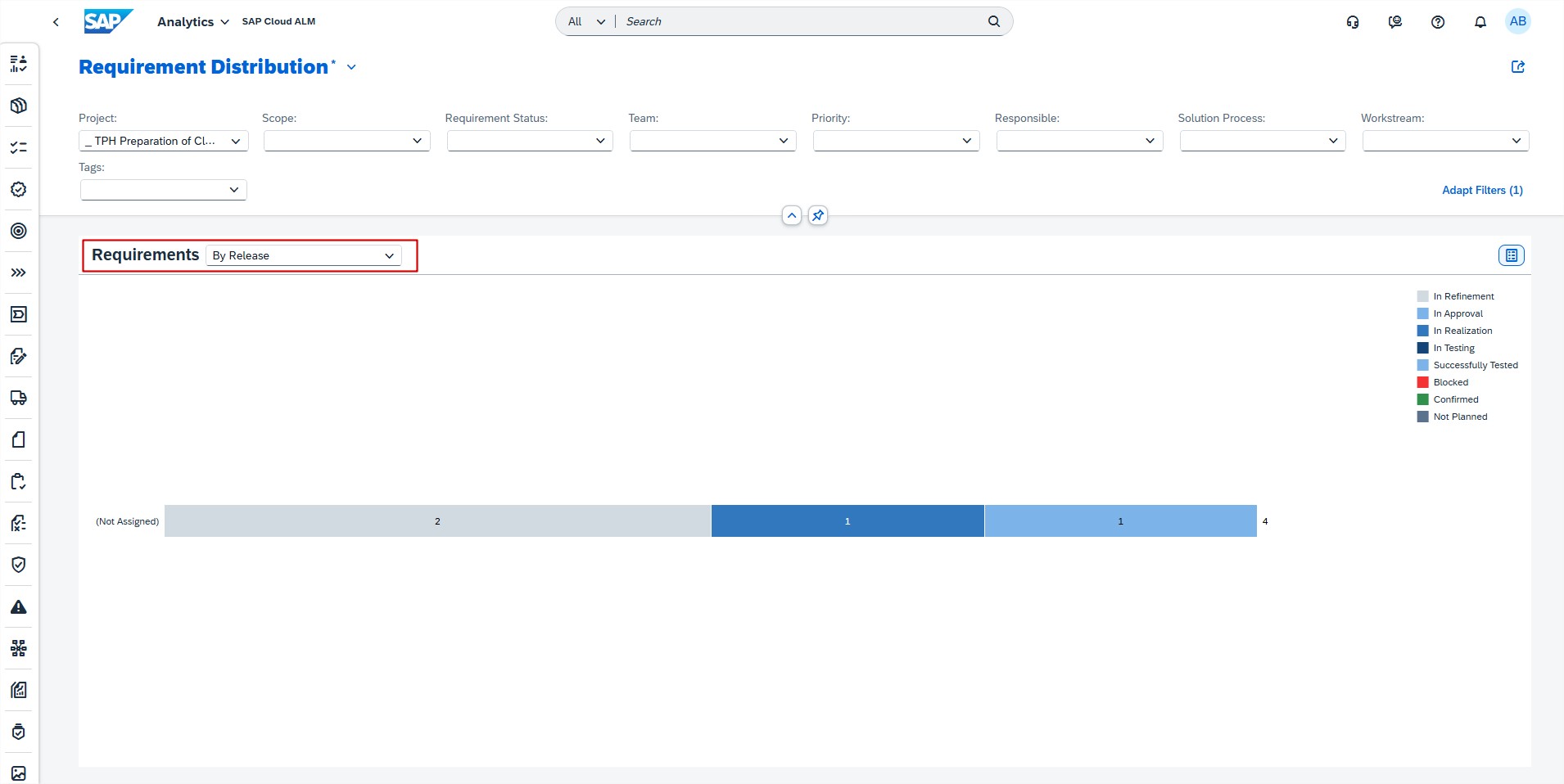
Overview app has now the option to filter by Release. By using the filter, the data for the Tasks, Requirements, Features, and Defect Distribution cards is updated.

In Cross-Project Overview, the Process Hierarchy Assignment app now features a new Defects column.

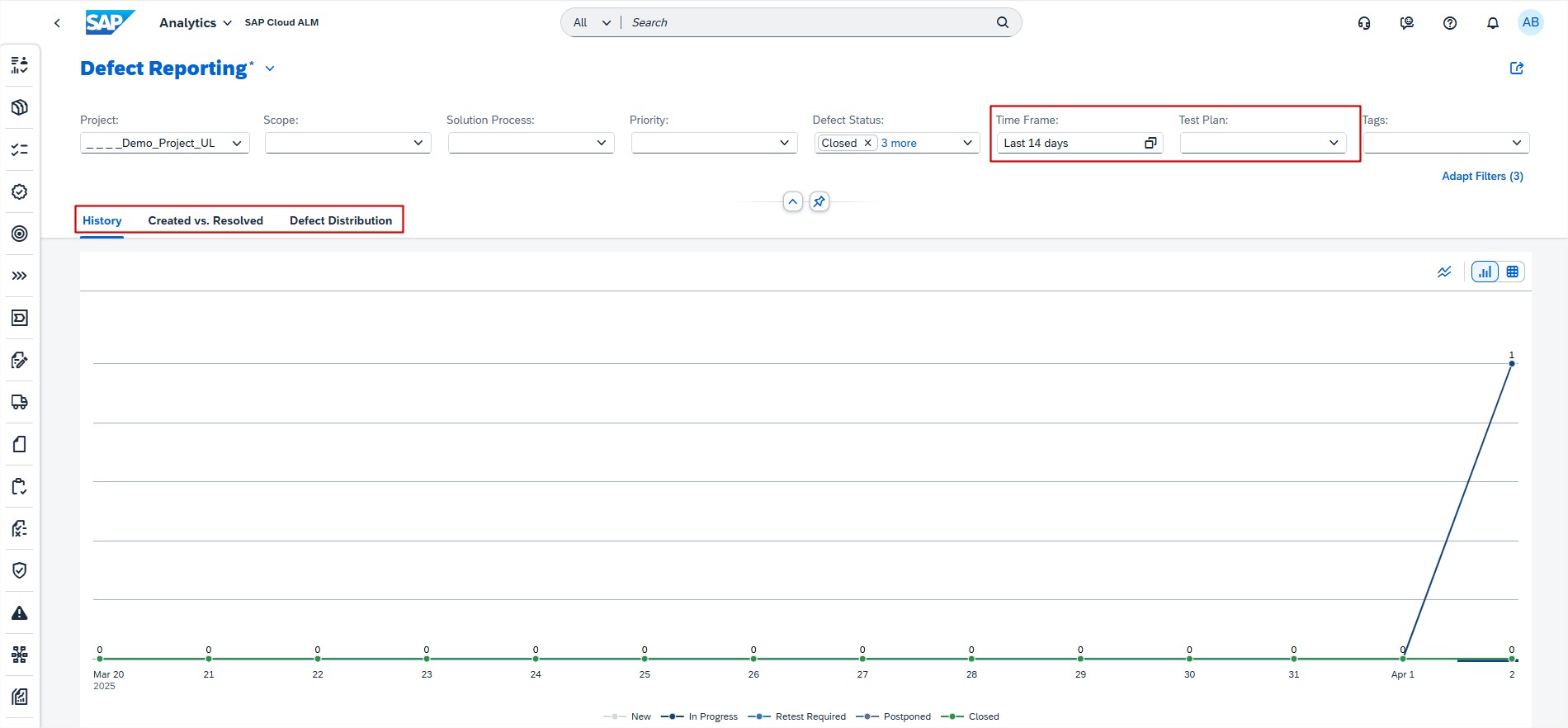
Analytics introduced a new filter Test Plan in the Defect Reporting app. Now all tabs are filtered accordingly, with the Defect Distribution tab also offering a By Test Plan selection for defects.

Operations

Synthetic User Monitoring has now improved Availability Status.

In case of executions failing due to monitoring issues (for example infrastructure issues, badly formed scripts, or internal errors), the availability for these executions is now not rated any more.

In the UI, they are not treated as follows:

  • In the Home page, they are not counted for the displayed statuses in the overview tiles. If the last execution failed due to a monitoring issue, the icon for the last availability is displayed in blue.
  • In the Executions, they are displayed in blue with the information Availability Not Rated.
  • No event is created when executions are failing due to monitoring issues.

Integration & Exception Monitoring has 2 new features available.

A new event type, Issues Detected, is introduced. This event type enables to configure events based on status group, status, direction, or any other filter parameter available for the message category.

For instance, it’s possible to setup events for warning messages from a particular interface by specifying the Status and Sender Interface parameters.

The event conditions are defined in the Filters section of the Event Settings. By default, ERROR and WARNING are selected for the Status Group parameter.

A new version of the Raw Data Outbound Logs API is now available for Integration & Exception Monitoring. This version uses a new payload structure that eases message processing for open telemetry.

Administration

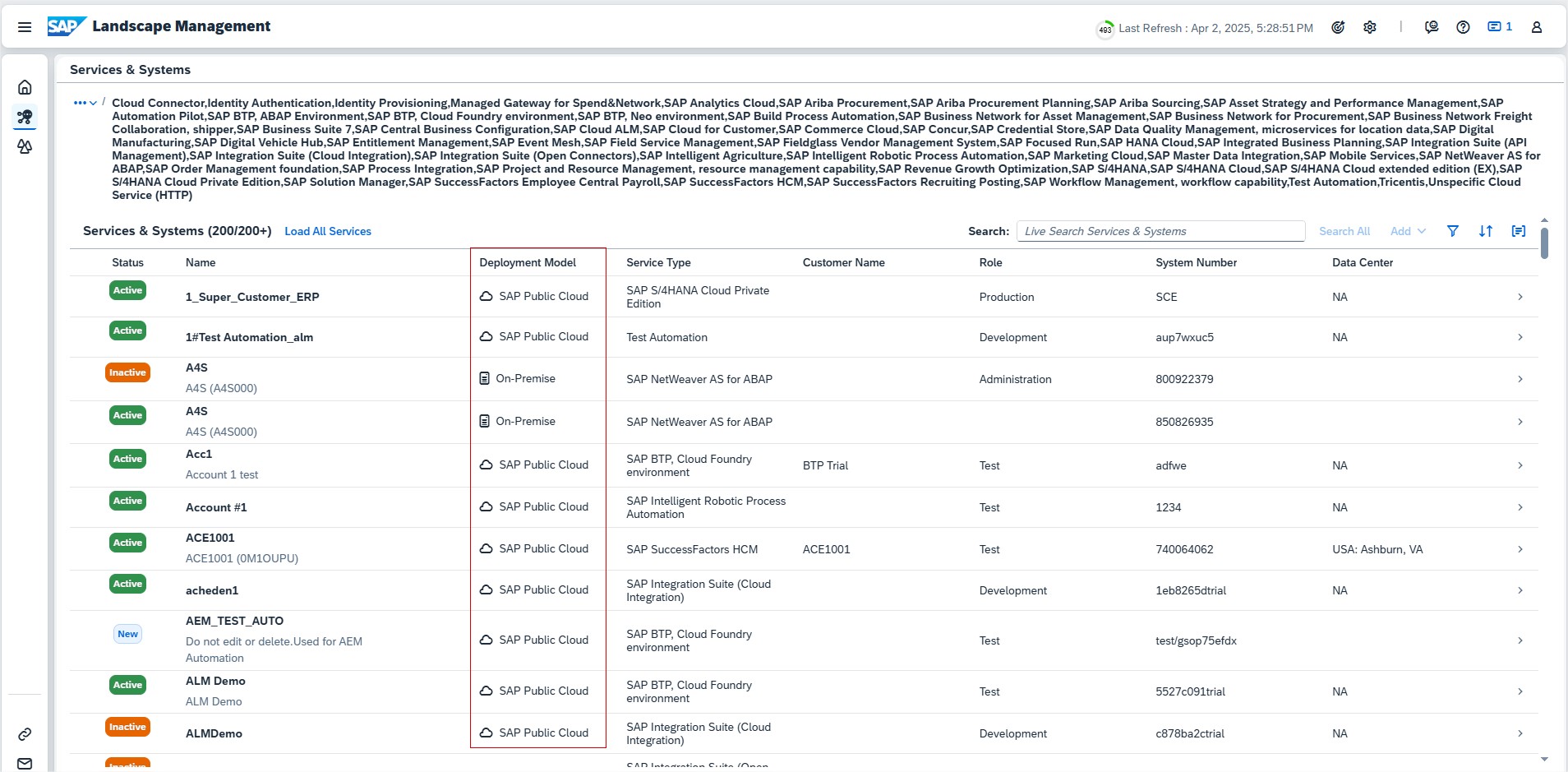
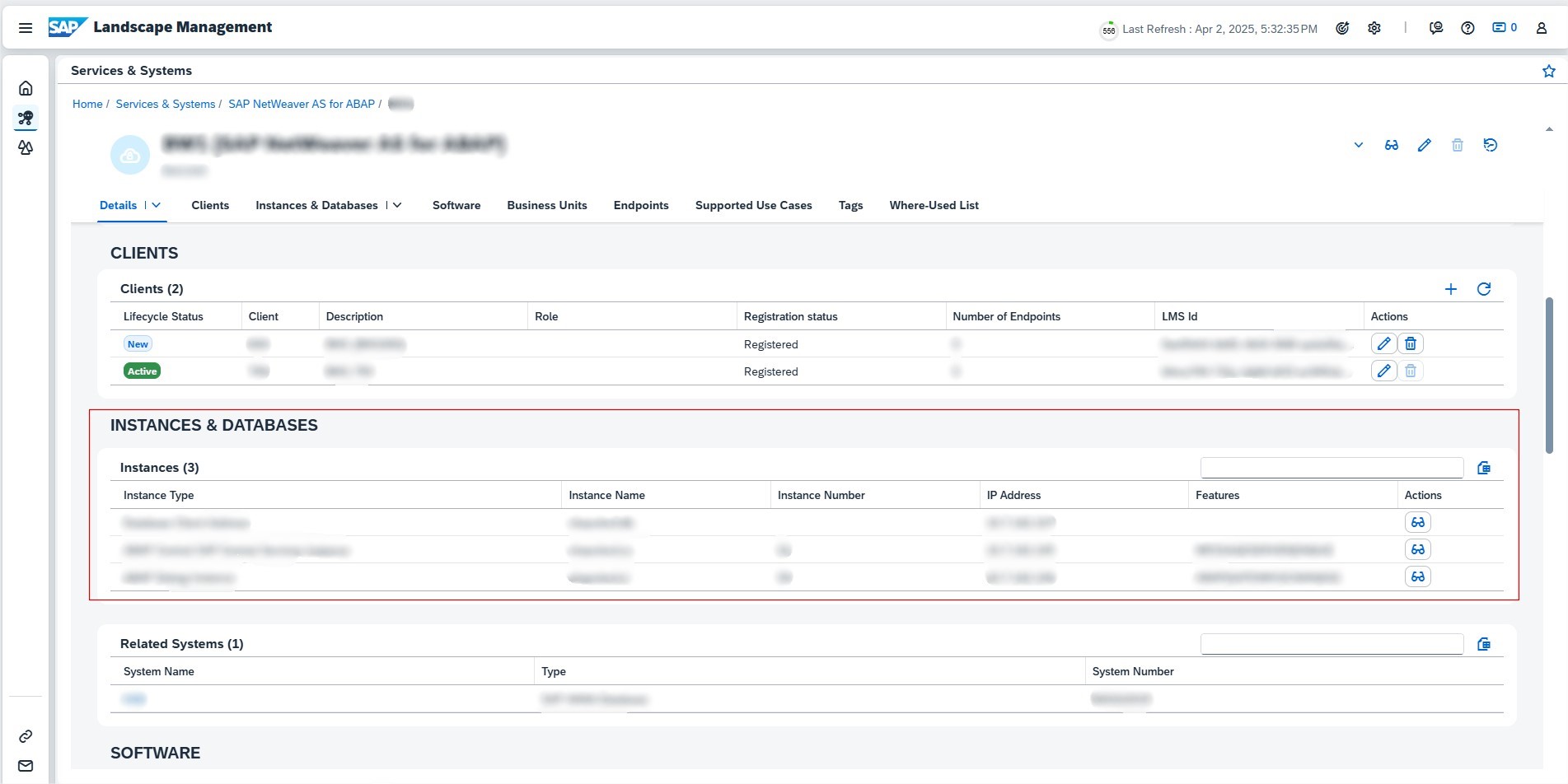
Landscape Management had improvements for Access Control.

In the detail page of a business service, the assigned services and systems are displayed. Now, these names only link to the corresponding detail page, if user have access to the component by Access Control.

In the detail page of a managed component, the business services of this component are displayed. Only business services that users have access based on Access Control are listed there.

Landscape Management introduced also a new feature, Business Units.

It’s now possible to use business units as an additional grouping criterion for managed components to maintain a better overview of systems and services. It’s possible to assign one or more business units to a system or service. Users with Landscape Security Administrator role, can create, edit and delete business units in the Configuration section Customer Business Units.

This feature is particularly useful for a better overview if having a large number of systems and services under the same customer number. Depending on which grouping criterion is most helpful for grouping managed components, it’s also possible to specify any other values, such as departments, brands or locations.

Once created, enables to filter services and systems list for any business unit, also the business units assigned to a service or system are displayed in the corresponding details.